1. Introduktion
This manual provides detailed instructions for the setup, operation, and maintenance of your eo Digital Alarm Clock, model ED-014. This multifunctional device integrates a digital alarm clock with a clear LED display, a convenient phone stand, and dual pen holders, designed to enhance your desktop organization.

The eo Digital Alarm Clock, showcasing its integrated phone stand, pen holder, and clear LED display.
2. Pakkens indhold
Kontroller venligst, at alle varer er til stede i pakken:
- eo Digital Alarm Clock Unit (Model ED-014)
- USB-C strømkabel
- Brugervejledning (dette dokument)
3. Produktet er slutview
The eo Digital Alarm Clock features a split-front design with a large mirror-finish LED display. It includes an elevated smartphone stand and dual pen holders for organizational convenience.
Nøglefunktioner:
- Digital Alarm Clock with Snooze function
- LED Mirror Finish Display for clear visibility
- USB-C Powered operation
- Raised Smartphone Stand with charging cable gap
- Dual Pen Holders
- Temporal Memory function (requires CR2032 battery, not included)
- Front-facing control buttons
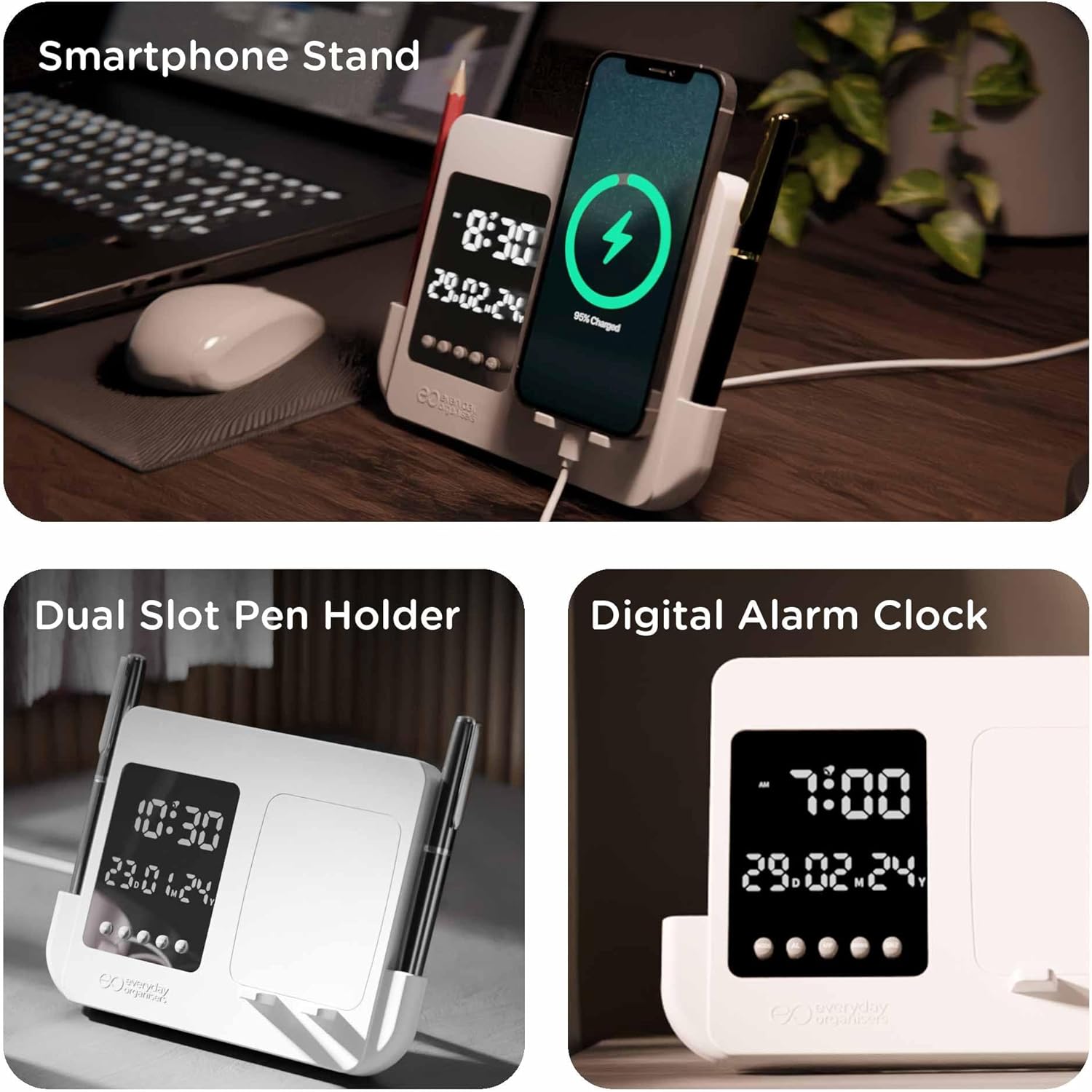
This image highlights the clock's key features: a dedicated smartphone stand for charging, dual pen holders for organization, and the digital alarm clock display showing time and date.
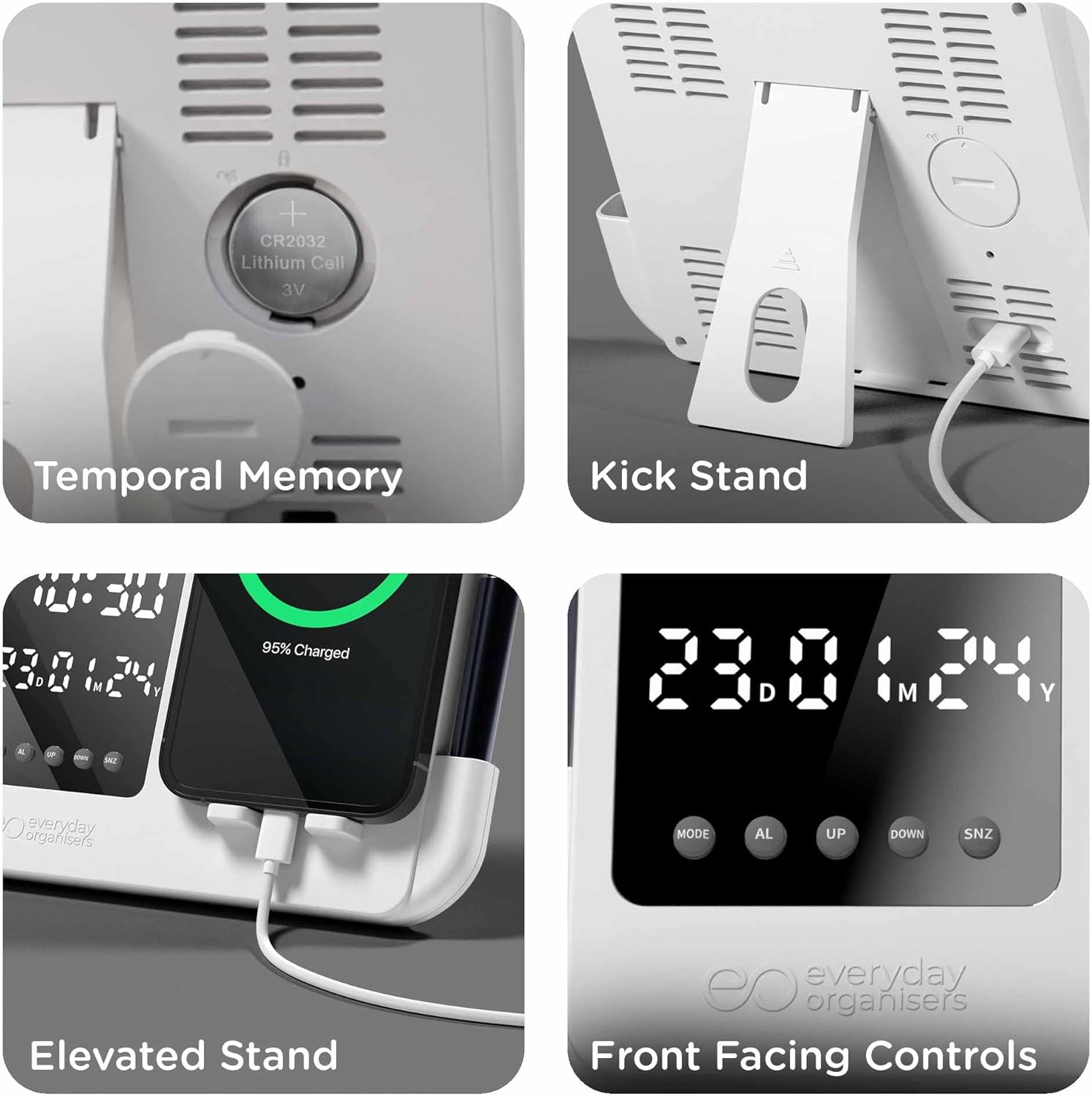
Details the CR2032 battery compartment for temporal memory, the adjustable kickstand, the elevated phone stand design, and the accessible front-facing control buttons.
4. Opsætning
4.1 Strømtilslutning
- Connect the provided USB-C cable to the USB-C port located at the back of the alarm clock.
- Plug the other end of the USB-C cable into a compatible 5V USB power adapter (not included).
- The display will illuminate, indicating the clock is powered on.
4.2 Temporal Memory Battery Installation (Optional)
To retain time settings during a power outage, install a CR2032 lithium cell battery (not included).
- Find batterirummet på bagsiden af uret.
- Åbn batterirummets dæksel.
- Isæt et CR2032-batteri med den positive (+) side opad.
- Luk batterirummets dæksel forsvarligt.
5. Betjeningsvejledning
The clock features four control buttons located on the front panel: MODE, AL (Alarm), UP, og NED, og SNZ (Snooze).
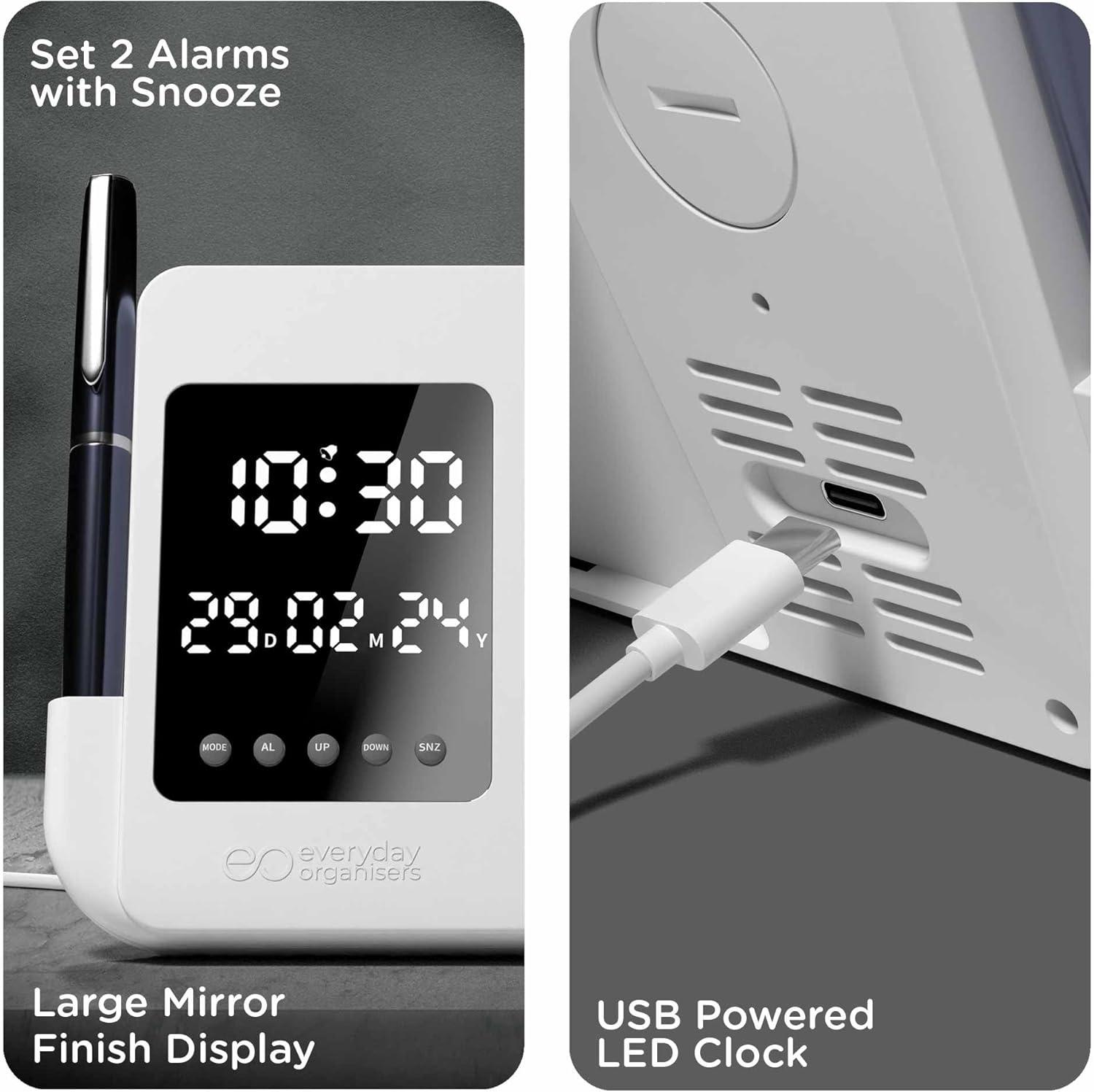
Illustrates the process of setting two alarms with snooze, the large mirror-finish LED display, and the USB-C port for power.
5.1 Indstilling af tid og dato
- I normal tidsvisningstilstand skal du trykke på og holde nede MODE -knappen i 3 sekunder for at gå ind i tidsindstillingstilstand. Timecifrene blinker.
- Brug UP og NED knapper for at justere timen.
- Trykke MODE again to move to minute setting. Use UP og NED for at justere minutter.
- Trykke MODE again to set the year (YY). Use UP og NED at justere.
- Trykke MODE again to set the month (MM). Use UP og NED at justere.
- Trykke MODE again to set the day (DD). Use UP og NED at justere.
- Trykke MODE one more time to exit setting mode, or wait 10 seconds for it to exit automatically.
5.2 12/24 timers format
I normal tidsvisningstilstand skal du trykke på UP button to switch between 12-hour and 24-hour formats.
5.3 Indstilling af alarmer (dobbeltalarmer)
- I normal tidsvisningstilstand skal du trykke på AL knap én gang til view Alarm 1 (A1). Press AL igen til view Alarm 2 (A2).
- Mens viewing A1 or A2, press and hold the AL button for 3 seconds to enter alarm setting mode. The hour digits will flash.
- Brug UP og NED knapper for at justere alarmtiden.
- Trykke AL again to move to minute setting. Use UP og NED for at justere minutter.
- Trykke AL again to enable/disable the alarm. Use UP or NED for at vælge TIL eller FRA.
- Trykke AL one more time to exit setting mode, or wait 10 seconds for it to exit automatically.
5.4 Snooze -funktion
- Når en alarm lyder, skal du trykke på SNZ button to activate the snooze function. The alarm will pause and sound again after a few minutes (default snooze duration).
- To turn off the alarm completely, press any other button (MODE, AL, UP, NED) when the alarm is sounding or during the snooze period.
5.5 Using the Phone Stand
The elevated smartphone stand is designed to hold your phone securely. A built-in gap allows for hassle-free charging while your phone is docked.
5.6 Using the Pen Holders
The clock features dual pen holders on each side. These grooves are suitable for storing pens, pencils, or other small desk accessories.
6. Vedligeholdelse
6.1 Rengøring
To clean the clock, gently wipe the surface with a soft, dry cloth. Avoid using abrasive cleaners, solvents, or harsh chemicals, as these may damage the finish or display.
6.2 Battery Replacement (Temporal Memory)
If the clock loses time settings frequently after power disconnection, the CR2032 temporal memory battery may need replacement. Follow the instructions in Section 4.2 to replace the battery.
7. Fejlfinding
| Spørgsmål | Mulig årsag | Løsning |
|---|---|---|
| Uret er slukket eller flimrer. | Ingen strøm eller ustabil strømforbindelse. | Ensure the USB-C cable is securely connected and the power adapter is functioning correctly. Try a different USB port or adapter. |
| Time/Date resets after power disconnection. | CR2032 temporal memory battery is missing or depleted. | Install or replace the CR2032 battery (see Section 4.2). |
| Alarmen lyder ikke. | Alarmen er ikke aktiveret eller indstillet forkert. | Verify that the alarm is set to ON and the time is correct (see Section 5.3). |
| Knapperne reagerer ikke. | Midlertidig softwarefejl. | Disconnect the power cable for a few seconds, then reconnect it to reset the device. |
8. Specifikationer

A visual representation of the eo Digital Alarm Clock's dimensions: 180mm length, 130mm height, and 20mm width.
| Feature | Detalje |
|---|---|
| Mærke | eo |
| Modelnummer | ED-014 |
| Farve | Hvid |
| Produktdimensioner | 13 x 3.81 x 18 cm (ca. 180 mm x 130 mm x 20 mm) |
| Varens vægt | 300 g |
| Materiale | Acrylonitril Butadien Styren (ABS) |
| Strømkilde | Corded Electric (USB-C, 5V) |
| Display Type | Digital LED |
| Tidsformat | 12H/24H |
| Alarm | Dobbeltalarmer med snooze-funktion |
| Særlige funktioner | Alarm, Calendar Display, Illuminated, Large Display, Pen Stand, Elevated Smartphone Holder, Temporal Memory (CR2032) |
9. Garanti og support
The eo Digital Alarm Clock (Model ED-014) comes with a 1 års garanti fra købsdatoen. Denne garanti dækker fabrikationsfejl og funktionsfejl under normal brug.
For warranty claims, technical support, or any inquiries regarding your product, please refer to the manufacturer's official webwebstedet eller kontakt deres kundeserviceafdeling gennem den forhandler, hvor produktet blev købt.