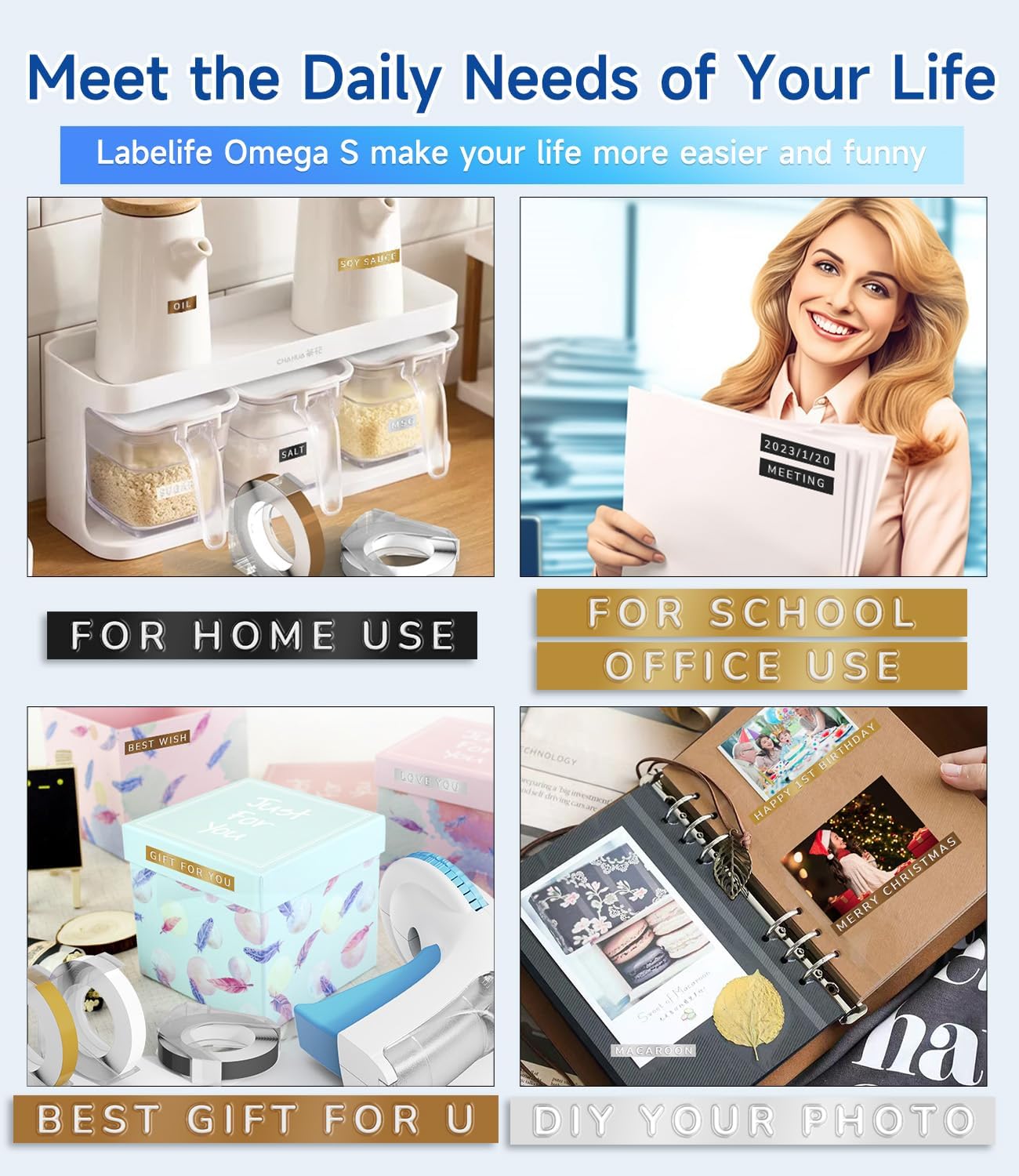
Model: Omega S
This manual provides detailed instructions for the safe and effective use of your Labelife Omega S Embossing Label Maker. Please read this manual thoroughly before operating the device to ensure proper function and longevity. This label maker is designed for creating embossed labels for various organizational and crafting needs without the use of batteries or ink.
Bekræft, at alle nedenstående varer er inkluderet i din pakke:

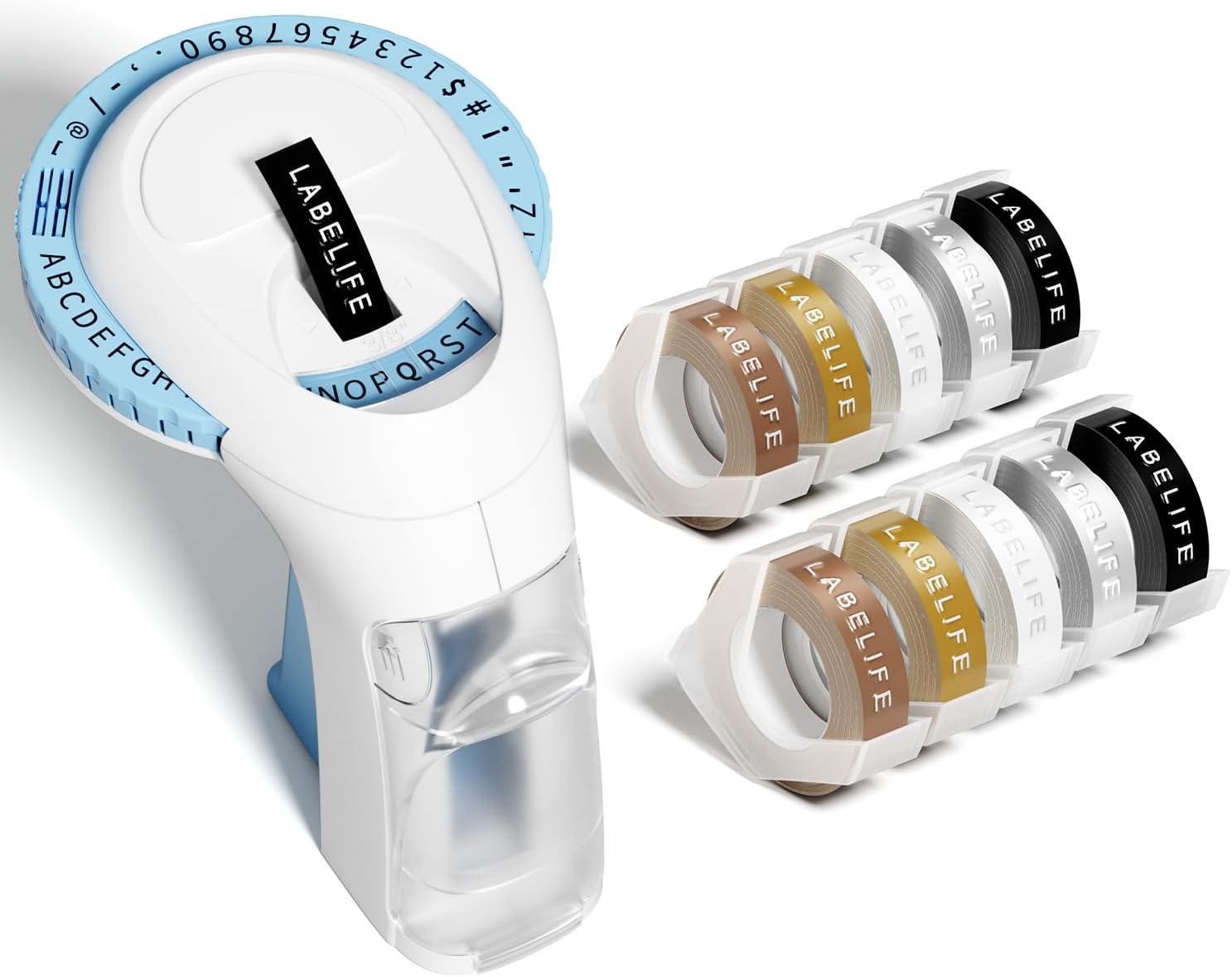
Image: The package contents, including the blue label maker, ten rolls of 9mm embossing tape in various colors, and a user manual.

Image: The label maker's character dial, highlighting the 48 available characters (A-Z, 0-9, and symbols) and the "Turn-and-Click" system.

Image: Visual representation of the label tapes' properties, including easy peeling, 3D effect, water resistance, abrasion resistance, and strong adhesive.
| Mærke | Labelife |
| Modelnavn | Omega S Embossing Label Maker |
| Udskrivningsteknologi | Prægning |
| Forbindelsesteknologi | Manuel |
| Maksimal mediestørrelse | 9mm (3/8" Inches) |
| Printerblæktype | Ingen blæk kræves |
| Produktdimensioner | 4.96 x 3.62 x 4.64 cm (D x B x H) |
| Varens vægt | 11.3 ounce |

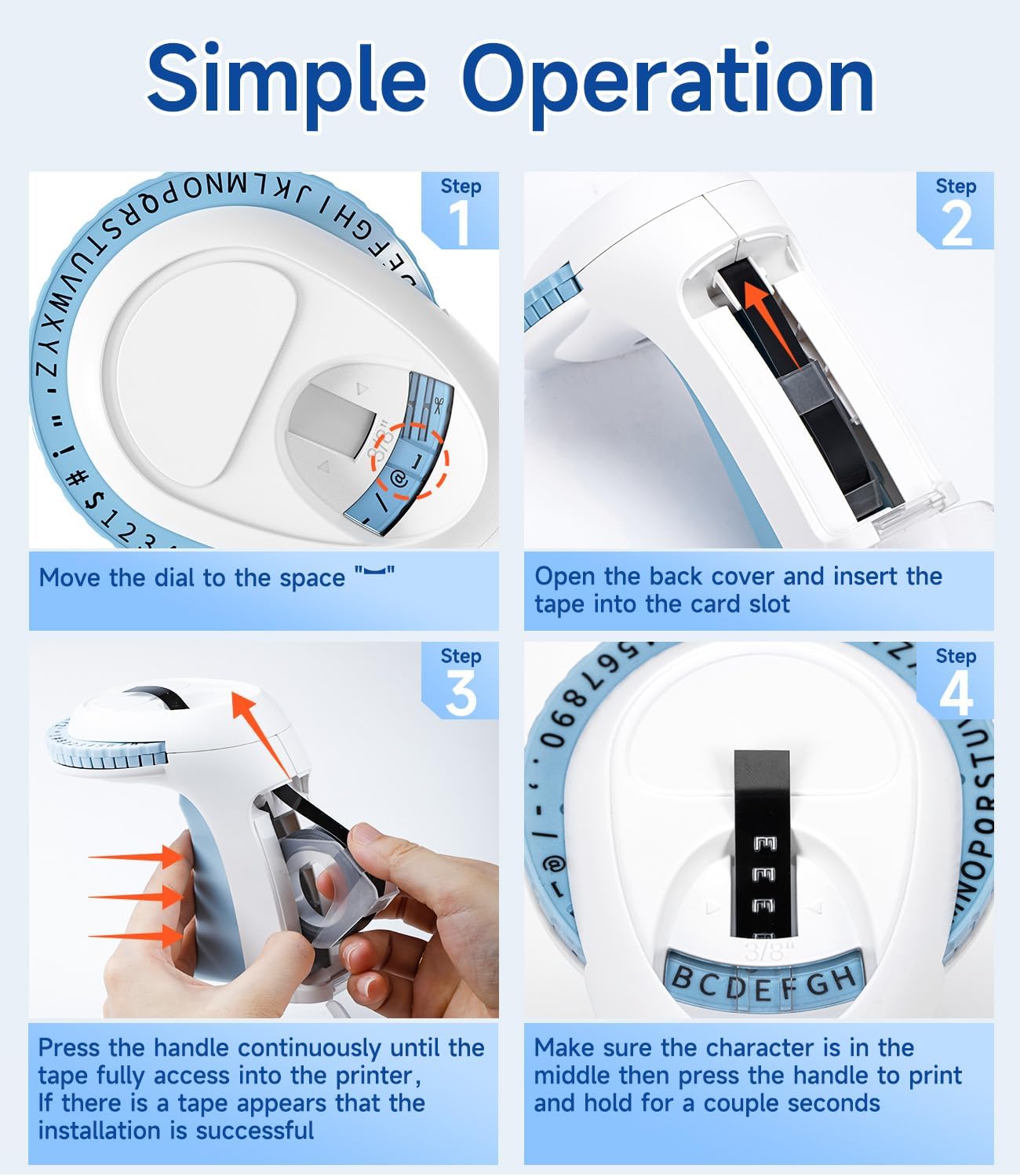
Image: Visual steps for loading the label tape, showing how to open the cover, insert the tape, and advance it by pressing the handle.

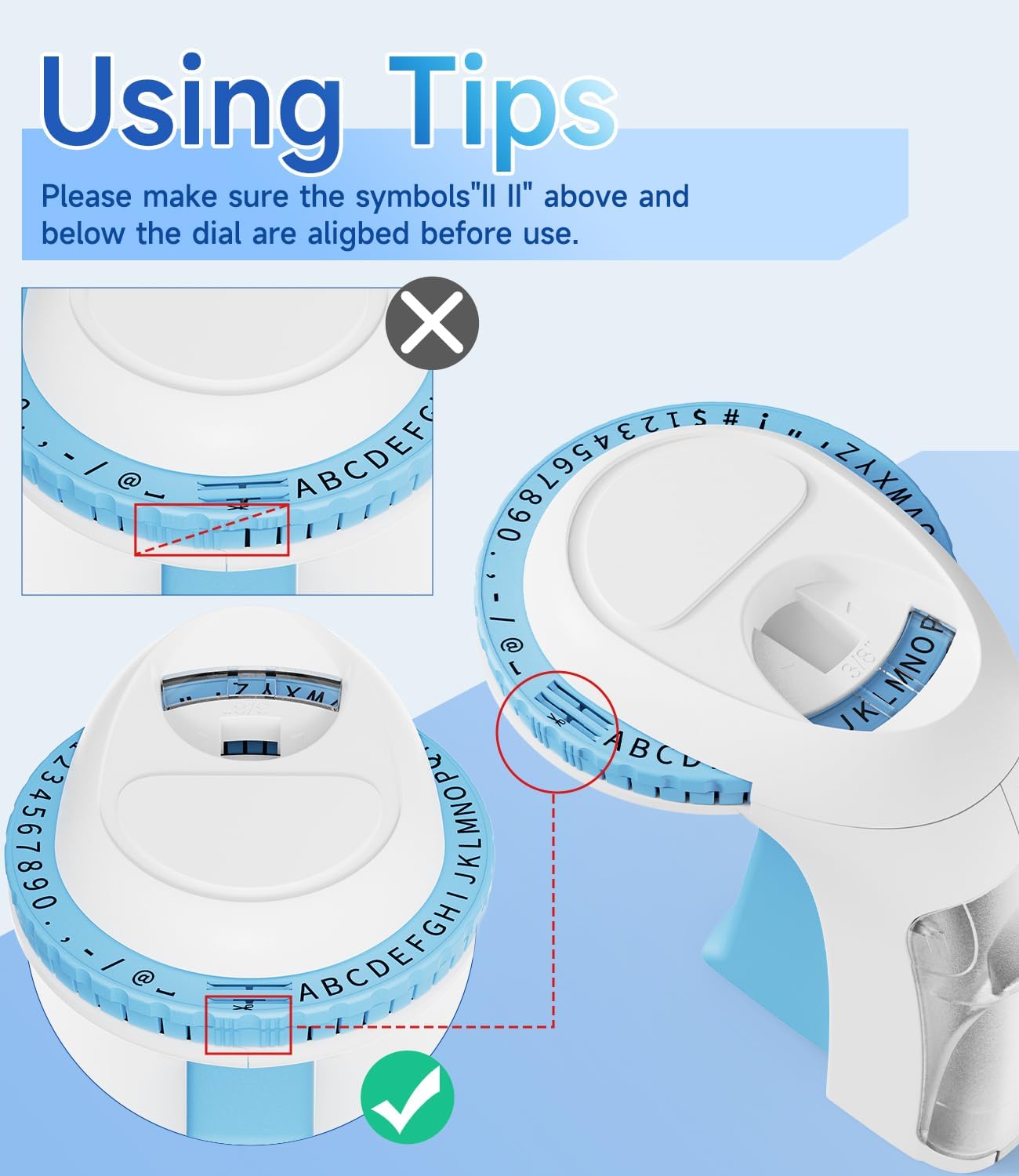
Billede: Detaljeret view of the character dial, illustrating the importance of aligning the indicator marks for accurate character embossing.
The Labelife Omega S Embossing Label Maker requires minimal maintenance. Follow these guidelines to ensure its longevity:
| Problem | Mulig årsag | Løsning |
|---|---|---|
| Karaktererne er uklare eller svage. | Insufficient pressure applied to the handle. | Press the handle more firmly and hold for a couple of seconds for each character. |
| Letters are not aligned or appear crooked. | Character dial not perfectly aligned before pressing. | Ensure the alignment marks on the dial are precisely matched with the indicator before pressing the handle for each character. |
| Tape does not feed or jams. | Tape incorrectly loaded or debris in the tape path. | Open the back cover, remove the tape, and check for any obstructions. Re-insert the tape carefully, ensuring it is seated correctly. |
| Etiketten skæres ikke rent. | Insufficient pressure when cutting or cutter blade is dull. | Ensure the dial is set to the scissor symbol and press the handle firmly to cut. If the issue persists, contact customer support. |
| Difficulty peeling off the tape backing. | The pre-cut divider may not have been fully created. | The tapes are designed with pre-cut dividers for easier peeling. If difficulty occurs, try gently bending the label to separate the backing or use a sharp, thin object to start the peel from a corner. |
For warranty information or technical support, please refer to the documentation included with your purchase or contact Labelife customer service directly. Keep your purchase receipt as proof of purchase.
You can visit the official Labelife store for more information: Labelife Store
![]() |
Labelife Label Maker: Nem installationsvejledning til etiketbånd Omfattende guide fra Labelife til korrekt installation af etiketbånd i din etiketprinter, med visuelle trinvise instruktioner og fejlfindingstips. |
![]() |
Brugervejledning til M221 multifunktionel, bærbar etiketmaskine Brugervejledning til den multifunktionelle, bærbare etiketprinter M221, der dækker produktintroduktion, introduktion, udskiftning af papirrulle, identifikation af etiketstørrelser, installation af pc-applikationer, brugervejledning til appen, sikkerhedsinstruktioner, rengøring og vedligeholdelse, instruktioner til betjeningspanelet og lovgivningsmæssige oplysninger. |
![]() |
Brugermanual til håndholdt etiketprinter Labelife D210S Omfattende brugermanual til den håndholdte labelprinter Labelife D210S, der dækker specifikationer, indledende opsætning, grundlæggende brug, fejlfinding og garantioplysninger. |
![]() |
Lynvejledning: PM-241-BT etiketprinter En kortfattet vejledning til opsætning og brug af PM-241-BT-etiketprinteren, der dækker installation, mobil- og computertilslutning samt udskrivningsinstruktioner. |
![]() |
Brugervejledning til Labelife-appen: Udskrivning og oprettelse af etiketter En omfattende brugervejledning til Labelife-appen, der beskriver, hvordan man tilslutter printere, udskriver PDF files, tilpas etiketstørrelser og brug avancerede funktioner til oprettelse af etiketter. |
![]() |
Labelife-software: Installationsvejledning til Bluetooth-termisk etiketprinter Trin-for-trin-guide til opsætning og tilslutning af din Labelife termiske etiketprinter via Bluetooth ved hjælp af Labelife-softwaren. Lær, hvordan du opretter etiketter, konfigurerer papirindstillinger og etablerer en Bluetooth-forbindelse til udskrivning. |