1. Produktet er slutview
The Ctronics 4G LTE Indoor Security Camera is a versatile surveillance device designed for indoor use. It features 3G/4G mobile connectivity, eliminating the need for Wi-Fi, and offers a 360° Pan-Tilt-Zoom (PTZ) function for comprehensive area coverage. Equipped with advanced motion and human detection, automatic tracking, color night vision, and two-way audio, this camera provides robust monitoring capabilities. It supports local storage via TF card and cloud storage options.
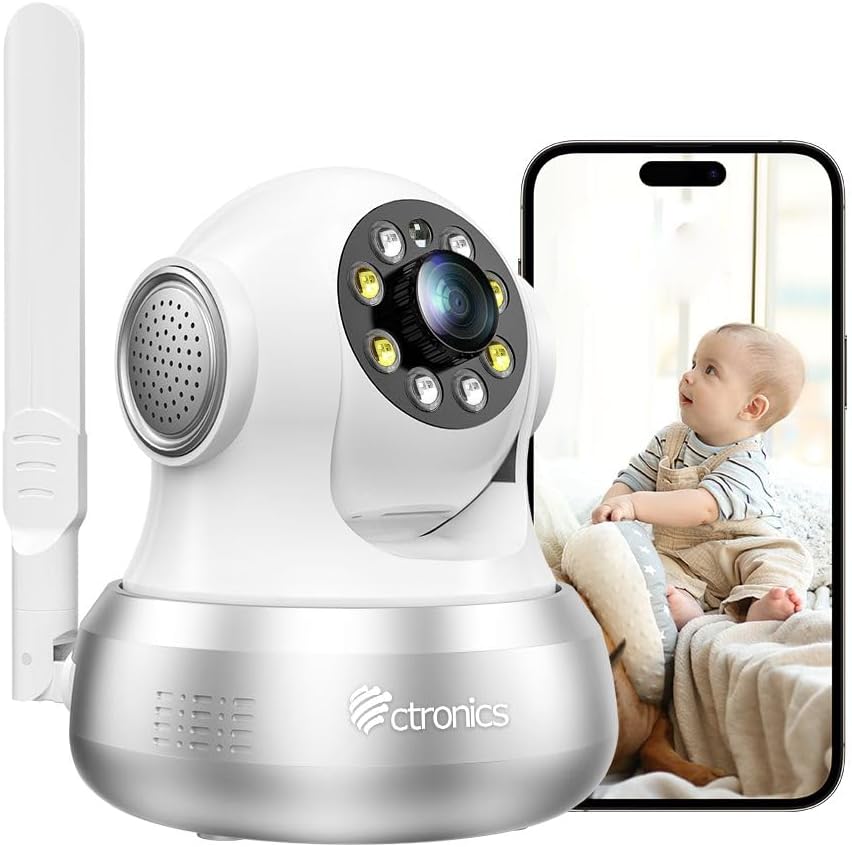
Figure 1: Ctronics 4G LTE Indoor Security Camera with a smartphone displaying live feed.
2. Pakkens indhold
Tjek venligst pakken for følgende varer:
- Ctronics 4G LTE Indoor Security Camera
- Strømadapter
- Monteringsbeslag og skruer
- Ethernet kabel
- SIM Card (with 300 MB test data)
- Brugermanual
- SIM Ejector Tool

Figure 2: Illustration of the camera and its included accessories.
3. Opsætningsvejledning
3.1 SIM Card Installation and Power On
- Indsæt SIM-kort: Locate the SIM card slot on the camera. Using the provided SIM ejector tool, carefully insert the included 3G/4G SIM card. Ensure the SIM card is correctly oriented.
- Strømtilslutning: Connect the power adapter to the camera and plug it into a power outlet. The camera will power on automatically.
- Første opstart: Allow a few moments for the camera to boot up and establish a 4G connection. The status indicator light will show the connection status.

Figure 3: Visual guide for initial setup, including SIM card insertion and power connection.
3.2 Download af app og parring af kamera
- Download app: Scan the QR code in the manual or search for "Ctronics Pro" in your mobile app store (iOS/Android) to download the application.
- Registrer/Log ind: Open the Ctronics Pro app and register a new account or log in if you already have one.
- Tilføj kamera: Følg instruktionerne i appen for at tilføje dit kamera. Dette involverer typisk at scanne en QR-kode på kameraet eller manuelt indtaste dets ID.
- Komplet opsætning: Once the camera is successfully added, you can view livefeedet og konfigurer indstillinger.
3.3 Monteringsmuligheder
The camera can be placed on a flat surface or mounted on a wall or ceiling. A mounting bracket and screws are included for secure installation.
- Bordpladeplacering: Placer blot kameraet på en stabil, flad overflade.
- Væg/loft montering: Use the provided bracket as a template to mark drill holes. Secure the bracket with screws, then attach the camera to the bracket. Ensure the camera is oriented correctly for the desired viewvinkel.
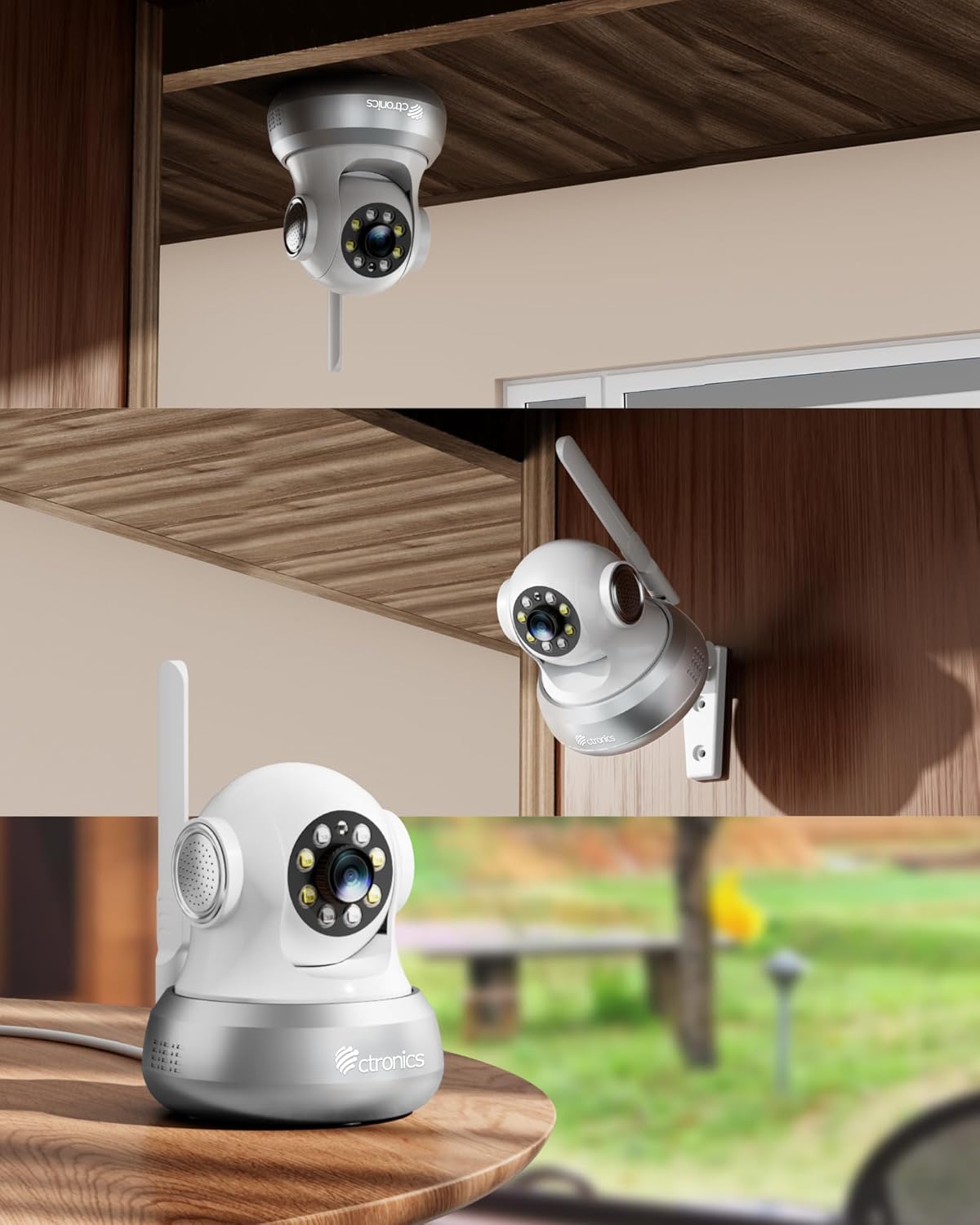
Figur 4: Eksamples of flexible camera placement on a table, wall, or ceiling.
4. Betjeningsvejledning
4.1 Live View og PTZ-styring
Access the live video feed through the Ctronics Pro app. Use the on-screen controls to pan (355°) and tilt (90°) the camera, allowing you to view any corner of the room.

Figure 5: Illustrates the camera's PTZ capabilities and preset monitoring points.
4.2 Motion and Human Detection with Auto Tracking
The camera features an integrated AI algorithm for intelligent detection of humans and motion. When triggered, the camera will automatically lock onto the detected target and track its movements. White lights will flash to deter intruders, and you will receive alarm notifications via the app and email.

Figure 6: The camera's smart detection and tracking feature in action.
4.3 Farve nattesyn
Equipped with 4 white lights and 4 infrared lights, the camera provides clear color night vision up to 20 meters, ensuring visibility even in complete darkness.

Figur 7: Eksample of color night vision and alarm features.
4.4 Tovejslyd
The built-in microphone and speaker allow for real-time two-way communication. You can hear what's happening around the camera and speak through the camera to family members or visitors.

Figure 8: Demonstrating the two-way audio communication feature.
4.5 Optagelse og opbevaring
The camera supports 24/7 continuous or time-scheduled recording. Videos can be stored on a TF card (up to 64 GB, not included) or via the Ctronics Pro app's cloud storage service.
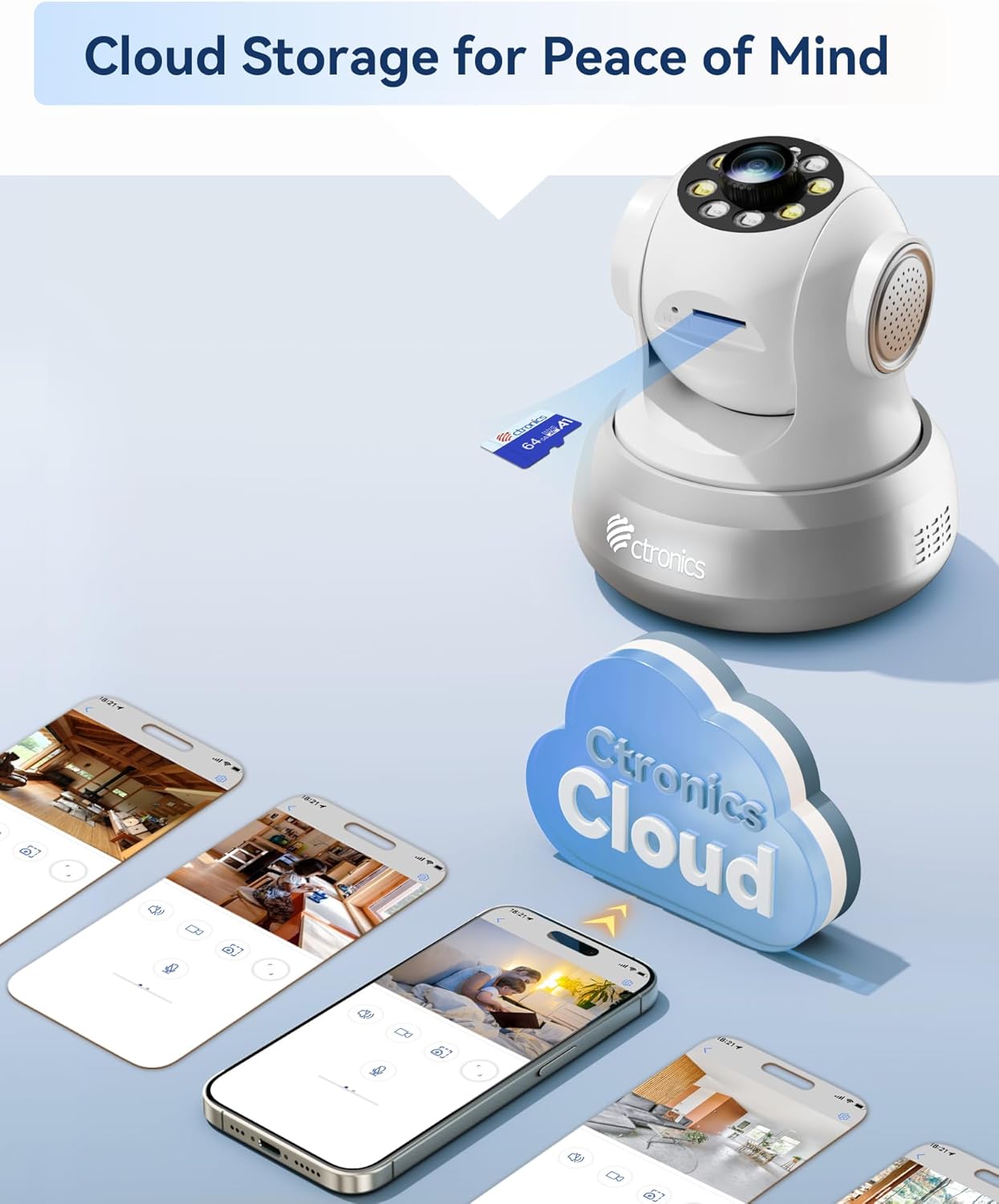
Figure 9: Storage options for recorded footage.
5. Vedligeholdelse
- Rensning: Tør forsigtigt kameralinsen og huset af med en blød, tør klud. Undgå at bruge skrappe kemikalier eller slibende rengøringsmidler.
- Firmwareopdateringer: Regularly check the Ctronics Pro app for available firmware updates to ensure optimal performance and security.
- SIM-kortstyring: Monitor your SIM card data usage to ensure continuous connectivity. Replace or recharge the SIM card as needed.
- Lagerstyring: Periodisk vedrview optaget footage and manage storage space on your TF card or cloud service.
6. Fejlfinding
- Kameraet opretter ikke forbindelse til 4G:
- Sørg for, at SIM-kortet er korrekt isat og aktiveret.
- Check if the SIM card has sufficient data balance.
- Verify 4G signal strength in the camera's location.
- Genstart kameraet ved at tage stikket ud og sætte det i igen.
- No Video Feed in App:
- Confirm the camera is powered on and connected to the 4G network.
- Tjek din mobilenheds internetforbindelse.
- Ensure the Ctronics Pro app is updated to the latest version.
- Try removing and re-adding the camera in the app.
- Bevægelsesdetektion virker ikke:
- Bekræft, at bevægelsesdetektion er aktiveret i appens indstillinger.
- Adjust sensitivity settings to an appropriate level.
- Sørg for, at der ikke er nogen forhindringer, der blokerer kameraets view.
- Dårlig nattesynskvalitet:
- Sørg for, at kameralinsen er ren.
- Check for any reflective surfaces close to the camera that might interfere with infrared or white lights.
7. Specifikationer
| Feature | Specifikation |
|---|---|
| Modelnummer | CTIPC-750C-S-EU4G |
| Mærke | Ctronics |
| Forbindelsesteknologi | 3G/4G Mobile Network (SIM Card included), Wired Ethernet |
| Effektiv videoopløsning | 1080p |
| Pan/tilt rækkevidde | Panorer 355°, vip 90° |
| Nattesyn | Color Night Vision (up to 20m) with 4 white lights and 4 infrared lights |
| Opdagelse | Human/Motion Detection, Automatic Tracking |
| Lyd | Tovejslyd (indbygget mikrofon og højttaler) |
| Opbevaringsmuligheder | TF Card (up to 64GB, not included), Cloud Storage (via Ctronics Pro app) |
| Strømkilde | Elektrisk med ledning |
| Materiale | Acrylonitril Butadien Styren (ABS) |
| Driftsmiljø | Indoor Use Only (Not water-resistant) |
| Pakkedimensioner | 18.7 x 14.6 x 12.4 cm; 510 g |
8. Garanti og support
Ctronics products typically come with a standard manufacturer's warranty. For specific warranty details, please refer to the warranty card included in your product packaging or visit the official Ctronics website. For technical support, troubleshooting assistance, or any product-related inquiries, please contact Ctronics customer service through their official channels. Contact information can usually be found on the Ctronics webwebstedet eller i Ctronics Pro-applikationen.


