1. Introduktion
This manual provides detailed instructions for the installation, operation, and maintenance of your Jennov JS7015 5MP Dual-Band Wi-Fi Outdoor Security Camera. Please read this manual thoroughly before using the product to ensure correct usage and optimal performance.

Figure 1: Jennov JS7015 Outdoor Security Camera
The Jennov JS7015 is a 5-megapixel outdoor security camera featuring dual-band Wi-Fi connectivity (2.4GHz and 5GHz). It offers 360-degree viewing capabilities, PIR human detection, auto-tracking, 24/7 recording, and two-way audio for comprehensive outdoor surveillance.
2. Pakkens indhold
Kontroller venligst pakkens indhold ved modtagelse. Hvis der mangler eller er beskadigede varer, skal du kontakte kundesupport.
- Jennov JS7015 5MP Dual-Band Wi-Fi Outdoor Security Camera
- Strømadapter
- Monteringsskruer og ankre
- Brugervejledning (dette dokument)
3. Produktet er slutview
Familiarize yourself with the camera's components.

Figure 2: Camera Pan and Tilt Mechanism
The camera features a motorized pan and tilt mechanism, allowing for a 355° horizontal rotation (pan) and a 60° vertical rotation (tilt). This enables comprehensive coverage of the surveillance area. The camera body houses the lens, infrared LEDs, white light LEDs, microphone, and speaker. Two external antennas provide enhanced Wi-Fi signal reception.
- Kameraobjektiv: Optager video footage.
- Infrarøde lysdioder: Provide illumination for black and white night vision.
- Hvide lysdioder: Provide illumination for color night vision and act as a spotlight.
- Mikrofon: Captures audio for two-way communication and recording.
- Højttaler: Outputs audio for two-way communication and alarms.
- Antenner: Til Wi-Fi-forbindelse.
- Strømport: Tilsluttes strømadapteren.
- Nulstil knap: Used to reset the camera to factory settings (usually located near the SD card slot or under a cover).
- SD-kortplads: For local video storage (supports up to 128GB, not included).
4. Opsætningsvejledning
4.1 Fysisk installation
The camera is designed for outdoor use and is IP66 waterproof. Choose a suitable location for mounting, ensuring a clear view of the area you wish to monitor and proximity to a power source.
- Mark Drilling Positions: Use the mounting template (if provided) or the camera base to mark the screw holes on the wall.
- Bore huller: Drill holes at the marked positions. Insert wall anchors if mounting on masonry.
- Sikkert kamera: Attach the camera base to the wall using the provided screws.
- Juster vinkel: Loosen the adjustment screws (if any) to position the camera for optimal coverage before tightening.

Figur 3: IP66 vandtæt design
The camera is built with waterproof materials and has an IP66 rating, making it suitable for outdoor installation and resistant to dust and water jets.
4.2 Strømtilslutning
Connect the provided power adapter to the camera's power port and then plug it into a power outlet. The camera will power on and initiate its startup sequence.
4.3 Download af app og kontoregistrering
The Jennov JS7015 camera uses the EseeCloud application for remote access and control.
- Download app: Søg efter "EseeCloud" in your smartphone's app store (Google Play Store for Android or Apple App Store for iOS) and download the application.
- Registrer konto: Open the EseeCloud app and follow the on-screen instructions to register a new account using your email address or phone number.
4.4 Tilføjelse af kameraet til appen
Ensure your smartphone is connected to the same Wi-Fi network (2.4GHz or 5GHz) that you intend to connect the camera to.
- Åbn app: Launch the EseeCloud app and log in.
- Tilføj enhed: Tryk på ikonet "+" eller på muligheden "Tilføj enhed".
- Vælg enhedstype: Choose "Wi-Fi Camera" or similar option.
- Scan QR -kode: The app may prompt you to scan a QR code located on the camera or its packaging.
- Wi-Fi-konfiguration: Follow the app's instructions to enter your Wi-Fi network name (SSID) and password. The camera supports both 2.4GHz and 5GHz Wi-Fi bands.
- Forbinde: The camera will attempt to connect to your Wi-Fi network. Once connected, it will appear in your device list within the app.
- Indstil adgangskode: Create a strong password for your camera for security purposes.
5. Betjeningsvejledning
5.1 Live View og panorering/tilt-kontrol
From the EseeCloud app, select your camera to access the live view.
- Live feed: View real-time video from your camera.
- Panorering/vip: Use the directional controls within the app to remotely adjust the camera's horizontal (pan) and vertical (tilt) angles.
5.2 Automatisk sporing
Kameraet kan automatisk spore objekter i bevægelse inden for sit felt af view.

Figure 4: Auto Tracking in Action
Enable the auto-tracking feature in the app settings. The camera will then detect and follow moving targets until they leave the camera's view.
5.3 Bevægelsesdetektion og alarmer
The camera features advanced PIR (Passive Infrared) human detection to minimize false alarms.

Figure 5: PIR Human Detection and Alarm Options
When a human thermal profile is detected, the camera can trigger various alarms.
- PIR-detektion: Activates recording and sends notifications when a human is detected.
- Lyd alarm: Configure the camera to emit a siren sound upon detection.
- Spotlight Alarm: The integrated spotlight can be activated to deter intruders.
- Meddelelser: Receive instant alerts on your smartphone via the EseeCloud app.
5.4 Tovejslyd
Communicate directly with individuals near the camera using the built-in microphone and speaker.

Figur 6: Tovejs lydkommunikation
Tap the microphone icon in the app to speak, and listen through the camera's speaker. This feature is useful for interacting with visitors or deterring unwanted guests.
5.5 Optagelse og opbevaring
The camera supports continuous 24/7 recording and offers flexible storage options.
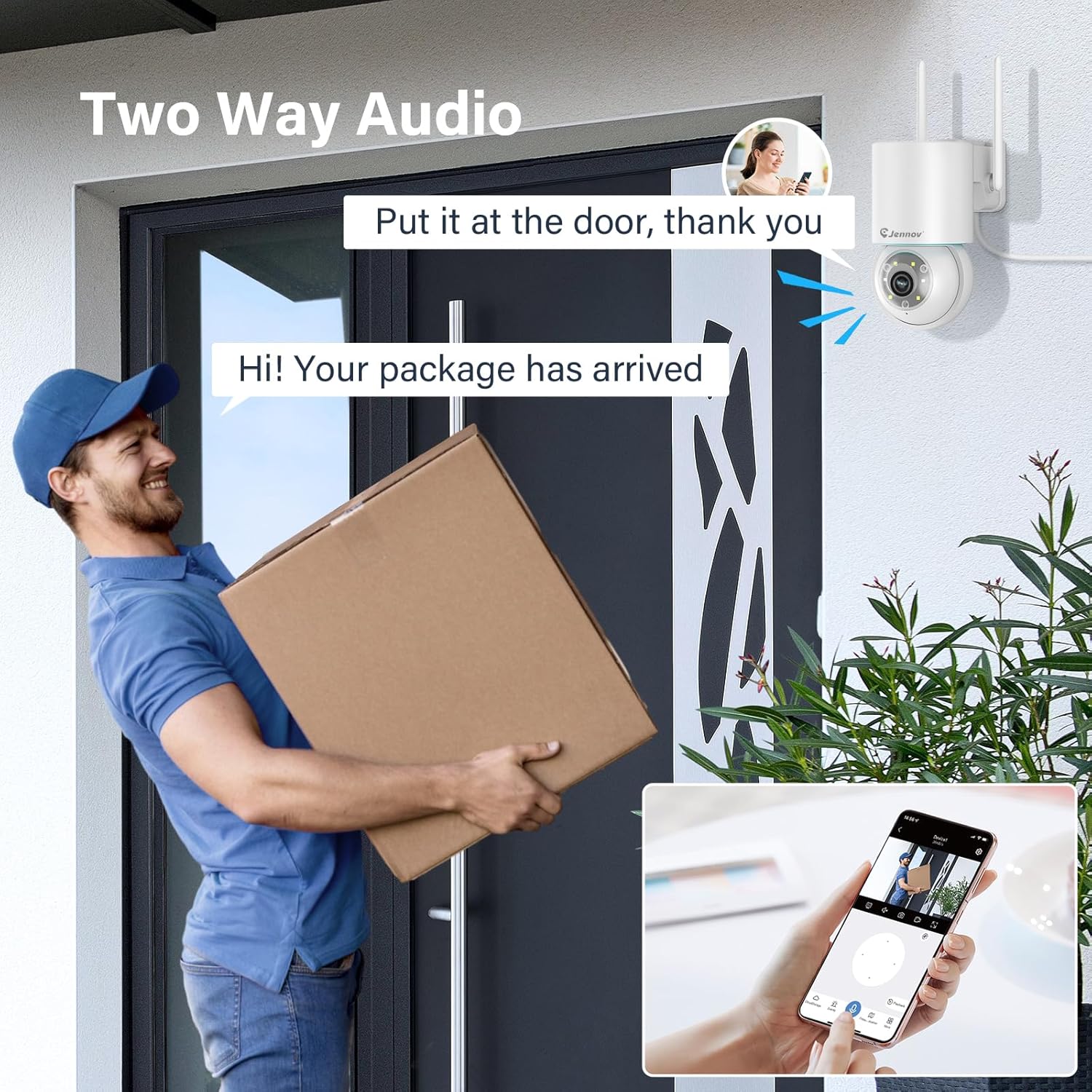
Figure 7: 24/7 Recording and Storage Options
Få adgang til optaget footage via the app's playback function.
- 24/7 optagelse: The camera can continuously record footage, ensuring no vital moments are missed.
- Lokal opbevaring: Insert a microSD card (up to 128GB, not included) into the camera's SD card slot for local storage.
- Cloud Storage: Optional cloud storage service is available, often with a free trial period (e.g., 7 days). This provides off-site backup of your recordings.
5.6 Nattesynstilstande
The camera offers three night vision modes for clear visibility in low-light conditions.

Figure 8: 5MP Color Night Vision
The camera provides clear night vision up to 65 feet (20 meters) with 5MP resolution.
- Fuld farvetilstand: Utilizes white LEDs to provide full-color video at night.
- Black and White Mode: Uses infrared LEDs for traditional black and white night vision.
- Smart Mode: Automatically switches between black and white and full color based on detected motion or light conditions.
You can switch between these modes within the EseeCloud mobile application.
5.7 Customized Detection Area
Definer specifikke områder inden for kameraets view hvor bevægelsesdetektion skal være aktiv.

Figure 9: Customized Detection Area Settings
This feature helps reduce unwanted alerts by focusing detection on critical zones. The app typically offers "Area mode" and "Cordon mode" for defining these zones.
6. Vedligeholdelse
- Rensning: Rengør kameralinsen regelmæssigt med en blød, tør klud for at sikre en klar billedkvalitet. Brug ikke skrappe kemikalier.
- Firmwareopdateringer: Check the EseeCloud app periodically for available firmware updates. Keeping your camera's firmware updated ensures optimal performance and security.
- SD-kortadministration: If using local storage, periodically check the SD card's status in the app. Format the card as needed to maintain recording efficiency.
- Strømforsyning: Ensure the power adapter and cable are free from damage and properly connected.
7. Fejlfinding
- Kamera offline:
- Tjek Wi-Fi-signalstyrken.
- Sørg for, at kameraet er tændt.
- Genstart kameraet og din Wi-Fi-router.
- If using 5GHz Wi-Fi, ensure your router supports it and the camera is connected to the correct band.
- Try re-adding the camera to the EseeCloud app.
- Dårlig billedkvalitet:
- Rengør kameralinsen.
- Sørg for tilstrækkelig belysning, især om natten.
- Tjek din internetforbindelses hastighed.
- Bevægelsesdetektion virker ikke:
- Verify motion detection settings in the app are enabled.
- Juster detektionsfølsomhed.
- Sørg for, at der ikke er nogen forhindringer, der blokerer kameraets view.
- Check if detection areas are correctly configured.
- To-vejs lydproblemer:
- Ensure microphone and speaker permissions are granted to the EseeCloud app on your smartphone.
- Check volume settings on both the app and your phone.
- Sørg for, at der ikke er nogen fysiske forhindringer, der blokerer kameraets mikrofon eller højttaler.
- Cannot Access SD Card Recordings:
- Sørg for, at SD-kortet er korrekt isat.
- Check if the SD card is formatted correctly (usually FAT32).
- Verify that continuous recording or event recording to SD card is enabled in the app.
- The SD card might be full; consider formatting it or replacing it.
8. Specifikationer
| Feature | Specifikation |
|---|---|
| Modelnummer | JS7015 |
| Mærke | Jennov |
| Opløsning | 5 Megapixel (1920p video recording) |
| Pan / tilt vinkel | Panorer 355°, vip 60° |
| Nattesyn | Color Night Vision, Black & White Night Vision, Smart Mode (up to 65ft/20m) |
| Wi-Fi-forbindelse | Dual-Band (2.4GHz / 5GHz) |
| Lyd | Tovejslyd (indbygget mikrofon og højttaler) |
| Bevægelsesdetektion | PIR Human Detection, Auto Tracking |
| Opbevaringsmuligheder | MicroSD-kort (op til 128 GB), Cloud-lagring |
| Vandtæt vurdering | IP66 |
| Strømindgang | 5 volt |
| Strømforbrug | 24 watt |
| Dimensioner (L x B x H) | 12 x 8 x 16 cm |
| Materiale | Plast |
| Monteringstype | Vægmontering |
| Kompatible enheder | Smartphone, Tablet, Computer |
| Kontrol app | EseeCloud |
9. Garanti og support
For warranty information and technical support, please refer to the warranty card included with your product or visit the official Jennov webwebsted.
- Kundeservice: Contact Jennov customer support for assistance with product issues, technical questions, or warranty claims.
- Online ressourcer: Check the Jennov webwebsted med ofte stillede spørgsmål, opdaterede manualer og softwaredownloads.


