Defy Gemini Thermofan+ DBO767 Dobbeltovn Brugermanual
Model: DBO767
1. Introduktion
This manual provides essential information for the safe and efficient operation, installation, and maintenance of your Defy Gemini Thermofan+ DBO767 Mirror Glass Gourmet Multifunction Double Oven with Airfire Technology. Please read these instructions thoroughly before using the appliance and retain them for future reference.
The Defy Gemini Thermofan+ DBO767 is designed to offer versatile cooking options with its double oven configuration, Thermofan+ technology for even heat distribution, and Airfire Technology for enhanced cooking results. Its mirror glass finish provides a modern aesthetic.
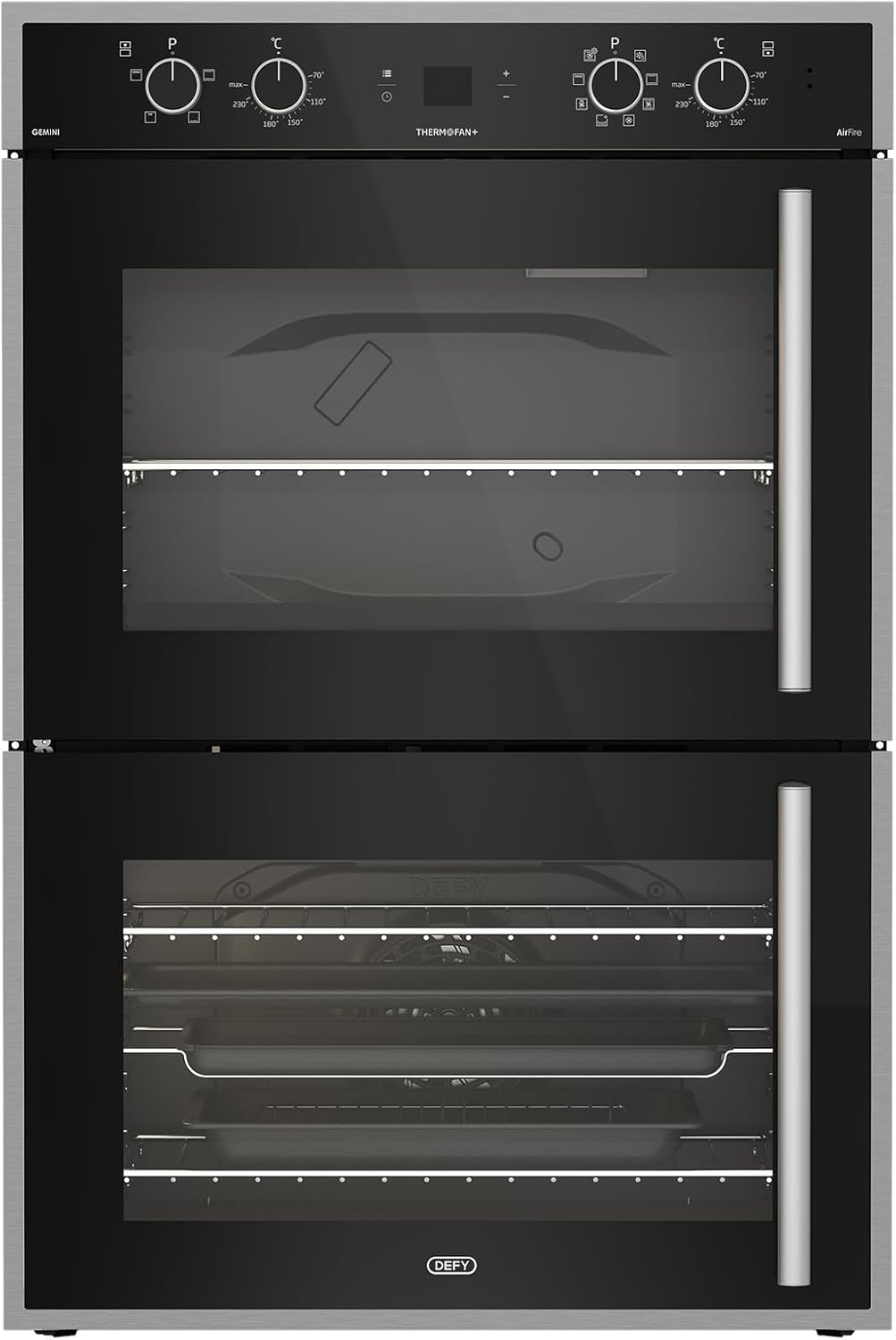
Billede 1.1: Forside view of the Defy Gemini Thermofan+ DBO767 Double Oven.
2. Sikkerhedsoplysninger
Overhold altid følgende sikkerhedsforanstaltninger for at forhindre personskade eller skade på apparatet.
- Elektrisk sikkerhed: Ensure the oven is correctly installed by a qualified electrician and connected to a suitable power supply. Do not use adapter plugs or extension cords.
- Varme overflader: The oven and its accessible parts become hot during use. Exercise caution to avoid touching heating elements. Keep children away from the appliance.
- Overvågning: Never leave the oven unattended during operation, especially when using high-temperature functions or grilling.
- Brandfarlige materialer: Opbevar ikke brændbare materialer i eller i nærheden af ovnen.
- Rensning: Always switch off the appliance and allow it to cool before cleaning. Use appropriate cleaning agents as recommended in this manual.
- Ventilation: Sørg for tilstrækkelig ventilation omkring apparatet som angivet i installationsvejledningen.
3. Installation og opsætning
Proper installation is crucial for the safe and efficient operation of your oven. It is strongly recommended that installation be performed by a qualified technician.
3.1 Udpakning
Fjern forsigtigt al emballage. Undersøg ovnen for tegn på skader. Rapporter eventuelle skader til din forhandler med det samme.
3.2 Positionering
The oven must be installed in a suitable cabinet opening, ensuring proper ventilation as per the installation diagram provided with the appliance. Ensure the oven is level.
3.3 Elektrisk tilslutning
Connect the oven to the mains power supply according to local wiring regulations. The appliance must be earthed. Refer to the wiring diagram provided with the oven.
3.4 First Use Burn-Off
Before cooking food, operate the empty oven for approximately 30-60 minutes at its maximum temperature setting (e.g., 230°C) using the conventional or fan-assisted function. This process helps to burn off any manufacturing residues and odors. Ensure the kitchen is well-ventilated during this period.

Image 3.1: The Defy Gemini Thermofan+ DBO767 Double Oven with both doors open, revealing the interior racks and trays of both oven cavities.
4. Betjeningsvejledning
Your Defy Gemini Thermofan+ DBO767 oven features intuitive controls for various cooking functions.

Billede 4.1: Nærbillede view of the control panel for the Defy Gemini Thermofan+ DBO767 Double Oven, showing knobs and digital display.
4.1 Kontrolpanel overview
The control panel typically consists of:
- Function Selector Knobs: Used to select the desired cooking function for each oven cavity.
- Temperature Selector Knobs: Bruges til at indstille tilberedningstemperaturen.
- Digital Display/Timer: Shows the time, cooking duration, and other settings.
- Kontrolknapper: For setting the timer, adjusting settings, and other specific functions.
4.2 Indstilling af klokkeslæt
Ved første tilslutning eller efter strømafbrydelsetage, the clock will flash. Use the control buttons (refer to your specific model's button layout) to set the current time. Confirm the setting to stop the flashing.
4.3 Selecting a Cooking Function and Temperature
- Turn the Function Selector knob for the desired oven cavity to the required cooking function (e.g., Thermofan+, Grill, Conventional, Airfire).
- Turn the Temperature Selector knob to set the desired cooking temperature.
- The oven will begin to heat up. The indicator light will typically turn off once the set temperature is reached.
4.4 Understanding Key Technologies
- Thermofan+ Technology: This feature utilizes a redesigned fan and improved venting system to ensure consistent heat distribution throughout the oven cavity. This is ideal for multi-level cooking and achieving even results for dishes like roasts and cakes.
- Airfire Technology: This combines the power of circulating hot air with grilling elements. It is suitable for achieving crispy textures, similar to air frying, for a wide variety of dishes, from snacks to main meals.
4.5 Using the Double Oven
The double oven allows for simultaneous cooking of different dishes at varying temperatures or using different functions. Each oven cavity has its own set of controls. Ensure you select the correct function and temperature for each cavity independently.

Billede 4.2: Interiør view of the upper oven cavity, showing the heating elements and a wire rack.
5. Madlavningsvejledning
This section provides general guidance for using the various cooking functions. Specific cooking times and temperatures may vary based on food type, quantity, and personal preference.
- Konventionel bagning: Ideal for single-shelf baking of cakes, pastries, and bread. Preheat the oven to the recommended temperature.
- Thermofan+ (Fan-Assisted): Excellent for multi-level cooking, roasting meats, and baking dishes that require even browning. Temperatures may need to be slightly lower than conventional settings.
- Grill: Use for browning, toasting, or cooking thin cuts of meat. Always preheat the grill for a few minutes. Place food on the top rack for best results.
- Airfire Technology: Suitable for achieving crispy results on items like chips, chicken pieces, or vegetables. Follow recipe guidelines for optimal results.
- Damp madlavning: Refer to specific instructions for using the steam function, which typically involves a water reservoir. This function is ideal for retaining moisture in food.
6. Vedligeholdelse og rengøring
Regelmæssig rengøring og vedligeholdelse vil forlænge din ovns levetid og sikre optimal ydeevne.
6.1 Generel rengøring
- Sørg altid for, at ovnen er afkølet, inden den rengøres.
- Use a soft cloth and mild detergent for general cleaning of the exterior and interior surfaces.
- Avoid abrasive cleaners, scourers, or harsh chemicals, as these can damage the surfaces.
6.2 Mirror Glass Cleaning
For the mirror glass surfaces, use a glass cleaner specifically designed for kitchen appliances and a soft, lint-free cloth to avoid streaks and scratches.
6.3 Ovnens indre
For stubborn food residues, use a specialized oven cleaner, following the manufacturer's instructions carefully. Ensure adequate ventilation during and after use. Remove oven racks and trays for easier cleaning.
6.4 Replacing the Oven Lamp
Ensure the oven is disconnected from the power supply. Unscrew the protective glass cover, replace the bulb with a new one of the same type (heat-resistant, typically 25W), and reattach the cover.
7. Fejlfinding
Inden du kontakter kundeservice, vedrview følgende almindelige problemer og deres mulige løsninger.
| Problem | Mulig årsag | Løsning |
|---|---|---|
| Ovnen varmer ikke | No power supply; Timer not set; Function/temperature not selected. | Check circuit breaker; Set the clock; Ensure function and temperature knobs are correctly set. |
| Ujævn madlavning | Incorrect rack position; Overcrowding; Door opened too frequently. | Use recommended rack positions; Avoid overcrowding; Minimize door opening. Utilize Thermofan+ for even heat. |
| Ovnlys virker ikke | Bulb faulty or loose. | Udskift ovnen lamp (refer to Section 6.4). |
| Overdreven røg/lugt ved første brug | Afbrænding af produktionsrester. | This is normal. Ensure good ventilation. It will subside after initial use. |
8. Specifikationer
| Feature | Detalje |
|---|---|
| Mærke | Defy |
| Modelnummer | DBO767 |
| Farve | Sort |
| Pakkedimensioner | 74 x 68 x 56 cm |
| Varens vægt | 46.5 kg |
| Ovn type | Double Oven, Multifunction |
| Teknologi | Thermofan+, Airfire Technology |
| Kontroltype | Knobs, Digital Display |
9. Garanti og support
For warranty information, please refer to the warranty card supplied with your appliance or contact Defy customer service directly. Keep your proof of purchase for any warranty claims.
For technical assistance, spare parts, or service requests, please contact Defy customer support. Contact details can typically be found on the Defy official webwebstedet eller i den dokumentation, der fulgte med din ovn.
Note: Spare part availability duration information was not available or provided at the time of this manual's creation.


