1. Introduktion og produktoversigtview
This manual provides detailed instructions for the safe installation, operation, and maintenance of your Breezary 65 Inch Industrial Ceiling Fan with Lights. Please read this manual thoroughly before installation and keep it for future reference.
The Breezary 65-inch ceiling fan is designed for large rooms, offering powerful airflow with a quiet DC motor. It features 5 reversible blades, an integrated LED light with adjustable color temperatures, and convenient remote control operation. Its industrial/farmhouse style makes it suitable for various indoor and outdoor covered spaces.

Figure 1.1: Breezary 65 Inch Industrial Ceiling Fan with Lights installed in a living room setting.
2. Vigtige sikkerhedsoplysninger
ADVARSEL: For at mindske risikoen for brand, elektrisk stød eller personskade skal du altid følge disse grundlæggende forholdsregler:
- Læs alle instruktioner, før du installerer ventilatoren.
- Installation skal udføres af en kvalificeret elektriker.
- Sørg for, at forsyningen voltage er 120V/60Hz.
- Al ledningsføring skal være i overensstemmelse med nationale og lokale el-forskrifter.
- Stikkontaktdåsen og støttestrukturen skal være sikkert monteret og pålideligt kunne bære mindst 15.9 kg.
- Brug ikke ventilatoren med en beskadiget netledning eller stik.
- Undgå at placere genstande i vejen for blæserbladene.
- Disconnect power at the circuit breaker before servicing or cleaning.
3. Pakkens indhold
Verify that all components listed below are included in your package. If any parts are missing or damaged, contact customer service immediately.
- 1 x 65 Inch 5-Blade Ceiling Fan
- 1 x fjernbetjening (batterier medfølger ikke)
- 2 x Downrods (1x 6 inches, 1x 10 inches)
- 1 x brugermanual
- Monteringshardwaresæt
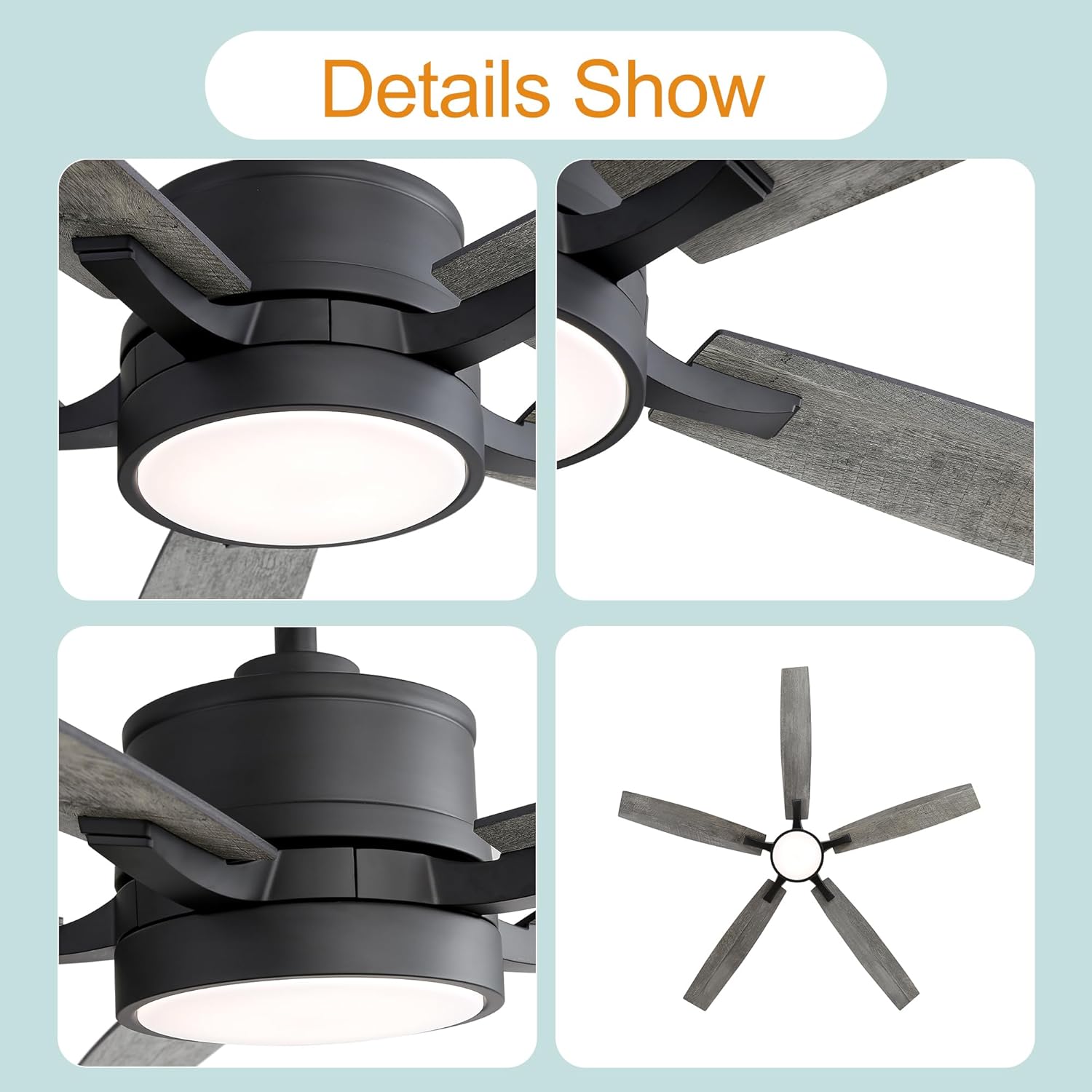
Figur 3.1: Nærbillede views of the fan's light kit, blade attachment, and motor housing.
4. Produktspecifikationer
| Feature | Specifikation |
|---|---|
| Modelnummer | 29004-BK-AMZ |
| Fan type | Downrod-Mount Ceiling Fan |
| Stil | Industrial/Farmhouse |
| Kropsfarve | Mat sort |
| Antal blade | 5 |
| Bladmateriale | Krydsfiner |
| Bladfarver | Dark Wood Grain/Light Wood Grain (Reversible) |
| Overall Size (with 6" rod) | 65 tommer diameter x 15.8 tommer højde |
| Overall Size (with 10" rod) | 65 tommer diameter x 19.8 tommer højde |
| Motortype | DC-motor, vendbar |
| Motor Voltage | 120V/60Hz |
| Max Motor Speeds | 135 RPM |
| Luftmængde kapacitet | 4830 CFM (maks.) |
| Belysningstype | Integreret LED |
| Max LED Wattage | 20W |
| Lumen output | 600 LM |
| Dæmpbart lys | Ja |
| Farvetemperaturer | 3000K (varm hvid), 4500K (neutral hvid), 6000K (kold hvid) |
| Støjniveau | Støjsvag drift |
| Kompatibel med skråloft | Yes (up to 13°) |
| Nettovægt | 16.8 lb |
| Certificeringer | ETL |
5. Opsætning og installation
This ceiling fan is designed for straightforward installation, with most functional components pre-assembled. However, due to the electrical nature of the product, professional installation by a certified electrician is highly recommended for safety and proper functionality.
5.1 Monteringsmuligheder
The fan supports downrod mounting and is compatible with sloped ceilings up to 13 degrees. Two downrods (6-inch and 10-inch) are included to accommodate various ceiling heights.
5.2 Trin før installation
- Sluk for strømmen ved afbryderen og vægkontakten.
- Ensure the mounting location is structurally sound and can support the fan's weight.
- Pak alle komponenter ud, og kontroller dem med pakkens indholdsliste.
5.3 Installation Procedure (Summary)
For detailed step-by-step instructions, refer to the dedicated installation manual included in your product packaging. A general overview omfatter:
- Securely attach the mounting bracket to the ceiling outlet box.
- Assemble the downrod with the motor housing and canopy.
- Perform electrical wiring connections according to local codes (typically black to black, white to white, ground to ground).
- Carefully lift and hang the fan assembly onto the mounting bracket.
- Fastgør ventilatorbladene til motorhuset.
- Installer LED-lyssættet og lysdækslet.
- Ensure all connections are secure and components are properly seated.

Figur 5.1: Eksample of the fan installed in a large living area, demonstrating its suitable application.
6. Betjeningsvejledning
Your Breezary ceiling fan comes with a multi-function remote control for convenient operation of both the fan and the integrated LED light.
6.1 Fjernbetjeningsfunktioner
Insert two AAA batteries (not included) into the remote control. The remote allows you to:
- Ventilator TIL/FRA: Tænd eller sluk for blæseren.
- Blæserhastighedskontrol: Select from 6 wind speed gears (1-6).
- Lys ON/OFF: Turn the LED light on or off independently.
- Farvetemperaturjustering: Cycle through 3 color temperatures: 3000K (Warm White), 4500K (Neutral White), and 6000K (Cool White).
- Lysdæmpning: Juster lysstyrken på LED-lyset.
- Vendbar motorfunktion: Change the direction of blade rotation.

Figure 6.1: Illustration of the fan's adjustable LED light, demonstrating the 3000K, 4500K, and 6000K color temperature options.
6.2 Reversible Motor Function
The reversible DC motor allows you to change the direction of the fan blades for year-round comfort:
- Summer Mode (Counter-Clockwise): Blades rotate counter-clockwise to push air downward, creating a cooling breeze.
- Vintertilstand (med uret): Blades rotate clockwise to draw air upward, circulating warm air evenly throughout the room.

Figure 6.2: Visual explanation of the reversible motor function, illustrating airflow for cooling (counter-clockwise) and warming (clockwise).
7. Vedligeholdelse
Regular maintenance ensures the longevity and optimal performance of your ceiling fan. Always disconnect power before performing any maintenance.
- Rensning: Brug en blød, damp cloth to wipe down the fan blades and motor housing. Do not use abrasive cleaners or solvents, as they may damage the finish.
- Klingepleje: Kontrollér regelmæssigt knivskruerne for at sikre, at de er spændte. Løse knive kan forårsage slingren og støj.
- Lyssæt: The integrated LED light source is designed for long life and typically does not require replacement. If issues arise, contact customer service.
- Årlig kontrol: Annually inspect all connections and mounting hardware to ensure they remain secure.
8. Fejlfinding
Før du kontakter kundeservice, bedes du læse følgende fejlfindingsvejledning for almindelige problemer:
| Problem | Mulig årsag | Løsning |
|---|---|---|
| Ventilator starter ikke | No power to fan; Loose wire connections; Remote control issues. | Check circuit breaker and wall switch. Ensure all wiring connections are secure. Replace remote control batteries. Re-pair remote if necessary (refer to remote manual). |
| Blæseren slingrer | Løse knivskruer; Ubalancerede knive; Løst monteringsbeslag. | Tighten all blade screws. Check for bent blades. Ensure mounting bracket is securely fastened to the ceiling. |
| Lys virker ikke | Løs ledningsforbindelse til lyssæt; problem med LED-driver. | Check light kit wiring connections. If problem persists, contact customer service. |
| Fjernbetjening virker ikke | Løbte batterier; Fjernbetjeningen er ikke parret med ventilatoren. | Replace batteries. Follow pairing instructions in the remote control manual. |
| Overdreven støj | Loose screws; Motor issues; Blades hitting an obstruction. | Check all screws on the fan and mounting. Ensure no wires or objects are touching the blades. If motor noise persists, contact customer service. |
9. Garanti og kundesupport
Breezary provides a 2 års garanti for this ceiling fan, covering defects in materials and workmanship from the date of purchase. Additionally, a 30-day return and money-back guarantee tilbydes.
For any questions, technical assistance, or warranty claims, please contact Breezary customer service. Please have your model number (29004-BK-AMZ) and purchase information ready when contacting support.
You can visit the official Breezary store for more information: Breezary Store on Amazon


