1. Introduktion
Thank you for choosing the Maxcom FW58 Vanad Pro Smartwatch. This manual provides essential information for setting up, operating, and maintaining your device. The FW58 Vanad Pro is designed to enhance your daily life by offering comprehensive health monitoring, seamless communication, and robust activity tracking capabilities. Its lightweight design and customizable features make it an ideal companion for both busy individuals and active sports enthusiasts.
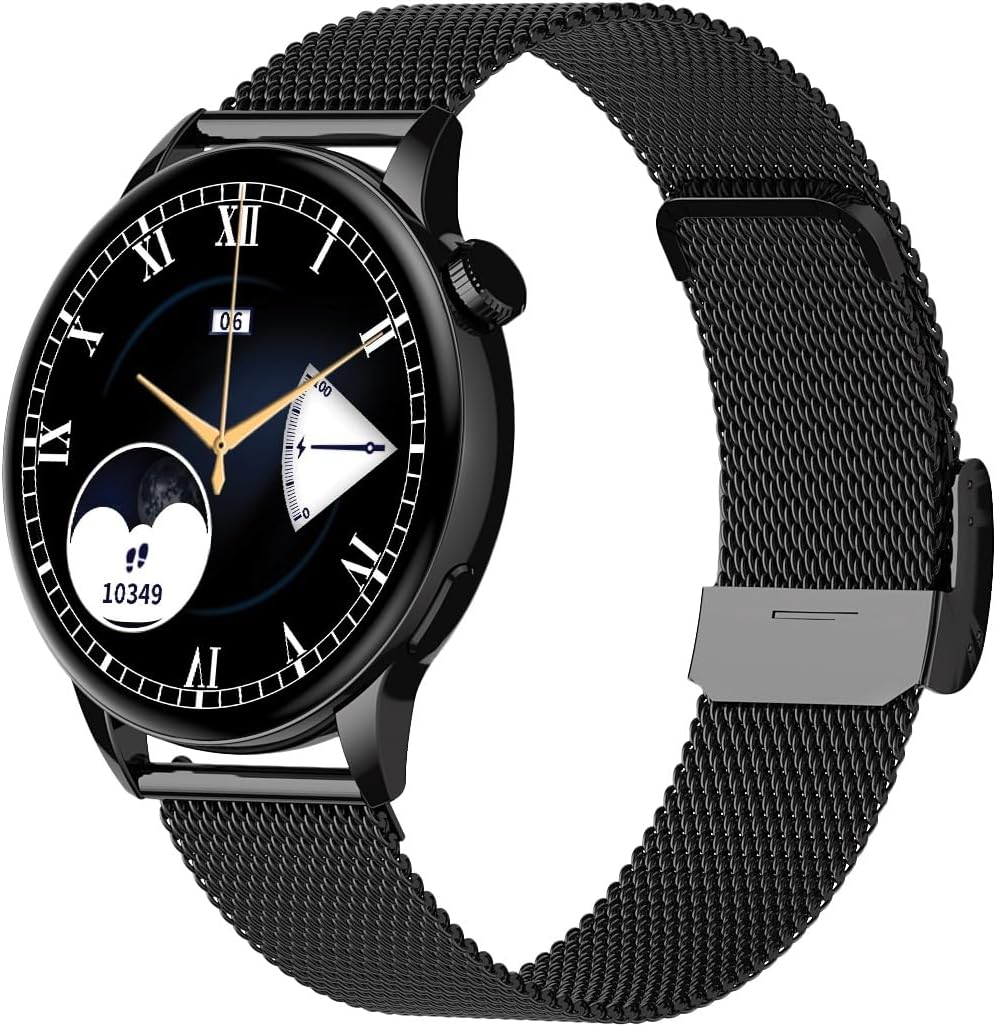
Image 1.1: Maxcom FW58 Vanad Pro Smartwatch, showcasing its elegant design with a black mesh strap and a classic watch face.
2. Opsætning
2.1. Pakkens indhold
Før du begynder, skal du sørge for, at alle varer er til stede i din pakke:
- Maxcom FW58 Vanad Pro Smartwatch
- Magnetisk opladningskabel
- Additional Silicone Strap
- Brugervejledning (dette dokument)
2.2. Opladning af smartwatchet
For optimal performance, fully charge your smartwatch before first use.
- Connect the magnetic charging cable to the charging contacts on the back of the smartwatch. Ensure the pins align correctly.
- Sæt USB-enden af kablet i en standard USB-strømadapter (5V/1A anbefales) eller en computers USB-port.
- Urets display viser opladningsstatus. En fuld opladning tager typisk cirka 2 timer.

Billede 2.1: Bagside view of the Maxcom FW58 Smartwatch, highlighting the optical sensor for health monitoring and the magnetic charging contacts.
2.3. Parring med din smartphone
To unlock all features, pair your smartwatch with the dedicated Maxcom smartwatch application on your smartphone.
- Download the official Maxcom smartwatch application from your smartphone's app store (e.g., Google Play Store or Apple App Store). Søg efter "Maxcom Smartwatch" or refer to the QR code in the quick start guide if provided.
- Sørg for, at Bluetooth er aktiveret på din smartphone.
- Open the Maxcom app and follow the on-screen instructions to add a new device.
- Select "FW58" from the list of available devices. Confirm the pairing request on both your phone and the smartwatch.
3. Betjening af smartwatchet
3.1. Grundlæggende navigation
The Maxcom FW58 features a responsive touchscreen and a side button/crown for navigation.
- Touchskærm: Stryg til venstre/højre, op/ned for at navigere gennem menuer og funktioner. Tryk for at vælge.
- Sideknap/krone: Tryk for at vække skærmen, vende tilbage til startskærmen eller få adgang til appmenuen. Drej kronen (hvis relevant) for at rulle gennem lister eller justere indstillinger.

Billede 3.1: Side profile of the Maxcom FW58 Smartwatch, illustrating the physical crown and button for intuitive control and navigation.
3.2. Kommunikationsfunktioner
- Foretage/modtage opkald: Once paired, you can answer incoming calls directly from your smartwatch. You can also initiate calls from your watch's call log or contacts (synced via the app).
- Meddelelser: Receive real-time notifications for SMS messages, app alerts, emails, social media updates, and news directly on your wrist. Manage notification settings through the Maxcom app.
3.3. Sundhedsovervågning
The smartwatch provides various health metrics to help you monitor your well-being.
- Puls: Kontinuerlig eller on-demand pulsmåling.
- Blodtryk: Measure your blood pressure (for reference only, not a medical device).
- Blodilt (SpO2): Overvåg dine iltmætningsniveauer i blodet.
- Søvnsporing: Automatically monitors your sleep patterns, including deep sleep, light sleep, and awake times.
3.4. Aktivitetsmåling og sportstilstande
Spor din daglige aktivitet og specifikke træningspas.
- Daglig aktivitet: Records steps taken, calories burned, and distance traveled (mileage).
- Sportstilstande: Select from various sports modes such as fitness, hiking, running, badminton, cycling, and football to track specific workout data.
3.5. Musik kontrol
Control music playback on your connected smartphone directly from your smartwatch. Play, pause, skip tracks, and adjust volume without needing to access your phone.
3.6. Tilpasning
Personalize your smartwatch experience.
- Se ansigter: Choose from over 100 pre-installed watch face models or download more via the Maxcom app to match your style or mood.
- Menustil: Customize the layout and appearance of your smartwatch menu.
- Udskiftning af rem: Easily change between the included mesh and silicone straps to suit different occasions or activities.

Image 3.2: A digital watch face on the Maxcom FW58 Smartwatch, showing steps and heart rate data.

Image 3.3: The Maxcom FW58 Smartwatch showcasing a dynamic and colorful digital watch face option.
4. Vedligeholdelse
4.1. Cleaning the Smartwatch
Regular cleaning helps maintain the device's appearance and functionality.
- Tør skærmen og kabinettet af med en blød, fnugfri klud.
- Til genstridige pletter, let dampRengør kluden med vand. Undgå at bruge skrappe kemikalier eller slibende materialer.
- Rengør sensorområdet på bagsiden af uret regelmæssigt for at sikre nøjagtige aflæsninger.
4.2. Batteripleje
For at forlænge batterilevetiden:
- Undgå ekstreme temperaturer.
- Lad ikke uret være helt afladet i længere perioder.
- Oplad kun enheden med det medfølgende opladningskabel.
4.3. Vandtæthed (IP67)
The Maxcom FW58 Vanad Pro Smartwatch is rated IP67, meaning it is protected against dust ingress and can withstand immersion in water up to 1 meter for up to 30 minutes. While it is suitable for daily use and splashes, it is not recommended for swimming, diving, or high-pressure water activities.
5. Fejlfinding
Hvis du støder på problemer med dit smartwatch, kan du prøve følgende løsninger:
| Problem | Løsning |
|---|---|
| Uret tænder ikke | Ensure the watch is fully charged. Press and hold the side button for 5-10 seconds. |
| Kan ikke parres med smartphone | Ensure Bluetooth is on. Restart both the watch and phone. Clear app cache/data. Try pairing again. |
| Upræcise sundhedsaflæsninger | Ensure the watch is worn snugly on your wrist. Clean the sensor area. Remain still during measurements. |
| Notifikationer ikke modtaget | Check app notification permissions on your phone. Ensure the watch is connected via Bluetooth. Verify notification settings within the Maxcom app. |
5.1. Fabriksindstilling
If problems persist, you may need to perform a factory reset. This will erase all data on the smartwatch and restore it to its original settings. Navigate to 'Settings' on your smartwatch, then look for 'System' or 'Reset' options.
6. Specifikationer
| Feature | Detalje |
|---|---|
| Modelnummer | FW58 |
| Skærmstørrelse | 1.5 tommer |
| Batterilevetid | 6-10 days (intensive use) |
| Vægt | 46 g |
| Kuffert Dimensioner | 44 x 38 x 10 mm |
| Rem størrelse | 255 x 20 mm |
| Vandmodstand | IP67 (op til 1 meter i 30 minutter) |
| Forbindelse | Bluetooth |
| Medfølgende stropper | Mesh and Silicone |
7. Garanti og support
7.1. Garantioplysninger
Maxcom products are manufactured to the highest quality standards. For detailed warranty terms and conditions, please refer to the warranty card included with your purchase or visit the official Maxcom webwebsted. Gem din købsbevis til garantikrav.
7.2. Kundesupport
If you require further assistance or have questions not covered in this manual, please contact Maxcom customer support:
- Webwebsted: Visit the official Maxcom support website for FAQs, software updates, and contact forms.
- E-mail/Telefon: Refer to the contact information provided on the Maxcom webwebstedet eller din produktemballage.


