1. Introduktion
Thank you for choosing the RORRY D2 Portable Charger. This compact and versatile power bank is designed to keep your Apple Watch, iPhone, AirPods, and other compatible devices charged while you are on the go. Please read this manual carefully to ensure safe and optimal use of your device.
Hvad er der i æsken:
- RORRY Portable Charger (1 unit)
- 1M USB-C to USB-C Charging Cable (1 unit)
- Brugervejledning (1 enhed)
2. Nøglefunktioner
- Universal kompatibilitet: Designed for Apple Watch Ultra/11/10/9/8/7/6/SE, iPhone 17/16/15/14/13/12/11/Pro/Pro Max, AirPods, and Android devices.
- 5000mAh Stor Kapacitet: Provides approximately 7-10 charges for Apple Watch, 1 full charge for iPhone 15, and 6-8 charges for AirPods.
- Samtidig opladning: Capable of charging multiple devices concurrently, including Apple Watch, iPhone, AirPods, and other Android devices.
- Bærbart design: Features a compact and lightweight keychain design for easy portability in pockets or attached to backpacks.
- Overlegen sikkerhed: Equipped with built-in protection against over-temperature, over-current, over-voltage, og kortslutning.
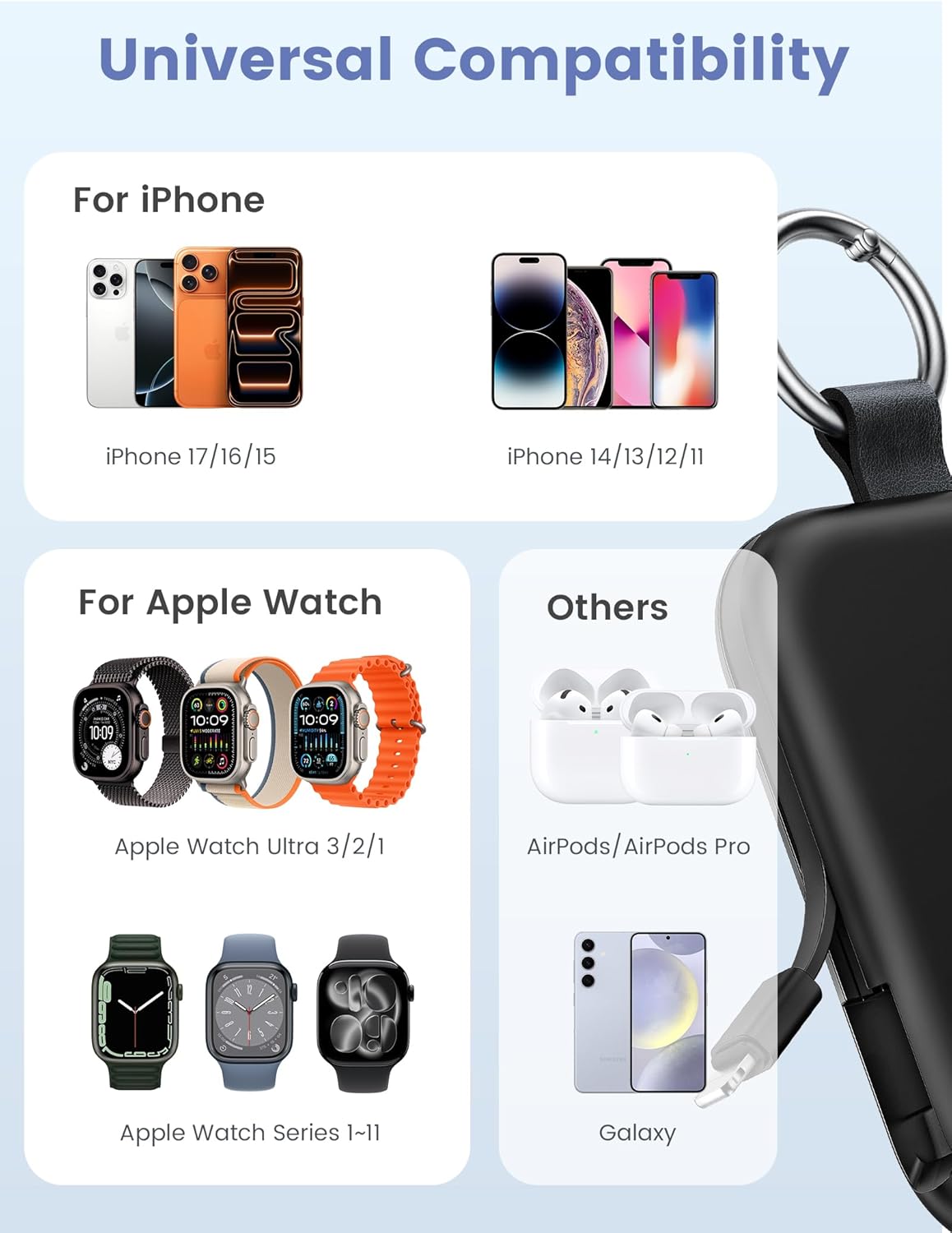
Image: Universal compatibility of the RORRY portable charger with various devices.
3. Opsætning og første opladning
3.1 Opladning af powerbanken
- Connect the provided USB-C to USB-C charging cable to the USB-C input port on the RORRY D2 Portable Charger.
- Tilslut den anden ende af kablet til en kompatibel USB-C-vægadapter (medfølger ikke).
- The LED indicator lights on the power bank will illuminate to show the charging status. A full charge typically takes approximately 2.5 hours.
- Once fully charged, all LED indicators will be solid. Disconnect the power bank from the charger.

Image: Charging the RORRY D2 Portable Charger using the included USB-C cable.
4. Betjeningsvejledning
4.1 Charging Apple Watch
- Press the power button on the side of the RORRY D2 Portable Charger to activate the wireless charging pad.
- Place your Apple Watch onto the magnetic charging pad located on the top surface of the power bank.
- Ensure the watch is properly aligned for optimal charging. The watch screen will indicate charging status.
4.2 Charging iPhone and USB-C Devices
- Locate the built-in Lightning cable (for iPhone) or USB-C cable (for Android/other USB-C devices) on the sides of the power bank.
- Gently pull out the appropriate cable.
- Connect the cable to your device's charging port. The device should begin charging automatically.
- To charge multiple devices simultaneously, use the wireless charging pad for Apple Watch and the built-in cables for other devices.

Image: RORRY D2 Portable Charger actively charging an Apple Watch and an iPhone.

Billede: Overview of charging times and capacities for various devices with the RORRY D2.
4.3 Strømindikator
The LED lights on the front of the power bank indicate the remaining battery level. Press the power button once to check the current battery status.
Video: Demonstration of the RORRY Portable Apple Watch Charger's features and usage.
5. Specifikationer
| Modelnummer | D2 |
| Batterikapacitet | 5000 mioamp Timer |
| Produktdimensioner | 3.86 x 2.82 x 0.65 tommer |
| Varens vægt | 4.4 ounce |
| Connector Type | Built-in Cable L+C, USB-C Port |
| Særlige funktioner | Compact, Built-in Cables, All-in-one, Keychain Design |
6. Safety Features and Precautions
The RORRY D2 Portable Charger is equipped with multiple safety features to protect your devices and the power bank itself:
- Overtemperaturbeskyttelse: Prevents overheating during charging and discharging.
- Overstrømsbeskyttelse: Beskytter mod for høj strøm.
- Over-bindtage Beskyttelse: Beskytter mod voltage bølger.
- Kortslutningsbeskyttelse: Slukker automatisk ned i tilfælde af kortslutning.
Generelle sikkerhedsforanstaltninger:
- Do not disassemble, squeeze, or hit the device.
- Keep away from fire, water, and heat sources.
- Opbevares utilgængeligt for børn.
- Do not use the power bank in extremely high or low temperatures.
- Undgå at tabe enheden eller udsætte den for kraftige stød.
7. Pleje og vedligeholdelse
- Rengør powerbanken med en blød, tør klud. Brug ikke skrappe kemikalier eller slibende materialer.
- Opbevar enheden på et køligt, tørt sted, når det ikke er i brug.
- If the power bank will not be used for an extended period, charge it fully at least once every three months to maintain battery health.
8. Fejlfinding
Enheden oplader ikke:
- Sørg for, at powerbanken er tilstrækkeligt opladet. Kontroller LED-indikatorerne.
- Verify that the charging cables are securely connected to both the power bank and your device.
- For Apple Watch, ensure it is correctly placed on the magnetic charging pad and the power button has been pressed.
- Try using a different charging cable or wall adapter to charge the power bank itself.
Langsom opladning:
- Ensure you are using a compatible wall adapter for optimal charging speed.
- Opladning af flere enheder samtidigt kan reducere opladningshastigheden for individuelle enheder.
Power bank not turning on:
- Charge the power bank fully. If the battery is completely depleted, it may take a few minutes for the LED indicators to light up.
9. Garanti og support
RORRY products are designed and manufactured to the highest quality standards. For warranty information, after-sales service, or technical support, please refer to the contact details provided in the packaging or visit the official RORRY webwebsted.
Kontaktoplysninger:
- Fabrikant: Shenzhen Xianyang Innovation Technology Co., Ltd
- Webwebsted: www.rorry.com (Bemærk venligst: Dette er en pladsholder URL, refer to actual product for correct webwebsted)


