1. Introduktion
The PhoFuta M832 is an ultra-portable wireless thermal printer designed for convenience and efficiency. Weighing approximately 1.5 pounds and compact in size, it is ideal for use in various settings including business trips, vehicles, offices, homes, and schools. This printer utilizes thermal technology, eliminating the need for ink cartridges and simplifying your printing experience.

2. Sikkerhedsoplysninger
Læs venligst alle sikkerhedsinstruktioner omhyggeligt, inden du bruger enheden, for at sikre sikker og korrekt drift.
- Udsæt ikke printeren for ekstreme temperaturer, direkte sollys eller høj luftfugtighed.
- Keep the printer away from water or other liquids to prevent electric shock or damage.
- Brug kun det medfølgende opladningskabel og adapter.
- Forsøg ikke selv at skille printeren ad eller reparere den. Kontakt kundesupport for at få hjælp.
- Sørg for korrekt ventilation, når du oplader enheden.
3. Hvad er der i æsken
Bekræft at alle komponenter er til stede i pakken:
- 1 x PhoFuta M832 Portable A4 Printer
- 1 x USB Cable and Type-C Converter
- 1 x A4 Thermal Paper Roll
- 1 x brugermanual
4. Opsætning
4.1 Opladning af enheden
Before first use, fully charge the printer. Connect the provided USB-C cable to the printer's charging port and the other end to a compatible power source (e.g., wall adapter, computer USB port). The indicator light will show charging status.

4.2 Ilægning af termopapir
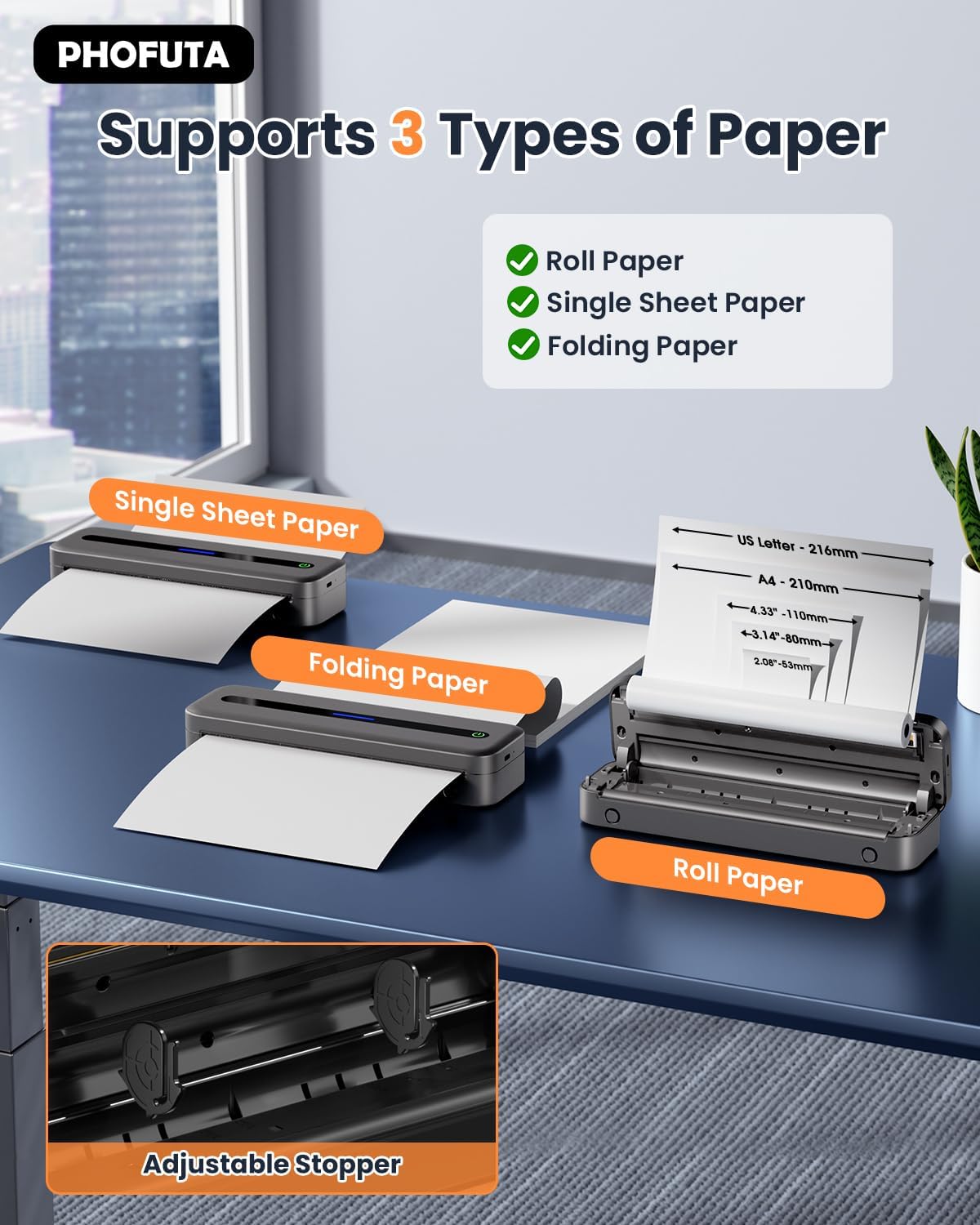
The PhoFuta M832 supports various thermal paper types, including roll paper, single sheets, and folding paper. Open the paper compartment cover, insert the thermal paper according to the diagram, ensuring the printable side faces the print head. Close the cover securely.
4.3 Tilslutning til din enhed
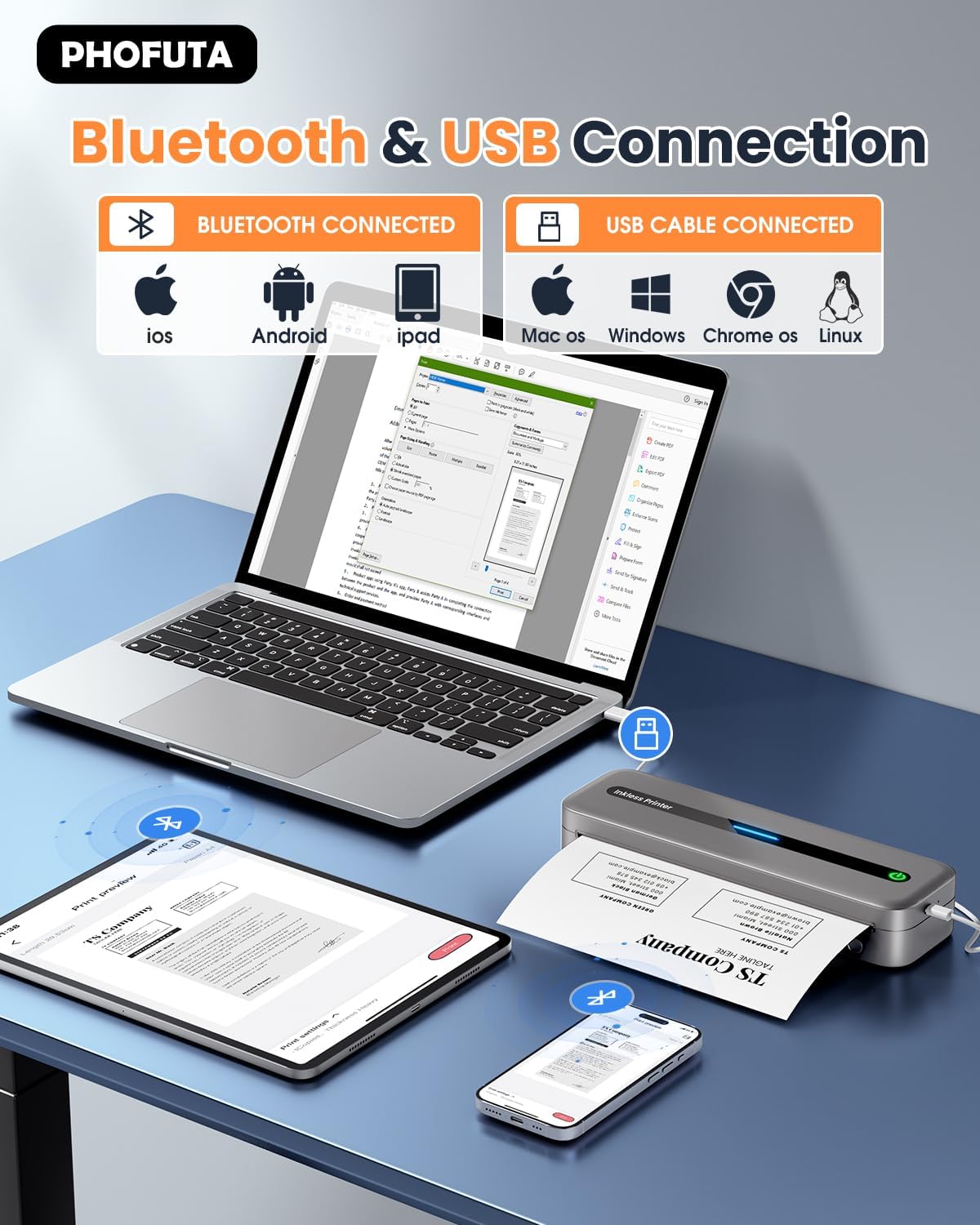
The printer offers both Bluetooth and USB connectivity options.
- Bluetooth-forbindelse: Turn on the printer and enable Bluetooth on your smartphone or tablet. Download the Phomemo app (available for iOS and Android). Open the app, search for the printer, and pair.
- USB-forbindelse: Connect the printer to your laptop or computer using the provided USB-C cable. Install the necessary drivers (usually available from the PhoFuta website or included on a small disk/QR code).
5. Betjeningsvejledning
5.1 Grundlæggende udskrivning
Once connected, open the document or image you wish to print from your device. Select the PhoFuta M832 as your printer. Adjust print settings as needed (e.g., paper size, orientation) and initiate the print command. The printer will feed the thermal paper and produce the printout.
5.2 Udskriftskvalitet
The PhoFuta M832 offers a maximum print resolution of 300 DPI (dots per inch) for black and white prints, ensuring clear and legible documents.

5.3 Supported Paper Sizes
The printer supports various paper sizes, including US Letter, A4, and smaller sizes like 4-inch, 3-inch, and 2-inch (216mm, 210mm, 110mm, 80mm, 53mm respectively). Ensure you use thermal paper compatible with these dimensions.
6. Vedligeholdelse
6.1 Rengøring af printeren
Regularly clean the printer to maintain optimal performance. Use a soft, dry, lint-free cloth to wipe the exterior. For the print head, use a cotton swab lightly dampened with isopropyl alcohol, wiping gently. Ensure the printer is off and disconnected from power before cleaning.
6.2 Thermal Paper Considerations
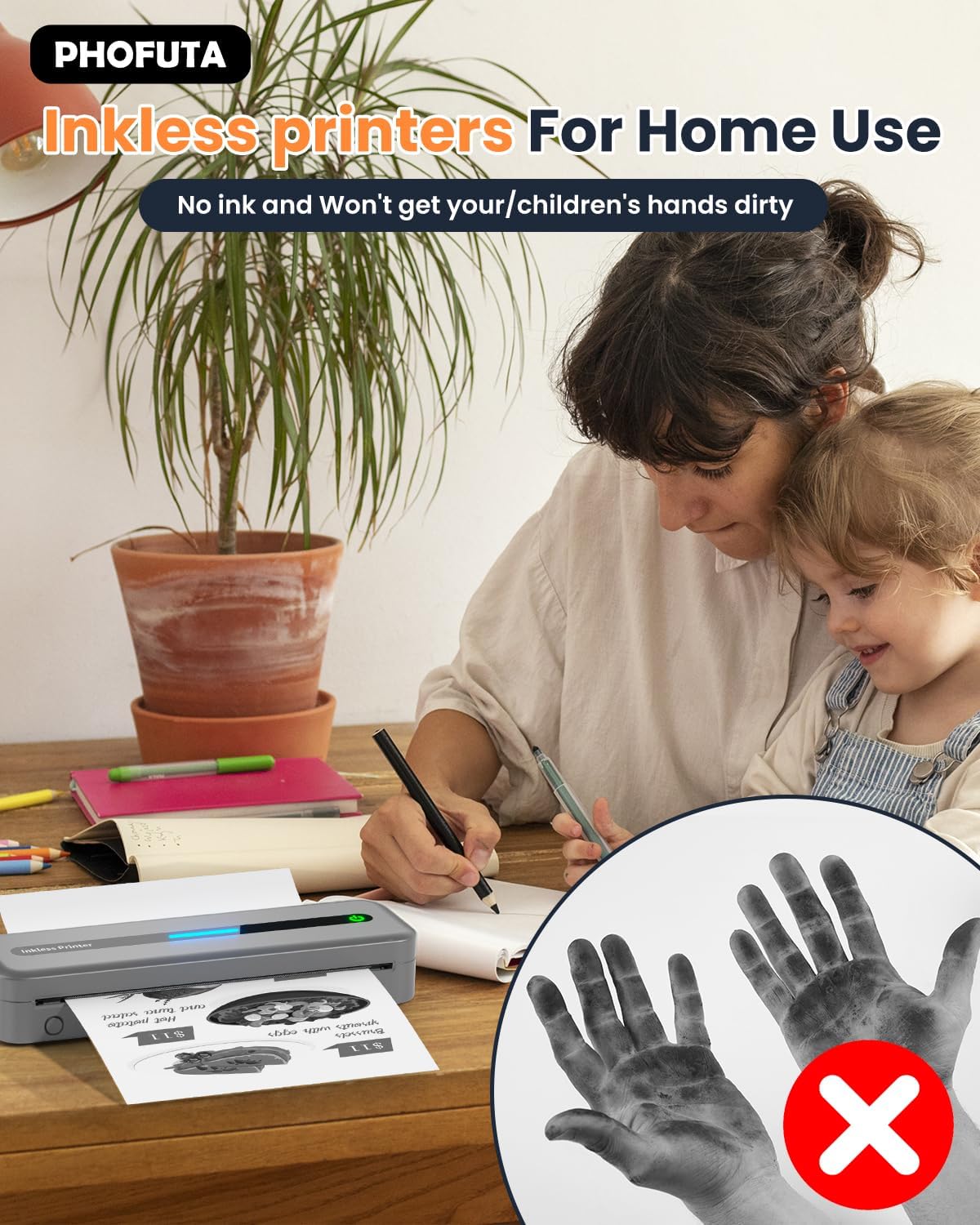
The PhoFuta M832 is an inkless printer, meaning it uses thermal paper that reacts to heat to create images. This eliminates the need for ink cartridges, preventing messy hands and reducing ongoing costs. However, it is crucial to use only thermal paper, as regular paper will not work. Thermal prints may fade over time if exposed to heat, light, or certain chemicals, so store important documents appropriately.

7. Fejlfinding
If you encounter issues with your PhoFuta M832 printer, refer to the following common problems and solutions:
- Printeren tænder ikke: Sørg for, at batteriet er opladet. Tilslut printeren til en strømkilde, og prøv igen.
- Kan ikke oprette forbindelse via Bluetooth: Make sure Bluetooth is enabled on both devices. Restart the printer and your device. Ensure the Phomemo app is installed and updated.
- Dårlig udskriftskvalitet: Check if you are using thermal paper. Ensure the paper is loaded correctly. Clean the print head if smudges or lines appear.
- Papir i klemme: Turn off the printer, open the paper compartment, and carefully remove any jammed paper. Ensure paper is loaded straight and not wrinkled.
- Printeren svarer ikke: Try restarting the printer. If the issue persists, perform a factory reset (refer to the Phomemo app or detailed user manual for instructions).
8. Specifikationer
| Feature | Specifikation |
|---|---|
| Mærke | PhoFuta |
| Model | M832 |
| Produktnummer | PH-M832-GY |
| Farve | Grå |
| Udskrivningsteknologi | Termisk |
| Printer output | Monokrom |
| Max Print Resolution (B&W) | 300 DPI |
| Maksimal udskrivningshastighed (monokrom) | 5 sider i minuttet |
| Max input arkkapacitet | 300 ark |
| Understøttet medietype | Plain Paper (Thermal Paper) |
| Ark størrelse | US Letter/A4/4"/3"/2" (216mm/210mm/110mm/80mm/53mm) |
| Duplex udskrivning | Ingen |
| Forbindelsesteknologi | Bluetooth |
| Hardware-interface | USB-C |
| Kompatible enheder | Smartphones, Tablets, Laptops, Computers |
| Scanner type | Transportabel |
| Scanneropløsning | 203 x 203 DPI |
| Produktdimensioner | 31 x 11.4 x 9.2 cm |
| Produktets vægt | 992 g |
| Batteri | 1 Lithium Ion (inkluderet) |
| Batterisammensætning | Lithium |
| Softwareopdateringer garanteret indtil | Ukendt |
9. Garanti og support
9.1 Garantioplysninger
The PhoFuta M832 Portable Thermal Printer comes with a Livstidsgaranti. This warranty covers manufacturing defects and ensures the long-term reliability of your device. Please retain your proof of purchase for warranty claims.
9.2 Kundesupport
For technical assistance, troubleshooting, or warranty inquiries, please contact PhoFuta customer support. Refer to the official PhoFuta webwebstedet eller de kontaktoplysninger, der fulgte med dit køb, for at finde de mest opdaterede supportkanaler.


