1. Produktet er slutview
The VENTION 5-in-1 USB C Hub is a versatile multiport adapter designed to expand the connectivity of your USB-C enabled devices. It integrates essential ports for charging, video output, and data transfer, making it an ideal solution for laptops, tablets, and smartphones with limited port options.

Image: The VENTION 5-in-1 USB C Hub, showcasing its compact design and the various types of cables and devices it can connect to, including USB-A devices and an HDMI cable.
2. Nøglefunktioner
- 5-i-1-tilslutning: Combines a 4K HDMI port, 100W USB-C Power Delivery (PD) charging port, and three high-speed USB-A 3.0 data ports.
- Hurtig opladning: The 100W USB-C PD charging port supports fast charging for compatible laptops and devices.
- Immersive 4K Visuals: HDMI port supports resolutions up to 4K@30Hz for external displays.
- Speedy Data Transfers: USB-A 3.0 ports offer data transfer speeds up to 5 Gbps.
- Holdbart design: Crafted with an aluminum shell for enhanced durability and heat dissipation.
- Bred kompatibilitet: Compatible with most USB-C enabled devices and various operating systems.

Image: A detailed diagram illustrating the VENTION 5-in-1 USB C Hub connected to a laptop, highlighting its ports: 100W PD, three USB 3.0 (5Gbps) ports, and an HDMI (4K@30Hz) port.
Video: An official product video from Vention showcasing the features and functionality of the USB C Hub, including its various ports, 4K HDMI output, and fast data transfer capabilities.
3. Opsætning
3.1 Tilslutning af hubben til din enhed
- Locate the USB-C male connector on the VENTION Hub.
- Insert the USB-C connector firmly into an available USB-C port on your laptop, tablet, or smartphone.
- Ensure the connection is secure. The hub is plug-and-play and typically requires no driver installation.
3.2 Tilslutning af eksterne enheder
- HDMI-skærm: Tilslut et HDMI-kabel fra din skærm eller dit tv til HDMI-porten på hubben.
- USB-A-enheder: Plug your USB flash drives, external hard drives, keyboards, mice, or other USB-A peripherals into the three USB 3.0 ports.
- Strømforsyning (PD): To charge your host device while using the hub, connect your USB-C power adapter to the 100W PD port on the hub.

Image: The VENTION USB C Hub connected to a MacBook Pro, demonstrating its 100W Power Delivery fast charging capability, with a charging progress bar indicating rapid power delivery.
4. Betjeningsvejledning
4.1 HDMI Display Output
Once connected, your device should automatically detect the external display. You can configure display settings (e.g., mirror mode, extend mode) through your operating system's display settings.
- MirrorMode: Duplikerer din primære skærm til den eksterne skærm.
- Udvid tilstand: Udvider dit skrivebord på tværs af flere skærme, hvilket giver mere arbejdsplads.
Note: The 100W PD port on the hub is for power input only and does not support video output.

Image: A visual representation of the VENTION USB C Hub's ability to support multiple display modes (Mirror Mode and Extend Mode) at 4K@30Hz, illustrating how a laptop screen can be duplicated or extended to an external monitor.
4.2 USB-dataoverførsel
The three USB 3.0 ports enable high-speed data transfer. Simply plug in your USB devices, and they will be recognized by your host system.
- Overfør stort files, photos, and videos at speeds up to 5 Gbps.
- Connect multiple USB peripherals simultaneously.

Image: A close-up of the VENTION USB C Hub's USB 3.0 ports, with an overlay indicating data transfer speeds of 5Gbps, illustrating how files can be transferred in seconds.
4.3 Strømforsyning (PD)
The 100W PD port allows you to power your laptop or other compatible USB-C device through the hub. This ensures your device remains charged even when multiple peripherals are connected.
5. Kompatibilitet
The VENTION 5-in-1 USB C Hub is designed for broad compatibility with various USB-C enabled devices and operating systems.
- Kompatible enheder: MacBook Pro, MacBook Air, iPad Pro, iPhone 15 Pro/Pro Max, XPS, Thinkpad, Surface Go, Chromebook, and other USB-C enabled laptops, tablets, and smartphones.
- Kompatible operativsystemer: macOS, Windows (7, 10), Chrome OS, Linux.
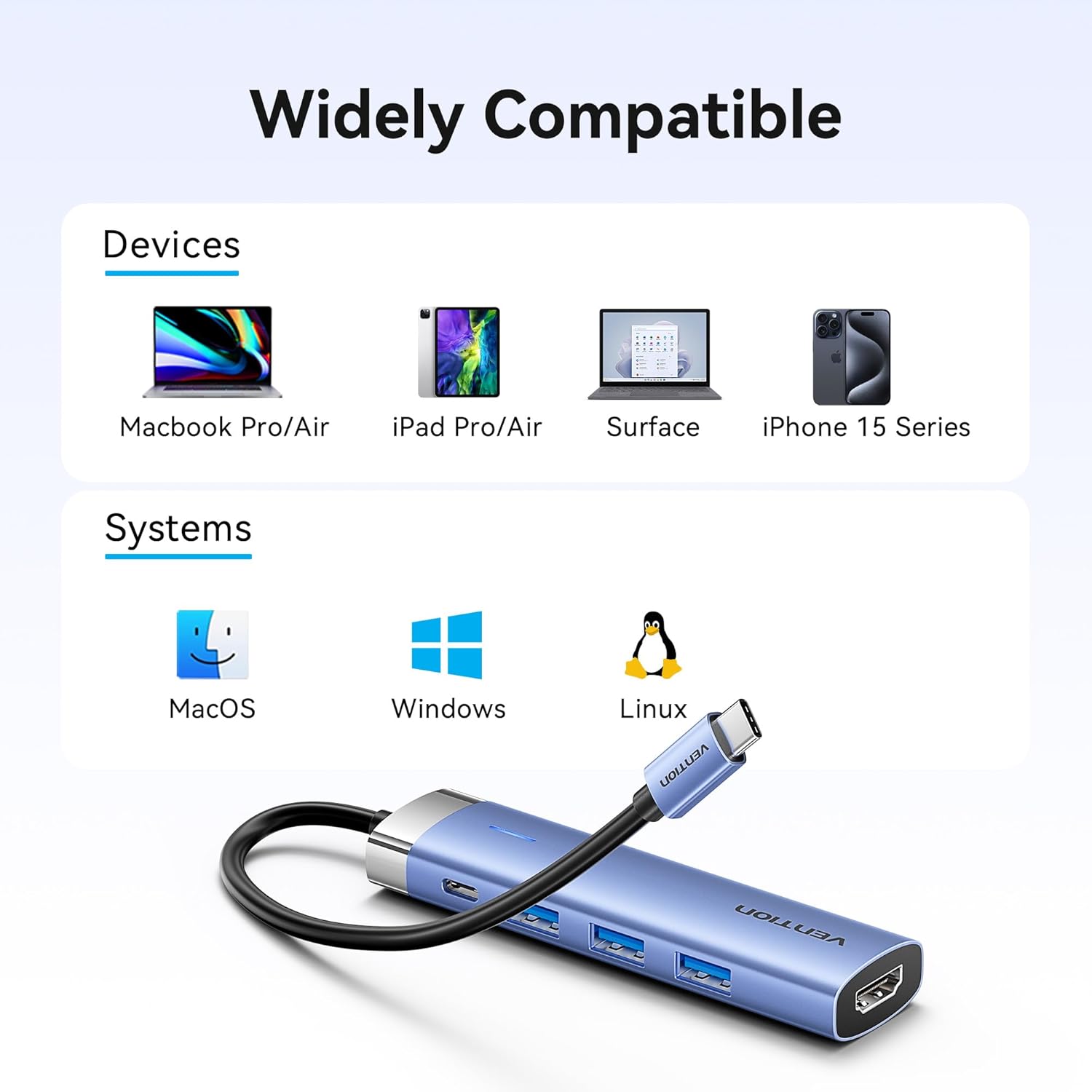
Image: A graphic illustrating the wide compatibility of the VENTION USB C Hub with various devices such as MacBook Pro/Air, iPad Pro/Air, Surface, and iPhone 15 Series, as well as operating systems like macOS, Windows, and Linux.
6. Vedligeholdelse
- Rensning: Brug en blød, tør klud til at rengøre navet. Undgå flydende rengøringsmidler eller slibende materialer.
- Opbevaring: Opbevar hubben et køligt, tørt sted væk fra direkte sollys og ekstreme temperaturer.
- Håndtering: Undgå at tabe hubben eller udsætte den for hårde stød. Forsøg ikke at skille enheden ad.
7. Fejlfinding
- Ingen skærmudgang via HDMI:
- Sørg for, at HDMI-kablet er korrekt tilsluttet til både hubben og skærmen.
- Verify your host device's USB-C port supports video output (DisplayPort Alternate Mode).
- Check your display settings on your computer to ensure the external monitor is detected and configured correctly.
- Prøv et andet HDMI-kabel eller en anden skærm for at udelukke problemer med kabel/skærm.
- Ingen strømforsyning (PD) opladning:
- Ensure your USB-C power adapter is connected to the PD port on the hub and is functioning correctly.
- Kontroller, at din strømadapter leverer tilstrækkeligt med strømtage for your device (e.g., 100W for a MacBook Pro).
- Check if the host device's USB-C port supports Power Delivery.
- USB-enheder genkendes ikke eller har langsom dataoverførsel:
- Ensure USB devices are fully inserted into the hub's USB-A ports.
- Prøv at tilslutte USB-enheden direkte til din computer for at bekræfte, at den fungerer uafhængigt.
- For optimal speed, ensure your USB devices are USB 3.0 compatible.
- Avoid connecting high-power consumption devices (e.g., multiple external hard drives) without external power if your host device's USB-C port has limited power output.
- Overophedning af nav:
- It is normal for the hub to become warm during extended use, especially when charging or using multiple ports.
- Sørg for tilstrækkelig ventilation omkring navet.
- Hvis hubben bliver for varm, skal du frakoble den og lade den køle af, før du genoptager brugen.
8. Specifikationer
| Modelnummer | TGESB |
| Havne | 1x HDMI (4K@30Hz), 1x USB-C PD (100W), 3x USB 3.0 (5Gbps) |
| Strøm levering | Up to 100W (input) |
| Dataoverførselshastighed | Op til 5 Gbps (USB 3.0) |
| Materiale | Aluminiumslegering |
| Farve | Grå |
| Dimensioner (LxBxH) | 2.95 x 0.69 x 4.92 tommer |
| Varens vægt | 1.76 ounce |
9. Garantioplysninger
This VENTION product is covered by a manufacturer's warranty. Please refer to the product packaging or the official VENTION website for specific warranty terms and conditions. Retain your proof of purchase for warranty claims.
10. Support
For technical support, troubleshooting assistance, or further inquiries, please contact VENTION customer service through the following channels:
- Online support: Visit the official VENTION webwebsted for ofte stillede spørgsmål og supportressourcer.
- E-mail support: Refer to your product packaging or the VENTION webwebsted for kontakt-e-mail.
- Amazon Store: Du kan også besøge Vention Officiel butik på Amazon for product information and seller contact options.


