1. Introduktion
Thank you for choosing the Baseus E13 TWS Bowie Headphones. This manual provides essential information for setting up, operating, and maintaining your new wireless earbuds. Please read it carefully before use to ensure optimal performance and longevity of your device.
2. Pakkens indhold
Bekræft at alle varer er til stede i din pakke:
- Baseus E13 TWS Bowie Headphones (Left and Right Earbuds)
- Opladningsetui
- USB opladningskabel
- Ørepuder (forskellige størrelser)
- Brugervejledning (dette dokument)

Image: The Baseus E13 TWS Bowie Headphones, including the earbuds, charging case, and the included USB charging cable.
3. Produktet er slutview
The Baseus E13 TWS Bowie Headphones feature a compact design with a charging case for portability and extended battery life.

Image: The Baseus E13 TWS Bowie Headphones, showing both earbuds resting in their open charging case.
4. Opsætning
4.1 Opladning af øretelefoner og etuiet
- Indledende opkrævning: Oplad ørepropperne og opladningsetuiet helt inden første brug.
- Opladning af etuiet: Connect the provided USB charging cable to the charging port on the case and a compatible USB power source. The indicator light on the case will show charging status.
- Opladning af øretelefoner: Place the earbuds into the charging case. Ensure they are correctly seated; the indicator lights on the earbuds will confirm charging.
A full charge provides up to 30 hours of total playback time with the charging case.
4.2 Bluetooth -parring
- Tænd: Åbn opladningsetuiet. Ørepropperne tændes automatisk og går i parringstilstand.
- Aktiver Bluetooth: Aktiver Bluetooth på din enhed (smartphone, tablet osv.).
- Vælg enhed: Søg efter "Baseus E13" in the list of available Bluetooth devices and select it to connect.
- Bekræftelse: En stemmemeddelelse bekræfter den vellykkede parring.
Ørepropperne genopretter automatisk forbindelse til den sidst parrede enhed, når de tages ud af etuiet, hvis Bluetooth er aktiveret på enheden.
4.3 App kontrol
Enhance your experience by downloading the official Baseus app. The app allows for customizable controls, EQ settings, and other features.
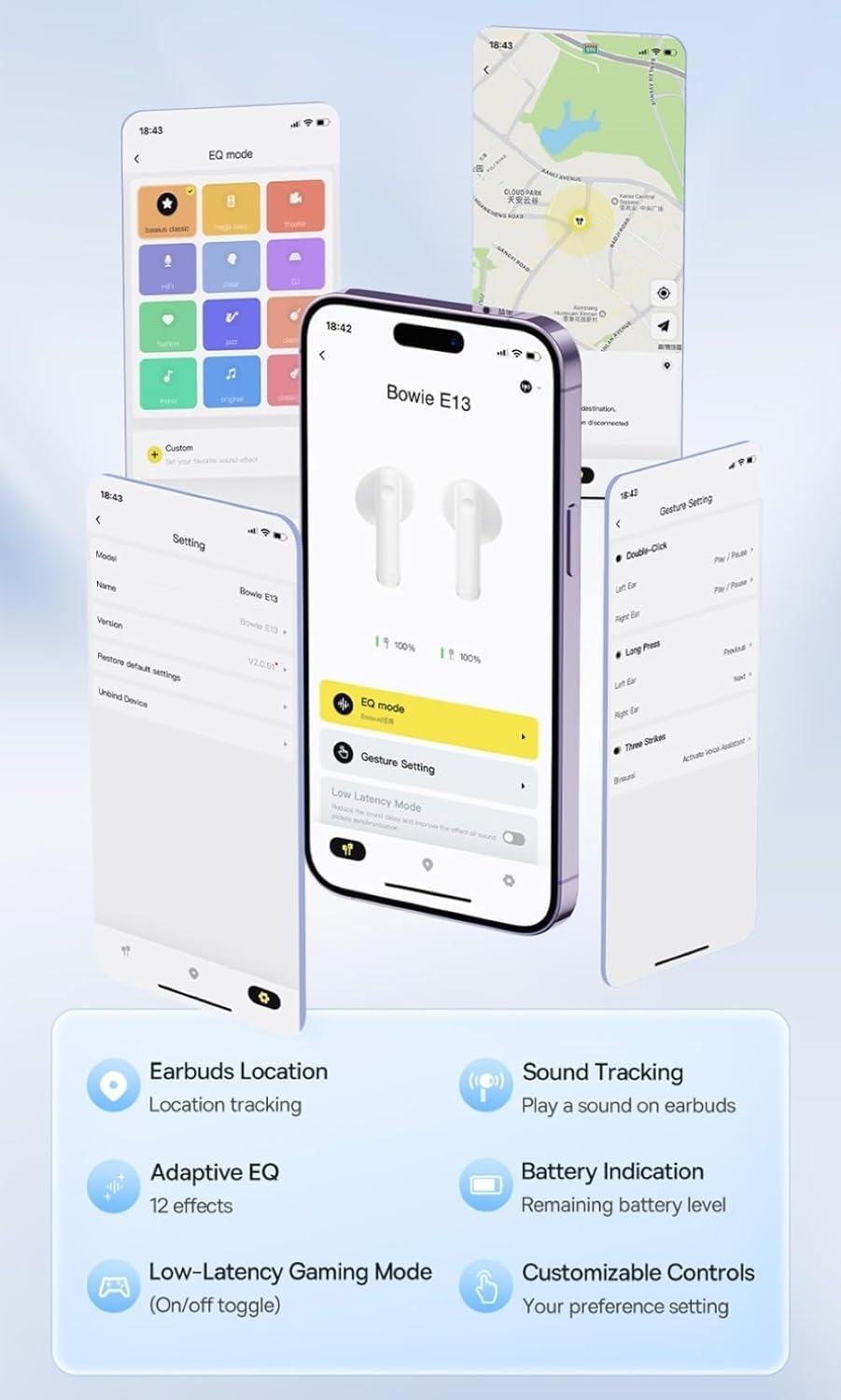
Image: Multiple smartphone screens displaying the Baseus app interface, highlighting features such as EQ mode, gesture settings, low-latency gaming mode, earbud location tracking, sound tracking, adaptive EQ with 12 effects, battery indication, and customizable controls.
5. Betjening
5.1 Grundlæggende kontroller
The Baseus E13 TWS Bowie Headphones feature touch controls for easy management of audio and calls. Specific gestures can be customized via the Baseus app.
- Afspil/pause: Et enkelt tryk på begge øretelefoner.
- Næste nummer: Dobbelttryk på den højre øreprop.
- Forrige nummer: Dobbelttryk på den venstre øreprop.
- Besvar/afslut opkald: Et enkelt tryk på begge øretelefoner.
- Afvis opkald: Langt tryk på en af øretelefonerne.
- Aktiver stemmeassistent: Tryk tre gange på en af øretelefonerne.
5.2 Low-Latency Gaming Mode
For an optimized gaming experience, activate the 0.06s ultra-low latency gaming mode through the Baseus app. This reduces audio delay, providing faster response times.
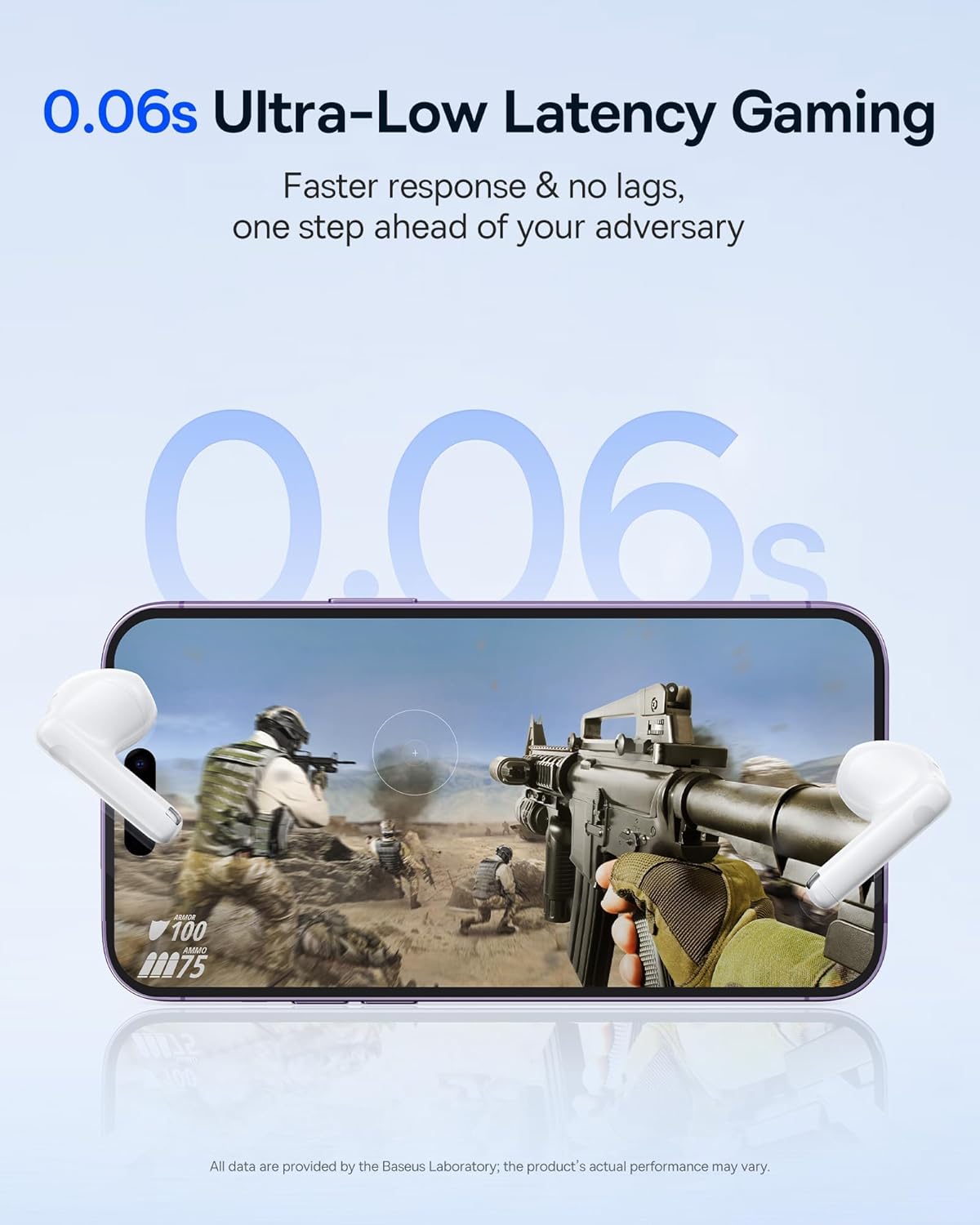
Image: The Baseus E13 TWS Bowie Headphones positioned near a smartphone screen displaying a fast-paced first-person shooter game, emphasizing the 0.06s ultra-low latency feature for gaming.
5.3 Lydafspilning
Enjoy up to 30 hours of continuous audio playback with the assistance of the charging case. Each earbud provides several hours of playback on a single charge, with the case offering multiple recharges.

Image: The Baseus E13 TWS Bowie Headphones and their charging case, overlaid with a graphic prominently displaying '30H', signifying the total audio playback time achievable with the case.
5.4 Lydkvalitet
The earbuds are equipped with a large 12mm diaphragm, designed to restore each note with remarkable depth and accuracy, providing a powerful low-frequency audio experience.

Image: A detailed cutaway diagram of a Baseus E13 TWS earbud, focusing on the internal structure of the large 12mm diaphragm and its contribution to sound quality.
5.5 Forbindelse
Utilizing Bluetooth 5.3 technology, the headphones offer a faster and more stable wireless connection, ensuring smooth audio transmission and enhanced sound quality.

Billede: En gennemsigtig view of a Baseus E13 TWS earbud, revealing its internal circuitry and specifically highlighting the integrated Bluetooth 5.3 chip for advanced wireless connectivity.
6. Sådan tager du ørepropperne på
The earbuds are designed with a mini stem and a lightweight profile, featuring a 45° wearing angle for a comfortable and secure fit.

Image: A woman wearing a Baseus E13 TWS earbud, illustrating the ergonomic design with a mini stem and lightweight construction for a comfortable user experience.
7. Vedligeholdelse
- Rensning: Rengør regelmæssigt ørepropperne og opladningsetuiet med en blød, tør og fnugfri klud. Brug ikke skrappe kemikalier eller slibende materialer.
- Vandtæthed: The earbuds are water resistant. Avoid submerging them in water or exposing them to excessive moisture. Dry thoroughly if they come into contact with liquids.
- Opbevaring: Når ørepropperne ikke er i brug, skal de opbevares i deres opladningsetui for at beskytte dem og holde dem opladede. Opbevares køligt og tørt, væk fra ekstreme temperaturer.
- Batteripleje: For at spare på batteriet, undgå at aflade ørepropperne og etuiet helt ofte. Oplad dem regelmæssigt, selvom de ikke er i konstant brug.
8. Fejlfinding
If you encounter issues with your Baseus E13 TWS Bowie Headphones, refer to the following common solutions:
- Ingen lyd:
- Sørg for, at ørepropperne er opladet.
- Check Bluetooth connection to your device.
- Adjust volume on both earbuds and connected device.
- Øretelefoner parrer ikke:
- Sæt ørepropperne tilbage i etuiet, luk dem, og åbn dem derefter igen for at aktivere parringstilstand igen.
- Forget "Baseus E13" from your device's Bluetooth list and attempt to pair again.
- Sørg for, at ørepropperne er inden for din enheds rækkevidde.
- Opladningsproblemer:
- Kontroller, at opladningskablet er korrekt tilsluttet til både etuiet og strømkilden.
- Prøv en anden USB-port eller strømadapter.
- Ensure charging contacts on earbuds and in case are clean and free of debris.
- Én øretelefon virker ikke:
- Sørg for, at begge øretelefoner er opladet.
- Try resetting the earbuds (refer to app or Baseus support for specific instructions).
9. Specifikationer
| Mærke | Baseus |
| Modelnavn | E13 TWS |
| Forbindelsesteknologi | Trådløs (Bluetooth 5.3) |
| Øreplacering | In Ear |
| Formfaktor | Ægte trådløs |
| Impedans | 32 Ohm |
| Kontroltype | Touch controls, App |
| Materiale | Plast |
| Varens vægt | 0.07 kilo |
| Vandmodstandsniveau | Vandtæt |
| Maksimal driftsafstand | 10 meter |
| Batteriets gennemsnitlige levetid | Op til 30 timer (med opladningsetui) |
| Særlige funktioner | 0.06s ultra-low latency, Faster and more stable 5.3 wireless chip, Lightweight and Mini Design, Powerful low frequency controller |
10. Garanti og support
Baseus products are designed for reliability and performance. For warranty information, please refer to the warranty card included with your purchase or visit the official Baseus website. For technical support or further assistance, please contact Baseus customer service or visit the Baseus-butik på Amazon.


