1. Introduktion
The Ibiza VENUS600 is a portable speaker designed for versatile audio playback and karaoke. It features two 8-inch (20cm) illuminated woofers, an integrated rechargeable battery, and a retractable trolley handle with wheels for easy transport. This manual provides essential information for the safe and effective use of your VENUS600 speaker.

Image 1.1: Ibiza VENUS600 Portable Speaker and Wired Microphone
2. Nøglefunktioner
- Dual 8-inch (20cm) Illuminated Woofers: Provides dynamic sound with integrated light effects.
- 600W Peak Power Output: Leverer kraftfuld lydydelse.
- Flere lydkilder: Supports Bluetooth, USB, microSD card, and AUX input.
- Wired Microphone Included: Ready for karaoke or public address.
- Integreret genopladeligt batteri: Ensures portability and extended use.
- Retractable Trolley Handle and Wheels: Gør det nemt at transportere.
- True Wireless Stereo (TWS) funktion: Allows pairing two VENUS600 units for stereo sound.
- Recording Function (REC): Capture audio directly to USB or microSD.
- Justerbare lydkontroller: Treble, Bass, and Microphone Echo adjustments.

Image 2.1: Key Features Visual Overview
3. Opsætning
3.1 Udpakning
Carefully remove all components from the packaging. Ensure all items listed in the package contents are present. Retain the packaging for future storage or transport.
3.2 Opladning af batteriet
- Find opladningsporten på højttaleren.
- Connect the provided power adapter to the speaker and then to a suitable power outlet.
- The 'CHARGE' indicator light (if present) will illuminate during charging.
- Allow the speaker to fully charge before first use (approximately 4-6 hours). The indicator light may change or turn off when fully charged.
3.3 Indledende placering
Place the speaker on a stable, flat surface. Ensure adequate ventilation around the unit. For optimal sound, position the speaker at ear level when possible.
4. Betjeningsvejledning
4.1 Kontrolpanel overview
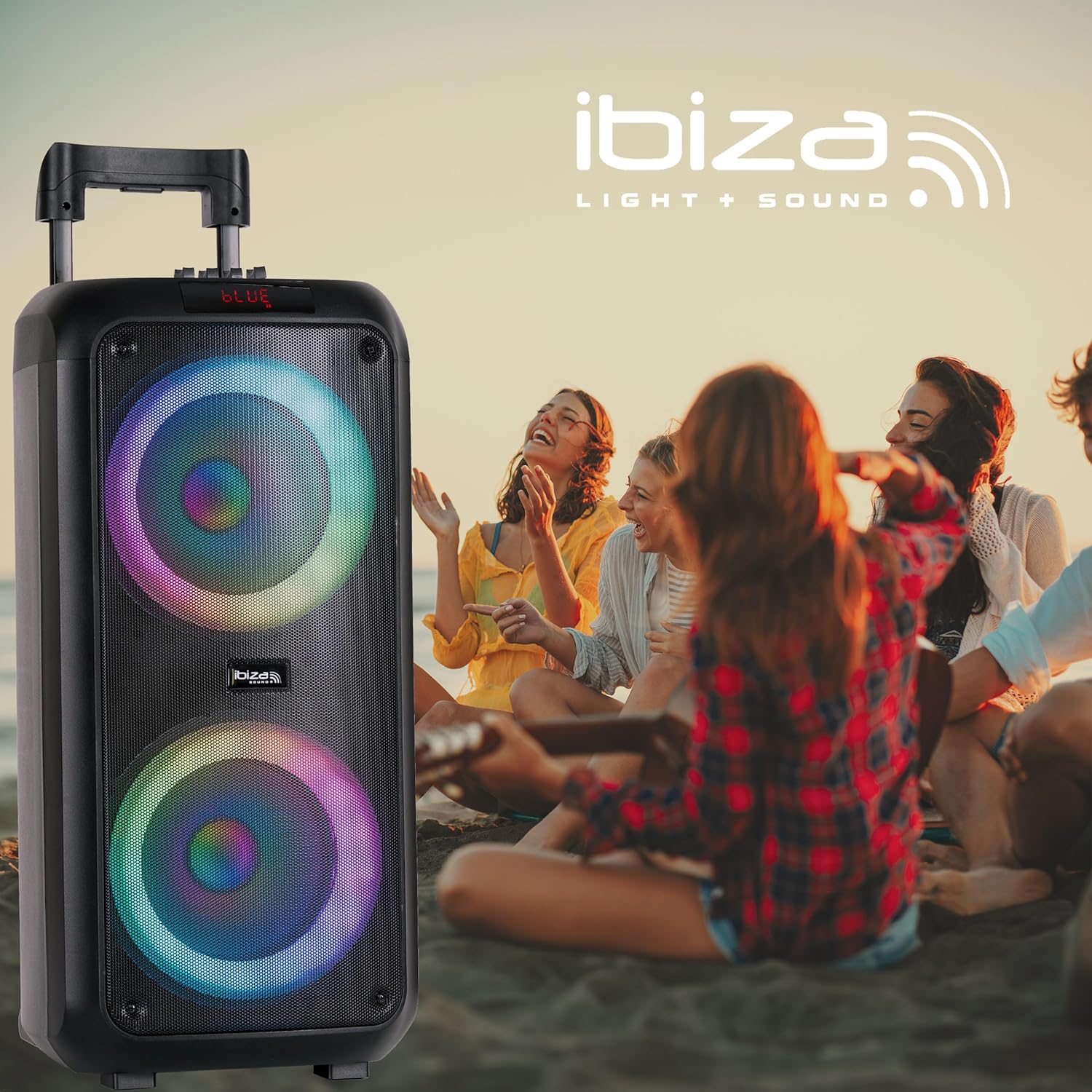
Image 4.1: Control Panel
- OPLADE: Opladningsindikator.
- GUIT: Guitar input.
- MIC 1 / MIC 2: Microphone inputs.
- AUX: Hjælpeindgang.
- TF -KORT: MicroSD-kortslot.
- USB: USB -indgang.
- BIND: Main volume control knob.
- M. VOLUME: Microphone volume control knob.
- TREBLE/BAS: Equalizer sliders for high and low frequencies.
- M. ECHO: Microphone echo effect slider.
- REC: Optag knap.
- KØRSELSVEJLEDNING: Button to switch between input sources (Bluetooth, USB, microSD, AUX).
- SPIL/PAUSE: Play/Pause button for media playback.
- FORRIGE NÆSTE: Track navigation buttons.
- M. PRI: Microphone Priority function.
- Power knap: Tænder eller slukker for højttaleren.
- Lyseffektknap: Controls the LED light effects.
4.2 Tænd/sluk
Tryk og hold på Power knap on the control panel to turn the speaker on or off.
4.3 Valg af en lydkilde
Tryk på MODE button repeatedly to cycle through available input sources: Bluetooth, USB, microSD, and AUX.
4.4 Bluetooth-forbindelse
- Turn on the speaker and select Bluetooth mode using the MODE button. The display will show "BLUE" and a pairing indicator may flash.
- Aktiver Bluetooth på din mobile enhed (smartphone, tablet osv.).
- Søg efter "VENUS600" in your device's Bluetooth settings and select it to pair.
- Når der er oprettet forbindelse, udsender højttaleren en bekræftelseslyd, og displayet viser, at forbindelsen er oprettet.
4.4.1 Ægte trådløs stereo (TWS) funktion
To pair two VENUS600 speakers for stereo sound:
- Ensure both VENUS600 speakers are powered on and in Bluetooth mode.
- On one of the speakers (this will be the primary unit), press and hold the TWS knap (if available, or a combination of buttons as per specific model instructions, otherwise assume automatic pairing or single unit use). (Note: TWS button not explicitly labeled in image, assuming it's part of the MODE or a dedicated button not shown).
- Højttalerne vil forsøge at oprette forbindelse til hinanden. En bekræftelseslyd vil indikere vellykket TWS-parring.
- Connect your mobile device to the primary VENUS600 speaker via Bluetooth as described above.
4.5 USB/MicroSD-afspilning
- Insert a USB drive or microSD card (formatted to FAT32) containing MP3 audio files ind i den respektive plads.
- The speaker will automatically switch to USB or microSD mode and begin playback. If not, press the MODE knap.
- Brug AFSPIL/PAUSE, FORR, og NÆSTE knapper til at styre afspilning.
4.6 AUX-indgang
Tilslut en ekstern lydenhed (f.eks. MP3-afspiller, bærbar computer) til AUX input using a 3.5mm audio cable. Select AUX mode using the MODE knap.
4.7 Brug af mikrofon
- Connect the wired microphone to either the MIC 1 or MIC 2 input.
- Juster mikrofonens lydstyrke ved hjælp af M. VOLUME knop.
- Brug M. ECHO slider to add an echo effect to your voice.
- Tryk på M. PRI button to activate Microphone Priority, which lowers music volume when the microphone is in use.
4.8 Recording Function (REC)
To record microphone audio to a USB drive or microSD card:
- Ensure a USB drive or microSD card is inserted.
- Connect and set up the microphone as described in section 4.7.
- Tryk på REC knappen for at starte optagelsen.
- Tryk på REC knappen igen for at stoppe optagelsen. Den optagede file will be saved to the USB drive or microSD card.
4.9 Lydjustering
Brug DISKANT og BASS sliders on the control panel to fine-tune the sound output to your preference.
4.10 lyseffekter
Tryk på Lyseffekt knap (represented by a sun icon on the control panel) to cycle through different light modes or turn the lights off.
5. Vedligeholdelse
5.1 Rengøring
Tør højttalerens yderside af med en blød, tør klud. Brug ikke slibende rengøringsmidler, voks eller opløsningsmidler. Undgå at sprøjte væsker direkte på højttaleren.
5.2 Pleje af batterier
- To prolong battery life, fully charge the speaker before first use.
- Undgå at aflade batteriet helt ofte.
- If storing the speaker for an extended period, charge it to approximately 50-70% every 3-6 months.
- Udsæt ikke batteriet for ekstreme temperaturer.
5.3 Opbevaring
Store the speaker in a cool, dry place, away from direct sunlight and extreme temperatures. If possible, use the original packaging for protection.
6. Fejlfinding
If you encounter issues with your Ibiza VENUS600 speaker, refer to the following common problems and solutions:
| Problem | Mulig årsag | Løsning |
|---|---|---|
| Højttaleren tænder ikke. | Battery is depleted. Power cable is not connected. | Tilslut højttaleren til en stikkontakt, og lad den oplade. Sørg for, at strømkablet er korrekt tilsluttet. |
| Ingen lydudgang. | Volume is too low. Incorrect audio source selected. Device not properly connected. | Increase the main VOLUME knob. Press the MODE button to select the correct input source. Check all audio cable connections or Bluetooth pairing. |
| Bluetooth-parring mislykkes. | Speaker not in Bluetooth mode. Device too far from speaker. Interference. | Ensure the speaker is in Bluetooth mode. Move your device closer to the speaker. Turn off other Bluetooth devices nearby. Try restarting both the speaker and your device. |
| Mikrofon virker ikke. | Microphone not connected properly. M. VOLUME is too low. | Ensure the microphone is securely plugged into MIC 1 or MIC 2. Increase the M. VOLUME knob. |
| Lyden er forvrænget. | Volume is too high. Audio source quality is poor. | Reduce the main VOLUME. Check the audio quality of your source device. Adjust TREBLE and BASS sliders. |
7. Specifikationer

Billede 7.1: Produktmål
- Modelnummer: 10-5593
- Mærke: Ibiza
- Produktmål (L x B x H): 27 x 27 x 60 cm
- Varens vægt: 6.5 kg
- Strømudgang: 600 Watts (Peak), 50 Watts (RMS)
- Antal kanaler: 2
- Lydindgang: Bluetooth, USB, AUX, microSD, Microphone
- Forbindelse teknologi: Bluetooth
- Batteri: 1 litium-ion-batteri (inkluderet)
- Batterisammensætning: Lithium
- Voltage: 9 volt (DC)
- Materiale Type: Acrylonitril Butadien Styren (ABS)
- Farve: Sort
- Kompatible enheder: Smartphone, tablet
- Monteringstype: Bordplade
- Strømkilde: Batteridrevet
- Fabrikant: Lotronic S.A.
- Oprindelsesland: Kina
8. Garanti og support
For garantioplysninger og kundesupport henvises til den dokumentation, der fulgte med dit køb, eller kontakt din forhandler. Gem dit købsbevis i tilfælde af garantikrav.


