1. Introduktion og overview
The Imperial DABMAN i460 is a versatile multifunction radio designed to provide a wide range of audio entertainment and information. It supports reception via FM, digital DAB+, and Internet radio, offering access to countless stations worldwide. Additionally, the device supports music playback through various streaming providers and features Bluetooth 5.1 connectivity. Its flexible design allows for diverse installation options, including freestanding, under-cabinet, or wall-mounted use.

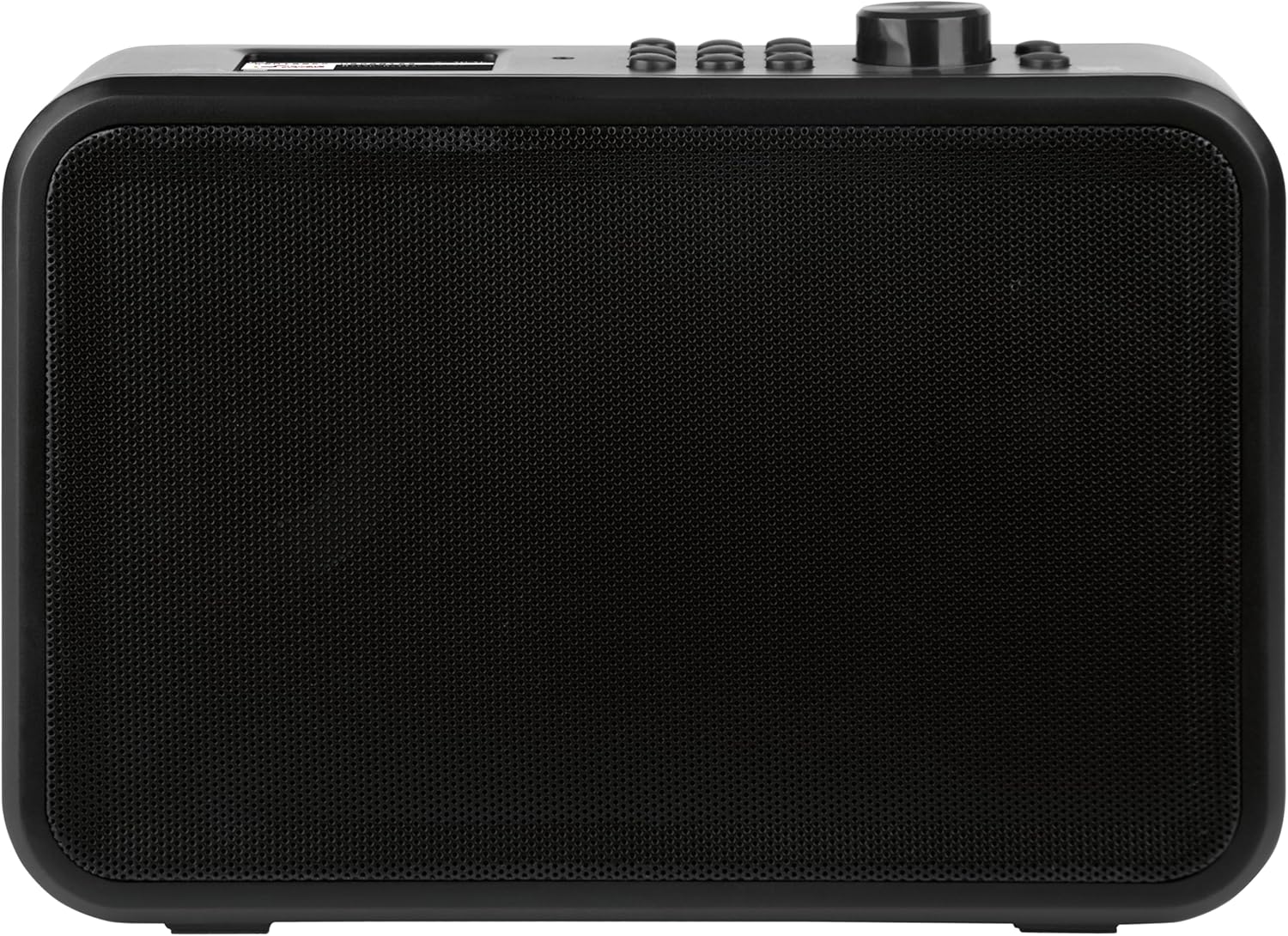
Figur 1.1: Forside view of the Imperial DABMAN i460 multifunction radio, showing the display and control buttons.

Figure 1.2: The Imperial DABMAN i460 highlighting its key features: DAB+, FM, Internet Radio, USB Record, Wi-Fi, Hotel Mode, EWF, and Bluetooth 5.1 (Send & Receive).
2. Sikkerhedsoplysninger
Læs venligst alle sikkerhedsinstruktioner omhyggeligt, inden du bruger enheden. Gem denne manual til senere brug.
- Udsæt ikke enheden for regn eller fugt for at forhindre brand eller elektrisk stød.
- Bloker ikke ventilationsåbninger. Installer i overensstemmelse med producentens anvisninger.
- Brug kun tilbehør/tilbehør specificeret af producenten.
- Tag stikket ud af enheden under tordenvejr, eller når den ikke skal bruges i længere perioder.
- Overlad al service til kvalificeret servicepersonale. Service er påkrævet, når apparatet er blevet beskadiget på nogen måde, såsom strømforsyningsledning eller stik er beskadiget, væske er blevet spildt, eller genstande er faldet ind i apparatet, apparatet har været udsat for regn eller fugt, ikke fungerer normalt , eller er blevet droppet.
3. Pakkens indhold
Carefully unpack the box and ensure all items are present and in good condition. The package should contain the following:
- Imperial DABMAN i460 Multifunction Radio
- Strømadapter
- Teleskop antenne
- Mounting Kit (for screwing or clamping)
- Fjernbetjening
- Brugervejledning (dette dokument)
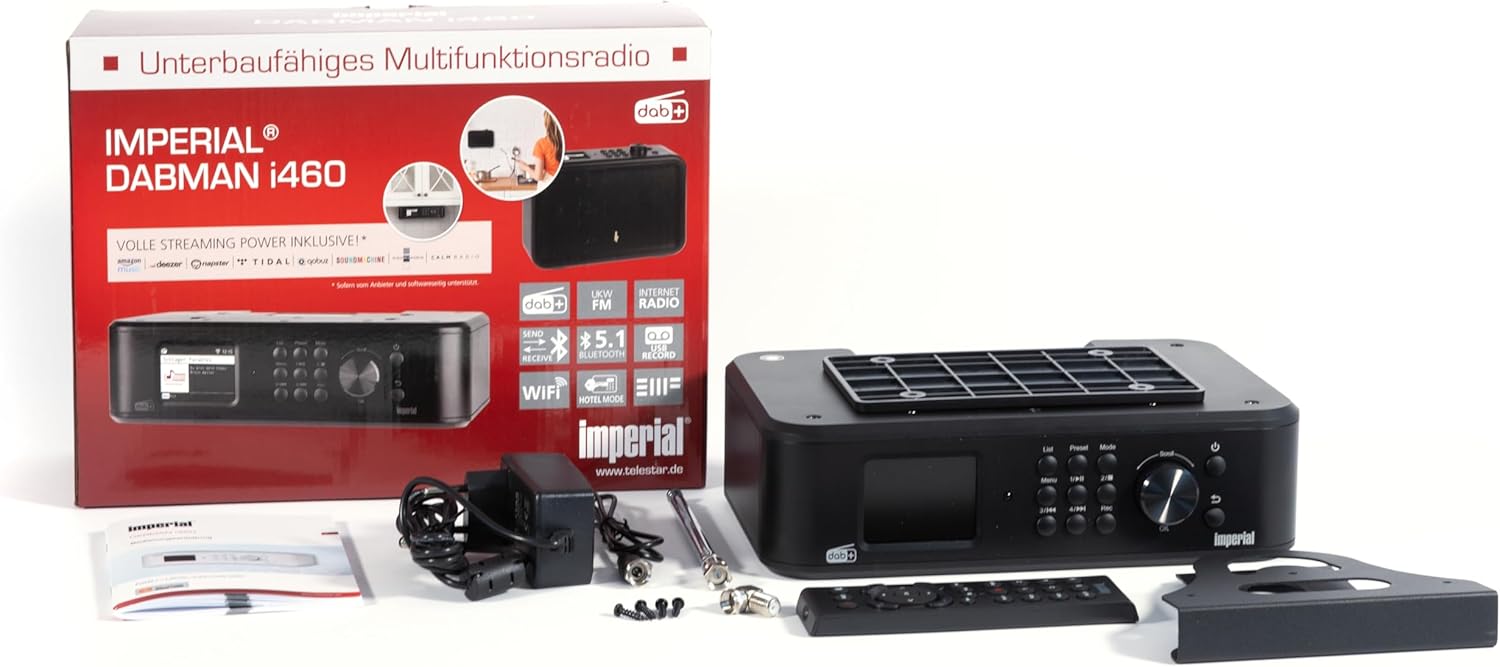
Figure 3.1: Contents of the Imperial DABMAN i460 package, including the radio, power adapter, antenna, remote control, and mounting accessories.
4. Opsætning
4.1 Fysisk placering og forbindelser
Choose a stable location for your radio. Ensure adequate ventilation around the unit. Connect the telescopic antenna to the FM/DAB+ antenna input on the back of the device. Connect the power adapter to the DC IN port and then to a power outlet.
Figur 4.1: Bagside view of the Imperial DABMAN i460, showing the USB, Line Out, Aux In, DC In, and On/Off switch.

Figure 4.2: Close-up of the Imperial DABMAN i460's connection ports (USB, Line Out, Aux In, DC In, On/Off switch) and the included telescopic antenna, USB stick, and audio cables.
4.2 Første opstart og sprogvalg
- After connecting the power, switch the device ON using the power switch on the back.
- The display will light up, and you will be prompted to select your preferred language. Use the navigation buttons or rotary knob to select and confirm.
4.3 Netværksforbindelse (Wi-Fi)
To access Internet radio and streaming services, connect your DABMAN i460 to your Wi-Fi network.
- Navigate to the 'Settings' menu on the radio's display.
- Select 'Network' or 'Wi-Fi Setup'.
- Radioen vil søge efter tilgængelige Wi-Fi-netværk. Vælg dit netværk fra listen.
- Enter your Wi-Fi password using the on-screen keyboard and navigation controls. Confirm to connect.
4.4 Monteringsmuligheder
The DABMAN i460 offers flexible mounting solutions:
- Frit stående: Use the integrated feet for stable placement on any flat surface.
- Under-Cabinet Mounting: Use the included screw-on mounting plate to attach the radio securely under kitchen cabinets or shelves.
- Clamping Mounting: Den medfølgende clamping bracket allows for attachment to shelves without drilling.
- Vægmontering: The screw-on mounting kit can also be used for wall installation.
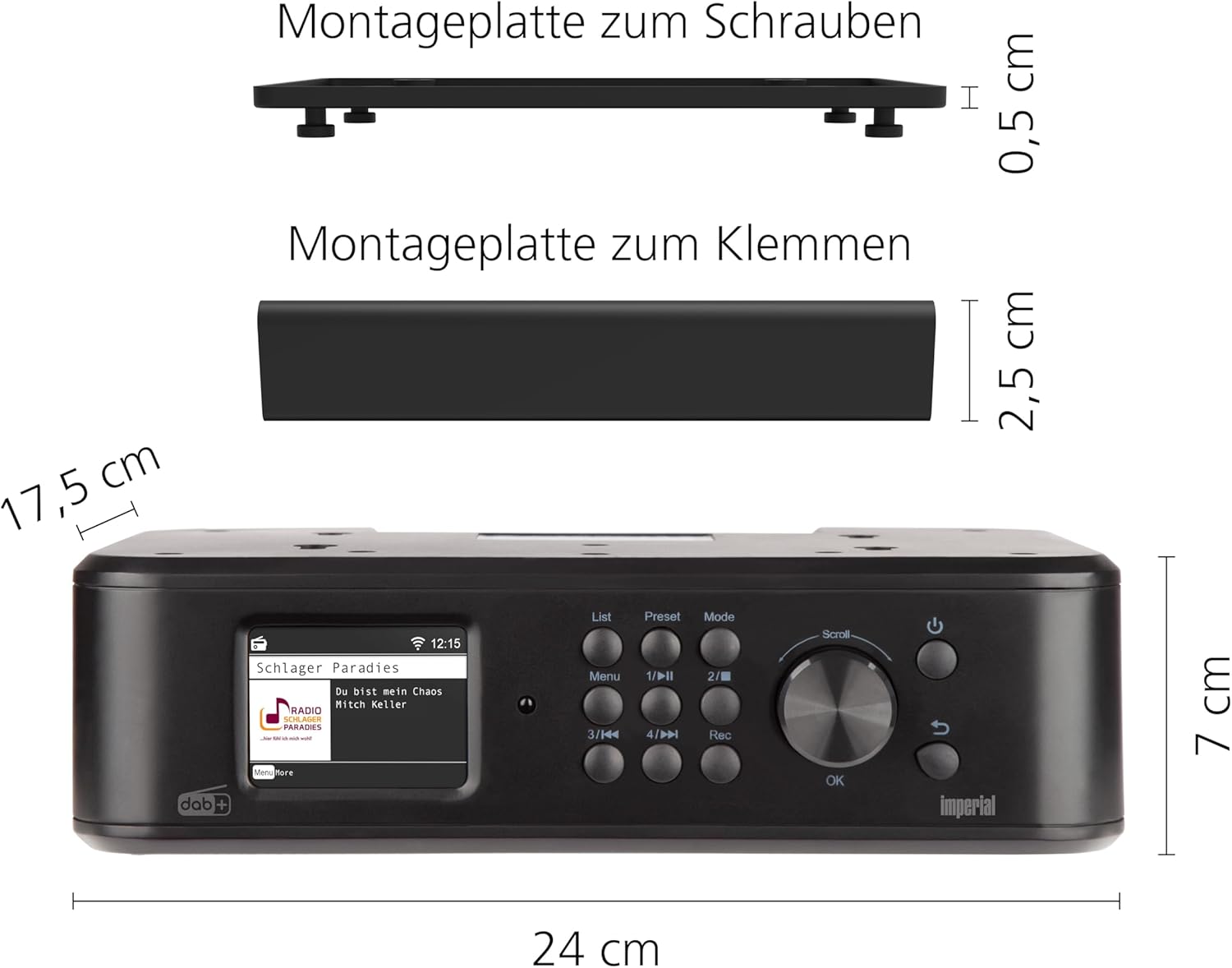
Figure 4.3: Dimensions of the Imperial DABMAN i460 and illustrations of the screw-on and clamping mounting plates.

Figure 4.4: The Imperial DABMAN i460 installed under a kitchen cabinet, demonstrating its space-saving design.

Figure 4.5: The Imperial DABMAN i460 placed on a kitchen counter, showcasing its versatility as a freestanding unit.
5. Betjeningsvejledning
5.1 Grundlæggende kontroller
The radio features a clear color display and intuitive controls:
- Drejeknap: Used for navigation through menus, adjusting volume, and selecting options. Press to confirm.
- Menu-knap: Åbner hovedmenuen.
- Liste knap: Displays lists (e.g., station lists, track lists).
- Forudindstillet knap: Accesses saved favorite stations.
- Mode knap: Switches between different operating modes (DAB+, FM, Internet Radio, Bluetooth, USB).
- Afspilningskontrolknapper: Play/Pause, Skip Forward/Backward, Record.
5.2 Radiotilstande (DAB+, FM, internetradio)
Press the 'Mode' button to cycle through the available radio modes:
- DAB+ radio: For digital radio reception. The radio will automatically scan for available DAB+ stations upon first use or when entering this mode.
- FM-radio: For analog FM radio reception. Use the tuning function to find stations.
- Internet radio: Requires a Wi-Fi connection. Browse stations by genre, location, or search for specific stations.
5.3 Bluetooth Functionality (Send & Receive)
The DABMAN i460 supports both receiving audio from a Bluetooth device (e.g., smartphone) and sending audio to a Bluetooth speaker or headphones.
- Modtagelse af lyd: Select Bluetooth mode on the radio. Enable Bluetooth on your smartphone/tablet and select 'DABMAN i460' from the list of available devices to pair.
- Sending Audio: In any radio or media playback mode, access the Bluetooth settings to search for and connect to a Bluetooth speaker or headphones.

Figure 5.1: Illustrates the Bluetooth connectivity of the Imperial DABMAN i460, allowing streaming from a smartphone to the radio.
5.4 USB-afspilning og -optagelse
Insert a USB storage device into the USB port on the back of the radio.
- Afspilning: Select USB mode. The radio will display the contents of the USB drive, allowing you to browse and play audio files.
- Indspilning: While listening to a radio station (DAB+, FM, or Internet Radio), press the 'Rec' button to start recording the current broadcast to the connected USB device. Press 'Rec' again to stop.

Figure 5.2: A USB stick inserted into the USB port on the back of the Imperial DABMAN i460, enabling media playback and recording.
5.5 Streaming Services and UPnP
The DABMAN i460 comes with pre-installed applications for various streaming services (e.g., Amazon Music, Deezer, Napster, Highresaudio, TIDAL). You can also stream music from your home network via UPnP (Universal Plug and Play).
- Access streaming services through the main menu or 'Mode' button.
- For UPnP, ensure your media server is active on the same network.
5.6 Hoteltilstand
The Hotel Mode feature allows for restricted functionality, ideal for public or guest environments. This mode can limit access to certain settings or functions.
- To activate/deactivate Hotel Mode, navigate to 'Settings' and locate the 'Hotel Mode' option.
- Follow the on-screen prompts to configure the desired restrictions.

Figure 5.3: The Imperial DABMAN i460's display showing the 'Hotel Modus' (Hotel Mode) option within the settings menu.
5.7 Yderligere funktioner
- Vækkeur: Set multiple alarms with customizable sounds and snooze functions.
- Sleep timer: Indstil radioen til automatisk at slukke efter en bestemt periode.
- Equalizer: Juster lydindstillingerne efter dine præferencer.
- Dimmer Function & Night Mode: Adjust display brightness for comfortable viewunder forskellige lysforhold.
- Favorite Memory: Save your preferred radio stations for quick access.
- App kontrol: Control the radio using the Soundmate application on your smartphone or tablet.
6. Vedligeholdelse
To ensure the longevity and optimal performance of your Imperial DABMAN i460, follow these maintenance guidelines:
- Rensning: Use a soft, dry cloth to clean the exterior of the radio. For stubborn marks, slightly dampRengør kluden med vand. Brug ikke slibende rengøringsmidler, voks eller opløsningsmidler.
- Ventilation: Sørg for, at ventilationsåbningerne ikke er blokeret af støv eller snavs. Rengør dem regelmæssigt med en blød børste eller trykluft.
- Opbevaring: If storing the device for an extended period, disconnect it from the power supply and store it in a cool, dry place.
7. Fejlfinding
If you encounter issues with your DABMAN i460, refer to the following common problems and solutions:
| Problem | Mulig årsag | Løsning |
|---|---|---|
| Ingen strøm | Power cable not connected; Power outlet faulty; Device switched off. | Check power cable connection; Try a different outlet; Ensure the ON/OFF switch on the back is in the ON position. |
| Ingen lyd | Volume too low; Mute function active; Incorrect audio source selected. | Increase volume; Check if mute is active; Select the correct input mode (DAB+, FM, Internet Radio, Bluetooth, USB). |
| Dårlig radiomodtagelse (DAB+/FM) | Antennen er ikke strakt ud eller placeret korrekt; Område med svagt signal. | Fully extend and adjust the telescopic antenna; Try relocating the radio to an area with better signal reception. |
| Kan ikke oprette forbindelse til Wi-Fi | Forkert adgangskode; Router for langt væk; Netværksproblemer. | Double-check Wi-Fi password; Move radio closer to router; Restart your Wi-Fi router. |
| Streaming services not working | No internet connection; Service outage. | Verify internet connection; Check the status of the streaming service. |
Hvis problemet fortsætter efter at have prøvet disse løsninger, bedes du kontakte kundesupport.
8. Specifikationer
| Feature | Detalje |
|---|---|
| Modelnummer | i460 |
| Mærke | Kejserlig |
| Farve | Sort |
| Forbindelsesteknologi | Hjælpestik, Bluetooth, USB, Wi-Fi |
| Tuner-teknologi | DAB, DAB+, FM, internetradio |
| Strømkilde | Elektrisk med ledning |
| Dimensioner (L x B x H) | 17.5L x 24W x 7H centimeter |
| Særlige funktioner | Integrated clock, Under-cabinet/wall mounting possible (clamps or screws), App control, USB recording, Streaming services, Bluetooth transmitter and receiver, Hotel mode, Night mode |
| Kompatible enheder | Headphones, Speaker, MP3 Player, Laptop, Smartphone, Tablet |
| Inkluderede komponenter | Power adapter, Telescopic antenna, Mounting kit for kitchen furniture (screw or clamp), User manual, Remote control |
| Batterisammensætning | Alkaline (for remote control, not included with main unit) |
| Tilgængelighed af reservedele | 1 år |
9. Garanti og support
Imperial provides a warranty for this product in accordance with local regulations. Please refer to the warranty card included in your package for specific terms and conditions.
For technical support, troubleshooting assistance beyond this manual, or warranty claims, please contact Imperial customer service. Contact information can typically be found on the manufacturer's webwebstedet eller på produktemballagen.
Tilgængelighed af reservedele: 1 år (i henhold til produktspecifikationer).


