Indledning
This manual provides detailed instructions for the safe and efficient operation of your Phomemo M08F Portable Thermal Printer. Please read this manual thoroughly before using the device and retain it for future reference. The Phomemo M08F is designed for convenient, inkless printing of documents up to 8.5" x 11" on thermal paper, compatible with various devices via Bluetooth and USB.
Produkt overview
Pakkens indhold
- M08F-Letter Portable Printer
- 10 Sheets Letter Thermal Paper
- USB-A to USB-C Charging Cable (80cm)
- Blød opbevaringstaske
- Instructions, Quick Start Guide
Nøglefunktioner
- Bærbart design: Lightweight (1.58 lbs) and compact (12.2" x 2.6" x 1.6") for easy transport.
- Blækfri termisk udskrivning: Utilizes advanced thermal technology, eliminating the need for ink cartridges, toners, or ribbons.
- Bred kompatibilitet: Connects via Bluetooth to iOS and Android devices, and via USB to Laptops (PC, Mac, ChromeOS, Linux).
- US Letter Size Support: Prints on 8.5" x 11" thermal paper.
- Høj opløsning: 203 DPI for clear black and white printing.
- Multifunktionel: Supports various document types including PDF, Word, Excel, TXT, images, and web sider.

Image: The Phomemo M08F printer shown with its accessories: 10 sheets of US Letter thermal paper, a USB-C charging cable, a soft storage pouch, and a quick start guide.
Opsætning
1. Opladning af printeren
Before initial use, fully charge the printer. Connect the provided USB-A to USB-C charging cable to the printer's USB-C port and a compatible USB power adapter (not included). The indicator light will show charging status.
2. Loading Thermal Paper
- Gently press the "PUSH" buttons on both sides of the printer to open the paper cover.
- Insert the 8.5" x 11" thermal paper with the printable side facing up. Ensure the paper is aligned straight.
- Close the paper cover until it clicks into place.

Image: The Phomemo M08F printer with US Letter thermal paper being fed into the paper slot, demonstrating the loading process.
3. App Installation (for Mobile Devices)
- Download the "Phomemo" app from the Apple App Store (for iOS) or Google Play Store (for Android).
- Installer appen på din smartphone eller tablet.

Image: A visual guide showing how to download the Phomemo app from app stores and connect the printer via Bluetooth for mobile printing.
4. Driver Installation (for PC/Laptop)
For printing from a computer, you need to install the appropriate driver.
- Visit the official Phomemo driver download page: m08f.phomemo.com
- Download the driver compatible with your operating system (Windows, macOS, Linux).
- Følg instruktionerne på skærmen for at fuldføre driverinstallationen.

Image: A screenshot showing the Phomemo driver download page for the M08F printer, with options for Windows, Mac, and other operating systems.
Betjeningsvejledning
1. Tænd/sluk
- For at tænde skal du trykke på tænd/sluk-knappen og holde den nede, indtil indikatorlampen lyser.
- For at slukke skal du trykke på tænd/sluk-knappen igen og holde den nede, indtil indikatorlampen slukker.
2. Connecting via Bluetooth (Mobile Devices)
- Sørg for, at printeren er tændt og inden for Bluetooth-rækkevidde af din mobilenhed.
- Open the "Phomemo" app on your device.
- Within the app, navigate to the device connection section and select your M08F printer from the list of available devices. The app will guide you through the pairing process.
3. Connecting via USB (PC/Laptop)
- Sørg for, at printeren er tændt.
- Connect the printer to your PC or laptop using the provided USB-A to USB-C cable.
- Your computer should recognize the printer after the drivers are installed.
4. Printing from the Phomemo App
- After connecting the printer via Bluetooth, open the document or image you wish to print within the Phomemo app.
- Adjust print settings such as density, size, and orientation as needed.
- Tap the print button to initiate printing.
5. Printing from PC/Laptop
- Ensure the printer is connected via USB and drivers are installed.
- Open the document you wish to print in your preferred application (e.g., Word, PDF vieweh).
- Vælg "Udskriv" fra programmets menu.
- Choose "Phomemo M08F" as your printer.
- Adjust any necessary print settings and click "Print".
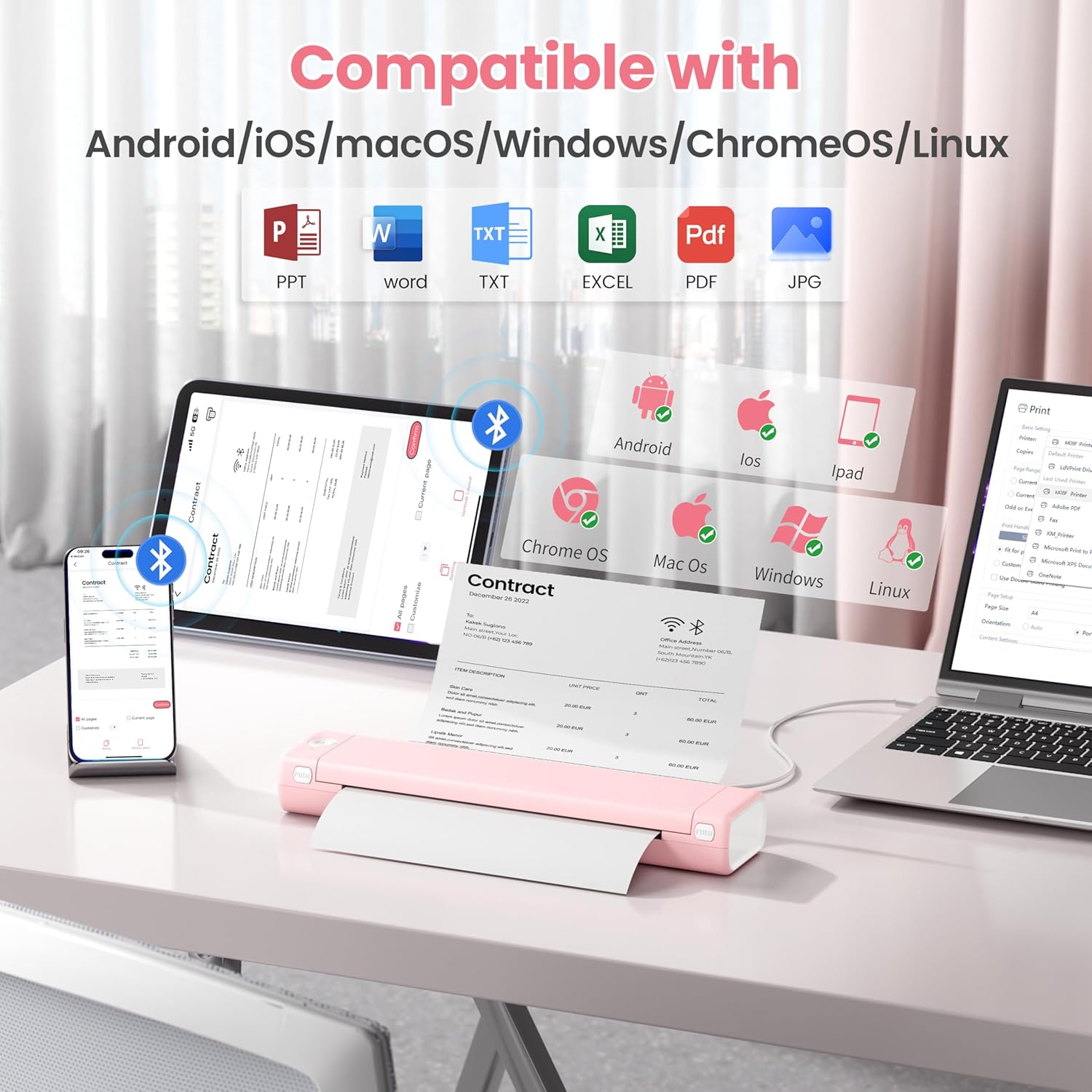
Image: An illustration showing the Phomemo M08F printer connected to various devices like smartphones, tablets, and laptops, highlighting its compatibility with Android, iOS, macOS, Windows, ChromeOS, and Linux.
Opretholdelse
Rengøring af skrivehovedet
To ensure optimal print quality, regularly clean the print head. Use a soft, lint-free cloth lightly dampened with isopropyl alcohol. Gently wipe the print head surface. Allow it to dry completely before use.
Opbevaring af papir
Store thermal paper in a cool, dry place away from direct sunlight and heat to prevent discoloration and maintain print quality.
Fejlfinding
| Problem | Mulig årsag | Løsning |
|---|---|---|
| Printer not powering on. | Problem med lavt batteri eller strøm. | Charge the printer using the provided USB cable. Ensure the power adapter is working. |
| Kan ikke oprette forbindelse via Bluetooth. | Bluetooth is off, printer is out of range, or not in pairing mode. | Ensure Bluetooth is enabled on your device. Move the printer closer. Restart both the printer and your device. Re-pair through the Phomemo app. |
| Poor print quality / Faded prints. | Print head is dirty, incorrect paper type, or low battery. | Clean the print head. Ensure you are using genuine thermal paper. Charge the printer. |
| Papirstop. | Paper loaded incorrectly or foreign object. | Open the paper cover, carefully remove any jammed paper. Ensure paper is loaded straight. |
| Printer not recognized by PC. | Drivers not installed or USB cable issue. | Install drivers from m08f.phomemo.com. Try a different USB port or cable. |
Specifikationer
| Feature | Detalje |
|---|---|
| Modelnavn | M08F-Letter Portable Printer |
| Udskrivningsteknologi | Termisk |
| Forbindelse | Bluetooth, USB type C |
| Maksimal mediestørrelse | 8.5 x 11 inches (US Letter) |
| Udskriftsopløsning | 203 dpi (Black & White) |
| Maksimal udskrivningshastighed (monokrom) | 3 ppm |
| Kompatible enheder | Laptops, PC, Smartphones, Tablets (iOS, Android, macOS, Windows, ChromeOS, Linux) |
| Varens vægt | 1.58 pund |
| Produktdimensioner | 12.2 x 2.6 x 1.6 tommer |
| Batteri | 1 lithium-ion batteri (medfølger) |
| Hukommelseslagringskapacitet | 64 MB |
Garanti og support
For warranty information, technical support, or further assistance, please refer to the official Phomemo website or contact Phomemo customer service. Details can typically be found in the Quick Start Guide included with your product or on the manufacturer's webwebsted.
Official Phomemo Webwebsted: www.phomemo.com


