1. Introduktion
This manual provides instructions for the safe and effective use of your UrbanX Bluetooth Speaker FM0190. Please read this manual thoroughly before operating the device and retain it for future reference.
The UrbanX Bluetooth Speaker FM0190 is a portable audio device designed for high-quality sound reproduction. It features Bluetooth V5.2 connectivity, IPX7 waterproofing, and True Wireless Stereo (TWS) pairing capabilities for an enhanced audio experience.

Image: The UrbanX speaker demonstrating its IPX7 waterproof capability in a wet environment.

Image: The UrbanX speaker in a beach setting, showcasing dens kompakte og bærbare design.
2. Pakkens indhold
Bekræft at alle varer er til stede i din pakke:
- UrbanX Bluetooth Speaker FM0190
- USB Type-C opladerkabel
- Brugermanual
- Accessory Kit (e.g., lanyard)
3. Produktet er slutview
Gør dig bekendt med højttalerens komponenter og betjeningselementer.

Billede: Forside view of the UrbanX Bluetooth Speaker, highlighting its waterproof design and control buttons.
3.1 Control Buttons and Ports
- Power knap: Press and hold to power on/off. Short press to play/pause.
- Lydstyrke op (+): Short press to increase volume. Long press for next track.
- Skrue ned (-): Short press to decrease volume. Long press for previous track.
- Mikrofon: Til håndfri opkald.
- Type-C opladningsport: Til opladning af højttaleren.
- SD/TF-kortplads: For direct music playback from a memory card.
- AUX-indgangsport: For wired audio connection.
4. Opsætning
4.1 Opladning af højttaleren
- Connect the provided USB Type-C charging cable to the speaker's Type-C port.
- Tilslut den anden ende af kablet til en USB-strømadapter (medfølger ikke) eller en computers USB-port.
- Opladningsindikatorlampen lyser under opladning.
- Charging typically takes 3-4 hours for a full charge. The indicator light will change or turn off once fully charged.
Note: Ensure the speaker is fully charged before first use to maximize battery life.
5. Betjeningsvejledning
5.1 Tænd/sluk
- Til tænding: Press and hold the Power button for approximately 2-3 seconds until you hear an audible prompt and the indicator light flashes.
- For at slukke: Press and hold the Power button for approximately 2-3 seconds until you hear an audible prompt and the indicator light turns off.
5.2 Bluetooth -parring
- Ensure the speaker is powered on and in Bluetooth pairing mode (indicator light will flash rapidly).
- Aktiver Bluetooth på din mobilenhed, og søg efter tilgængelige enheder.
- Select "UrbanX FM0190" from the list of devices.
- Once paired, you will hear a confirmation sound, and the indicator light will remain solid.
- Højttaleren genopretter automatisk forbindelsen til den sidst parrede enhed, når den tændes, hvis den er inden for rækkevidde.
5.3 Ægte trådløs stereo (TWS) parring
TWS allows two UrbanX FM0190 speakers to connect wirelessly for a stereo sound experience.

Image: Two UrbanX speakers demonstrating True Wireless Stereo pairing for immersive sound.
- Ensure both UrbanX FM0190 speakers are powered on and not connected to any Bluetooth device.
- On one speaker (this will be the primary speaker), double-press the Power button (or a dedicated TWS button if present). The speaker will enter TWS pairing mode.
- The two speakers will automatically search and connect to each other. You will hear a confirmation tone once connected.
- Once TWS paired, connect your mobile device to the primary speaker via Bluetooth as described in section 5.2.
Note: TWS pairing requires two identical UrbanX FM0190 speakers.
5.4 Musikafspilning
- Afspil/pause: Short press the Power button.
- Lydstyrke op: Short press the "+" button.
- Lydstyrke ned: Short press the "-" button.
- Næste spor: Long press the "+" button.
- Forrige spor: Long press the "-" button.
5.5 Håndfri opkald
When connected via Bluetooth, the speaker can be used for hands-free calls.
- Besvar opkald: Short press the Power button.
- Afslut opkald: Short press the Power button during a call.
- Afvis opkald: Long press the Power button.
5.6 AUX-indgangstilstand
Connect an audio device directly using a 3.5mm audio cable (not included).
- Connect one end of a 3.5mm audio cable to the speaker's AUX input port.
- Connect the other end to the audio output of your device.
- The speaker should automatically switch to AUX mode, or you may need to short press a Mode button (if available) to select AUX.
5.7 SD/TF Card Playback
Insert a microSD (TF) card with music files til direkte afspilning.
- Insert a formatted SD/TF card (up to 32GB) into the card slot with the contacts facing down.
- The speaker will automatically switch to SD/TF card mode and begin playing music, or you may need to short press a Mode button (if available).

Image: The UrbanX speaker attached to a scooter, illustrating its ultra-compact and lightweight design for on-the-go use.
6. Vedligeholdelse
- Rensning: Tør højttaleren af med en blød, damp klæde. Brug ikke slibende rengøringsmidler eller opløsningsmidler.
- Opbevaring: Store the speaker in a cool, dry place away from direct sunlight and extreme temperatures.
- Batteripleje: To prolong battery life, fully charge the speaker at least once every three months if not in regular use.
- Vandeksponering: While IPX7 waterproof, ensure the charging port cover is securely closed before exposing the speaker to water. After exposure to saltwater, rinse with fresh water and dry thoroughly.
7. Fejlfinding
| Problem | Mulig årsag | Løsning |
|---|---|---|
| Højttaleren tænder ikke. | Lavt batteri. | Charge the speaker for 3-4 hours. |
| Kan ikke parres via Bluetooth. | Højttaleren er ikke i parringstilstand; enhedens Bluetooth er slået fra; for langt fra højttaleren. | Ensure speaker is in pairing mode. Turn Bluetooth on/off on device. Move device closer to speaker (within 10m). |
| Ingen lyd. | Lydstyrken er for lav; forkert inputtilstand; enheden afspiller ikke. | Increase speaker and device volume. Check input mode (Bluetooth, AUX, SD/TF). Ensure music is playing on the source device. |
| TWS-parring mislykkes. | Speakers already paired to another device; not identical models. | Disconnect speakers from any other Bluetooth devices. Ensure both are UrbanX FM0190 models. Repeat TWS pairing steps. |
| Dårlig lydkvalitet. | Interference; low battery; source audio quality. | Move speaker away from other electronic devices. Charge speaker. Try a different audio source. |
8. Specifikationer
| Modelnavn | Vandtæt Bluetooth-højttaler |
| Modelnummer | FM0190 |
| Mærke | UrbanX |
| Forbindelsesteknologi | Bluetooth V5.2 |
| Wireless Range | Op til 10 meter (33 fod) |
| Vandtæt vurdering | IPX7 (nedsænkbar ned til 1 meter i 30 minutter) |
| Batterikapacitet | 1800 mAh Lithium-Ion |
| Afspilningstid | Op til 20 timer (ved 50 % volumen) |
| Opladningstid | 3-4 timer |
| Opladningsport | USB Type-C |
| Dimensioner (L x B x H) | 5.4 x 3.76 x 3.82 tommer (13.7 x 9.55 x 9.7 cm) |
| Vægt | 11.8 ounce (334.5 gram) |
| Materiale | ABS plastic, nylon fabric, rubber oil, metal |
| Understøttede medier | Bluetooth, AUX, SD/TF Card (up to 32GB) |
| UPC | 788951095404 |
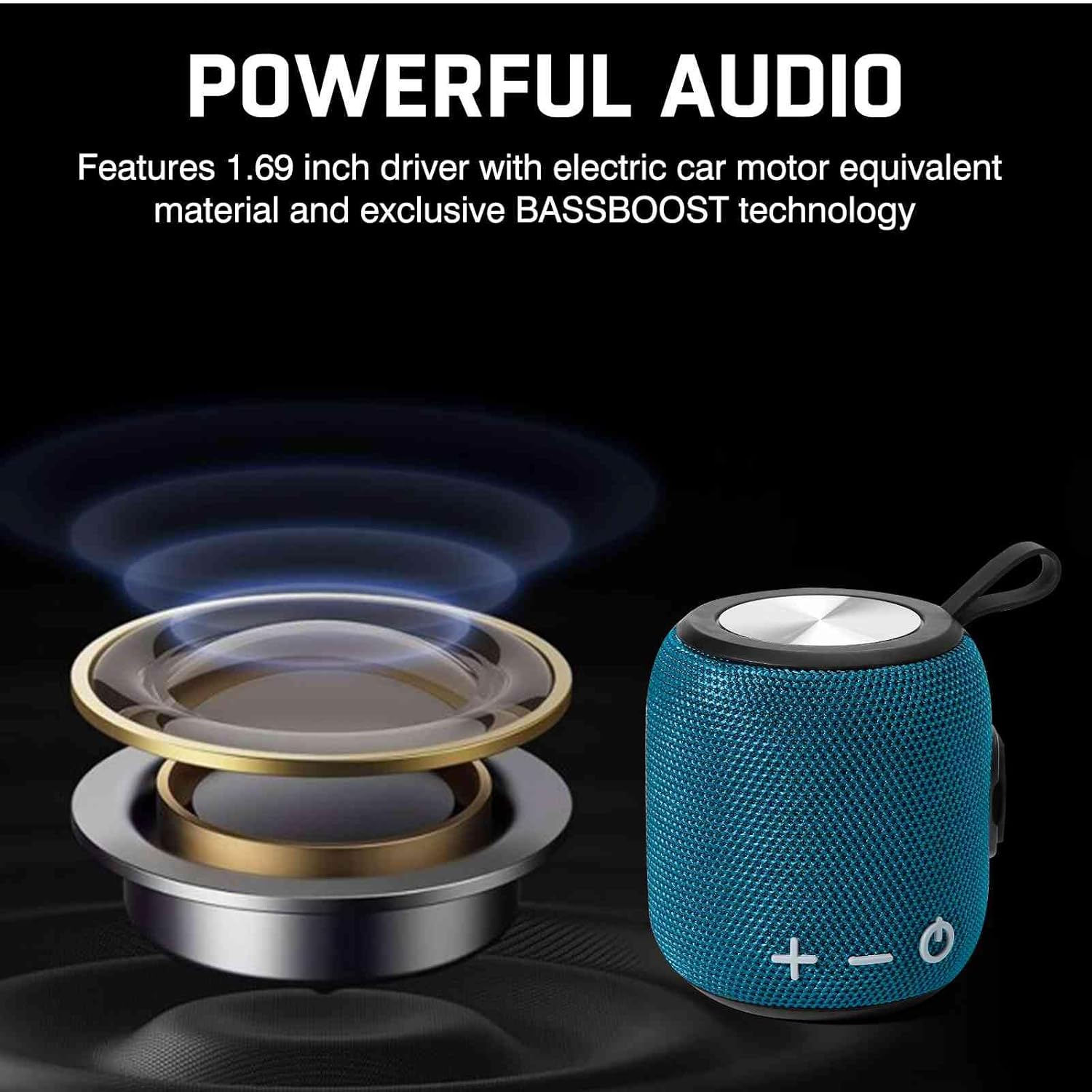
Image: Illustration of the speaker's internal audio components, emphasizing powerful sound output.
9. Sikkerhedsoplysninger
- Do not disassemble, repair, or modify the speaker. This may void the warranty and cause damage.
- Hold højttaleren væk fra ekstreme temperaturer, direkte sollys og åben ild.
- Do not expose the speaker to corrosive liquids.
- Sørg for, at opladningsporten er tør før opladning.
- Brug kun det medfølgende opladningskabel eller et certificeret Type-C-kabel.
- Undgå at lytte ved høj lydstyrke i længere perioder for at forhindre høreskader.
10. Garanti og support
UrbanX products come with a standard manufacturer's warranty. For specific warranty terms and conditions, please refer to the warranty card included in your package or visit the official UrbanX webwebsted.
For technical support, troubleshooting assistance, or warranty claims, please contact UrbanX customer service through the following channels:
- Webwebsted: Visit the UrbanX Store on Amazon
- E-mail: Refer to your product packaging or warranty card for contact email.
Please have your model number (FM0190) and proof of purchase ready when contacting support.
