1. Introduktion
Thank you for choosing the WEWATCH S3 Smart Projector. This projector integrates an Android operating system, offering a seamless entertainment experience with built-in streaming applications. It features 4K Ultra-HD resolution, 500 ANSI lumens brightness, 20000:1 contrast, electronic focus, 4-point keystone correction, and versatile connectivity options including dual-band WiFi and Bluetooth. This manual provides essential information for setting up, operating, maintaining, and troubleshooting your projector to ensure optimal performance and longevity.
2. Sikkerhedsoplysninger
Læs venligst alle sikkerhedsinstruktioner omhyggeligt, inden du bruger projektoren. Gem denne manual til senere brug.
- Strømforsyning: Brug kun den medfølgende strømadapter. Sørg for, at lydstyrkentage matcher projektorens krav.
- Ventilation: Bloker ikke ventilationsåbningerne. Sørg for tilstrækkelig luftgennemstrømning omkring projektoren for at forhindre overophedning.
- Væskeeksponering: Do not expose the projector to rain, moisture, or any liquids. Avoid placing objects filled with liquids, such as vases, on the projector.
- Rensning: Tag stikket ud af projektoren før rengøring. Brug en blød, tør klud. Brug ikke flydende rengøringsmidler eller rengøringsmidler på sprayform.
- Placering: Place the projector on a stable, flat surface. Avoid placing it in direct sunlight, near heat sources, or in environments with excessive dust or humidity.
- Øjenbeskyttelse: Se ikke direkte ind i projektorlinsen, når lamp er tændt, da det skarpe lys kan forårsage øjenskader.
- Service: Forsøg ikke selv at servicere dette produkt. Overlad al service til kvalificeret servicepersonale.
3. Pakkens indhold
Kontroller venligst pakkens indhold ved udpakning:
- WEWATCH S3 Smart Projector
- Fjernbetjening
- Strømadapter
- HDMI kabel
- Brugermanual
4. Produktet er slutview
Familiarize yourself with the components and ports of your WEWATCH S3 projector.

Front view of the WEWATCH S3 Smart Projector, showcasing the lens and sleek design.
Forbindelsesporte

Bag view of the WEWATCH S3 Projector, highlighting the various input and output ports including LAN, USB, HDMI, AV, and headphone jack.
The projector is equipped with multiple ports for diverse connectivity:
- LAN-port (x1): Til kablet internetforbindelse.
- USB-porte (x2): For connecting USB drives or other USB devices.
- HDMI-porte (x2): For connecting devices like laptops, gaming consoles, or TV sticks.
- AV Port (x1): Til tilslutning af ældre lyd-/videoenheder.
- Hovedtelefonstik (3.5 mm): Til tilslutning af eksterne lydenheder eller hovedtelefoner.
5. Opsætning
5.1 Placering og skærmstørrelse
Position the projector on a stable surface. The projection distance determines the screen size. You can achieve a large screen size of up to 300 inches.
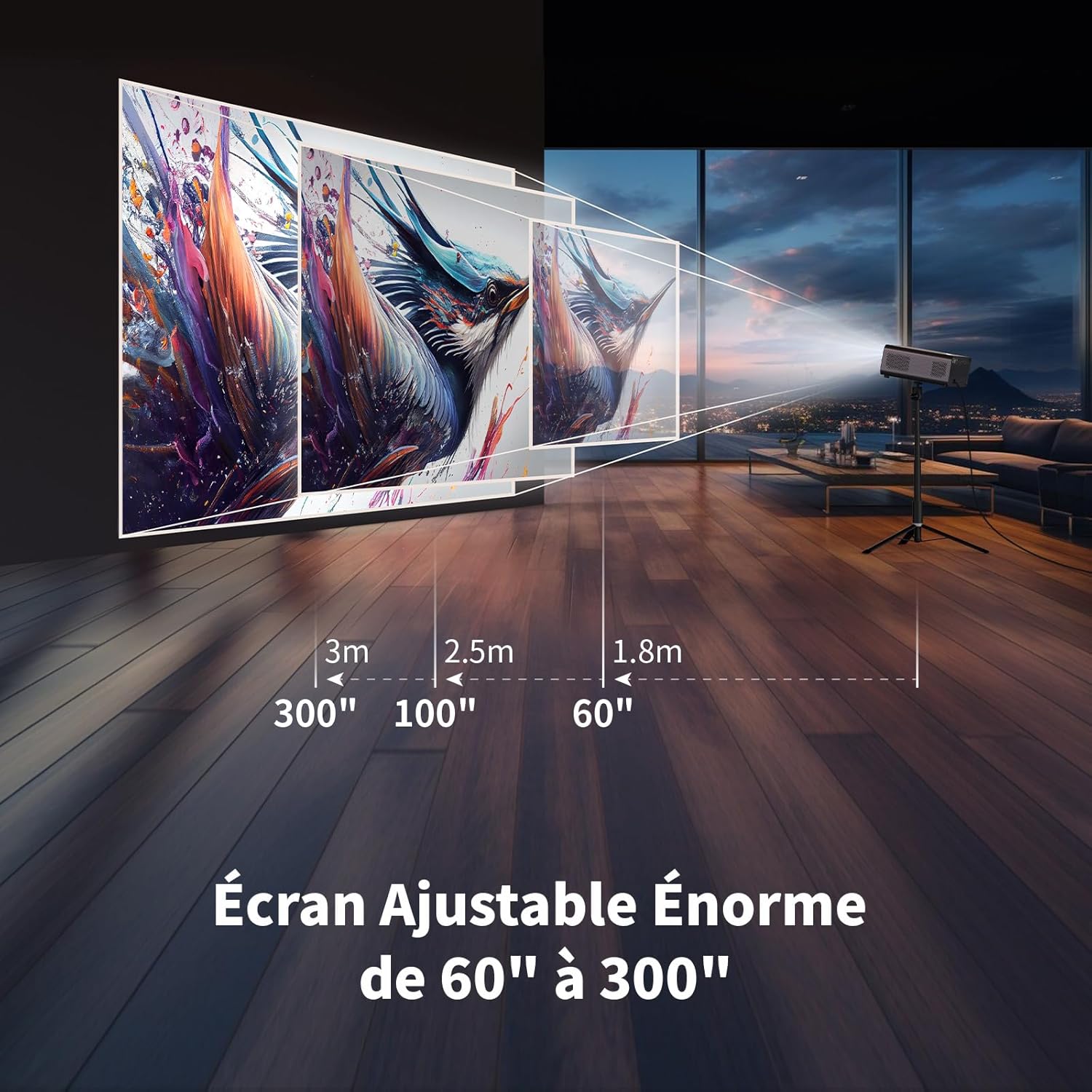
Illustration showing recommended projection distances for various screen sizes, from 60 inches at 1.8m to 300 inches at 3m.
5.2 Strømtilslutning
Connect the power adapter to the projector's power input and then plug it into a wall outlet. Press the power button on the projector or remote control to turn it on.
5.3 Elektronisk fokus
Achieve a clear image quickly using the electronic focus function. Use the F+ and F- buttons on the remote control to adjust the focus until the image is sharp.

Image demonstrating the remote control's F+ and F- buttons for electronic focus adjustment, and the visual effect of keystone correction on the projected image.
5.4 Keystone-korrektion
The projector supports 4-point keystone correction and automatic vertical correction to ensure a rectangular image, regardless of the projection angle. Adjust these settings in the projector's menu if needed.
5.5 Zoomfunktion
The zoom function allows you to reduce the image size from 100% to 80% without moving the projector. This can be adjusted via the projector's settings menu.

Visual representation of the projector's zoom function, showing how the image size can be reduced from 100% to 50% without physically moving the projector.
6. Betjening
6.1 Android OS and Built-in Applications
The WEWATCH S3 features an integrated Android operating system, providing direct access to popular streaming services like Netflix, YouTube, Prime Video, Disney+, and KODI. When using these applications, switch the remote control to mouse mode for optimal navigation. Remember to switch back to normal mode after use.

A user relaxing and watching content projected from the WEWATCH S3, showing the Android interface with icons for Netflix, YouTube, Prime Video, and other streaming applications.
6.2 Trådløs forbindelse (WiFi og Bluetooth)
The projector supports dual-band 2.4G+5G WiFi for fast and stable connections with iOS, Android, and Windows devices. Bluetooth functionality allows you to connect external speakers for enhanced audio or Bluetooth headphones for private listening.

A person holding a smartphone, wirelessly mirroring its content to the WEWATCH S3 projector, demonstrating the 2.4/5G WiFi and Bluetooth capabilities for seamless content sharing.
6.3 Tilslutning af eksterne enheder
Utilize the HDMI, USB, LAN, and AV ports to connect various external devices such as TV sticks, USB drives, laptops, gaming consoles, or older media players for diverse content playback.
6.4 Bluetooth-højttalertilstand
The projector can function as a standalone Bluetooth speaker. Connect your smartphone or other Bluetooth-enabled devices to the projector to play music, utilizing its built-in HiFi 5W speaker.
7. Vedligeholdelse
7.1 Rengøring af støvboks
The WEWATCH S3 features a hidden dust box designed to prevent dust from entering the projector. Regularly clean the dust box to maintain optimal performance and image quality.

Detaljeret view of the WEWATCH S3 Projector showing the hidden dust box compartment and the internal fan system, with arrows indicating airflow for cooling.
7.2 Generel pleje
- Keep the projector clean and free from dust.
- Opbevar projektoren på et køligt, tørt sted, når den ikke er i brug.
- Avoid touching the lens directly. Use a lens cleaning cloth if necessary.
8. Fejlfinding
Hvis du støder på problemer med din projektor, kan du se følgende almindelige problemer og løsninger:
| Problem | Mulig årsag | Løsning |
|---|---|---|
| Intet billede projiceret | Power cable loose; Input source incorrect; Lens cap on. | Check power connection; Select correct input source (HDMI, USB, etc.); Remove lens cap. |
| Sløret billede | Focus not adjusted; Projector too far/close; Keystone not adjusted. | Adjust electronic focus (F+/F-); Adjust projection distance; Perform keystone correction. |
| Ingen lyd | Volume too low; Muted; External speaker not connected properly. | Increase volume; Unmute; Check external speaker connection or try built-in speaker. |
| Problemer med WiFi/Bluetooth-forbindelse | Forkert adgangskode; Enhed uden for rækkevidde; Interferens. | Verify password; Move device closer; Reduce interference from other devices. |
| Apps not working correctly | Remote not in mouse mode; App needs update; Internet connection issue. | Switch remote to mouse mode; Check for app updates; Verify internet connection. |
9. Specifikationer
Detailed technical specifications for the WEWATCH S3 Smart Projector:
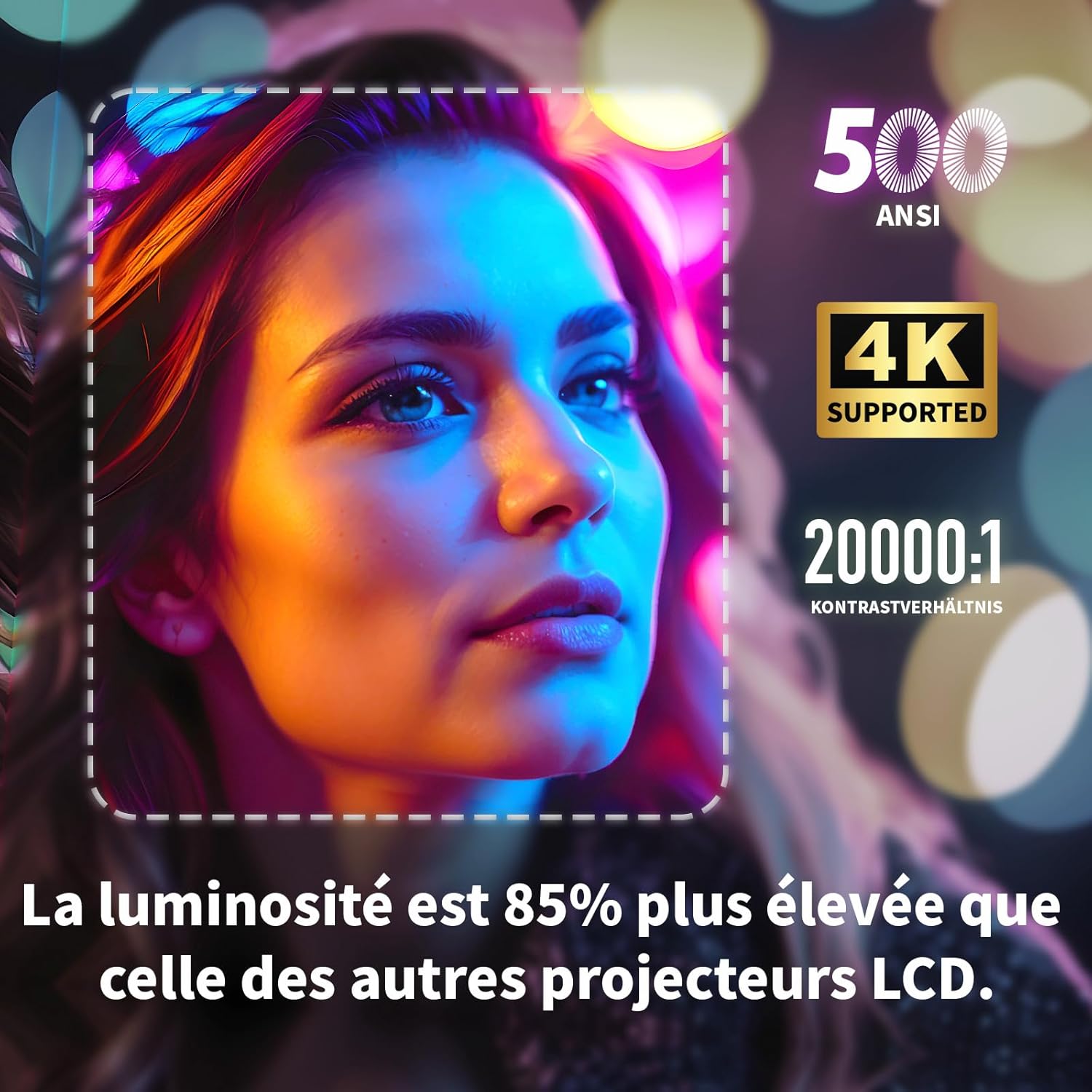
Visual highlighting key specifications: 500 ANSI lumens, 4K support, and 20000:1 contrast ratio, indicating 85% higher brightness than other LCD projectors.
| Feature | Specifikation |
|---|---|
| Mærke | VI SER |
| Modelnummer | S3 |
| Farve | Grå |
| Skærmopløsning | 3840 x 2160 (4K Ultra HD) |
| Lysstyrke | 500 ANSI Lumens |
| Kontrastforhold | 20000:1 |
| Operativsystem | Android OS (with built-in Netflix, YouTube, Prime Video, Disney+, KODI) |
| Forbindelsesteknologi | Bluetooth, Ethernet, HDMI, Wi-Fi (2.4G+5G dual-band) |
| Særlige funktioner | Electronic Focus, 4-Point Keystone Correction, Automatic Vertical Correction, Zoom (80%-100%), Built-in Speakers, Dust-proof Design |
| Skærmstørrelse | Op til 300 tommer |
| Lyd | Integrated HiFi 5W Speaker, Bluetooth Speaker Mode |
| Dimensioner | 24.3L x 24.9B x 10.5H cm |
| USB-porte | 2 |
10. Garanti og support
WEWATCH products come with a standard manufacturer's warranty. For detailed warranty information, technical support, or service inquiries, please refer to the warranty card included in your package or visit the official WEWATCH website. Please have your product model number (S3) and purchase information ready when contacting support.


