Indledning
Thank you for choosing the Twisted Minds 32 FHD 240Hz VA Gaming Monitor. This manual provides essential information for setting up, operating, maintaining, and troubleshooting your new monitor. Please read this manual thoroughly before use to ensure proper operation and to maximize your viewoplevelse.
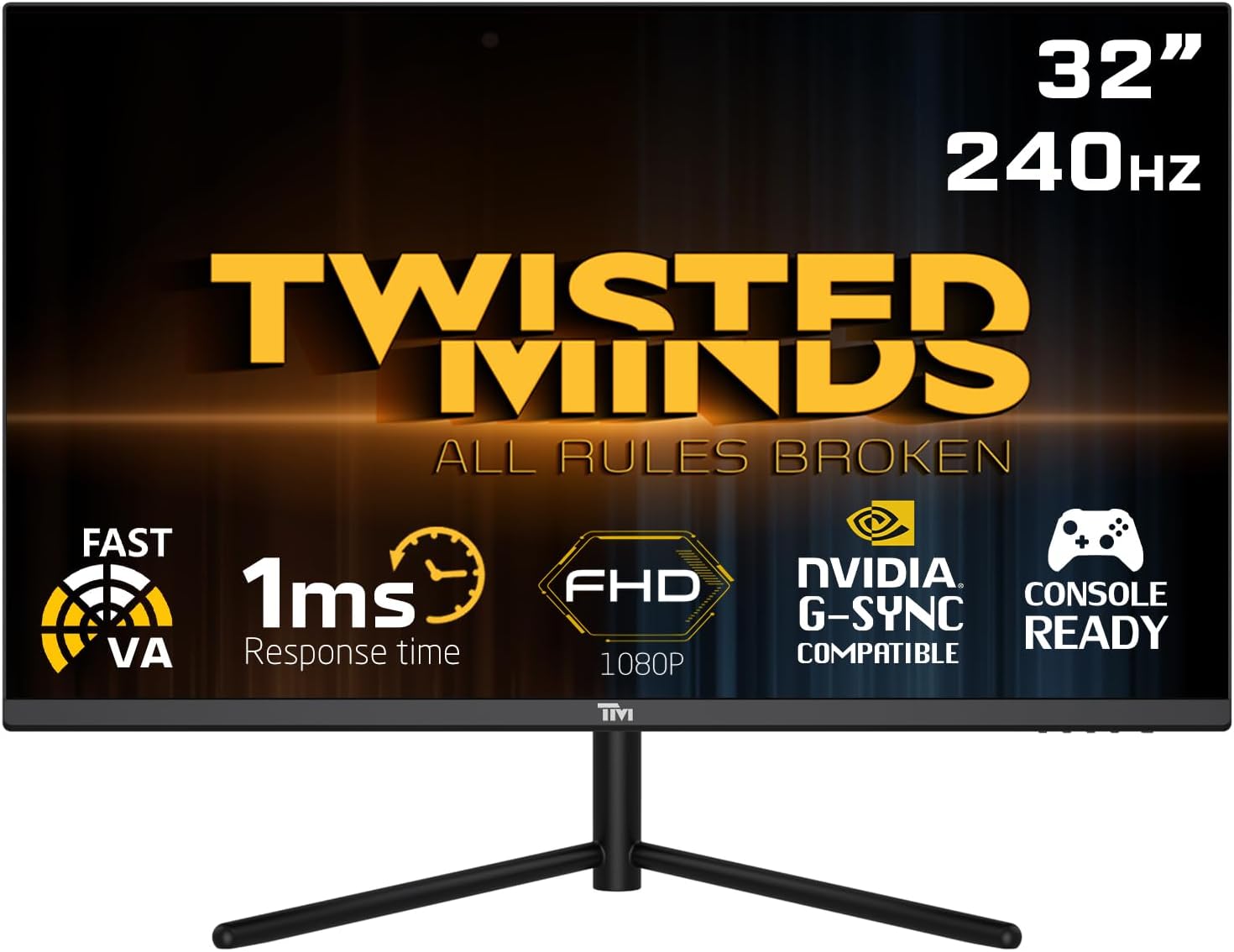
Front view of the Twisted Minds 32-inch Gaming Monitor, highlighting its 32-inch display, 240Hz refresh rate, 1ms MPRT response time, FHD 1080p resolution, NVIDIA G-SYNC compatibility, and console readiness.
Opsætningsvejledning
1. Udpakning og pakkeindhold
Fjern forsigtigt alle komponenter fra emballagen. Sørg for, at alle nedenstående dele er til stede:
- Twisted Minds 32-inch Gaming Monitor
- Monitorstativ (base og hals)
- Strømadapter og kabel
- HDMI kabel
- DisplayPort-kabel
- Brugervejledning (dette dokument)
2. Samling af stativet
- Placer skærmen med forsiden nedad på en blød, ren overflade for at forhindre ridser.
- Fastgør stativets hals på bagsiden af skærmen, og juster monteringshullerne. Fastgør med skruer, hvis de medfølger.
- Connect the stand base to the stand neck and tighten the thumb screw or screws from the bottom of the base.
3. Tilslutning af skærmen
Skærmen understøtter flere inputmuligheder. Vælg det passende kabel til din enhed.

Bag view of the monitor displaying its various input/output ports, including DC power, HDMI 2.1 (x2), DisplayPort 1.4 (x2), and Audio Out, along with menu buttons and a quick release base.
- Strømtilslutning: Connect the power adapter to the monitor's DC input port, then plug the power cable into a wall outlet.
- Videoforbindelse:
- For PC: Connect one end of the DisplayPort cable to your computer's graphics card and the other end to a DisplayPort 1.4 input on the monitor.
- For PC/Console: Connect one end of the HDMI cable to your computer's graphics card or game console and the other end to an HDMI 2.1 input on the monitor.
- Lydudgang: If desired, connect external speakers or headphones to the Audio Out port on the monitor.
4. Første opstart
After all connections are made, press the power button on the monitor. The power indicator light will illuminate, and the display will turn on. If no signal is detected, ensure your source device is powered on and correctly configured.
Betjeningsvejledning
1. Grundlæggende betjening
- Tænd/sluk: Tryk på tænd/sluk-knappen på skærmen for at tænde eller slukke den.
- Valg af input: Use the OSD (On-Screen Display) menu buttons to navigate and select the desired input source (HDMI 1, HDMI 2, DP 1, DP 2).
2. On-Screen Display (OSD) menu
The OSD menu allows you to adjust various display settings. Use the menu buttons (typically located on the back or bottom of the monitor) to navigate.
- Lysstyrke/kontrast: Juster den samlede lysstyrke og kontrast på skærmen.
- Farveindstillinger: Rediger farvetemperatur, gamma og individuelle RGB-niveauer.
- Billedtilstand: Select from preset modes (e.g., Standard, Game, Movie, Text) optimized for different content.
- Reaktionstid/Overdrive: Adjust the pixel response time for reduced ghosting in fast-paced content. This monitor features a 1ms MPRT response time for smooth visuals.
- Opdateringshastighed: The monitor supports up to 240Hz refresh rate. Ensure your graphics card settings are configured to utilize this high refresh rate for optimal gaming performance.
- HDR (High Dynamic Range): Enable or disable HDR for enhanced contrast and color depth with compatible content.
- FreeSync/G-SYNC Compatibility: This monitor is compatible with adaptive sync technologies. Enable this feature in the OSD and your graphics card control panel for tear-free gaming.

Illustration demonstrating the 1ms quick response time of the monitor, showing a fast-paced gaming scene with reduced motion blur and low input lag.

Billedvisningasing the monitor's frameless design, ideal for multi-monitor setups, with a wide 178-degree viewvinkel.

A user engaged in gaming on the Twisted Minds monitor, emphasizing the immersive experience provided by the 1920x1080 resolution, 300 nits brightness, 4000:1 contrast ratio, and 240Hz refresh rate.
3. Ergonomiske justeringer
Skærmstativet giver mulighed for hældningsjustering for at optimere dine viewvinkel og reducere belastning.

Diagram illustrating the ergonomic tilt adjustment range of the monitor stand (-5 to 15 degrees) for optimal viewing comfort, and highlighting VESA wall-mount compatibility (100x100mm).
- Vip: Gently tilt the monitor screen forward or backward to find your preferred viewing angle. The tilt range is typically -5° to 15°.
- VESA montering: For alternative mounting solutions, the monitor is VESA compatible (100x100mm). Remove the stand and attach a compatible VESA mount (sold separately).
Opretholdelse
Korrekt pleje og vedligeholdelse vil forlænge din skærms levetid.
- Rengøring af skærmen: Tør forsigtigt skærmen af med en blød, fnugfri klud. Fjern genstridige mærker ved atampRengør kluden let med vand eller en skærmrens uden ammoniak og uden alkohol. Sprøjt aldrig væske direkte på skærmen.
- Rengøring af Casing: Brug en blød, tør klud til at tørre skærmen afasing. Undgå at bruge slibende rengøringsmidler eller opløsningsmidler.
- Ventilation: Sørg for, at ventilationsåbningerne på skærmen ikke er blokerede. Placer ikke skærmen i et lukket rum uden tilstrækkelig luftgennemstrømning.
- Sluk, når den ikke er i brug: Sluk skærmen, når den ikke er i brug i længere perioder, for at spare energi og forlænge dens levetid.
Fejlfinding
Hvis du støder på problemer med din skærm, kan du se følgende almindelige problemer og løsninger.
| Problem | Mulig årsag | Løsning |
|---|---|---|
| Intet billede på skærmen | Skærmen er ikke tændt; Forkert indgang valgt; Løst videokabel. | Ensure power cable is connected and monitor is on. Select correct input source. Check video cable connections. |
| Billedet er sløret eller forvrænget | Forkert opløsning; Problem med grafikdriveren. | Set display resolution to 1920x1080. Update graphics card drivers. |
| Ingen lyd fra højttalere/hovedtelefoner | Audio cable not connected; Volume too low; Incorrect audio output selected on PC. | Ensure audio cable is connected to the monitor's audio out port. Adjust volume. Select monitor as audio output device in PC settings. |
| Skærmen flimrer | Refresh rate mismatch; Faulty cable. | Ensure refresh rate is set correctly (e.g., 240Hz). Try a different video cable. |
| Knapperne reagerer ikke | OSD lock enabled. | Refer to OSD menu section for unlocking button functions (if applicable). Power cycle the monitor. |
Hvis problemet fortsætter efter at have prøvet disse løsninger, bedes du kontakte kundesupport.
Specifikationer
Detailed technical specifications for the Twisted Minds 32 FHD 240Hz VA Gaming Monitor.
| Feature | Specifikation |
|---|---|
| Mærke | Twisted Minds |
| Modelnummer | TM32 FHD 240Hz VA |
| Skærmstørrelse | 32 tommer |
| Skærmopløsning | 1920 x 1080 (FHD 1080p) |
| Opdateringshastighed | 240 Hz |
| Svartid | 1ms MPRT |
| Paneltype | VA |
| Aspektforhold | 16:9 |
| Lysstyrke | 300 nits |
| Kontrastforhold | 4000:1 |
| Farveskala | 77.29 % NTSC |
| Forbindelse | 2 x HDMI 2.1, 2 x DisplayPort 1.4, lydudgang |
| VESA-kompatibilitet | 100 x 100 mm |
| Produktdimensioner | 10 x 63 x 44 cm |
| Varens vægt | 8.8 kilo |
| Farve | Sort |
Garanti og support
Garantioplysninger
Twisted Minds products are manufactured to the highest quality standards. This monitor comes with a standard manufacturer's warranty. Please refer to the warranty card included in your package or visit the official Twisted Minds webwebstedet for detaljerede garantivilkår og -betingelser, der er specifikke for din region.
Kundesupport
If you require technical assistance or have questions regarding your monitor, please contact Twisted Minds customer support. Have your model number (TM32 FHD 240Hz VA) and purchase information ready when contacting support.
For the most up-to-date contact information, please visit the official Twisted Minds webwebstedet eller forhandlerens supportside, hvor du købte produktet.


