1. Introduktion
This manual provides detailed instructions for the installation, operation, and maintenance of your Agunto AGU-OC1 & AGU-IC1 Security Camera Set. Please read this manual thoroughly before using the product to ensure proper functionality and safety.
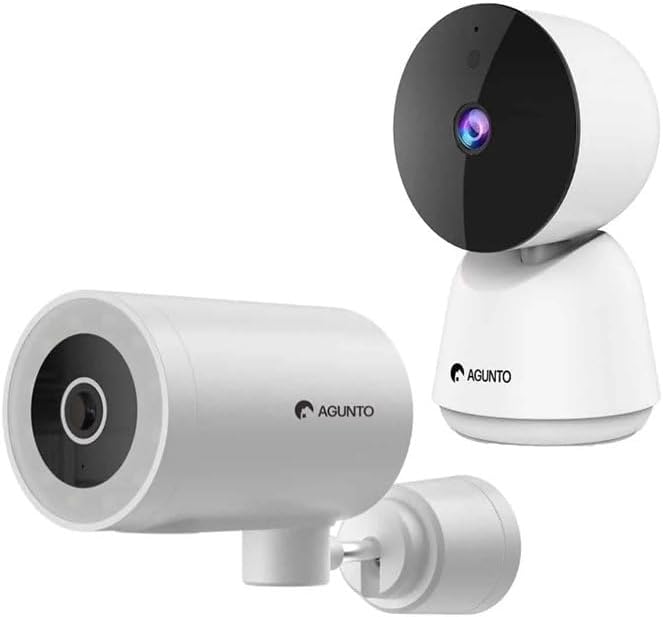
Image: The Agunto AGU-OC1 outdoor camera (left) and AGU-IC1 indoor camera (right), forming the complete security camera set.
2. Produktet er slutview
The Agunto Security Camera Set includes two primary components: the AGU-OC1 outdoor camera and the AGU-IC1 indoor camera. This system is designed to provide comprehensive surveillance for both indoor and outdoor environments.
2.1. AGU-OC1 Outdoor Camera
- Opløsning: 1080P
- Linse: 180-degree rotatable lens
- Vejrbestandighed: IP66 vandtæt og støvtæt
- Nattesyn: Infrared night vision and color night vision (due to built-in lamp)
- Opdagelse: Bevægelses- og lyddetektering
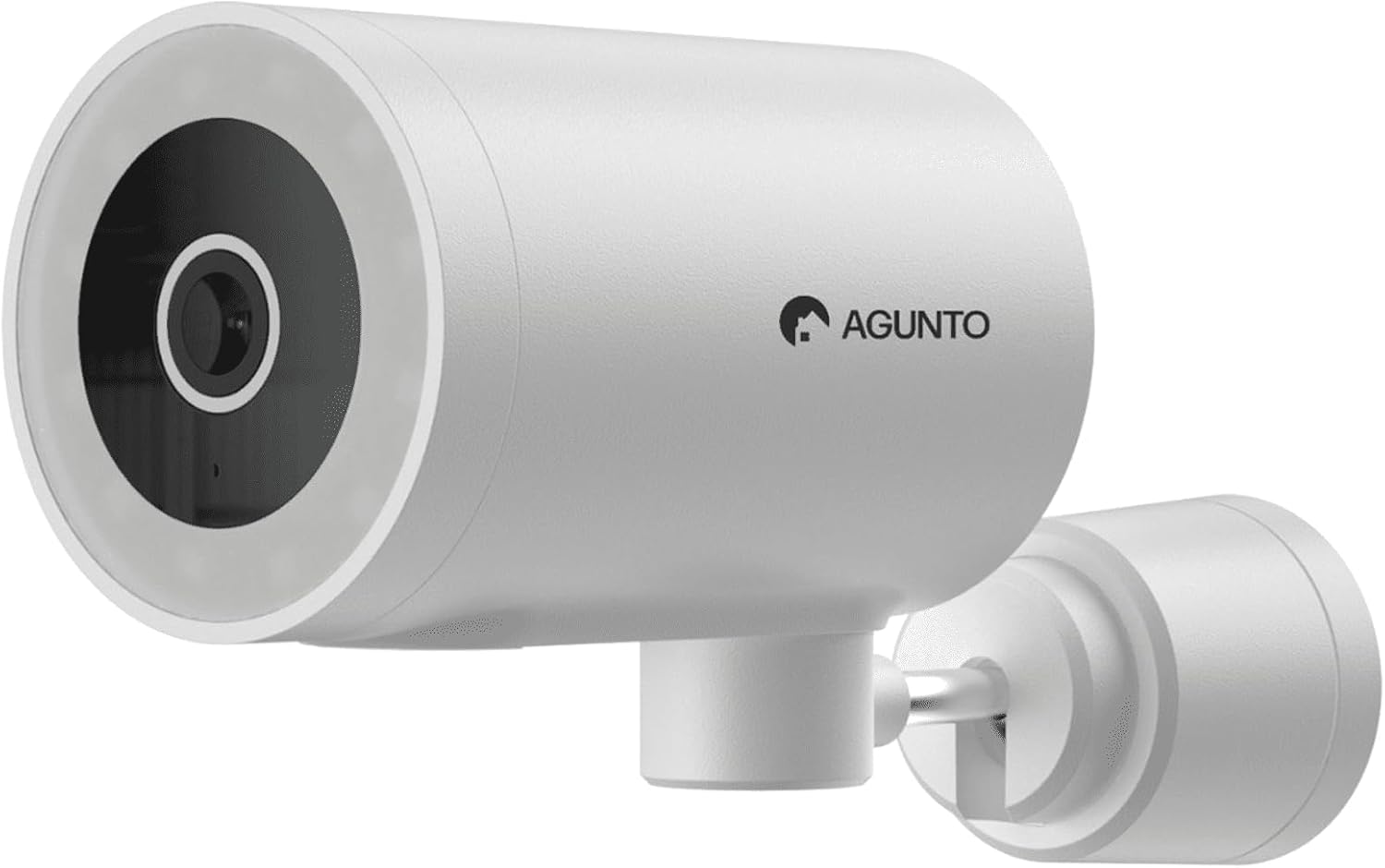
Billede: En detaljeret view of the Agunto AGU-OC1 outdoor camera, highlighting its robust design and lens.
2.2. AGU-IC1 Indoor Camera
- Opløsning: 1080P
- Linse: 359-degree rotatable lens
- Nattesyn: Infrarødt nattesyn
- Opdagelse: Bevægelses- og lyddetektering

Image: The Agunto AGU-IC1 indoor camera, shown with its product packaging, indicating Wi-Fi connectivity and Google Assistant compatibility.
3. Opsætning og installation
3.1. Før du begynder
- Ensure you have a stable Wi-Fi connection.
- Download the free Agunto app from the App Store (iOS) or Google Play Store (Android).
- Unpack all components and verify contents against the packing list.

Image: A screenshot of the Agunto mobile application interface, demonstrating remote control capabilities and links to download the app from the App Store and Google Play.
3.2. Appinstallation og kontooprettelse
- Søg efter "Agunto" in your device's app store and install the application.
- Open the Agunto app and follow the on-screen prompts to create a new account or log in if you already have one.
3.3. Placering og montering af kamera
AGU-OC1 Outdoor Camera:
- Vælg en placering med en klar view af det område, du ønsker at overvåge.
- Sørg for, at kameraet er inden for rækkevidde af dit Wi-Fi-netværk.
- Mount the camera securely to a wall using the provided mounting hardware. The camera supports wall mounting.
AGU-IC1 Indoor Camera:
- Place the camera on a flat surface or mount it to a wall/ceiling in a central location for optimal coverage.
- Ensure it is within Wi-Fi range.
3.4. Connecting Cameras to the App
- Open the Agunto app.
- Tryk på ikonet "+" for at tilføje en ny enhed.
- Select the appropriate camera model (AGU-OC1 or AGU-IC1).
- Follow the in-app instructions to connect each camera to your Wi-Fi network. This typically involves scanning a QR code displayed on your phone with the camera's lens or entering Wi-Fi credentials.
- Once connected, you can name each camera for easy identification.
4. Betjeningsvejledning
4.1. Lev View og fjernbetjening
- Open the Agunto app.
- Select the desired camera from the device list to view dens live-feed.
- For AGU-OC1, use the app to rotate the 180-degree lens.
- For AGU-IC1, use the app to control the 359-degree pan/tilt function.
4.2. Optagelse og lagring
The camera set supports two storage options:
- Micro SD-kort: Insert a Micro SD card (not included) into the designated slot on each camera for local storage of recordings.
- Cloud Storage: Utilize the cloud storage options provided through the Agunto app (subscription may be required).
4.3. Nattesyn
- Both cameras feature infrared night vision for clear images in low-light conditions.
- The AGU-OC1 outdoor camera also has a built-in lamp for color night vision, providing enhanced visibility at night.
4.4. Bevægelses- og lydregistrering
- Enable motion and sound detection in the Agunto app settings for each camera.
- Receive real-time alerts on your smartphone when motion or sound is detected.
- Adjust sensitivity settings to minimize false alarms.
5. Vedligeholdelse
- Rensning: Gently wipe the camera lenses and body with a soft, dry cloth. Do not use harsh chemicals or abrasive cleaners.
- Firmwareopdateringer: Regularly check the Agunto app for available firmware updates to ensure optimal performance and security.
- Netværksstabilitet: Ensure your Wi-Fi network remains stable for uninterrupted camera operation.
6. Fejlfinding
6.1. Kameraet opretter ikke forbindelse til Wi-Fi
- Ensure your Wi-Fi password is entered correctly.
- Flyt kameraet tættere på din Wi-Fi-router.
- Genstart din router og kameraet.
- Verify that your Wi-Fi network is 2.4GHz, as these cameras may not support 5GHz networks.
6.2. No Live View / Offline Camera
- Tjek din internetforbindelse.
- Sørg for, at kameraet er tændt.
- Restart the camera from its power source.
- If the issue persists, try re-pairing the camera with the app.
6.3. Bevægelsesdetektion virker ikke
- Bekræft, at bevægelsesdetektion er aktiveret i appens indstillinger.
- Adjust the sensitivity level.
- Sørg for, at der ikke er nogen forhindringer, der blokerer kameraets view.
6.4. Dårlig billedkvalitet
- Rengør kameralinsen.
- Sørg for tilstrækkelig belysning i det overvågede område.
- Check your internet speed, as low bandwidth can affect streaming quality.
7. Specifikationer
| Feature | Detalje |
|---|---|
| Mærke | Agunto |
| Modelnavn | AGU-OC1IC1 |
| Forbindelsesprotokol | Wi-Fi |
| Kompatible enheder | Smartphone |
| Monteringstype | Vægmontering |
| Materiale | Plast |
| Product Dimensions (L x B x H) | 10 x 4.4 x 7.3 cm |
| Varens vægt | 78 gram |
| Batterier påkrævet | Ingen |
| Outdoor Camera (AGU-OC1) Features | 1080P, 180-degree rotatable lens, IP66 waterproof/dustproof, Infrared & Color Night Vision |
| Indoor Camera (AGU-IC1) Features | 1080P, 359-degree rotatable lens, Infrared Night Vision |
| Opbevaringsmuligheder | Micro SD card (local), Cloud storage |
8. Garanti og support
For warranty information and technical support, please refer to the official Agunto website or contact their customer service. The product is designed for long-term use with proper care and maintenance.
Returpolitik: The buybox winner indicates a 30-day return policy for refund/replacement.
Fabrikant: Agunto
Sælger: Homevitaal (via Amazon.nl)
For yderligere hjælp kan du besøge Agunto Store on Amazon.


