1. Introduktion
Thank you for choosing the vamav DIGIPRO Professional Amplified Speaker. This manual provides essential information for the safe and efficient operation of your new audio equipment. Please read this manual thoroughly before use and retain it for future reference.
The vamav DIGIPRO is a professional amplified speaker designed for high-quality audio reproduction, featuring 450W + 50W RMS power, a 15-inch woofer, and a configurable Digital Signal Processor (DSP).
2. Sikkerhedsinstruktioner
For at forhindre elektrisk stød, brand eller skade på enheden skal du overholde følgende sikkerhedsforanstaltninger:
- Strømkilde: Tilslut kun enheden til den angivne lydstyrke.tage og hyppighed som angivet på produktetiketten.
- Jording: Sørg for, at netledningen er korrekt jordforbundet for at forhindre elektrisk stød.
- Ventilation: Bloker ikke ventilationsåbningerne. Sørg for tilstrækkelig luftgennemstrømning omkring enheden for at forhindre overophedning.
- Vand og fugt: Udsæt ikke enheden for regn, fugt eller for høj luftfugtighed. Placer ikke genstande fyldt med væsker oven på enheden.
- Varmekilder: Hold enheden væk fra varmekilder såsom radiatorer, varmeregistreringsapparater, komfurer eller andre varmeproducerende apparater.
- Kabler: Protect the power cord from being walked on or pinched. Do not operate the unit with a damaged power cord.
- Service: Forsøg ikke selv at servicere dette produkt. Overlad al service til kvalificeret servicepersonale.
- Placering: Place the speaker on a stable, level surface to prevent it from falling.
3. Pakkens indhold
Kontroller venligst, at alle varer er til stede i pakken:
- vamav DIGIPRO Amplified Speaker (1 unit)
- Strømkabel (1 enhed)
4. Produktet er slutview
Familiarize yourself with the components and features of your vamav DIGIPRO speaker.
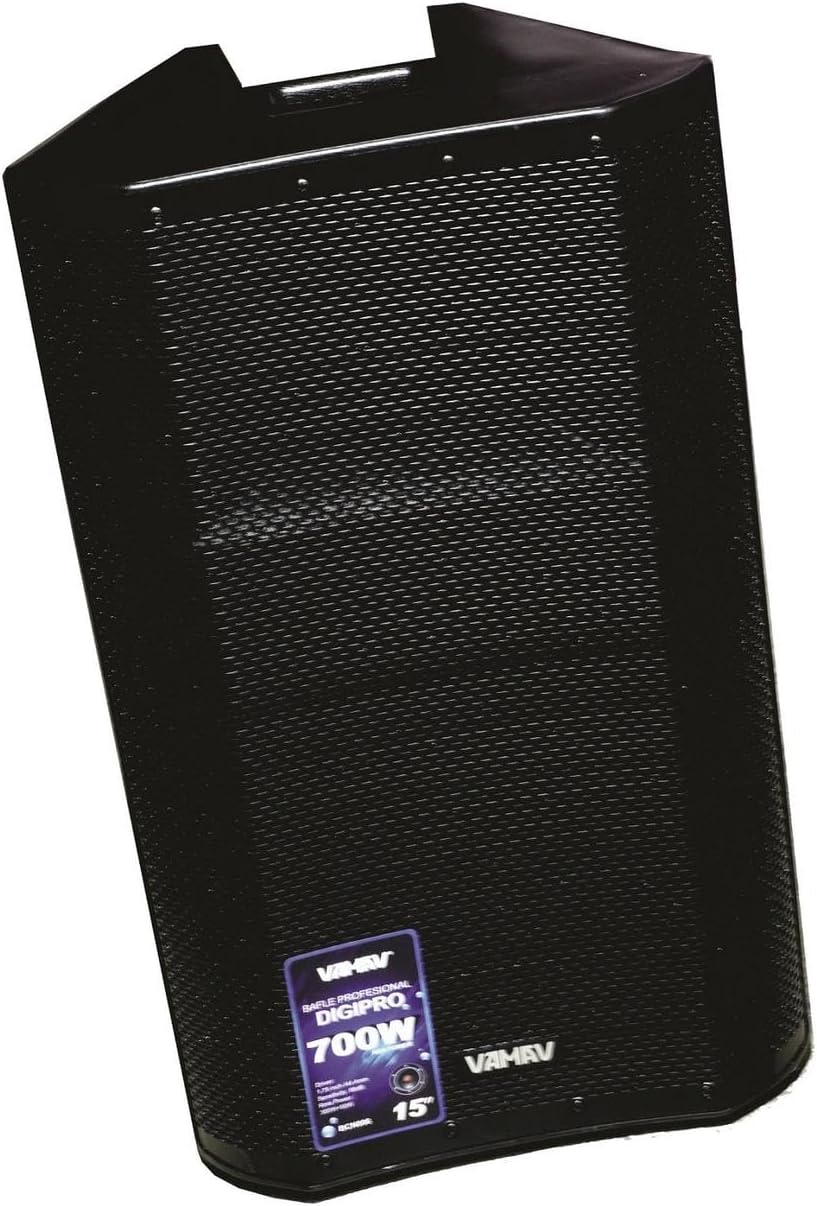
Figur 4.1: Forside View. This image displays the front of the vamav DIGIPRO speaker, highlighting its protective grille and the brand's emblem. The speaker features a robust, black enclosure designed for professional use.
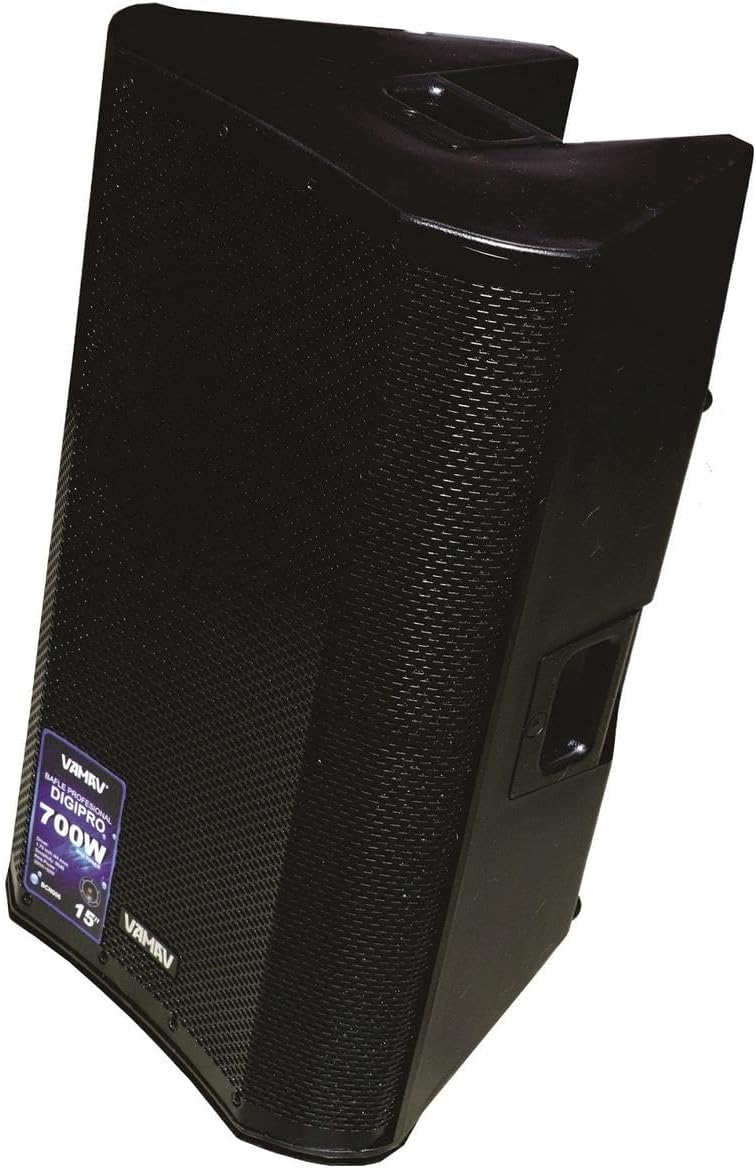
Figur 4.2: Side View. Dette billede viser sideproffenfile of the vamav DIGIPRO speaker, illustrating its angled cabinet design which can be useful for stage monitoring. An integrated handle for portability is visible on the top side.
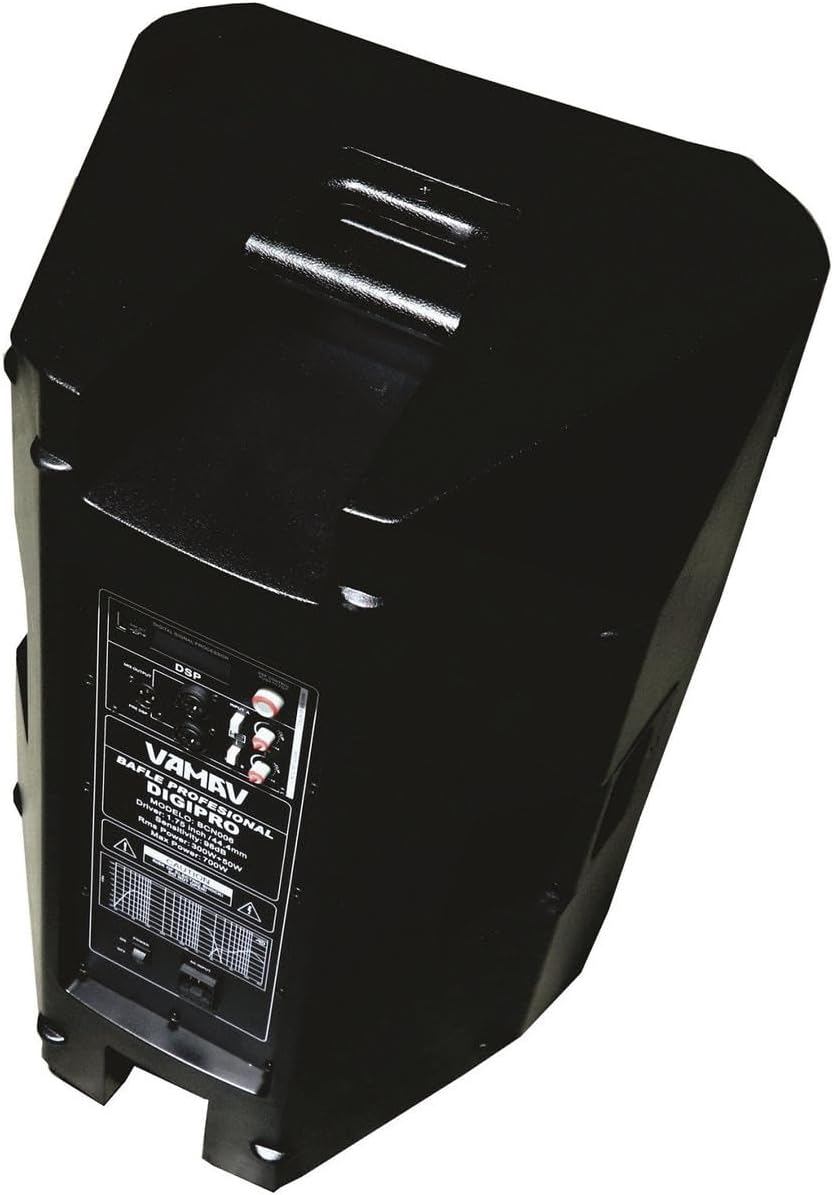
Figur 4.3: Vinklet bagende View. Dette billede giver en vinklet view of the speaker's rear panel, where the main control interface is located. It includes the DSP display, various input and output connectors, and the power switch.

Figure 4.4: Rear Control Panel. En detaljeret view of the rear control panel, showing the DSP interface for sound customization, two combo jack 6.3mm / XLR inputs, and an XLR output for linking to other speakers or audio devices. Power input and fuse holder are also visible.
5. Opsætning
- Udpakning: Carefully remove the speaker and power cable from its packaging.
- Placering: Position the speaker on a stable, flat surface or a compatible speaker stand. Ensure there is adequate space for ventilation around the unit.
- Strømtilslutning: Connect the supplied power cable to the AC inlet on the rear panel of the speaker, then plug the other end into a grounded electrical outlet.
- Lydforbindelser: Connect your audio source (mixer, microphone, instrument) to the input jacks on the rear panel. The DIGIPRO features two combo inputs (6.3mm Jack / XLR).
- Output Connection (Optional): If linking multiple speakers or sending the signal to another device, connect an XLR cable from the speaker's XLR output to the input of the next device.
- Første gang tændt: Ensure all connections are secure and turn the master volume control to its minimum setting before powering on the unit.
6. Betjeningsvejledning
- Tænd: Flip the power switch located on the rear panel to the "ON" position. The DSP display should illuminate.
- Lydstyrkejustering: Gradually increase the master volume control to the desired listening level. Adjust individual input levels on your source device if applicable.
- DSP-konfiguration: Use the DSP controls (buttons and rotary encoder) on the rear panel to select and adjust sound presets, equalization, and other audio parameters. Refer to the DSP section for more details.
- Overvågning: Listen for clear, undistorted sound. If distortion occurs, reduce the volume from your source or the speaker's master volume.
- Sluk: Before powering off, reduce the master volume to minimum. Then, flip the power switch to the "OFF" position.
7. DSP-konfiguration
The vamav DIGIPRO speaker features a configurable Digital Signal Processor (DSP) to optimize sound performance for various applications and environments. The DSP interface is located on the rear panel.
- Navigation: Use the dedicated buttons and/or rotary encoder to navigate through the DSP menu options.
- Presets: Select from pre-programmed sound presets optimized for different uses (e.g., Music, Live, Speech, Monitor).
- Udligning: Adjust bass, mid, and treble frequencies to fine-tune the sound.
- Delay/Crossover: Advanced settings may include delay compensation for multi-speaker setups or crossover adjustments.
- Gemmer indstillinger: Some DSPs allow saving custom configurations. Consult the on-screen menu for specific instructions.
For detailed instructions on specific DSP functions, please refer to the on-screen menu of the DSP display.
8. Forbindelser
The DIGIPRO speaker offers versatile connectivity options:
- Input 1 & 2 (Combo Jack 6.3mm / XLR): These inputs accept both 1/4-inch (6.3mm) TRS/TS cables and standard XLR cables. They are suitable for connecting microphones, mixers, instruments, or other line-level audio sources.
- Output (XLR): This XLR output allows you to send the audio signal from the speaker to another amplified speaker, a subwoofer, or a recording device. This is useful for daisy-chaining multiple speakers or expanding your sound system.
9. Vedligeholdelse
Korrekt vedligeholdelse sikrer din højttalers levetid og optimale ydeevne:
- Rensning: Brug en blød, tør klud til at rengøre højttalerens yderside. Brug ikke slibende rengøringsmidler, opløsningsmidler eller voks.
- Rengøring af gitter: For the front grille, a soft brush or vacuum cleaner with a brush attachment can be used to remove dust.
- Opbevaring: Når højttaleren ikke er i brug i længere perioder, skal den opbevares tørt og støvfrit, helst i originalemballagen eller et beskyttelsescover.
- Inspektion: Periodically check the power cable and audio cables for any signs of damage. Replace damaged cables immediately.
10. Fejlfinding
If you encounter issues with your vamav DIGIPRO speaker, refer to the following common problems and solutions:
- Ingen strøm:
- Sørg for, at strømkablet er korrekt tilsluttet både højttaleren og en fungerende stikkontakt.
- Kontroller, at tænd/sluk-knappen er i "ON"-positionen.
- Kontroller, at stikkontakten fungerer ved at tilslutte en anden enhed.
- Check the fuse on the rear panel. If blown, replace it with a fuse of the same type and rating.
- Ingen lyd:
- Confirm the speaker is powered on and the DSP display is active.
- Check that the master volume control is turned up.
- Ensure audio cables are correctly connected to both the source and the speaker's inputs.
- Verify the audio source (mixer, microphone) is functioning and its output volume is adequate.
- If using the DSP, ensure the correct input is selected and not muted.
- Forvrænget lyd:
- Reduce the volume level from your audio source.
- Lower the master volume on the speaker.
- Kontroller for beskadigede lydkabler.
- Ensure the DSP settings are appropriate for the audio content and environment.
11. Specifikationer
| Feature | Specifikation |
|---|---|
| Model | CHDIGIPRO |
| Mærke | vamav |
| Strømudgang | 450W + 50W RMS |
| Amplivligere Type | Klasse D |
| Woofer størrelse | 15 inches (3-inch voice coil) |
| Driver størrelse | 1.75 tommer / 44 mm |
| Frekvensrespons | 40 Hz til 20 kHz |
| Følsomhed | 97 dB |
| Max SPL | 120 dB |
| Indgange | 2 x Combo Jack 6.3mm / XLR |
| Produktion | 1 x XLR |
| DSP | Configurable Digital Signal Processor |
| Beskyttelse | Short circuit and thermal circuit protection |
| Mål (D x B x H) | 40 cm x 38 cm x 76 cm |
| Inkluderede komponenter | Speaker, Power Cable |
| Anbefalet brug | Music studios, events, public spaces |
12. Garanti og support
For warranty information and technical support, please refer to the documentation provided at the time of purchase or contact your authorized vamav retailer. Keep your proof of purchase for warranty claims.
For further assistance, you may also visit the official vamav webwebsted eller kontakt deres kundeserviceafdeling.
