1. Introduktion
This manual provides detailed instructions for the installation, operation, and maintenance of your Ctronics CTIPC-700C-2MPB-P4 Outdoor WiFi Security Camera System. Please read this manual thoroughly before using the product to ensure proper functionality and safety. Keep this manual for future reference.
2. Produktet er slutview
2.1 Nøglefunktioner
- 2K 3MP High Resolution: Optager klar og detaljeret videofootage.
- AI Human Detection & Auto-Tracking: Intelligently identifies human figures and tracks their movement, reducing false alarms.
- 8 Preset Positions: Allows for quick switching between predefined surveillance areas.
- 30m Color Night Vision: Provides full-color video even in low-light conditions up to 30 meters.
- Spotlight og sirenealarm: Automatically activates a spotlight and customizable siren to deter intruders.
- Fjernadgang: Monitor your property from anywhere using PC or smartphone applications.
- Flere opbevaringsmuligheder: Supports local storage via 128GB Micro SD card, as well as FTP, NAS, and Cloud storage for secure data backup.
- IP66 Vejrbestandig: Designet til udendørs brug, modstandsdygtig over for støv og vand.
- Fleksibel installation: Can be mounted on walls or ceilings.
2.2 Pakkens indhold
- Ctronics CTIPC-700C-2MPB-P4 Security Cameras (4 units)
- Strømadaptere
- Monteringsskruer
- Brugermanual
- Monteringsstativ

Image 1: Ctronics CTIPC-700C-2MPB-P4 Outdoor WiFi Security Camera System (4-pack).
3. Opsætning
3.1 Fysisk installation
The cameras can be mounted on a wall or ceiling. Ensure the mounting surface is sturdy enough to support the camera's weight.
- Vælg en placering: Select a location that provides optimal surveillance coverage and has a stable WiFi signal.
- Bore huller: Use the provided mounting template to mark and drill holes for the mounting screws.
- Sikre kameraet: Attach the mounting stand to the surface using the screws. Then, secure the camera to the stand.

Image 2: Flexible wall and ceiling mounting options for the IP66 waterproof camera.
3.2 Strømtilslutning
Connect the camera to a power outlet using the provided power adapter. Ensure the power cable is securely connected and protected from environmental elements.
3.3 Netværksforbindelse
The camera supports WiFi connectivity. Follow the in-app instructions for pairing the camera with your home network.
3.4 Appinstallation og første opsætning
Download the Ctronics Pro app from your smartphone's app store (iOS/Android). Follow the on-screen instructions to add your camera(s) to the app. This typically involves scanning a QR code on the camera or manually entering its ID.
Video 1: Demonstrates the ease of use of the Ctronics app for managing security camera features, including real-time monitoring and two-way audio communication with a delivery person.
4. Betjeningsvejledning
4.1 Live View & Fjernbetjening
Access the live feed from your camera(s) via the Ctronics Pro app or PC software. Use the on-screen controls to pan (355° horizontal), tilt (90° vertical), and zoom (digital) the camera to view different areas. You can also set up to 8 preset positions for quick navigation.

Image 3: Illustrates the camera's pan, tilt, and zoom capabilities, allowing for comprehensive area coverage and convenient preset positions.
4.2 AI Detection & Auto-Tracking
The camera uses advanced AI algorithms to detect human movement and automatically track the subject within its field of view. This feature helps in focusing on relevant events and minimizing false alarms.

Image 4: Demonstrates smart detection and auto-tracking, allowing customization of detection areas and sensitivity for precise alerts.
4.3 Nattesynstilstande
Kameraet tilbyder flere nattesynstilstande:
- Infrarød (IR) nattesyn: Black and white video in complete darkness.
- Farve Night Vision: Utilizes built-in spotlights to provide full-color video at night up to 30m.
- Smart nattesyn: Automatically switches between IR and color night vision based on detected motion.
4.4 Tovejslyd
The integrated microphone and speaker allow for two-way communication. You can speak through the camera to visitors or deter intruders.
4.5 Alarmfunktioner
When motion is detected, the camera can trigger a spotlight and a siren. The siren sound can be customized through the app.
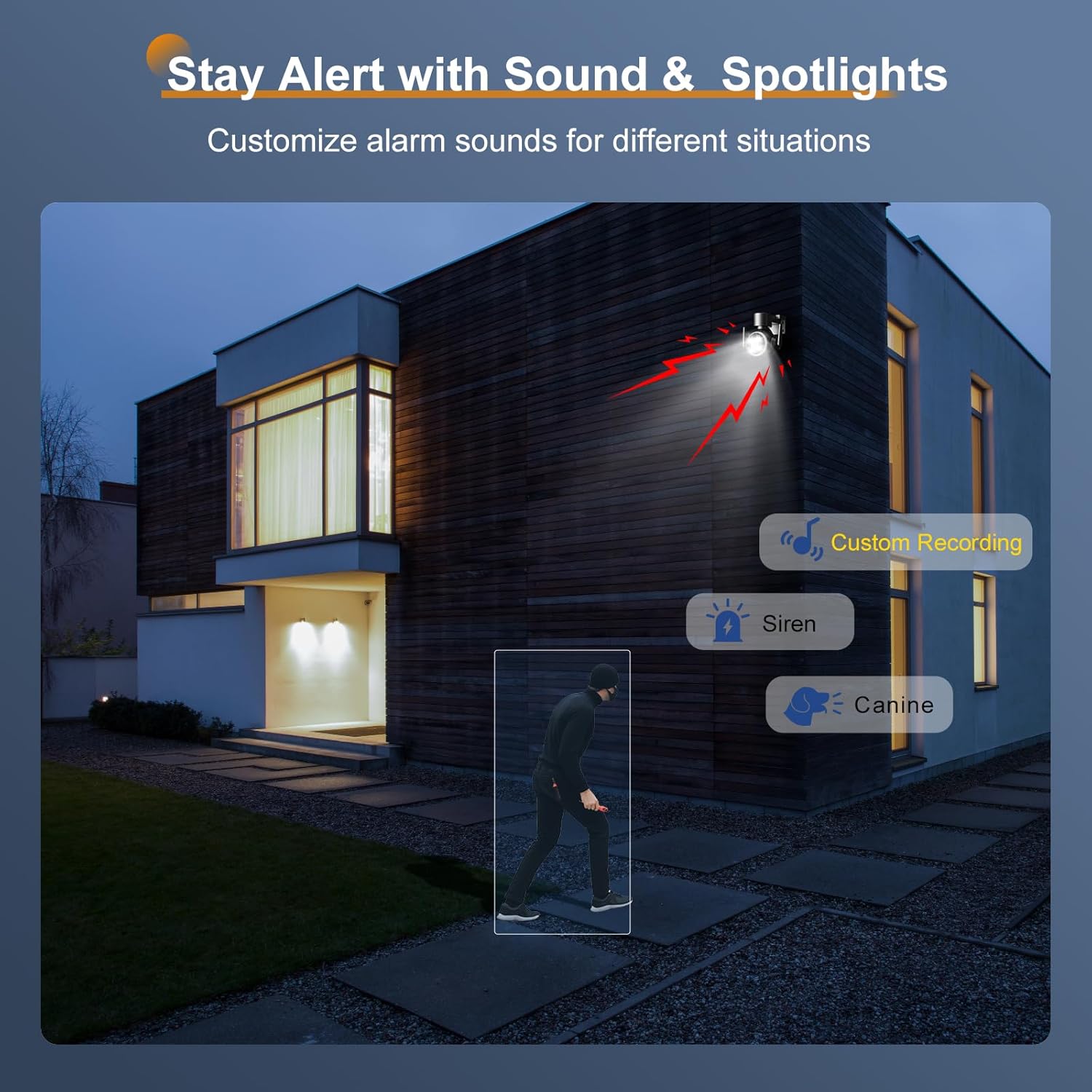
Image 5: Stay alert with sound and spotlights, allowing customization of alarm sounds for different situations.
4.6 Optagelse og lagring
Kameraet understøtter forskellige optagelses- og lagringsmetoder:
- Micro SD-kort: Insert a 128GB Micro SD card (not included) for local storage of recordings.
- Cloud Storage: Subscribe to cloud services for off-site video storage.
- FTP/NAS: Configure the camera to upload recordings to an FTP server or Network Attached Storage (NAS) device.

Image 6: Flexible recording and easy remote monitoring via the app, with support for 128GB Micro SD cards.

Image 7: Secure and flexible storage options including NAS NVR, Cloud, and Micro SD card.
4.7 Flerbrugerdeling
The camera feed can be shared with multiple authorized users, allowing family members or trusted individuals to monitor the property simultaneously.
Video 2: Highlights various essential features of the Ctronics security camera, such as AI human detection, two-way audio, night vision, and diverse storage options, demonstrating its comprehensive surveillance capabilities.
5. Vedligeholdelse
5.1 Rengøring
Rengør regelmæssigt kameralinsen og huset med en blød klud.amp cloth to ensure clear image quality. Do not use harsh chemicals or abrasive materials.
5.2 firmwareopdateringer
Periodically check for firmware updates through the Ctronics Pro app. Keeping your camera's firmware updated ensures optimal performance, security, and access to new features.
6. Fejlfinding
6.1 Almindelige problemer og løsninger
- Ingen strøm: Sørg for, at strømadapteren er korrekt tilsluttet både kameraet og en fungerende stikkontakt.
- Ingen netværksforbindelse: Verify your WiFi network is active and the camera is within range. Re-pair the camera with the app if necessary.
- Dårlig billedkvalitet: Clean the camera lens. Check your network speed.
- Falske alarmer: Adjust the AI detection sensitivity and define specific detection zones in the app.
- To-vejs lydproblemer: Check microphone and speaker settings in the app. Ensure network stability.
7. Specifikationer
| Feature | Specifikation |
|---|---|
| Videooptagelsesopløsning | 2304 (2K 3MP) |
| Farve | Sort |
| Antal genstande | 4 |
| Inkluderede komponenter | Stand, Mounting Screws, Instruction Manual, Power Adapter |
| Antal kanaler | 4 |
| Trådløs kommunikationsteknologi | Bluetooth, WiFi |
| Formfaktor | Kuppel |
| Effektiv videoopløsning | 2304 |
| Felt af View | 90 grader |
| Installationstype | Indskruet |
| Night Vision Range | 30 meter |
| Billedhastighed | 15 fps |
| Materiale | Acrylonitril Butadien Styren (ABS) |
| Voltage | 12 volt |
| Wattage | 12 W |
| Produktmål (LxBxH) | 16 x 18 x 20 cm |
| Vandmodstandsniveau | Vandtæt (IP66) |
| Produkt Modelnummer | CTIPC-700C-2MPB-P4 |
| Produktets vægt | 2.39 kilo |
| Lyskilde | LED |
| Særlige funktioner | HD Resolution, PTZ Technology, Night Vision |
| Batterier medfølger | Ingen |
| Anbefalet anvendelse af produktet | Udendørs sikkerhed |
| Forbindelsesteknologi | Kablet |
| Kompatible enheder | Smartphone, Tablet, Desktop, Laptop |
| Strømkilde | Elektrisk med ledning |
| Monteringstype | Vægmontering |
8. Garanti og support
For warranty information and technical support, please refer to the official Ctronics website or contact their customer service directly. Details are typically provided on the product packaging or within the Ctronics Pro application.


