FLEXISPOT ET365W

FLEXISPOT E6 Essential Dual Motor Standing Desk Frame User Manual

Model: ET365W (White Frame, 3 Stage Lite Leg)

Vigtige sikkerhedsoplysninger

Læs og forstå alle instruktioner før montering og brug. Manglende overholdelse af disse instruktioner kan resultere i personskade eller beskadigelse af produktet.

Produkt overview

The FLEXISPOT E6 Essential Dual Motor Standing Desk Frame provides a versatile and ergonomic workspace solution. Featuring a robust 3-stage lift system and quiet dual motors, it allows for seamless transitions between sitting and standing positions.

Nøglefunktioner:

FLEXISPOT E6 Essential Standing Desk Frame with controller

Image: The FLEXISPOT E6 Essential Dual Motor Standing Desk Frame in white, featuring the integrated control panel.

Pakkens indhold

Kontroller venligst, at alle komponenter er til stede og ubeskadigede, før du begynder monteringen. Hvis der mangler eller er beskadigede dele, bedes du kontakte kundesupport.

Components of the FLEXISPOT E6 Essential Standing Desk Frame

Image: All frame components laid out for inspection.

Monteringsvejledning

Follow these steps carefully to assemble your FLEXISPOT E6 Essential Standing Desk Frame. It is recommended to have two people for assembly.

Video: Official FLEXISPOT E6 Essential Standing Desk Installation Guide. This video provides a visual walkthrough of the assembly process.

  1. Step 1: Assemble the Cross Beams

    Connect the left and right beams (parts 2 and 3) using the provided screws (C) and the T-Socket Wrench (11). Ensure screws are aligned with square holes and pressed tightly. The length of the cross beams can be adjusted to fit a desktop of 51-59 inches (1300-1500mm).

    Assembly of cross beams for desk frame

    Image: Illustration showing the connection of the left and right beams.

  2. Step 2: Attach Columns to Cross Beams

    Attach the two columns (part 4) to the assembled cross beams using screws (A) and the T-Socket Wrench (11). Pre-tighten all screws for the cross beams, then tighten them simultaneously for a secure fit. Prioritize installing diagonal screws first.

    Attaching columns to cross beams

    Image: Visual guide for attaching the columns to the cross beams.

  3. Step 3: Install Pedestals

    Secure the pedestals (part 7) to the bottom of the columns using screws (E) and the T-Socket Wrench (11).

    Installing pedestals to the desk columns

    Image: Diagram showing the attachment of the pedestals to the columns.

  4. Step 4: Attach Adapter Bracket and Keypad

    Mount the adapter bracket (part 12) and the keypad (part 5) to the underside of your chosen desktop. Ensure the curved edge of the keypad is flush with the edge of the table top. Use screws (F) and a drill for this step. Make sure the keypad is on the same side as the adapter bracket.

    Attaching adapter bracket and keypad to desktop

    Image: Illustration of attaching the adapter bracket and keypad to the desktop.

  5. Trin 5: Tilslut ledninger

    Connect all necessary cables: the keypad to the control box, the motors to the control box, the power adapter (part 6) to the control box, and the AC power cable (part 8) to the power adapter. Use cable clips (part 10) to manage and secure the cables neatly under the desktop.

    Wiring connections for the standing desk

    Image: Diagram showing the proper routing and connection of all electrical cables.

Betjeningsvejledning

The FLEXISPOT E6 Essential features an intuitive programmable controller for easy height adjustment.

Close-up of the intelligent keypad with LED display and memory buttons

Image: The intelligent keypad with LED display and buttons for height adjustment and memory presets.

Controller funktioner:

Produktspecifikationer

FeatureDetalje
ModelnummerET365W
MærkeFLEXISPOT
FarveHvid ramme
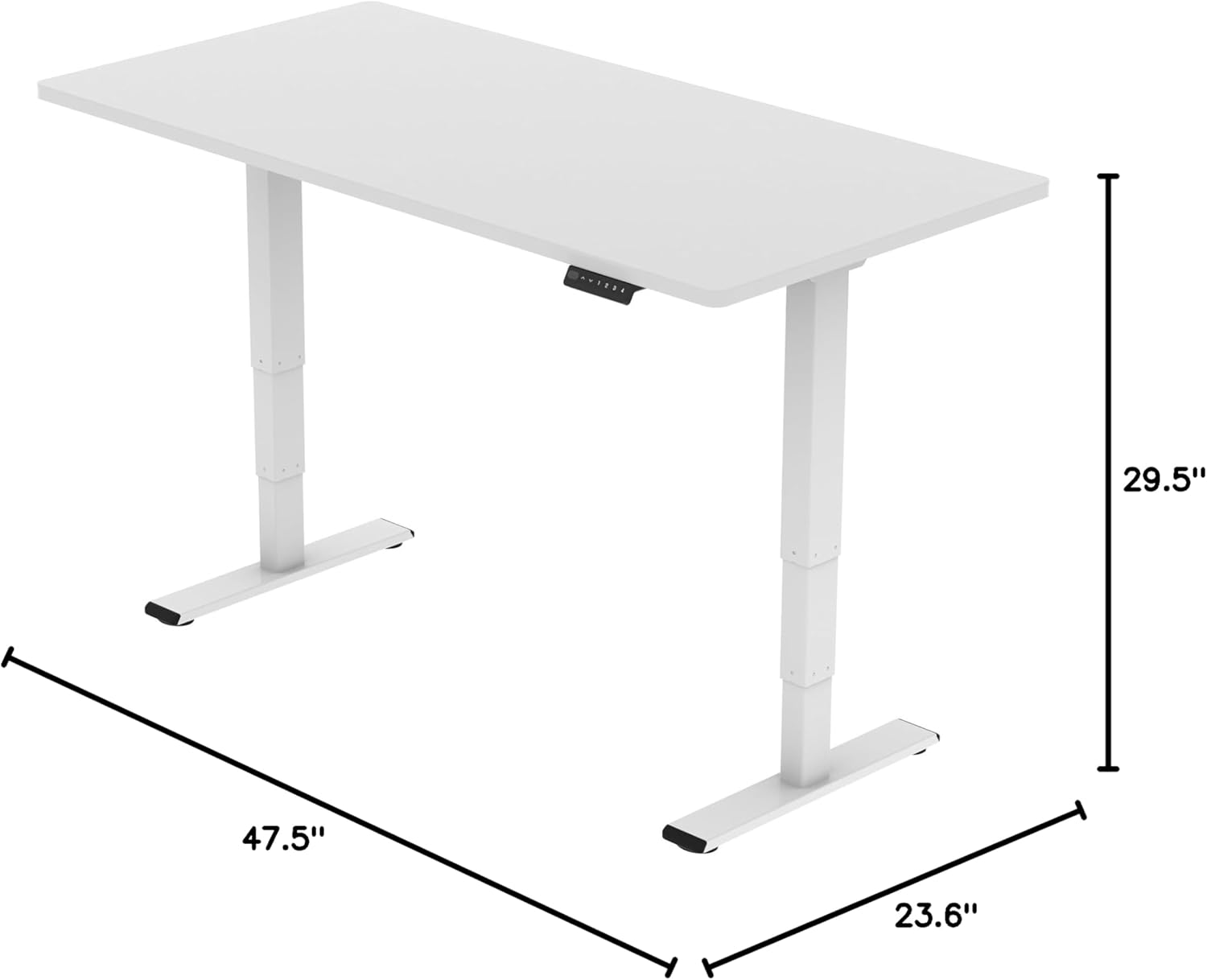
Produktmål (ramme)43.3"D x 23.6"W x 23.6"H (Adjustable width for desktop)
Højdejusteringsområde23.6 inches (Minimum) to 48.8 inches (Maximum)
LøftemekanismeElectric Dual Motor, 3-Stage Lift System
Maksimal vægtkapacitet220 lbs (100 kg)
StøjniveauMindre end 50 dB
GrundmaterialeMetal
Inkluderede komponenterInstallation Tools and Wire
UPC810072845221
FLEXISPOT E6 Essential Standing Desk Frame dimensions

Image: Diagram illustrating the adjustable dimensions of the desk frame.

Opretholdelse

Regular maintenance ensures the longevity and optimal performance of your standing desk frame.

Fejlfinding

If you encounter any issues with your FLEXISPOT E6 Essential Standing Desk Frame, refer to the common problems and solutions below.

Garanti og support

FLEXISPOT er forpligtet til at levere produkter af høj kvalitet og fremragende kundeservice.

Video: "Welcome to FLEXISPOT'S Mega Factory" - Showcasing the manufacturing process and commitment to quality.

Relaterede dokumenter - ET365W

Preview FlexiSpot EH1-EU elektrisk ståbordsstel brugermanual
Omfattende brugermanual til FlexiSpot EH1-EU elektrisk hæve-sænkebordsstel, med detaljerede specifikationer, monteringsvejledning, ledningsføring, betjening og fejlfinding for optimal brug.
Preview Monteringsvejledning til FlexiSpot EC1 elektrisk højdejusterbart stående skrivebord
Denne samlevejledning indeholder trinvise instruktioner til opsætning af det elektriske højdejusterbare FlexiSpot EC1-skrivebord. Den indeholder specifikationer, deleliste, samleprocedurer, betjening af tastatur, fejlfindingstips og garantioplysninger.
Preview FlexiSpot E2Q elektrisk hæve-sænkebord: Installationsvejledning og specifikationer
Omfattende installationsvejledning og specifikationer for det elektriske FlexiSpot E2Q-højdejusterbare skrivebord. Lær, hvordan du samler, betjener og fejlfinder dit højdejusterbare skrivebord.
Preview FlexiSpot EG1S/EG1W/EG1B-seriens højdejusterbare skrivebord: Installationsvejledning og begrænset garanti
Omfattende installationsvejledning og begrænsede garantioplysninger for FlexiSpot EG1S-, EG1W- og EG1B-seriens højdejusterbare skriveborde, der dækker opsætning, specifikationer, fejlfinding og garantidækning.
Preview FlexiSpot E7QB Stående Skrivebord Brugermanual
Omfattende brugermanual til FlexiSpot E7QB hæve-sænkebordet, der dækker komponenter, installation, brug, fejlfinding og garantioplysninger.
Preview FlexiSpot E7-Flow elektrisk højdejusterbart skrivebordsstel - Brugermanual
Omfattende brugermanual til FlexiSpot E7-Flow elektrisk højdejusterbart bordstel, der dækker specifikationer, strømforbrug, installation, betjening og fejlfinding.