1. Produktet er slutview
The Tera HW0004 Barcode Scanner is a versatile 1D laser scanner designed for efficient data capture in various environments such as supermarkets, retail stores, and logistics. It offers flexible connectivity options and multiple operating modes to suit different user needs.
- Alsidig 2-i-1-transmission: Supports both 2.4GHz wireless and USB 2.0 wired connections. Compatible with Windows and Mac OS, and integrates with common software like Word, Excel, and Novell.
- To arbejdstilstande: Features Instant Upload Mode for real-time data transfer and Storage Upload Mode for offline scanning and later upload.
- Plug and Play: Requires no driver or software installation for quick setup.
- 1D Barcode Support: Capable of scanning various 1D printed barcodes including Code 39, UPC-A/UPC-E, EAN13, EAN8, Code 93, Code 128, Codabar, Industrial/Interleaved 2 of 5, MSI, Code11, ISBN/ISSN, and Matrix 2 of 5. Note: Does not scan 2D codes (e.g., QR, PDF417) or barcodes from screens.
2. Pakkens indhold
Når du åbner pakken, skal du kontrollere, at alle komponenter er til stede:
- Tera Barcode Scanner (HW0004)
- 2.4 GHz trådløs USB-dongle
- USB 2.0-kabel
- Justerbart stativ
- Brugervejledning (dette dokument)
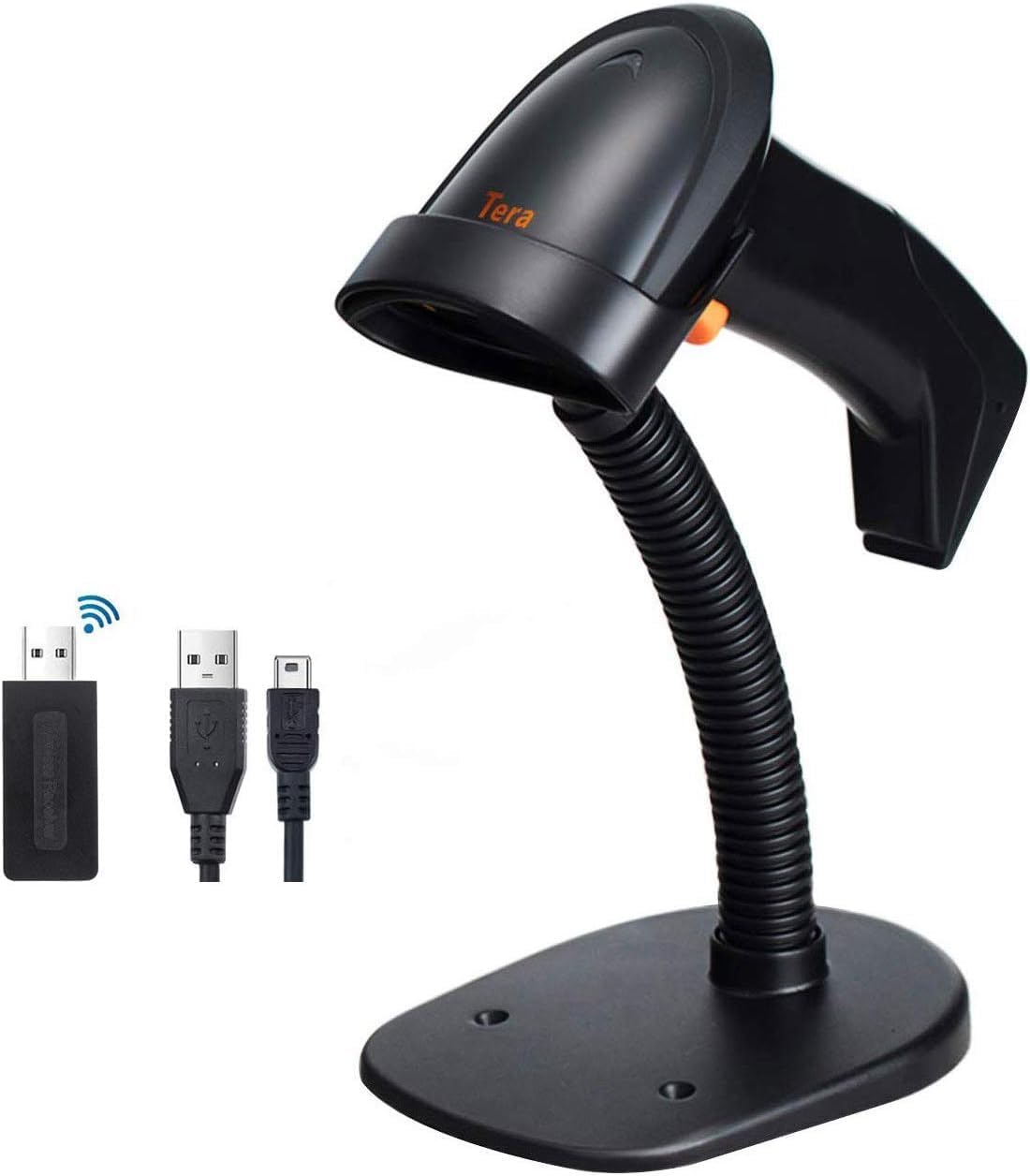
Image: The Tera HW0004 barcode scanner, its wireless USB dongle, USB cable, and the included stand.
3. Opsætning og tilslutning
The Tera HW0004 scanner is designed for easy plug-and-play operation, requiring no complex driver installations.
3.1. Wireless Connection (2.4GHz)
- Insert the 2.4GHz wireless USB dongle into an available USB port on your computer or device.
- Turn on the barcode scanner. It will automatically pair with the dongle.
- The scanner is now ready for wireless operation.

Image: The barcode scanner connected to a laptop via the wireless dongle, illustrating the plug-and-play setup.
3.2. Wired Connection (USB 2.0)
- Connect one end of the provided USB 2.0 cable to the scanner's USB port.
- Connect the other end of the USB 2.0 cable to an available USB port on your computer or device.
- The scanner will be recognized as a standard HID keyboard device and is ready for use.
The scanner is compatible with various operating systems, including Windows XP, Windows 7, Windows 8, Windows 10, Android, and Linux.
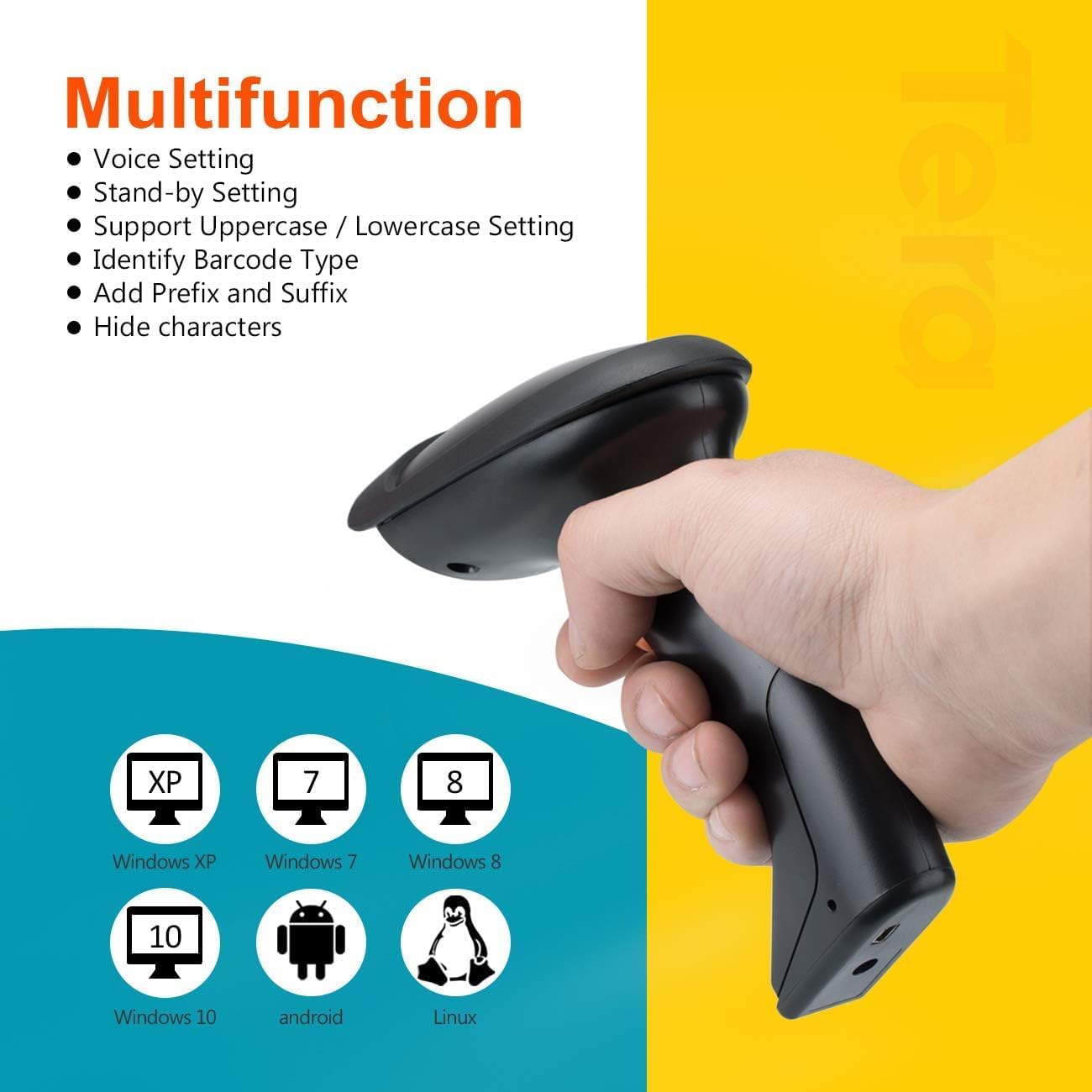
Image: The scanner demonstrating compatibility with multiple operating systems.
4. Betjening af scanneren
4.1. Scanningstilstande
Scanneren understøtter to primære scanningstilstande:
- Key Trigger Mode: Press the trigger button to activate the laser and scan a barcode. Release the button to stop scanning.
- Kontinuerlig scanningstilstand: The scanner continuously emits the laser, allowing for hands-free scanning when placed on the stand. This mode is ideal for high-volume scanning.
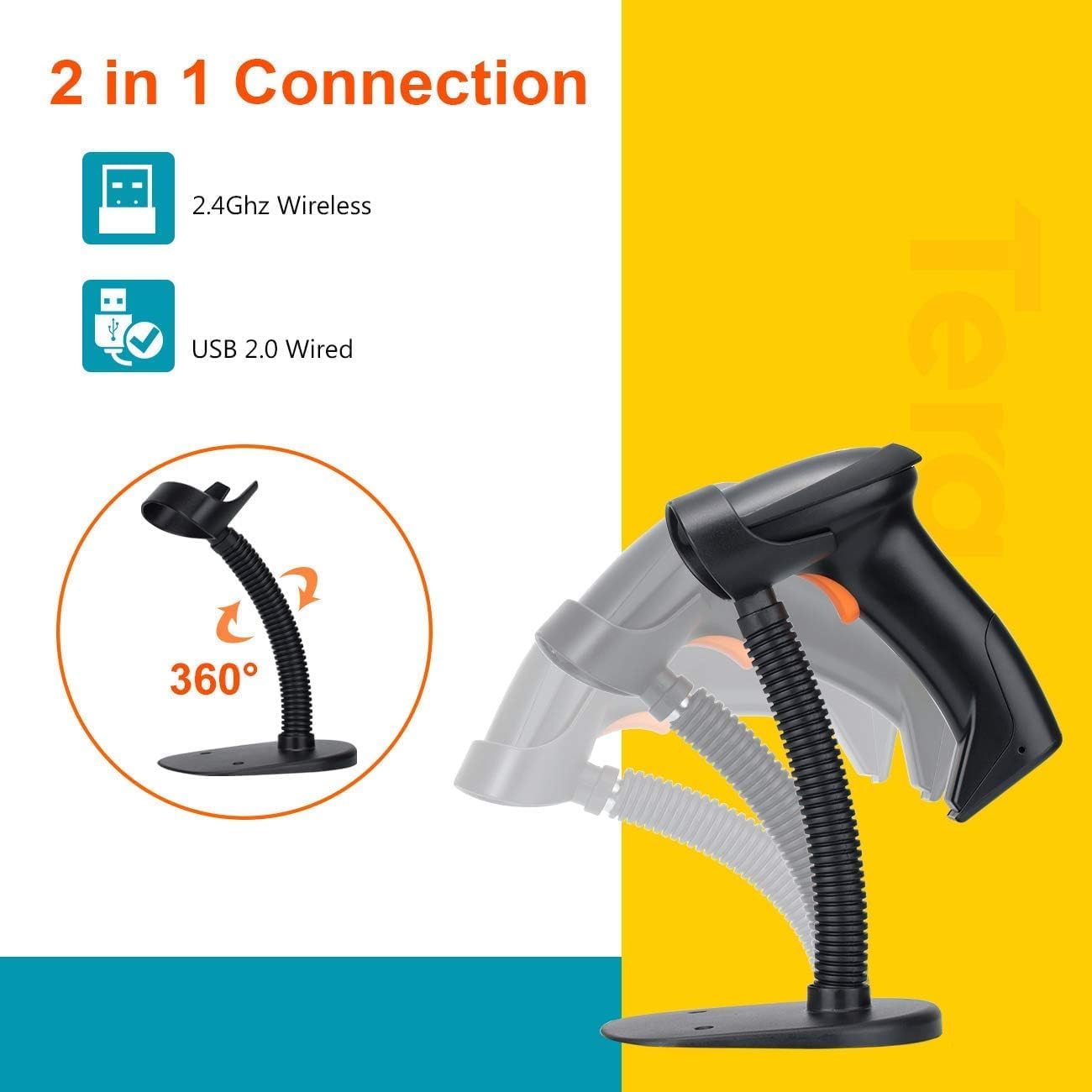
Image: The scanner on its adjustable stand, highlighting its 360-degree rotation and dual connection capabilities.
4.2. Datauploadtilstande
Scanneren tilbyder to metoder til at uploade scannede data:
- Øjeblikkelig upload-tilstand: Barcodes are synchronously uploaded to your connected device immediately after scanning. This is the default mode for real-time data entry.
- Storage Upload Mode: Barcodes are stored in the scanner's built-in 16MB memory. This mode is useful for scanning outside the wireless signal range. Data can be uploaded to your device later when needed.
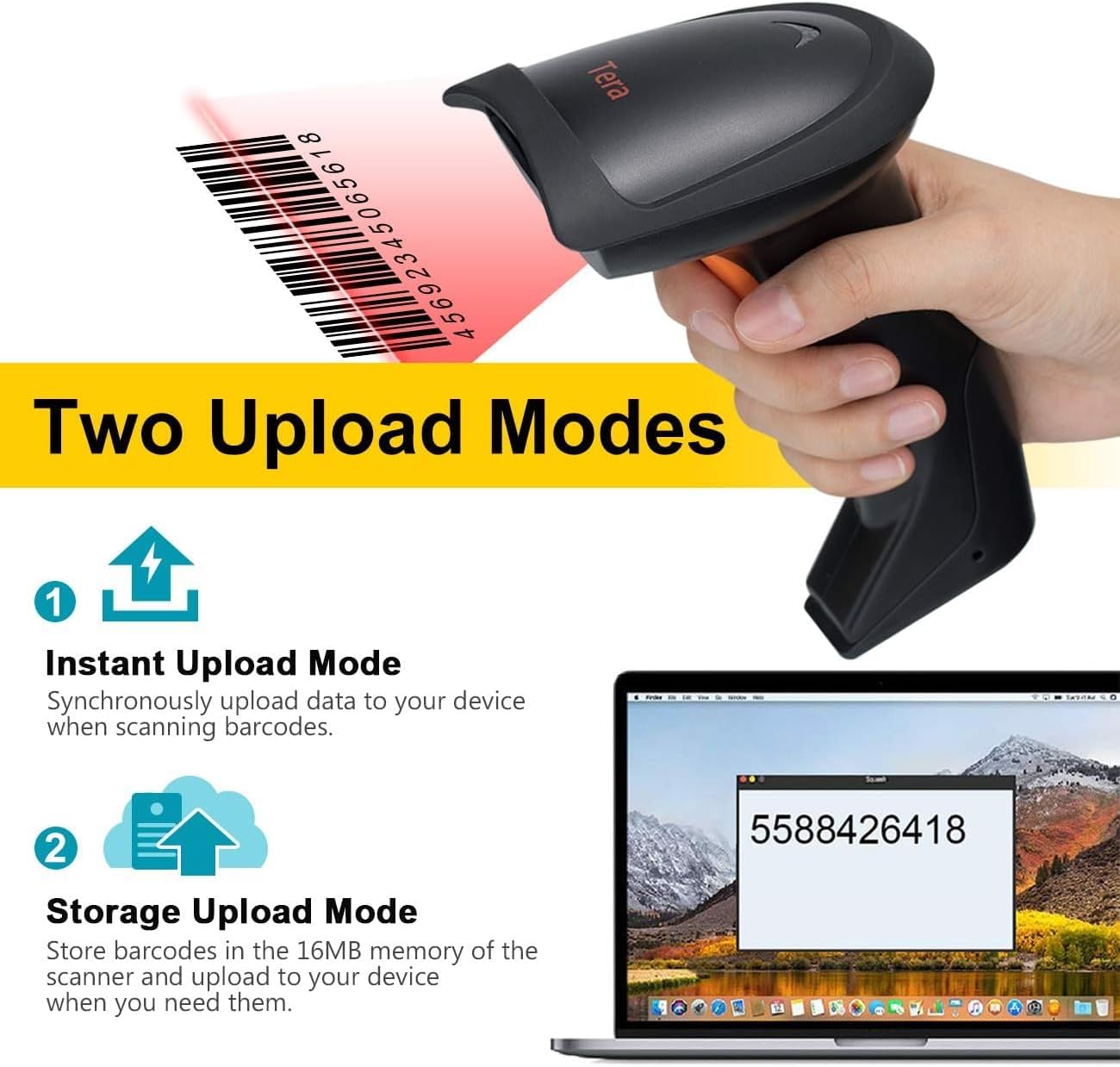
Image: A visual representation of the two data upload modes: Instant Upload and Storage Upload.
4.3. Supported Barcodes and Languages
The scanner supports a wide range of 1D printed barcodes and multiple languages for output:
- Understøttede 1D-stregkoder: Code 39, UPC-A/UPC-E (Include Complement Code), EAN13, EAN8, Code 93, Code 128, Codabar, Industrial/Interleaved 2 of 5, MSI, Code11, ISBN/ISSN, Matrix 2 of 5.
- Unsupported Codes: 2D codes (e.g., QR, PDF417) and barcodes displayed on screens.
- Understøttede sprog: English, Spanish, German, Japanese, French, Italian.

Image: The scanner highlighting its multi-language support and the types of 1D barcodes it can read.
4.4. Multifunction Settings
The scanner offers several configurable settings to enhance its functionality:
- Stemmeindstilling
- Stand-by Setting
- Support Uppercase / Lowercase Setting
- Identify Barcode Type
- Add Prefix and Suffix to scanned data
- Skjul tegn
Refer to the detailed programming guide (usually a separate document or a section within a comprehensive manual) for instructions on how to configure these settings by scanning specific setup barcodes.
5. Vedligeholdelse
Korrekt vedligeholdelse sikrer din stregkodescanners lange levetid og optimale ydeevne.
- Rensning: Use a soft, dry, lint-free cloth to clean the scanner's exterior. For the scanning window, use a lens cleaning cloth and a mild, non-abrasive cleaning solution if necessary. Avoid harsh chemicals or abrasive materials.
- Opbevaring: Opbevar scanneren et køligt, tørt sted væk fra direkte sollys og ekstreme temperaturer.
- Batteripleje: As the scanner is battery-powered, ensure it is charged regularly. Avoid fully discharging the battery frequently to prolong its lifespan. If storing for an extended period, charge the battery to about 50% and store in a cool, dry place.
- Håndtering: Avoid dropping the scanner or subjecting it to strong impacts, which can damage internal components.
6. Fejlfinding
If you encounter issues with your Tera HW0004 barcode scanner, refer to the following common troubleshooting steps:
| Problem | Mulig årsag | Løsning |
|---|---|---|
| Scanneren tænder ikke. | Problem med lavt batteri eller strøm. | Charge the scanner using the USB cable. Ensure the cable is properly connected to a power source. |
| Ingen dataoutput efter scanning. | Incorrect connection mode, scanner not paired, or application issue. |
|
| Scanner beeps but no data. | Barcode not recognized or corrupted. |
|
| Trådløs forbindelse ustabil. | Interference or distance issues. |
|
If the problem persists, please contact Tera customer support for further assistance.
7. Specifikationer
| Feature | Detalje |
|---|---|
| Model | HW0004 |
| Mærke | Tera |
| Forbindelsesteknologi | 2.4GHz Wireless, USB 2.0 Wired |
| Scanner type | 1D Laser Handheld Linear Bar Code Reader |
| Understøttede stregkoder | Code 39, UPC-A/UPC-E, EAN13, EAN8, Code 93, Code 128, Codabar, Industrial/Interleaved 2 of 5, MSI, Code11, ISBN/ISSN, Matrix 2 of 5 |
| Unsupported Barcodes | 2D codes (QR, PDF417), barcodes from screens |
| Kompatible enheder | Stationær, bærbar |
| Kompatible operativsystemer | Windows XP/7/8/10, Mac OS, Android, Linux |
| Strømkilde | Batteridrevet |
| Varens vægt | 8 ounce (ca. 227 gram) |
| Pakkedimensioner | 7.9 x 3.9 x 3.2 tommer (ca. 20.1 x 9.9 x 8.1 cm) |
| Fabrikant | Tera |
| Dato først tilgængelig | 4. september 2023 |
8. Garanti og support
Specific warranty information for the Tera HW0004 Barcode Scanner is typically provided with the product packaging or available on the manufacturer's official website. Please refer to these resources for detailed warranty terms and conditions.
For technical support, troubleshooting beyond this manual, or inquiries regarding product functionality, please visit the official Tera webwebstedet eller kontakt deres kundeserviceafdeling. Kontaktoplysninger kan normalt findes på produktemballagen eller i producentens webwebsted.
You can visit the Tera Store on Amazon for more information: Tera Store
9. Anvendelsesscenarier
The Tera HW0004 barcode scanner is suitable for a variety of applications, including but not limited to:
- Logistik
- Lagerstyring
- Supermarkets and Convenient Stores
- Biblioteker
- Retail Industry
- Postal Industry
- Banker
- Medical Institutions

Billede: Eksamples of environments where the barcode scanner can be effectively utilized.


