Indledning
This manual provides comprehensive instructions for the safe and effective use of your Xiaomi Smart Band 8 Active. Please read this manual thoroughly before operating the device and retain it for future reference. The Xiaomi Smart Band 8 Active is designed to monitor various fitness and health metrics, offering a convenient way to track your daily activities and well-being.
Hvad er der i æsken
Upon unboxing your Xiaomi Smart Band 8 Active, verify that all the following components are included:
- Smart Band (Xiaomi Smart Band 8 Active)
- Charger (Magnetic charging cable)

Figure 1: Xiaomi Smart Band 8 Active, showcasing the main device and its strap.
Opsætning
1. Indledende opsætning og parring
To begin using your Xiaomi Smart Band 8 Active, you must first pair it with your smartphone via the Mi Fitness application. Ensure your smartphone's Bluetooth is enabled.
- Download Mi Fitness app fra din smartphones appbutik (Google Play Store til Android, Apple App Store til iOS).
- Åbn Mi Fitness-appen, og følg instruktionerne på skærmen for at oprette en konto eller logge ind.
- In the app, navigate to the "Device" section and select "Add device". Choose "Xiaomi Smart Band 8 Active" from the list.
- The app will search for nearby devices. Once your band is found, confirm the pairing request on both your smartphone and the band.
- After successful pairing, the band will synchronize data with the app, and you can begin customizing settings.

Figure 2: The Xiaomi Smart Band 8 Active, ready for pairing.
2. Opladning af enheden
The Xiaomi Smart Band 8 Active features a long-lasting battery. When the battery level is low, charge the device using the provided magnetic charging cable.
- Tilslut USB-A-enden af opladningskablet til en kompatibel USB-strømadapter (medfølger ikke) eller en computers USB-port.
- Align the magnetic pins of the charging cable with the charging contacts on the back of your Smart Band. The magnets will automatically snap into place.
- The band's screen will display a charging indicator. A full charge typically takes approximately 2 hours.

Figur 3: Bagside view of the Smart Band 8 Active, highlighting the charging contacts and health sensors.
Betjening af enheden
1. Display og navigation
The Xiaomi Smart Band 8 Active features a vibrant 1.47-inch TFT display, providing clear visibility of information. Navigation is primarily touch-based.
- Tryk på: Tryk på skærmen for at vælge et element eller bekræfte en handling.
- Stryg op/ned: Swipe vertically to scroll through menus, notifications, or data screens.
- Stryg til venstre/højre: Swipe horizontally to access different widgets or quick-access features.
- Tryk og hold: Press and hold the watch face to change it.

Figure 4: The 1.47-inch TFT display of the Smart Band 8 Active.
2. Tilpasning af urskiver
Personalize your Smart Band by choosing from a variety of watch faces. You can change them directly on the band or through the Mi Fitness app.
- On the Band: From the main watch face, press and hold the screen. Swipe left or right to browse available watch faces and tap to select.
- Via Mi Fitness App: Open the Mi Fitness app, go to the "Device" section, and select "Band displays" to explore and apply more options.

Figur 5: Eksamples of customizable watch faces available for the Smart Band 8 Active.
3. Fitnesstracking
The Smart Band 8 Active offers comprehensive fitness tracking capabilities to help you monitor your health and activity levels.
- 50+ sportstilstande: The band supports over 50 workout modes, including 10 professional modes, suitable for various activities. Access these modes by swiping on the band's screen or through the app.
- All-Day Heart Rate Monitoring: Continuously tracks your heart rate throughout the day, providing insights into your cardiovascular health.
- Advanced Sleep Tracking: Overvåger dine søvnmønstre, herunder dyb, let og REM-søvntages, to help you understand and optimize your sleep quality.
- All-Day SpO2 Monitoring: Measures your blood oxygen saturation levels, an important indicator of overall health.
- Steps and Calories: Automatically tracks your daily steps and estimated calories burned.
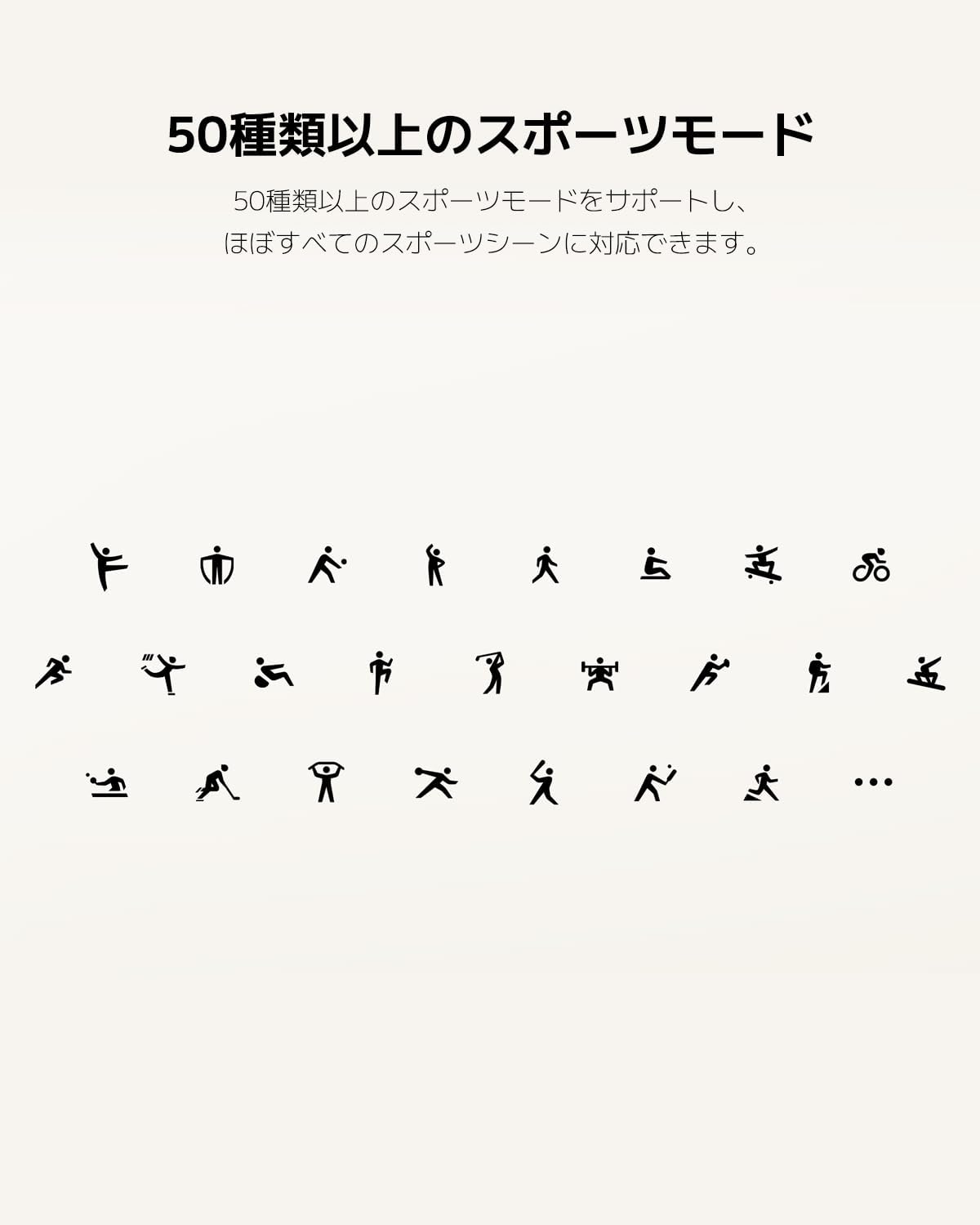
Figure 6: Visual representation of the diverse sports modes available.
Figure 7: Detailed health tracking features including heart rate, SpO2, and sleep monitoring.
4. Musik kontrol
When connected to your smartphone, you can control music playback directly from your Smart Band. This feature allows you to play, pause, skip tracks, and adjust volume without needing to access your phone.
5. Meddelelser
Receive notifications from your smartphone directly on your Smart Band. This includes calls, messages, and app alerts. Configure notification settings through the Mi Fitness app to manage which alerts appear on your band.
Opretholdelse
1. Vandafvisende
The Xiaomi Smart Band 8 Active is water-resistant up to 50 meters (5ATM). This means it can be worn during swimming in pools or shallow waters. However, it is not suitable for hot showers, saunas, or diving activities, as steam and high pressure can compromise the water seal.

Figure 8: The Smart Band 8 Active's 5ATM water resistance feature.
2. Rengøring og pleje
To ensure the longevity and proper functioning of your Smart Band, follow these cleaning and care guidelines:
- Rengør regelmæssigt båndet og enhedens kabinet med en blød, tør klud.amp klæde.
- Avoid using harsh chemicals, abrasive cleaners, or solvents, as these can damage the materials.
- Sørg for, at opladningskontakterne er rene og tørre før opladning for at forhindre korrosion.
- If the band gets wet, dry it thoroughly before wearing it again, especially the area around the sensors.

Figure 9: The skin-friendly TPU material of the band, suitable for exercise.
Fejlfinding
If you encounter issues with your Xiaomi Smart Band 8 Active, refer to the following common troubleshooting steps:
- Båndet parres ikke:
- Sørg for, at Bluetooth er aktiveret på din smartphone.
- Make sure the band is charged.
- Genstart både din smartphone og Smart Band.
- Prøv at ophæve parringen og parre enheden igen via Mi Fitness-appen.
- Skærmen tænder ikke:
- Charge the band for at least 30 minutes.
- Try tapping or raising your wrist to wake the screen.
- Unøjagtige puls-/SpO2-aflæsninger:
- Ensure the band is worn snugly but comfortably on your wrist, about 1.5-2 cm above the wrist bone.
- Hold din arm stille under målingerne.
- Rengør sensorerne på bagsiden af båndet.
- Notifikationer vises ikke:
- Tjek notifikationsindstillingerne i Mi Fitness-appen for at sikre, at app-notifikationer er aktiveret.
- Verify that your smartphone's notification permissions are granted to the Mi Fitness app.
- Ensure the band is connected via Bluetooth to your smartphone.
- Kort batterilevetid:
- Reducer skærmens lysstyrke.
- Disable continuous heart rate or SpO2 monitoring if not needed constantly.
- Begræns antallet af apps, der sender notifikationer til bandet.
Specifikationer
| Feature | Specifikation |
|---|---|
| Produktdimensioner | 7.87 x 7.87 x 5.51 tommer |
| Varens vægt | 0.917 ounces (26 gram) |
| Modelnummer | BHR7422GL |
| Batterier | 1 Lithium Polymer batteri (medfølger) |
| Stående skærm displaystørrelse | 1.47 tommer |
| Hukommelseslagringskapacitet | 1 GB |
| Operativsystem | Tizen 1.0 |
| Speciel funktion | Aktivitetssporer |
| Batterikapacitet | 210 mAh |
| Forbindelsesteknologi | Bluetooth |
| Vandmodstand | 5ATM (op til 50m) |
Garanti og support
The Xiaomi Smart Band 8 Active comes with a manufacturer's warranty. For detailed information regarding warranty coverage, terms, and conditions, please refer to the warranty card included with your product or visit the official Xiaomi support website. For technical assistance, troubleshooting beyond this manual, or service inquiries, please contact Xiaomi customer support.
You can find additional support and resources on the official Xiaomi webwebsted: www.mi.com


