1. Introduktion
Tak for købetasing the ULTIMEA Nova S50 Dolby Atmos Soundbar. This 2.1 channel sound system, featuring a powerful 190W output and a dedicated subwoofer, is designed to deliver an immersive audio experience for your home theater, PC, or TV. This manual provides detailed instructions for setting up, operating, maintaining, and troubleshooting your device to ensure optimal performance.

Figure 1.1: ULTIMEA Nova S50 Soundbar delivering immersive Dolby Atmos sound.
2. Opsætning
2.1 Pakkens indhold
Før du begynder, skal du kontrollere, at alle varer er til stede i pakken:
- Soundbar (x1)
- Wired Subwoofer (x1)
- Strømadapter (x1)
- HDMI-kabel (x1)
- HDMI Adapter (x1)
- Remote Control (x1, batteries not included)
- Optical Cable (x1)
- 3.5 mm lydkabel (x1)
- Wall Mounting Kit (x1)
- Brugervejledning (x1)

Figur 2.1: Medfølgende tilbehør og komponenter.
2.2 Fysisk placering
The Nova S50 soundbar features a compact and slim design, allowing for flexible placement options. It can be placed on a TV stand, a tabletop, or wall-mounted. Ensure the soundbar is positioned centrally in front of your TV for the best audio experience. The subwoofer can be placed on the floor near the soundbar.

Figure 2.2: Compact design allows for placement under a TV without obstructing the view.
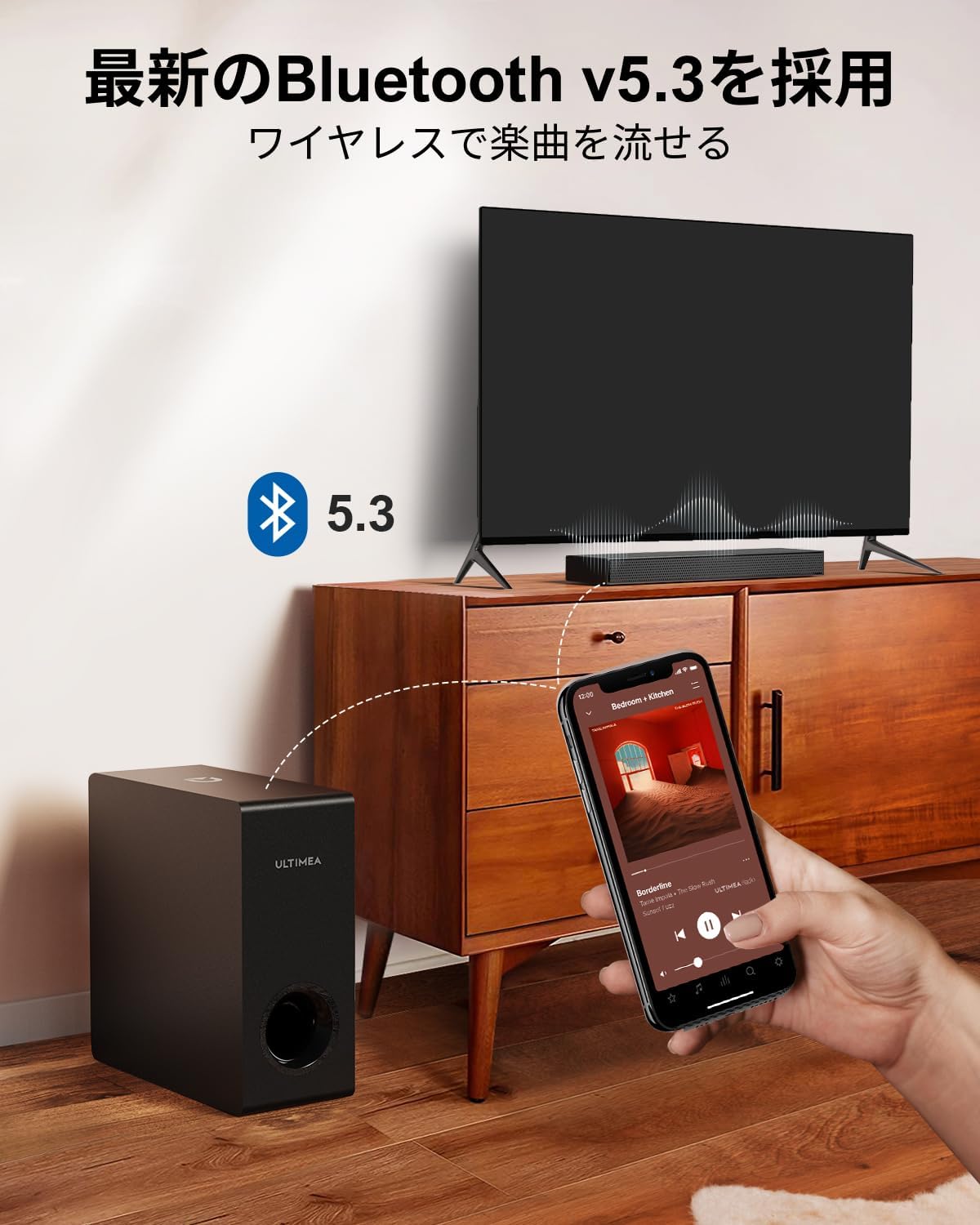
Figure 2.3: Dimensions of the soundbar and subwoofer.
2.3 Forbindelser
The Nova S50 offers multiple connectivity options. Choose the method that best suits your device.

Figur 2.4: Tilslutninger på bagpanel.
2.3.1 HDMI eARC-forbindelse
For the highest quality audio transmission, connect your TV to the soundbar using the HDMI eARC port.
- Connect one end of the provided HDMI cable to the HDMI eARC port on your TV.
- Connect the other end of the HDMI cable to the HDMI eARC port on the soundbar.
- On the soundbar's remote control, press the 'eARC' button to select the HDMI eARC input mode.
- Ensure your TV's audio output settings are configured for HDMI eARC (usually found under TV Settings > Sound > Digital Audio Output > Auto).

Figure 2.5: HDMI eARC connection steps.
2.3.2 Optisk forbindelse
Use the optical cable for digital audio connection if your TV does not support HDMI eARC.
- Connect one end of the optical cable to the optical output port on your TV.
- Connect the other end of the optical cable to the optical input port on the soundbar.
- Select the 'OPT' input mode on the soundbar using the remote control.
2.3.3 AUX-forbindelse
Brug 3.5 mm AUX-kablet til analoge lydenheder.
- Connect one end of the 3.5mm audio cable to the audio output of your device (e.g., PC, smartphone).
- Connect the other end to the AUX input port on the soundbar.
- Select the 'AUX' input mode on the soundbar using the remote control.
2.3.4 Bluetooth-forbindelse
Tilslut dine mobile enheder trådløst via Bluetooth 5.3.
- Turn on the soundbar and select 'BT' input mode using the remote control. The soundbar will enter pairing mode.
- On your mobile device, enable Bluetooth and search for 'Nova S50'.
- Select 'Nova S50' from the list of available devices to pair. Once connected, you will hear an audible confirmation.

Figure 2.6: Wireless audio streaming via Bluetooth 5.3.
3. Betjeningsvejledning
3.1 Tænd/sluk
Tryk på tænd/sluk-knappen på soundbaren eller fjernbetjeningen for at tænde eller slukke enheden.
3.2 Indgangsvalg
Use the dedicated input buttons (HDMI eARC, OPT, AUX, BT, USB) on the remote control to switch between audio sources.
3.3 Lydstyrkekontrol
Adjust the volume using the Volume Up (+) and Volume Down (-) buttons on the remote control or the soundbar. The soundbar also supports HDMI-CEC, allowing you to control its volume with your TV remote if your TV supports this feature.

Figure 3.1: Remote control with HDMI-CEC support.
3.4 lydtilstande
The Nova S50 features audio algorithms and machine learning technology to optimize sound based on content. Use the remote control to select from the following sound modes:
- FILM: Enhances cinematic sound for movies and TV shows, emphasizing vocals and dynamic scenes.
- SPIL: Optimized for gaming, providing clear sound effects and immersive spatial audio.
3.5 BassMX Adjustment
The dedicated subwoofer and ULTIMEA's proprietary BassMX technology provide powerful and adjustable bass. Use the BassMX button on the remote to cycle through different bass levels (Weak, Medium, Strong) to suit your preference.

Figure 3.2: BassMX technology for enhanced bass.
4. Vedligeholdelse
4.1 Rengøring
To maintain the appearance and performance of your soundbar, regularly clean it with a soft, dry cloth. Do not use liquid cleaners or abrasive materials, as these can damage the finish or internal components.
4.2 Opbevaring
If storing the soundbar for an extended period, disconnect it from the power source and store it in a cool, dry place, away from direct sunlight and extreme temperatures.
5. Fejlfinding
If you encounter issues with your ULTIMEA Nova S50 soundbar, refer to the following common problems and solutions:
- Ingen lyd:
- Sørg for, at soundbaren er tændt, og at den korrekte inputkilde er valgt.
- Kontroller, at alle kabelforbindelser (HDMI, optisk, AUX) er sikre.
- Verify the TV's audio output settings are correctly configured for the chosen connection type (e.g., HDMI eARC, PCM for Optical).
- Increase the volume on both the soundbar and your connected device.
- If using HDMI eARC, ensure HDMI-CEC is enabled on your TV.
- Problemer med Bluetooth-forbindelse:
- Sørg for, at soundbaren er i Bluetooth-parringstilstand.
- Deaktiver og genaktiver Bluetooth på din mobilenhed.
- Move your device closer to the soundbar to ensure it is within the 10-meter range.
- Ryd tidligere Bluetooth-parringer på din enhed, og prøv at parre igen.
- Forvrænget lyd:
- Reducer lydstyrken på både soundbaren og den tilsluttede enhed.
- Check for any physical obstructions or interference near the soundbar or subwoofer.
- Sørg for, at kablerne ikke er beskadigede eller løst forbundet.
- Fjernbetjeningen virker ikke:
- Udskift batterierne i fjernbetjeningen.
- Sørg for, at der ikke er nogen forhindringer mellem fjernbetjeningen og soundbarens sensor.
- Ret fjernbetjeningen direkte mod soundbaren.
6. Specifikationer
| Feature | Detalje |
|---|---|
| Modelnavn | Nova S50 |
| Højttaler type | Dolby Atmos Soundbar 2.1ch (with Subwoofer) |
| Forbindelsesteknologi | AUX, Bluetooth, HDMI-eARC, Optical |
| Trådløs kommunikationsteknologi | Bluetooth 5.3 |
| Max udgangseffekt | 190 W |
| Frekvensrespons | 45 Hz - 18 kHz |
| Soundbarens mål (L x B x H) | 40 cm x 7.9 cm x 3.8 cm |
| Subwooferens dimensioner (L x B x H) | 27 cm x 11.4 cm x 27 cm |
| Produktets vægt | 4.52 kg |
| Kontrolmetode | Fjern |
| Anbefalet værelsesområde | ≤ 25 m² |

Figure 6.1: Ultra-thin driver technology for high-fidelity sound.
7. Garanti og support
7.1 Begrænset garanti
ULTIMEA products come with a limited warranty. Please refer to the warranty card included in your package or visit the official ULTIMEA webhjemmeside for detaljerede garantivilkår.
7.2 Kundesupport
For any questions, technical assistance, or support needs, please contact ULTIMEA customer service. We offer 365-day support and a 30-day free return policy. You can find contact information on our official webwebsted eller via din købsplatform.


