1. Introduktion
The SHX SHXA700 Infrared Heating Panel is designed to provide efficient and comfortable heating for your living spaces. Featuring a modern, frameless design with a white carbon crystal surface, it seamlessly integrates into any room. This 700W panel offers WiFi connectivity, remote control operation, and a programmable thermostat for optimal energy saving and comfort. This manual provides essential information for the safe and effective use of your heating panel.

Figure 1: SHX SHXA700 700W WiFi Infrared Heating Panel, front view. A clean, white rectangular infrared heating panel, showcasing dens minimalistiske design.
2. Sikkerhedsinstruktioner
Læs alle sikkerhedsinstruktioner omhyggeligt inden installation og brug. Manglende overholdelse af disse instruktioner kan resultere i elektrisk stød, brand eller personskade.
- Sørg for, at strømforsyningen voltage stemmer overens med typeskiltet på apparatet.
- Brug ikke varmeapparatet med en beskadiget ledning eller stik. Hvis ledningen er beskadiget, skal den udskiftes af producenten, dennes servicerepræsentant eller lignende kvalificerede personer for at undgå fare.
- Do not cover the heater. Covering the heater can cause overheating.
- Maintain a minimum distance of 100 cm from the front of the heater to any objects, and 20 cm from the sides and top to walls or other surfaces.
- This appliance is rated IP44, making it suitable for use in bathrooms. However, it must not be installed directly above a bath, shower, or swimming pool.
- Stik ikke genstande ind i varmelegemets åbninger.
- The heater is equipped with overheating protection. If the heater overheats, it will automatically shut off. Unplug the heater and allow it to cool down before restarting.
- Hold børn og kæledyr væk fra varmeapparatet under drift.
- Always unplug the heater before cleaning or maintenance.
3. Pakkens indhold
Pak forsigtigt kassen ud, og sørg for, at alle dele er til stede og ubeskadigede. Hvis der mangler eller er beskadigede dele, skal du kontakte din forhandler.
- Infrarødt varmepanel
- Brugermanual
- Fjernbetjening
- Skruer og dyvler til vægmontering
- Optional Feet for freestanding placement
4. Produktfunktioner
The SHX SHXA700 Infrared Heating Panel offers a range of features designed for convenience and efficiency:
- Kraftig 700W effekt: Provides effective heating for rooms up to 14 m².
- Integrated WiFi Functionality: Control your heater remotely via a smartphone app.
- Fjernbetjening: Convenient operation with the included remote.
- 24-timers timer: Program specific operating times for energy saving.
- Justerbar termostat: Maintain your desired room temperature.
- Overophedningsbeskyttelse: Enhanced safety feature.
- IP44-klassificering: Velegnet til brug i damp miljøer som badeværelser.
- Moderne design: Frameless white carbon crystal surface for aesthetic integration.
- LCD-skærm: Clear display for settings and status.

Figure 2: SHX Infrared Heating Panel features. An infographic highlighting the main features of the SHX SHXA700 infrared heating panel, including WiFi connectivity, remote control, 24-hour timer, adjustable thermostat, and overheating protection. It also indicates suitability for up to 14m² rooms.
5. Opsætning og installation
The SHX SHXA700 heating panel can be installed either wall-mounted or freestanding using the optional feet.
5.1 Vægmontering
- Choose a suitable location on a wall, ensuring sufficient clearance from other objects (refer to Safety Instructions).
- Mark the drilling points on the wall using the provided template or by measuring the panel's mounting holes.
- Drill holes and insert the provided dowels.
- Fastgør monteringsbeslagene til væggen med de medfølgende skruer.
- Carefully hang the heating panel onto the mounting brackets, ensuring it is securely seated.
- Sæt netledningen i en passende stikkontakt.
5.2 Freestanding Placement
- Attach the optional feet to the bottom of the heating panel using the provided screws.
- Place the panel on a stable, level surface, ensuring it is not easily tipped over.
- Ensure sufficient clearance from other objects (refer to Safety Instructions).
- Sæt netledningen i en passende stikkontakt.

Figure 3: SHX Infrared Heating Panel in various room settings. A collage of four images demonstrating the SHX infrared heating panel's versatile placement options in different rooms: a living room, a bedroom, a bathroom, and an office, illustrating its modern design integration.

Figure 4: SHX SHXA700 Infrared Heating Panel dimensions. A diagram illustrating the physical dimensions of the SHX SHXA700 infrared heating panel, showing its width (1200mm), height (500mm), and depth (45mm), along with its weight (2.9 kg).
6. Betjeningsvejledning
The heating panel can be operated using the integrated control panel on the back or the included remote control.
6.1 Kontrolpanel overview
The control panel is located on the back of the unit and includes buttons for power, WiFi, temperature adjustment, timer, and an LCD display.
6.2 Grundlæggende betjening
- Tænd/sluk: Tryk på tænd/sluk-knappen på kontrolpanelet eller fjernbetjeningen for at tænde eller slukke varmelegemet.
- Temperaturjustering: Use the '+' and '-' buttons to set your desired temperature. The LCD display will show the current and target temperatures.
- Timer funktion: Press the timer button to activate and set the 24-hour timer. Follow the on-screen prompts to program the desired operating duration.

Figure 5: SHX Infrared Heating Panel control panel and remote control. A close-up view of the heating panel's integrated control unit on the side, featuring power, WiFi, LCD display, 24-hour timer, and indicator light buttons, alongside the included remote control for easy operation.
7. WiFi Connectivity & App Control
The SHX SHXA700 heating panel features integrated WiFi, allowing for smart control via your smartphone.
- Download appen: Download "Tuya Smart"-appen fra din smartphones appbutik (tilgængelig til iOS og Android).
- Registrer/Log ind: Create an account or log in to your existing Tuya Smart account.
- Tilføj enhed: Follow the in-app instructions to add your SHX heating panel. This typically involves putting the heater into pairing mode (refer to the app's guide for specific steps, usually by holding the WiFi button on the control panel).
- Opret forbindelse til WiFi: Select your home WiFi network and enter the password.
- Kontrollere: Once connected, you can control the heater's power, temperature, timer, and other settings directly from the app.
- Smart Home Integration: The Tuya Smart app supports integration with voice assistants like Amazon Alexa and Google Home, allowing for voice control of your heating panel.

Figure 6: SHX Infrared Heating Panel WiFi and integrated timer features. An image showing the heating panel's WiFi symbol and a smartphone displaying the "Tuya Smart" app interface, along with logos for Alexa and Google Home, indicating smart home compatibility and a 24-hour timer function.
8. Vedligeholdelse
Regular cleaning and maintenance will ensure the longevity and optimal performance of your heating panel.
- Rensning: Always unplug the heater and allow it to cool completely before cleaning. Wipe the surface with a soft, damp klud. Brug ikke slibende rengøringsmidler, opløsningsmidler eller stærke kemikalier, da disse kan beskadige overfladen.
- Opbevaring: Hvis varmeapparatet opbevares i længere tid, skal det sikres, at det er rent og tørt. Opbevar det et køligt og tørt sted, helst i originalemballagen.
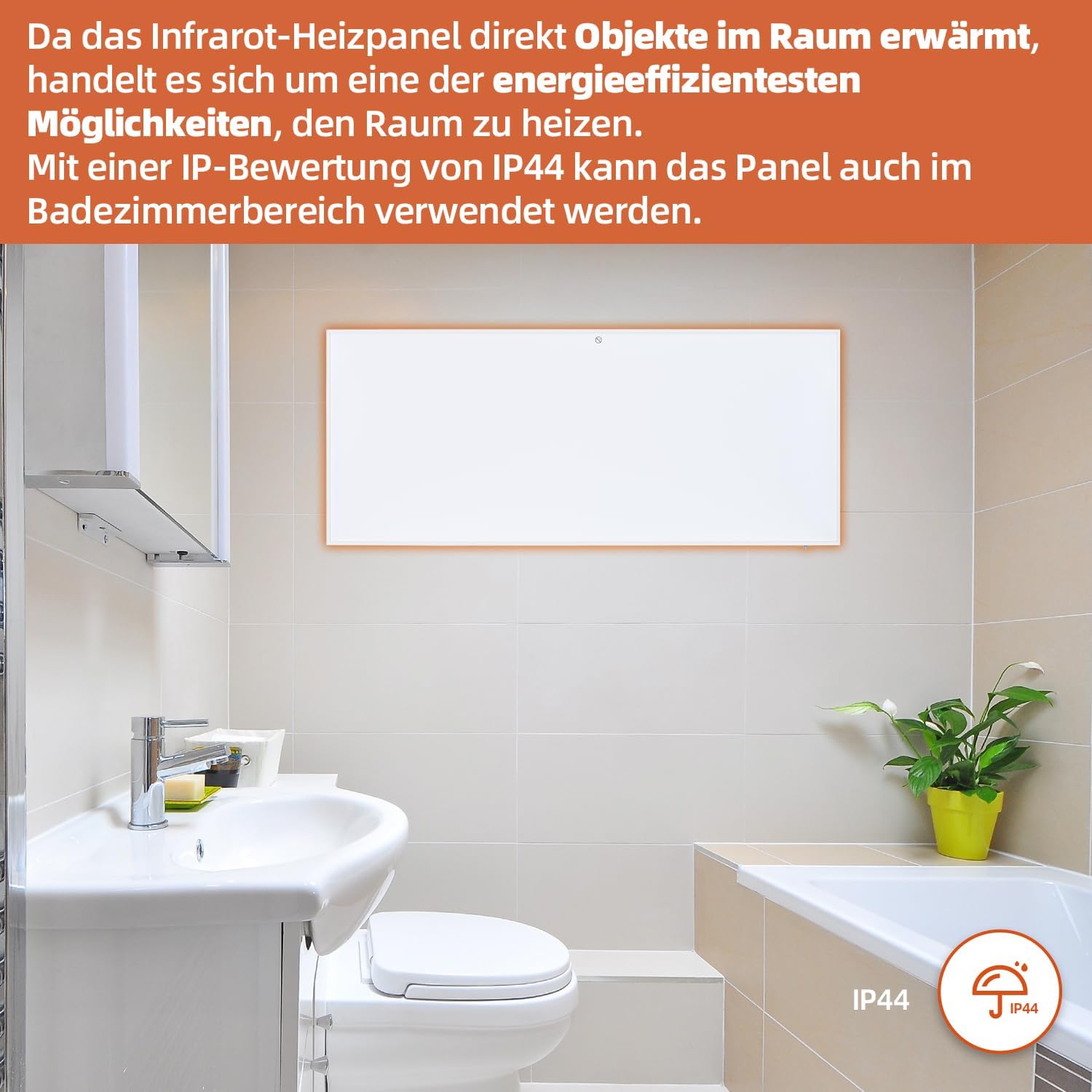
Figure 7: SHX Infrared Heating Panel with IP44 rating. The infrared heating panel mounted in a modern bathroom setting, emphasizing its IP44 water resistance rating, making it safe for use in damp miljøer.
9. Fejlfinding
If you encounter any issues with your SHX heating panel, refer to the following common problems and solutions:
| Problem | Mulig årsag | Løsning |
|---|---|---|
| Varmeapparatet tænder ikke. | No power supply. Overheating protection activated. | Check if the power cord is securely plugged in and the outlet is functional. Unplug the heater, allow it to cool for 30 minutes, then plug it back in. |
| WiFi-forbindelsen mislykkes. | Incorrect WiFi password. Heater not in pairing mode. Router issues. | Ensure correct WiFi password. Put the heater into WiFi pairing mode (refer to app instructions). Restart your WiFi router. Ensure the heater is within WiFi range. |
| Fjernbetjening virker ikke. | Batteries are dead or incorrectly inserted. Obstruction between remote and heater. | Replace the batteries in the remote control (requires 2 AAA batteries). Ensure there is a clear line of sight between the remote and the heater's receiver. |
| Varmeapparatet varmer ikke effektivt. | Temperature setting too low. Room size exceeds heater capacity. Drafts. | Increase the target temperature. Ensure the room size is within the recommended range (up to 14 m²). Seal any drafts in the room. |
10. Specifikationer
| Specifikation | Værdi |
|---|---|
| Mærke | SHX |
| Modelnummer | SHXA700-WiFi |
| Farve | Hvid |
| Produktmål (L x B x H) | 120 x 50 x 4.5 cm |
| Vægt | 2.9 kilo |
| Magt | 700 watt |
| Voltage | 220 volt (AC) |
| Energieffektivitetsklasse | A til G |
| Støjniveau | 1 decibel |
| Særlige funktioner | WiFi Compatible, Overheating Protection, Programmable Thermostat, Remote Control, Energy Efficient |
| Strømkilde | Elektrisk med ledning |
| Opvarmningsmetode | Strålende |
| Anbefalet brug | Indendørs, Hjem |
| Monteringstype | Wall Mount, Floor Mount (with optional feet) |
| Batterier påkrævet til fjernbetjening | 2 AAA batterier |
| Oprindelsesland | Kina |
11. Garanti og support
The SHX SHXA700 Infrared Heating Panel comes with a 2 års garanti fra købsdatoen. Gem venligst din købsbevis i tilfælde af garantikrav.
For technical support, warranty claims, or any questions regarding your product, please contact your retailer or the manufacturer's customer service. Contact information can typically be found on the product packaging or the manufacturer's official webwebsted.


