1. Introduktion
This manual provides detailed instructions for the setup, operation, and maintenance of your Nillkin Rugged Keyboard Case. Please read this manual thoroughly to ensure proper use and to maximize your product experience.
1.1. Kompatibilitet
Dette tastaturcover er kompatibelt med følgende iPad-modeller:
- iPad Air 5th Gen (Models: A2591/A2589/A2588)
- iPad Air 4th Gen (Models: A2072/A2316/A2324/A2325)
- iPad Pro 11-inch 4th Gen (Models: A2325/A2324/A2316/A2072)
- iPad Pro 11-inch 3rd Gen (Models: A2301/A2377/A2459/A2460)
- iPad Pro 11-inch 2nd Gen (Models: A2228/A2068/A2230/A2231)
- iPad Pro 11-inch 1st Gen (Models: A1980/A2013/A1934/A1979)
Please verify your iPad's model number on the back of your device before installation.

Figure 1: Compatible iPad Models and Identification
2. Hvad er der i æsken
The Nillkin Rugged Keyboard Case package includes:
- Tastaturetui
- Ladekabel
- Brugermanual
3. Opsætningsvejledning
3.1. Installation af din iPad i etuiet
- Remove the detachable keyboard from the case.
- Tilt the corner of your iPad with the camera into the case's camera cutout.
- Gently press the remaining corners of the iPad into the case, ensuring all edges are securely fitted.
Video 1: Nillkin Bumper Combo Keyboard Case Installation Guide

Figure 2: Case Protection Features
3.2. Tilslutning af tastaturet via Bluetooth
- Sørg for, at tastaturet er opladet.
- Tænd for tastaturet ved hjælp af afbryderen.
- På din iPad skal du gå til Indstillinger > Bluetooth.
- Enable Bluetooth and select the keyboard from the list of available devices to pair.
4. Betjeningsvejledning
4.1. Aftageligt tastatur
The keyboard is magnetically attached and can be easily detached for flexible use. This allows you to use the iPad in tablet mode without the keyboard or position the keyboard separately for ergonomic typing.
Video 2: Nillkin iPad Case with Detachable Keyboard & Trackpad Demonstration

Figure 3: Detachable Keyboard Features
4.2. Enhanced Backlit Keyboard
The keyboard features 7 vibrant backlight colors and 3 adjustable brightness levels. Use the dedicated backlight key on the keyboard to cycle through colors and adjust brightness for comfortable typing in various lighting conditions.

Figure 4: Backlit Keyboard in Use
4.3. Magic Trackpad with Multi-Touch Gestures
The integrated high-sensitive trackpad supports iPadOS multi-touch gestures, allowing for seamless navigation, scrolling, and swiping. It also features anti-mistouch technology to prevent accidental inputs during typing.
Video 3: Trackpad Gesture Demonstration

Figure 5: Trackpad Features
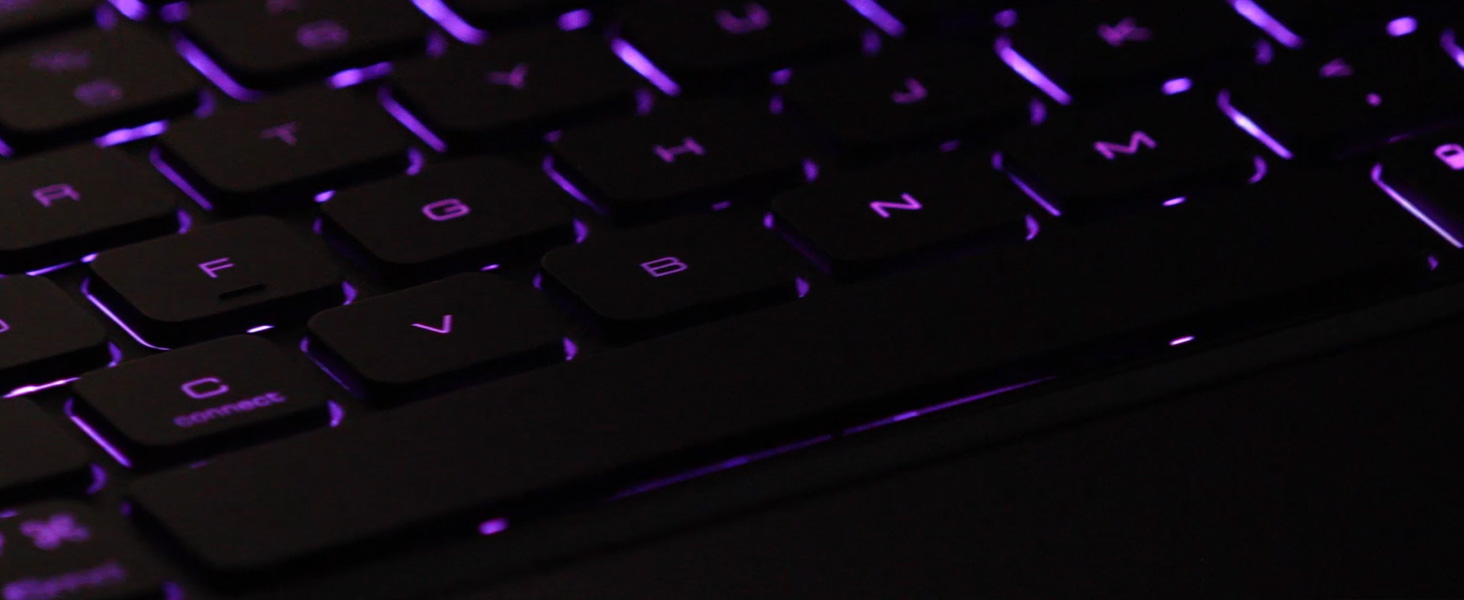
Figure 6: iPadOS Multi-Touch Gestures
4.4. Flere Viewi tilstande
The case features a flexible kickstand that allows for various viewing angles, supporting both portrait and landscape orientations. This adaptability is ideal for typing, drawing, watching videos, or reading.
Video 4: Nillkin Bumper Combo iPad Case with Keyboard - Multiple Modes

Figure 7: Multiple Use Modes
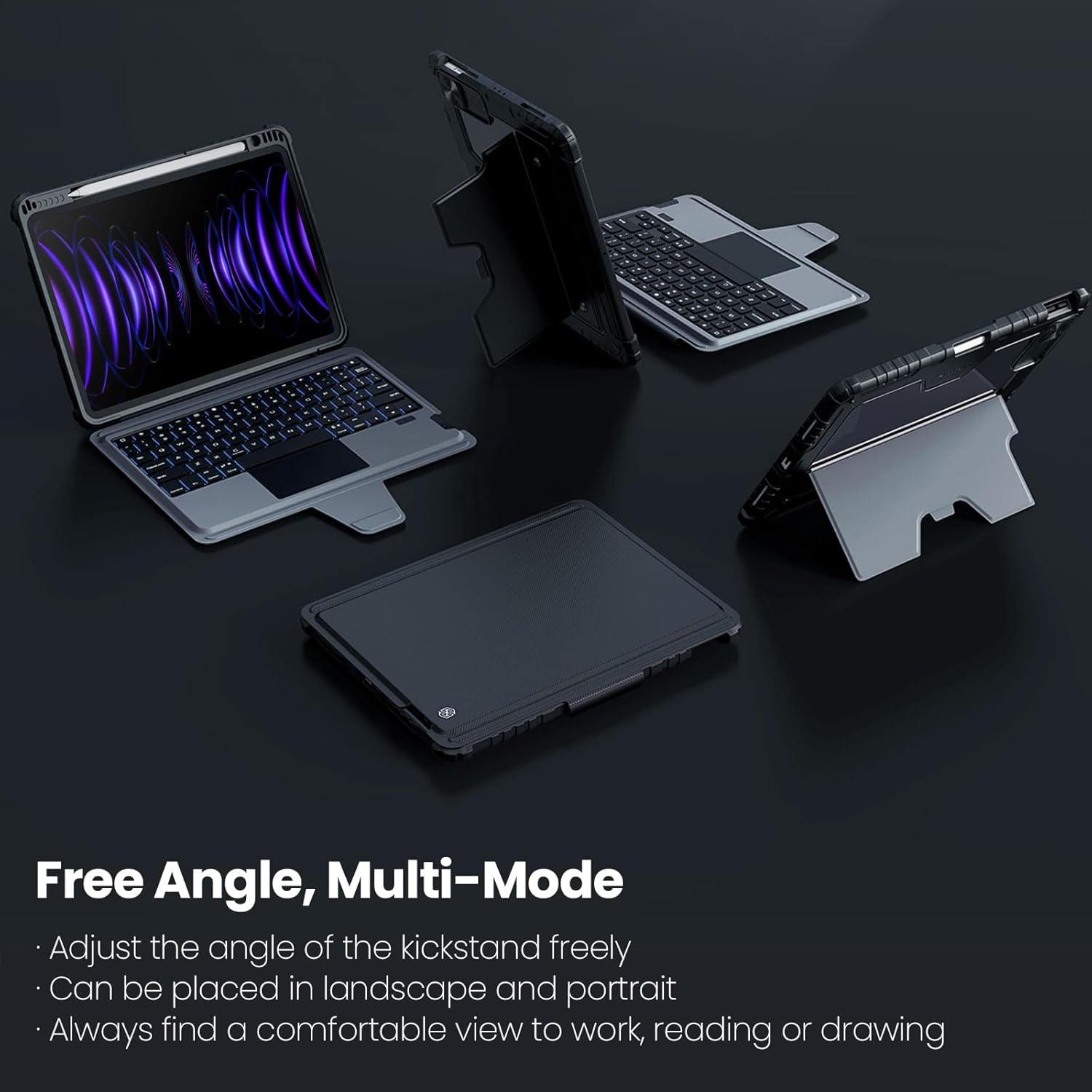
Figure 8: Free Angle, Multi-Mode Functionality
4.5. Opbevaring af Apple Pencil
The case includes a dedicated slot for secure storage and charging of your Apple Pencil.

Figure 9: Apple Pencil Storage Slot
5. Vedligeholdelse
To maintain the longevity and appearance of your Nillkin Rugged Keyboard Case:
- Wipe the case and keyboard with a soft, damp klæde. Undgå skrappe kemikalier.
- Hold opladningsporten fri for støv og snavs.
- Store the case in a cool, dry place when not in use for extended periods.
6. Fejlfinding
If you encounter issues with your Nillkin Rugged Keyboard Case, please refer to the following common solutions:
- Tastatur forbinder ikke: Ensure Bluetooth is enabled on your iPad and the keyboard is powered on and charged. Try re-pairing the keyboard in your iPad's Bluetooth settings.
- Taster reagerer ikke: Check if the keyboard is sufficiently charged. If the keyboard is folded back, ensure it is powered off to prevent accidental key presses.
- Pegefeltet reagerer ikke: Verify the keyboard is connected via Bluetooth. If issues persist, try restarting both your iPad and the keyboard.
- Opladningsproblemer: Use the provided charging cable and ensure it is properly connected to a power source.
For yderligere assistance, kontakt venligst kundesupport.
7. Specifikationer
| Feature | Detalje |
|---|---|
| Pakkedimensioner | 12.28 x 8.98 x 1.42 tommer |
| Varens vægt | 1.94 pund |
| Fabrikant | Nillkin |
| Sprog | engelsk |
| Varemodelnummer | 2024 |
| Batterier | 1 Lithium Ion batteri påkrævet (medfølger) |
| Dato først tilgængelig | 31. august 2023 |
| Kompatible enheder | iPad Air 4th Gen, iPad Air 5th Gen, iPad Pro 11-inch 1st/2nd Gen, iPad Pro 11-inch 3rd Gen, iPad Pro 11-inch 4th Gen |
| Forbindelsesteknologi | Bluetooth |
| Tastaturbeskrivelse | Multifunktionel |
| Speciel funktion | Adjustable Stand, Auto Sleep/Wake, Foldable, Heavy Duty Protection, Stylus Holder |
| Farve | Sort |
| Tastaturbaggrundsbelysning Farvestøtte | RGB (7 farver) |
| Materiale | Kunstlæder, Metal, Polycarbonat, Termoplastisk polyuretan (TPU) |
8. Garanti og support
Nillkin is committed to providing excellent customer service and support for its products.
- Kundeservice: 7x24 customer service is available. For any questions, please contact us through the listing or your order page.
- 1-års garanti: Inden for et år efter købet, selv hvis returfristen er udløbet, vil Nillkin tilbyde en ombytningsservice.
- Livsvarig support: Nillkin provides lifetime technical support for its products to ensure a great product usage experience.


