1. Introduktion
Thank you for choosing NXGKET Walkie Talkies. This 4-pack of rechargeable two-way radios is designed for reliable long-range communication, featuring 22 FRS channels, 121 privacy codes, and NOAA weather alerts. With a built-in 1800mAh Li-ion battery and USB-C charging, these walkie talkies are ideal for various outdoor activities such as camping, hiking, road trips, and cruises, as well as commercial and job site use. This manual provides essential information for setting up, operating, and maintaining your devices.
2. Pakkens indhold
- Walkie Talkies x 4
- 1800mAh Li-ion Battery x 4 (pre-installed)
- 2-in-1 USB-C Cable x 2
- Oplader x 1
- Brugermanual x 1

Figure 2.1: Included components of the NXGKET Walkie Talkie 4-pack.
3. Produktet er slutview
Familiarize yourself with the main parts of your NXGKET Walkie Talkie:

Figur 3.1: Forside og side view of the walkie talkie with labeled components.
- Antenne: Til at sende og modtage signaler.
- LED lommelygte: Indbygget lys til belysning.
- Volume / Power Knob: Rotate to turn the unit on/off and adjust volume.
- LCD-skærm: Shows channel, privacy code, battery level, and other indicators.
- Earpiece Port: For connecting compatible audio accessories.
- Lock / NOAA Button: Press to lock/unlock keypad or access NOAA weather channels.
- Scan / Monitor Button: Initiates channel scanning or monitors current channel activity.
- USB-C opladningsport: For connecting the USB-C charging cable.
- Højttaler: Til lydudgang.
- Mikrofon: Til stemmeinput.
- Knap til opkaldstone: Sends an audible call alert to other radios.
- Lommelygteknap: Aktiverer LED-lommelygten.
- Menu-knap: Giver adgang til indstillinger og valgmuligheder.
- Op/Ned knapper: Navigate menus and adjust settings (e.g., channel, volume).
- PTT (Push-to-Talk) knap: Tryk og hold nede for at sende din stemme.
4. Opsætning
4.1. Opladning af batteriet
Your NXGKET Walkie Talkies come with built-in 1800mAh Li-ion batteries. These batteries are not removable and do not require installation. Before first use, fully charge all walkie talkies.
- Connect one end of the 2-in-1 USB-C cable to the USB-C charging port on the side of the walkie talkie.
- Connect the other end of the USB-C cable to the charger. The charger can accommodate two USB-C cables simultaneously, allowing you to charge two walkie talkies at once.
- Sæt opladeren i en almindelig stikkontakt.
- The battery indicator on the LCD display will show charging status. Once fully charged, the indicator will typically show a full battery icon.
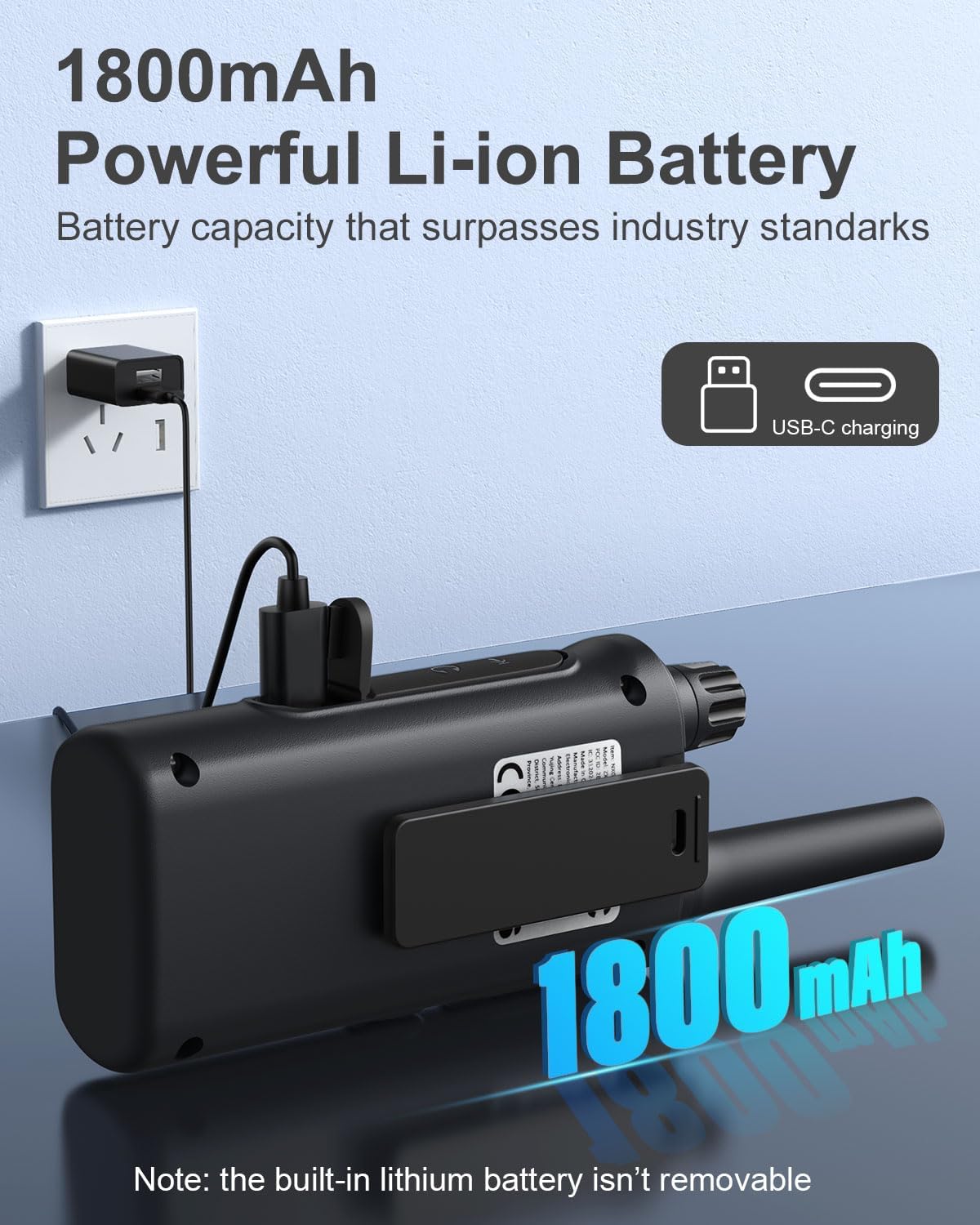
Figure 4.1: Walkie talkie connected to the charger via USB-C.
4.2. Tænd/sluk
To power on or off your walkie talkie, rotate the Lydstyrke / Power-knap clockwise to turn on and counter-clockwise until it clicks to turn off.
5. Betjeningsvejledning
5.1. Kanalvalg
Your walkie talkies operate on 22 FRS channels. To communicate with another walkie talkie, both units must be set to the same channel and privacy code.
- With the walkie talkie powered on, press the Menu button. The channel number on the LCD display will begin to flash.
- Brug Up or Ned knapperne til at vælge den ønskede kanal (1-22).
- Tryk på Menu button again to confirm the channel selection or wait a few seconds for it to automatically set.
5.2. Privatlivskoder (CTCSS/DCS)
Privacy codes (CTCSS/DCS) help reduce interference from other users on the same channel by filtering out transmissions that do not use the same code. Your walkie talkies support 121 privacy codes.
- Tryk på Menu button twice. The privacy code number will begin to flash.
- Brug Up or Ned buttons to select your desired privacy code (0-121). Code 0 means no privacy code is active.
- Tryk på Menu button again to confirm, or wait for automatic setting.
5.3. Sending og modtagelse
To transmit your voice, press and hold the PTT (Push-to-Talk) button located on the side of the walkie talkie. Speak clearly into the microphone. Release the PTT button to listen for a response.
5.4. Lydstyrkejustering
Drej på Lydstyrke / Power-knap to adjust the listening volume. Clockwise increases volume, counter-clockwise decreases volume.
5.5. VOX/iVOX Function (Voice-Activated Transmission)
The VOX (Voice Operated eXchange) or iVOX function allows for hands-free communication. When activated, the radio transmits automatically when it detects your voice, without needing to press the PTT button. There are 9 levels of VOX sensitivity.

Figure 5.1: Illustration of walkie talkie use, including hands-free operation.
5.6. NOAA Vejrvarsler
Your walkie talkie supports NOAA's National Weather Service, allowing it to scan 10 NOAA radio channels for weather alerts in your area. This feature is crucial for staying informed about severe weather conditions.

Figure 5.2: Walkie talkies providing NOAA weather alerts for various conditions.
5.7. Tastaturlås
To prevent accidental changes to your settings, you can lock the keypad. Press and hold the Lock / NOAA button until a key icon appears on the LCD display. Repeat the process to unlock the keypad.
5.8. Indbygget lommelygte
To activate the built-in LED flashlight, press the Lommelygte knap. Press it again to turn off the flashlight.

Figure 5.3: Walkie talkie with its LED flashlight activated.
5.9. Scanningsfunktion
The auto scan feature allows you to quickly find active channels. Press the Scan / Monitor button to initiate scanning. The radio will cycle through channels and stop on an active one. Press the button again to stop scanning.
5.10. Ring til Tone
You can send an audible call alert to other radios on the same channel. Press the Opkaldstone-knap to transmit a distinct tone, signaling to others that you wish to communicate.
5.11. Brugsscenarier
These walkie talkies are versatile and suitable for a variety of environments:

Figure 5.4: Diverse applications for NXGKET Walkie Talkies.
For a visual demonstration of the walkie talkies in use, please refer to the following official product videos:
NXGKET walkie talkies, Perfect way to keep connection
This video demonstrates the effective communication range and clarity of the NXGKET walkie talkies, showcasing their ability to maintain connection in various environments.
NXGKET Walkie Talkies, Easy to Use
This video highlights the user-friendly interface and straightforward operation of the NXGKET walkie talkies, making them accessible for all ages.
6. Vedligeholdelse
- Rensning: Brug en blød, damp klud til at rengøre walkie-talkiens yderside. Brug ikke skrappe kemikalier eller slibende rengøringsmidler.
- Opbevaring: Store the walkie talkies in a cool, dry place when not in use. Avoid extreme temperatures and direct sunlight.
- Batteripleje: Although the batteries are built-in, it is recommended to fully charge them before long periods of storage and to recharge them every few months to maintain battery health. Avoid completely draining the battery frequently.
- Vandtæthed: The product is noted as waterproof. However, avoid prolonged submersion or exposure to high-pressure water jets to ensure longevity.
7. Fejlfinding
| Problem | Mulig årsag | Løsning |
|---|---|---|
| Ingen strøm | Batteriet er afladet. | Oplad walkie-talkien helt. |
| Kan ikke sende eller modtage | Different channel/privacy code; Out of range; Obstructions. | Ensure both radios are on the same channel and privacy code. Move closer to the other radio. Avoid large obstructions like buildings or dense foliage. |
| Dårlig lydkvalitet eller statisk støj | Weak signal; Interference; Volume too low. | Move to an open area. Adjust volume. Check for sources of electrical interference. |
| Tastaturet reagerer ikke | Tastaturet er låst. | Press and hold the Lock / NOAA button to unlock the keypad. |
| NOAA weather alert not working | Not in an area with NOAA broadcast; Feature not activated. | Ensure you are within range of a NOAA broadcast. Activate the NOAA scan feature. |
8. Specifikationer
| Feature | Detalje |
|---|---|
| Modelnummer | ZX-808 |
| Varens vægt | 4.2 ounce |
| Produktdimensioner | 0.9 x 2 x 7.6 tommer |
| Batterier | 4 Lithium Ion batteries (included, built-in) |
| Display Type | LCD |
| Antal kanaler | 22 FRS-kanaler |
| Privatlivskoder | 121 (CTCSS/DCS) |
| Frekvensområde | 462.5625-462.7125 MHz, 467.5625-467.7125MHz, 462.5500-462.7250MHz |
| Maksimal talerækkevidde | Op til 5 miles (afhængigt af terræn og forhold) |
| Særlige funktioner | Digital Display, Voice Operated Transmission (VOX/iVOX), Adjustable Receiver Sensitivity, Rechargeable, NOAA Weather Scan and Alert, Auto Squelch, Auto Memory, Auto Scan, Low Battery Alert, Keypad Lock, Adjustable Power, Drop-protection, Built-in Flashlight |
| Vandmodstandsniveau | Vandtæt |
| Oprindelsesland | Kina |
9. Garanti og support
NXGKET provides a 1-års garanti for this product. Additionally, life-time reliable technical support is available to assist you with any questions or issues you may encounter. For support, please refer to the contact information provided with your purchase or visit the official NXGKET webwebsted.


