1. Introduktion
Thank you for choosing the EVICIV 18" 2K 144Hz Portable Monitor. This device is designed to enhance your digital experience, offering a high-resolution, high-refresh-rate display in a compact and versatile form factor. This manual provides essential information for setting up, operating, and maintaining your new portable monitor.
2. Pakkens indhold
Kontroller venligst, at alle nedenstående varer er inkluderet i din pakke. Hvis der mangler eller er beskadigede varer, bedes du kontakte kundesupport.
- EVICIV 18" 2K 144Hz Portable Monitor
- Smart Cover (doubles as a stand)
- USB-C to USB-C Cable (for power and video signal)
- Mini HDMI til HDMI-kabel (til videosignal)
- USB-A to USB-C Cable (for power supply)
- Power Adapter (30W Type-C wall adapter)
- VESA Screws (M4*4MM)
- Brugermanual

Image: EVICIV 18" Portable Monitor with its smart cover, various cables (USB-C, Mini HDMI), power adapter, VESA screws, and user manual.
3. Produktet er slutview
The EVICIV 18" Portable Monitor is designed for versatility and high performance. Key features include:
- Vise: 18-inch QHD (2560 x 1600) resolution for stunning visuals.
- Opdateringshastighed: Up to 144Hz for smooth motion, ideal for gaming and fast-paced content.
- Svartid: 1ms for minimal motion blur and ghosting.
- Farvenøjagtighed: 100% DCI-P3 color gamut for vibrant and lifelike colors.
- Adaptiv synkronisering: AMD FreeSync support to eliminate screen tearing and stuttering.
- Højt dynamisk område: HDR compatibility for richer contrast and refined shades.
- Forbindelse: Dual USB-C ports (full-featured), Mini HDMI port, and 3.5mm audio jack.
- Design: Frameless, ultra-slim, and lightweight for maximum portability.
- Montering: VESA compatible (75x75mm) for flexible setup options.
- Lyd: Integrated dual 2W speakers.
- Øjenpleje: Low Blue Light mode to reduce eye strain.

Image: The EVICIV monitor highlighting its 144Hz high refresh rate for smoother gaming.
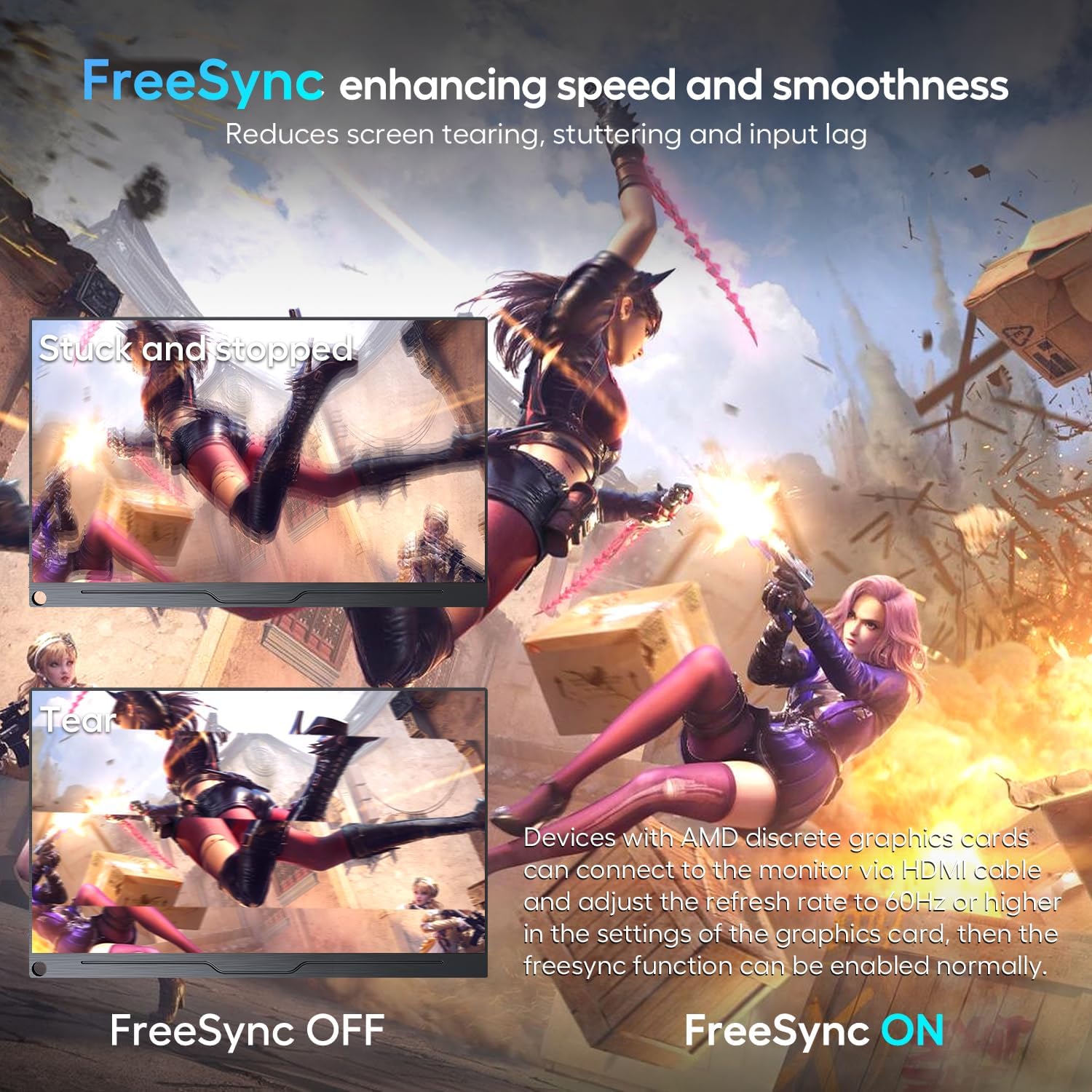
Image: A comparison showing the visual difference with FreeSync enabled versus disabled, illustrating reduced screen tearing and stuttering.
Video: En overview of the EVICIV 18" 2K 144Hz portable monitor, showcasindens funktioner og design.
4. Opsætning
Setting up your EVICIV portable monitor is straightforward. Follow these steps:
- Placering af monitoren: Use the included smart cover to prop up the monitor. The cover allows for two viewing angles. Alternatively, use the VESA mount holes on the back to attach it to a compatible stand or wall mount.
- Tilslutning til en enhed:
- USB-C-forbindelse: If your device (laptop, smartphone, tablet) has a full-featured USB-C port (supporting power delivery and DisplayPort Alt Mode), connect it to one of the monitor's USB-C ports using the provided USB-C to USB-C cable. This single cable can provide both power and video signal.
- HDMI-forbindelse: Connect your device (PC, game console, camera) to the monitor's Mini HDMI port using the provided Mini HDMI to HDMI cable.
- Tænd for skærmen:
- If using a full-featured USB-C connection, external power may not be required if your device can supply sufficient power.
- For HDMI connections, or if your USB-C device cannot supply enough power, connect the provided power adapter to one of the monitor's USB-C ports using the USB-A to USB-C cable.
- Første gang tændt: The monitor should automatically turn on when connected. If the screen appears dim, adjust the brightness through the On-Screen Display (OSD) menu.

Billede: Detaljeret view of the monitor's connectivity ports, including audio, two USB-C, and Mini HDMI.
5. Betjening af monitoren
The monitor features a joystick-style button for navigating the On-Screen Display (OSD) menu and adjusting settings.
5.1. OSD-menu navigation
- Press the Joystick: For at åbne OSD-menuen.
- Flyt joysticket op/ned: Til at navigere gennem menupunkter.
- Flyt joysticket til venstre/højre: To adjust selected settings (e.g., increase/decrease brightness).
- Press the Joystick Again: To confirm a selection or exit a sub-menu.
5.2. Nøgleindstillinger
- Billede: Juster lysstyrke, kontrast, ECO-tilstand, DCR og skarphed.
- Farve: Modify color temperature, hue, saturation, low blue light, and FreeSync settings.
- Lyd: Styr lydstyrke og slå lyd fra.
- Andre: Select language, rotate display (portrait/landscape), enable/disable HDR, adjust aspect ratio, and reset to factory settings.
- Input: Manually select input source (Type-C1, Type-C2, HDMI) or set to auto-select.
Video: A demonstration of the monitor's OSD menu, showing how to navigate and adjust settings like brightness, color, and input source.
6. Brugsscenarier
This portable monitor is versatile and can be used in various settings:
- Spil: Enjoy immersive gaming with 2K resolution, 144Hz refresh rate, 1ms response time, and FreeSync support. Compatible with PCs, Xbox, PlayStation, Nintendo Switch, and Steam Deck.
- Multitasking og produktivitet: Extend your laptop screen for increased workspace, ideal for professional design work, photo editing, and business presentations.
- Rejse: Its ultra-slim and lightweight design makes it easy to carry in a backpack or luggage, providing a second screen wherever you go.
- Underholdning: Enjoy movies and videos with vibrant colors and sharp details, whether at home or on the go.

Image: The EVICIV portable monitor used for business screen sharing, extending a laptop display.
7. Specifikationer
| Feature | Detalje |
|---|---|
| Skærmstørrelse | 18 tommer |
| Opløsning | 2560 x 1600 Pixels (QXGA Wide) |
| Aspektforhold | 16:10 |
| Opdateringshastighed | 144Hz (via USB-C), 120Hz (via HDMI) |
| Svartid | 1 ms |
| Farveskala | 100 % DCI-P3 |
| HDR-understøttelse | Ja |
| Adaptiv synkronisering | AMD FreeSync |
| Forbindelse | 2x USB-C (full-featured), 1x Mini HDMI, 1x 3.5mm Audio Jack |
| VESA Mount | 75x75mm (M4*4MM skruer) |
| Højttalere | Dobbelt 2W |
| Produktdimensioner | 0.45 x 10 x 16 tommer |
| Varens vægt | 2.64 pund |
8. Fejlfinding
Hvis du støder på problemer med din skærm, kan du se de almindelige problemer og løsninger nedenfor:
- Skærmen tænder ikke:
- Ensure your device's USB-C port is full-featured (supports power and signal).
- Verify the USB-C to USB-C cable is connected correctly.
- If using HDMI, ensure the Mini HDMI to HDMI cable is properly connected.
- Connect the external power adapter to the monitor. Insufficient power supply is a common cause.
- No signal / Screen is dim:
- Kontroller, om den korrekte inputkilde er valgt i OSD-menuen.
- Ensure the monitor is receiving sufficient power. Connect the external power adapter if the screen is dim or flickering.
- Use the original cables provided with the monitor.
- If the issue persists, try connecting to a different device or contact support.
- Screen flickering or constant restarts:
- This is typically caused by an insufficient power supply. Ensure you are using the included 30W power adapter or a power bank of 30W or higher.
9. Garanti og support
EVICIV is committed to providing excellent customer service. We offer:
- 100% money-back guarantee in 30 days.
- Free replacement in 90 days.
- 12-month warranty for any quality issue.
- Professional technical support to ensure no-worry service.
For any queries, problems, or support, please contact us via email at support@uperfect.com.


