Introduction to Your Pixel 8 Pro
The Google Pixel 8 Pro is an advanced Android smartphone designed by Google, featuring a powerful Google Tensor G3 chip, a sophisticated triple camera system, and intelligent AI capabilities. This manual provides essential information for setting up, operating, maintaining, and troubleshooting your device.
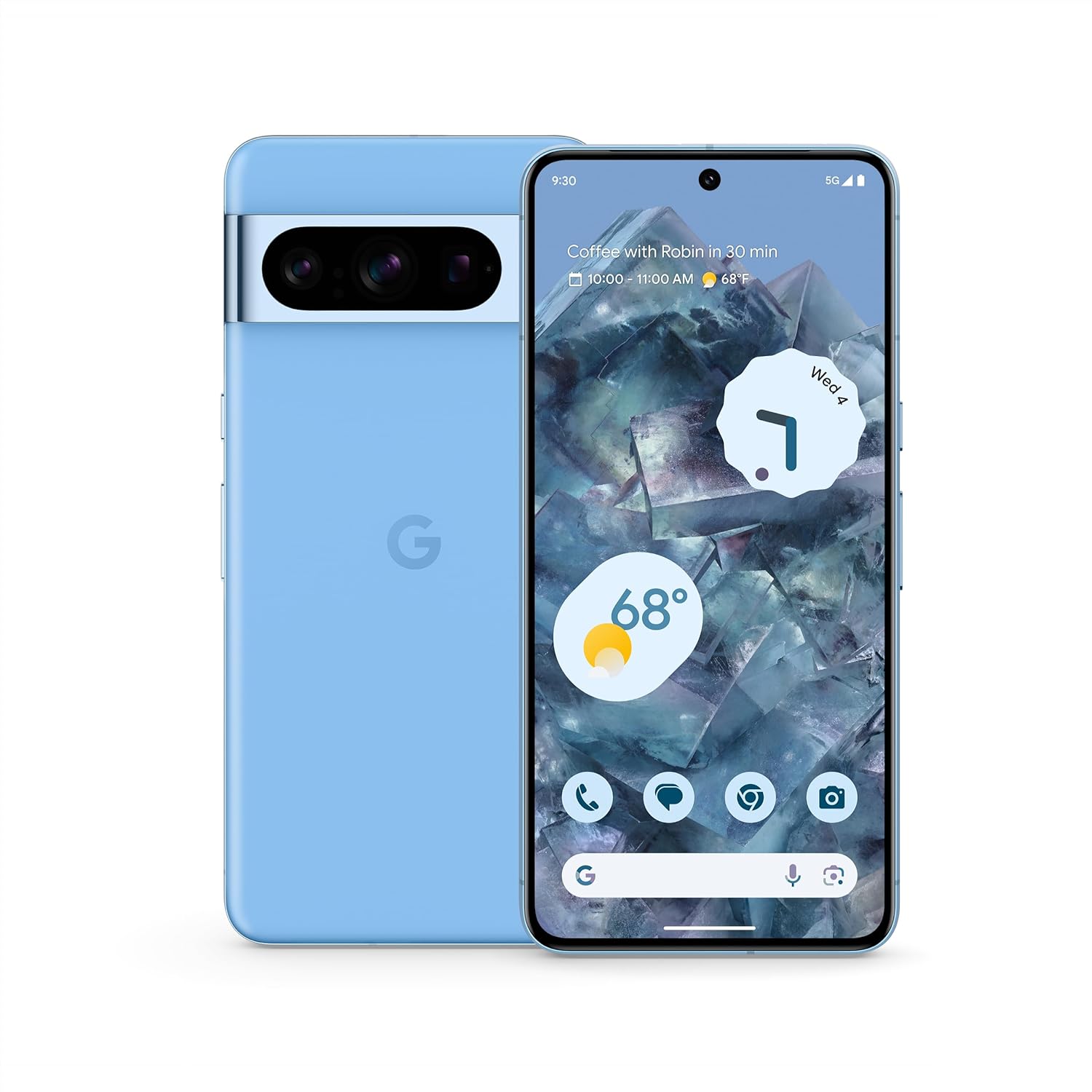
Billede: Forside og bagside view of the Google Pixel 8 Pro in Bay color, showcasing dens elegante design og kamerabjælke.
Video: En hurtig gennemgangview of the Google Pixel 8 Pro, highlighting its key features and design elements.
Hvad er der i æsken
Din Google Pixel 8 Pro-pakke indeholder følgende:
- Google Pixel 8 Pro-smartphone
- SIM-bakkeudkaster
- USB-kabel (USB-C til USB-C)
- Quick Switch Adapter (USB-A to USB-C)
Opsætning
Indledende opsætning
- Indsæt SIM-kort: Use the provided SIM tray ejector tool to open the SIM tray. Place your nano-SIM card into the tray and reinsert it into the phone.
- Tænd: Tryk og hold tænd/sluk-knappen på siden af enheden nede, indtil Google-logoet vises.
- Følg instruktionerne på skærmen: The phone will guide you through selecting your language, connecting to a Wi-Fi network, and signing in with your Google Account.
- Lås op med fingeraftryk: Set up your fingerprint for secure and convenient unlocking.
- Dataoverførsel: If you're switching from another device, use the Quick Switch Adapter and follow the prompts to transfer your data, contacts, and apps.
Betjening af din Pixel 8 Pro
Grundlæggende navigation
Your Pixel 8 Pro uses intuitive gesture navigation. Swipe up from the bottom to go home, swipe up and hold to view recent apps, and swipe from the left or right edge to go back.
Kamerafunktioner
The Pixel 8 Pro features a triple camera system with a dedicated 5x telephoto lens, improved autofocus, and advanced photography controls.

Image: Detailed breakdown of the Pixel 8 Pro's camera system, including megapixel counts for main, ultrawide, telephoto, and front cameras.
- Pro Controls: Access advanced settings for full-resolution photos, including shutter speed, ISO, and focus.
- Lyd Magisk Viskelæder: Utilize Google AI to reduce distracting noises in your videos, such as wind or traffic.
Video: Demonstrates how to edit videos on your Pixel phone, including trimming, adjusting, and applying effects like Audio Magic Eraser.
AI funktioner
Google AI enhances your Pixel 8 Pro experience with smart features designed for convenience and efficiency.
- Call Assist: Get help making and screening calls.
- Liveoversættelse: Translate languages in real-time.
- Ring om for at søge: Instantly search what you see on your phone by circling, highlighting, or scribbling on images, text, or videos.

Billede: Visuelt eksempelamples of the Pixel 8 Pro's AI capabilities, including call screening, Google Assistant integration, and real-time language translation.
Temperatursensor
The Pixel 8 Pro includes a dedicated temperature sensor for measuring the surface temperature of everyday objects.
Video: Instructions on how to use the Pixel 8 Pro's temperature sensor to measure the temperature of objects around you.
Opretholdelse
Softwareopdateringer
Google provides 7 years of security updates and OS upgrades for your Pixel 8 Pro to ensure your device remains secure and up-to-date with the latest features.
- Ensure your device is connected to Wi-Fi and has sufficient battery life before initiating updates.
- Naviger til Indstillinger > System > Systemopdatering for at søge efter og installere tilgængelige opdateringer.
Batteripleje
The Pixel 8 Pro features an all-day battery (5050 mAh) with fast charging and wireless charging capabilities.
- Use certified chargers and cables for optimal charging performance and safety.
- Undgå ekstreme temperaturer, da de kan påvirke batteriets levetid og ydeevne.
- Enable Adaptive Battery in settings to optimize battery usage based on your habits.
Rensning
To keep your Pixel 8 Pro clean and in good condition:
- Tør skærmen og kabinettet af med en blød, fnugfri klud.
- Undgå at bruge skrappe kemikalier eller slibende materialer.
Fejlfinding
If you encounter issues with your Pixel 8 Pro, refer to the common solutions below:
| Spørgsmål | Mulig løsning |
|---|---|
| Telefonen tænder ikke | Ensure the battery is charged. Press and hold the Power button for 10-15 seconds to force restart. |
| Apps går ned eller fryser | Clear app cache/data (Settings > Apps > [App Name] > Storage). Update the app or uninstall/reinstall. |
| Dårlig batterilevetid | Check battery usage in settings to identify draining apps. Reduce screen brightness, disable unnecessary features (GPS, Bluetooth, Wi-Fi when not in use). |
| Forbindelsesproblemer (Wi-Fi/Bluetooth) | Toggle Wi-Fi/Bluetooth off and on. Restart the phone. Forget and reconnect to the network/device. |
| Fingeraftryksscanneren virker ikke | Ensure your finger is clean and dry. Re-register your fingerprints in settings. |
Specifikationer
| Feature | Detalje |
|---|---|
| Modelnavn | Pixel 8 Pro |
| Dimensioner | 6.4 x 3.01 x 0.35 tommer |
| Varens vægt | 7.5 ounce |
| Skærmstørrelse | 6.7 tommer Super Actua-skærm |
| Opløsning | 1344 x 2992 |
| Opdateringshastighed | 1-120 Hz adaptive |
| Operativsystem | Android 13.0 (ships with) |
| Processor | Google Tensor G3 |
| VÆDDER | 12 GB |
| Lagerkapacitet | 128 GB (as per current product) |
| Batterikapacitet | 5050 mAh |
| Kameraer | Triple Camera System (50MP Main, 48MP Ultrawide, 48MP Telephoto), 10.5MP Front |
| Forbindelse | 5G, Wi-Fi, Bluetooth, NFC |
Sikkerhed og lovgivningsmæssige oplysninger
For detailed safety, regulatory, and warranty information, please refer to the official Google Pixel support website or the documentation included with your device.
Garanti og support
Your Google Pixel 8 Pro comes with a manufacturer's warranty. For warranty details, technical support, or service inquiries, please visit the official Google Support webwebsted:


