PEMENOL 60W Voice Playback Module (GY21191) User Manual
Model: GY21191 | Brand: PEMENOL
1. Introduktion
This manual provides comprehensive instructions for the PEMENOL 60W Voice Playback Module, Model GY21191. This device supports TF cards up to 32GB, operates on DC 9-24V, and features sound and light alarm capabilities. It is designed for various audio applications requiring high-power sound output and versatile playback options.
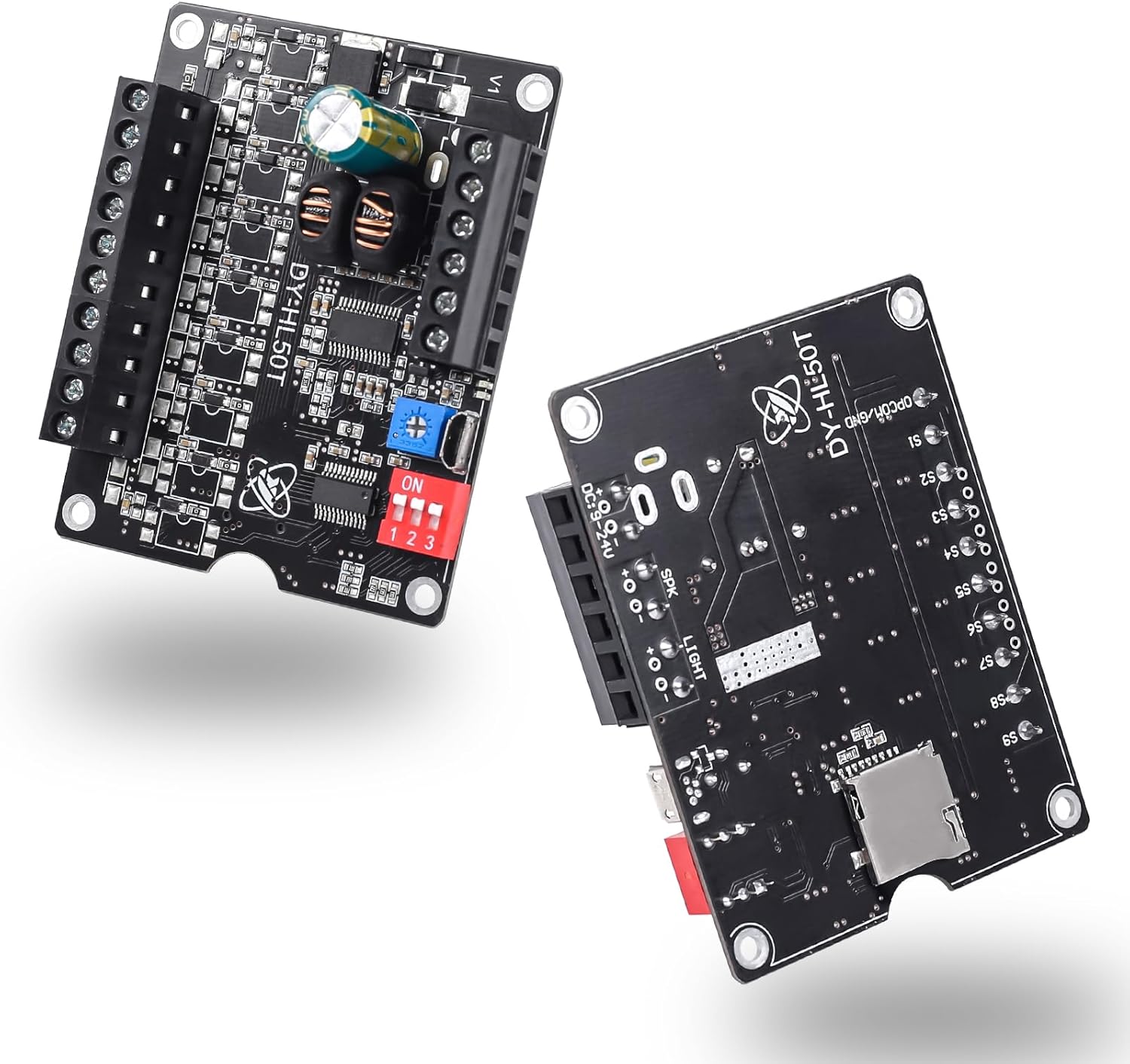
Figur 1: Forside og bagside view of the PEMENOL 60W Voice Playback Module.
Figur 2: Eksample application of the PEMENOL Voice Playback Module in a toy piano.
2. Produktet er slutview
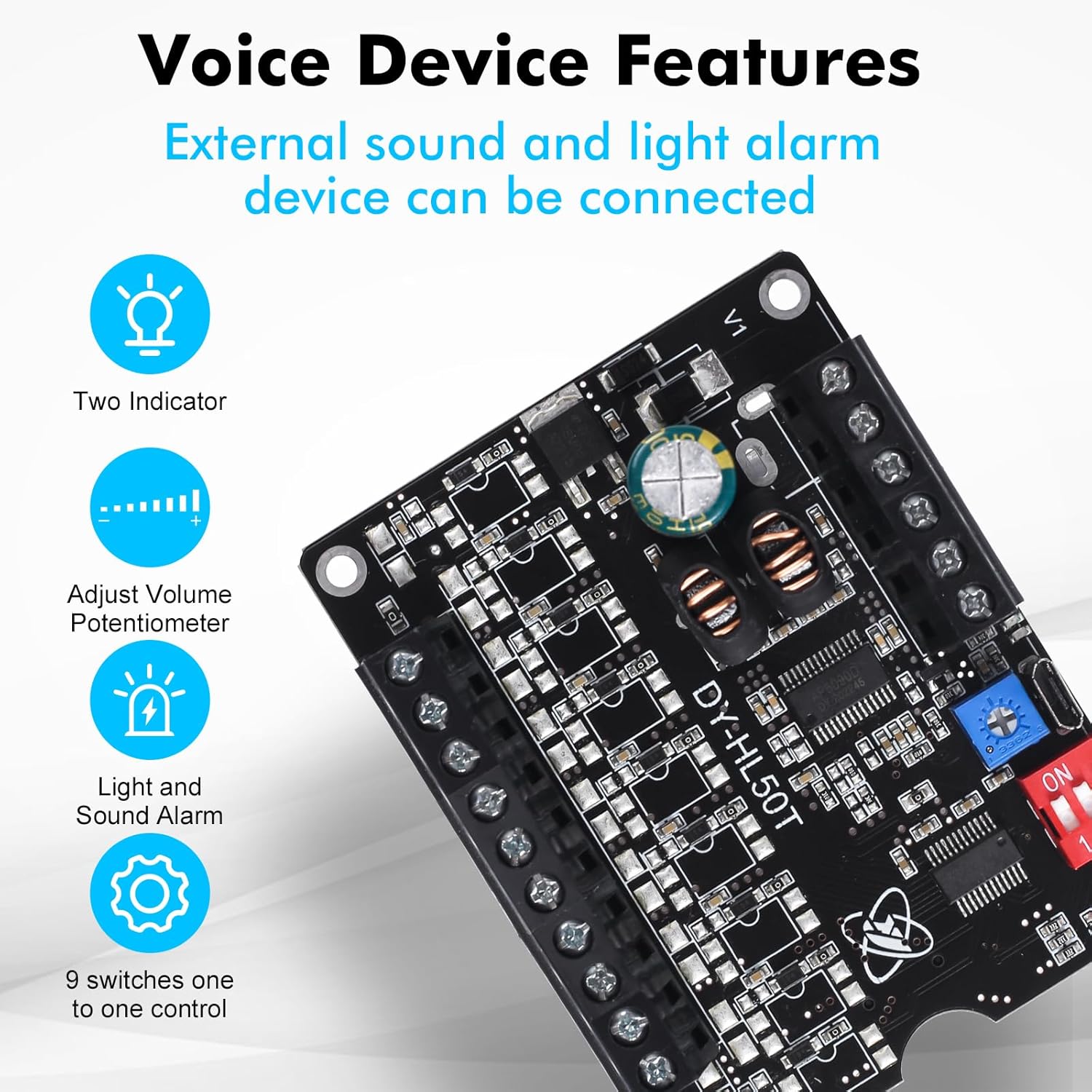
The PEMENOL 60W Voice Playback Module is a compact and powerful audio solution. Key features include:
TF-kortunderstøttelse: Expandable storage up to 32GB for audio files.
60W høj effekt: Provides robust sound output for various applications.
Alsidige afspilningsmuligheder: Nine control ports enable a wide range of playback methods.
Tilpasset volumen: Features a potentiometer for fine-tuning volume and setting an upper limit.
Figure 3: Key features of the Voice Playback Module.
Figure 4: The 60W Voice Playback Board with TF Card and USB Port indications.
3. Specifikationer
Feature
Detalje
Modelnummer
GY21191
Produktdimensioner
2.76 x 1.57 x 0.79 tommer
Varens vægt
1.94 ounce
Strømindgang
DC 9-24V
Højttaler output
Below 60W, 4-8Ω
TF-kortstøtte
Up to 32GB Max
Kontrolporte
9 (S1-S9)
USB interface
Micro USB for data transfer (requires data cable)
Figure 5: Physical dimensions of the module.
4. Opsætning
4.1 Ledningsforbindelser
Refer to the diagram below for proper wiring of power, speaker, and control ports.
Figure 6: Detailed wiring diagram for the module.
Strømindgang: Connect DC 9-24V to the V+ and V- terminals.
Højttaler output: Connect a 4-8Ω speaker (below 60W) to the SPK terminals.
Control Ports (S1-S9): These ports are used to trigger different audio files or functions. Connect to GND to activate.
Light/Alarm Output: Giver voltage for external light or alarm.
Indikatorer: Red LED for playing status, Green LED for power.
Video 1: Demonstration of wiring connections for the Sound Playback Board.
Video 2: Visual guide on connecting the Voice Playback Module.
4.2 Lyd File Transfer (TF Card)
The module supports audio playback from a TF card (up to 32GB). Follow these steps to transfer audio files:
Insert a formatted TF card into the module's TF card slot.
Connect the module to your computer using a data-enabled Micro USB cable. The module will appear as a removable disk.
Ensure the TF card is formatted to FAT32. NTFS is not supported.
Omdøb din lyd files to a five-digit numerical format (e.g., 00001.mp3, 00002.mp3).
Copy the renamed audio files directly to the root directory of the removable disk.
Tag den flytbare disk sikkert ud af computeren, før du frakobler USB-kablet.
Figure 7: Two types of audio input: TF Card and USB Interface.
Figure 8: Steps for replacing audio files på TF-kortet.
Video 3: Guide on transferring audio files to a recordable sound module.
Video 4: Instructions for managing MP3 music sound chips.
Video 5: Tutorial on using an MP3 sound player module.
5. Betjeningsvejledning
5.1 Lydstyrkejustering
The module features a potentiometer for volume control. Use a small screwdriver to rotate the potentiometer to adjust the output volume. Rotating clockwise increases volume, and counter-clockwise decreases it.
Video 6: Tutorial for adjusting the volume of the recording.
5.2 Playback Modes (Dip Switch Settings)
The module offers various playback modes configured using the 3-position dip switch. The functionality of the 9 control ports (S1-S9) changes based on these settings.
Toggle Switch Position (123)
Arbejdstilstand
Funktionsbeskrivelse
Gældende scenarier
ON DP ON
Level Trigger Non-interruptible
1. Input trigger signal and start to playing. 2. Stop after playing once. 3. Input trigger signal again is invalid during playing. 4. Loop playback if keep input signal.
1. It cannot be interrupted by other signals during playing. 2. Only the first triggered signal can be played when multiple signals are triggered simultaneously.
ON DP OFF
Level Trigger Interruptible
1. Input trigger signal and start to playing. 2. Stop after playing once. 3. Replay music after input trigger signal again during playing. 4. Loop playback if keep input signal.
1. Immediately replay the music as soon as receive the signal. 2. Only the last triggered signal can be played when multiple signals are triggered simultaneously.
OFF DP ON
Pulse Trigger Non-interruptible
1. Input trigger signal and start to playing. 2. Stop after playing once. 3. Input trigger signal again is invalid during playing. 4. Just playing once even if keep input signal.
1. Play music in the order of triggering when multiple signals are triggered simultaneously.
OFF DP OFF
Pulse Trigger Interruptible
1. Input trigger signal and start to playing. 2. Stop after playing once. 3. Replay music after input trigger signal again during playing. 4. Just playing once even if keep input signal.
1. Immediately replay the music as soon as receive the signal. 2. Only the last triggered signal can be played when multiple signals are triggered simultaneously.
PÅ PÅ PÅ
Level Keep Trigger
1. Play when keep input signal. 2. Stop immediately if remove input signal. 3. Input others trigger signal again is invalid during playing.
1. Signal hold trigger.
TIL TIL FRA
Play or Pause Trigger
1. Input trigger signal and start to playing and keep loop playback. 2. Input trigger signal again to stop. 3. Restart playback after the input trigger signal again during stopping.
1. Self locking playback.
FRA TIL TIL
Inter-Cut Trigger
1. It just play in folder CHABO in root directory. 2. S1-S9 can trigger play music in folder CHABO after input trigger signal. 3. Play background music after power ON. 4. Input trigger signal again is invalid during playing.
1. The background music's name cannot be 00001.mp3 to 00009.mp3. 2. Replay background music after inter-cut music. 3. S1-S9 just can trigger play music 00001.mp3 to 00009.mp3 in folder CHABO.
FRA TIL FRA
MP3 Mode 1
S1 : Connect to GND S2 : Next Music S3 : Prev Music S4 : VOL+ S5 : VOL-
1. Input trigger signal and start to playing. 2. Stop after playing once. 3. Play in order of music files. 4. Note: potentiometer is used to adjust the upper limit of the maximum volume at this time.
TIL FRA TIL
MP3 Mode 2
S1 : NC S2 : Next Music S3 : Prev Music S4 : VOL+ S5 : VOL-
1. Automatically loop all music inside the folder after power ON. 2. Note: potentiometer is used to adjust the upper limit of the maximum volume at this time.
Figure 9: Playback modes and their corresponding dip switch settings.
6. Vedligeholdelse
Opbevar modulet et tørt sted for at forhindre fugtskader.
Undgå at udsætte modulet for ekstreme temperaturer.
Clean the module with a soft, dry cloth. Do not use liquid cleaners.
Sørg for, at alle forbindelser er sikre og fri for korrosion.
7. Fejlfinding
Ingen lydoutput:
Check power supply connections (DC 9-24V).
Verify speaker connections and ensure the speaker impedance is 4-8Ω and power is below 60W.
Bekræft lyd files are correctly named (e.g., 00001.mp3) and stored in the root directory of a FAT32 formatted TF card.
Juster lydstyrkepotentiometeret.
Modulet genkendes ikke af computeren:
Ensure you are using a data-enabled Micro USB cable, not just a charging cable.
Prøv en anden USB-port eller computer.
Verify the TF card is properly inserted.
Incorrect Playback Mode:
Review the "Playback Modes" section and adjust the dip switches accordingly.
Lydforvrængning:
Check the power supply for stability.
Ensure the speaker is not overdriven (adjust volume).
Verify audio file kvalitet.
8. Garanti og support
For warranty information and technical support, please refer to the official PEMENOL webwebstedet eller kontakt din forhandler. Gem din købskvittering til garantikrav.
Manufacturer: PEMENOL
Relaterede dokumenter - GY21191
Bluetooth stereo AmpBrugervejledning til XY-P40W-kort Dette dokument indeholder detaljerede oplysninger om XY-P40W Bluetooth Stereo AmpLifier-kort, inklusive dets funktioner, specifikationer, brugsanvisninger og fejlfindingstips. Lær, hvordan du tilslutter og betjener dette alsidige lydmodul til gør-det-selv trådløse højttalere og lydudstyr.
PEMENOL 15W DC-DC LCD USB strømforsyningsmodul brugervejledning En omfattende guide til PEMENOL 15W DC-DC LCD USB-strømforsyningsmodulet, der beskriver dets funktioner, parametre, drift og anvendelser som et bind.tage-regulator, batterioplader og LED-driver.
FM 87-108MHz radiomodtager gør-det-selv-sæt - monterings- og brugervejledning Omfattende vejledning til samling af FM 87-108MHz radiomodtager gør-det-selv-sættet. Dette sæt giver brugerne mulighed for at bygge en funktionel FM-radio med Bluetooth-forbindelse, MP3-afspilning fra USB/TF-kort og et dynamisk LED-spektrumdisplay. Indeholder detaljerede komponentlister, installationstrin og brugsanvisninger.
Brugermanual og tekniske specifikationer til DY-HV8F stemmeafspilningsmodul Omfattende guide til det intelligente stemmemodul DY-HV8F, med detaljerede oplysninger om funktioner, parametre, I/O-pindefinitioner, arbejdstilstandskonfigurationer, UART-kommunikationskommandoer og enkeltlinjet bustilstand.