Indledning
This manual provides detailed instructions for the setup, operation, and maintenance of your KSIX Compass Smartwatch. Designed for active lifestyles, this smartwatch features integrated GPS, call functionality, notification alerts, and comprehensive health monitoring. Please read this manual thoroughly to ensure proper use and to maximize your device's capabilities.
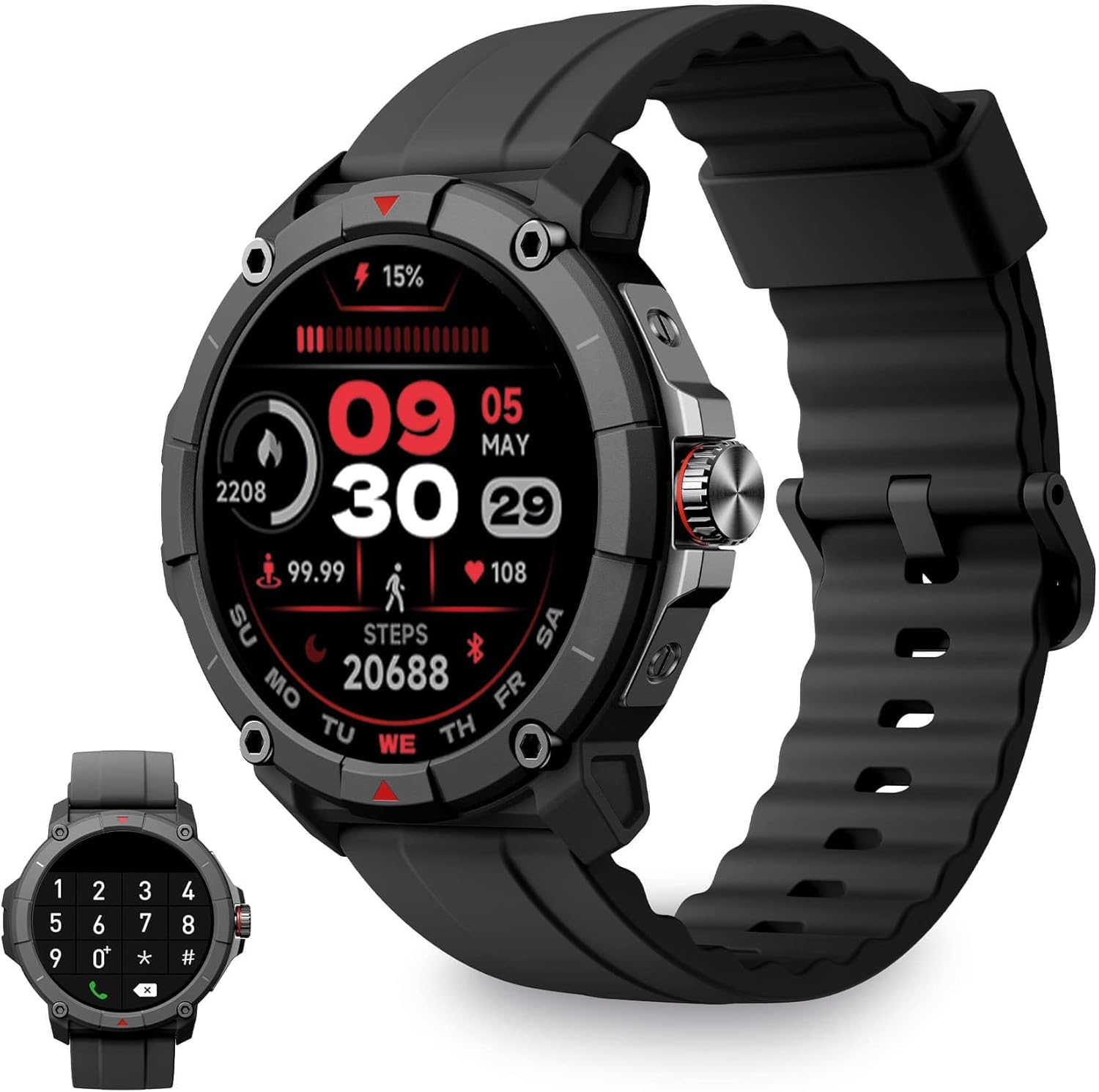
Image: KSIX Compass Smartwatch, front view showing the round display with a digital watch face, and the black silicone strap. A smaller inset image shows the dial pad on the watch screen.
1. Opsætning
1.1 Opladning af enheden
Before initial use, fully charge your KSIX Compass Smartwatch.
- Tilslut opladningskablet til opladningsporten på bagsiden af smartwatchet.
- Tilslut den anden ende af kablet til en USB-strømadapter (medfølger ikke) eller en computers USB-port.
- Urets display vil vise opladningsstatus.
En fuld opladning tager typisk ca. 2.5 timer og giver op til 7 dage of battery life, depending on usage.

Image: Close-up of the KSIX Compass Smartwatch's side, highlighting the rotating crown. Text overlays indicate "Charging Time: 2.5h" and "Battery Life: 7 days".
1.2 Parring med din smartphone
To unlock all features, pair your smartwatch with the companion app.
- Download Meget Fit app from the App Store (iOS 9.0 and above) or Google Play Store (Android 6.0 and above).
- Sørg for, at Bluetooth er aktiveret på din smartphone.
- Open the VeryFit app and follow the on-screen instructions to create an account or log in.
- Select "Add Device" or similar option within the app and choose your KSIX Compass Smartwatch from the list of available devices.
- Bekræft parringsanmodningen på både din smartphone og smartwatch.
The watch uses Wireless BLE 5.3 for a stable connection.
2. Betjeningsvejledning
2.1 Grundlæggende navigation
- Touchskærm: Stryg til venstre, højre, op eller ned for at navigere gennem menuer og funktioner. Tryk for at vælge.
- Roterende krone: Rotate the crown on the side of the watch to scroll through lists or adjust settings. Press the crown to return to the home screen or confirm selections.

Image: The KSIX Compass Smartwatch displaying its 1.38-inch full-color TFT-LCD touchscreen. Several customizable watch faces are shown below, demonstrating different layouts and information displays.
2.2 Opkaldsfunktionalitet
The KSIX Compass Smartwatch allows you to make and receive calls directly from your wrist using its built-in microphone and speaker.
- Foretage opkald: Access the dial pad or contact list on the watch screen to initiate a call.
- Modtagelse af opkald: When a call comes in, you can answer or reject it directly from the watch.
2.3 Meddelelser
Receive notifications from various applications (e.g., WhatsApp, Instagram, Twitter) directly on your smartwatch when connected to your phone.

Image: The KSIX Compass Smartwatch displaying a call screen with options for frequent contacts and a dial pad. Below, icons for various social media and messaging apps (WhatsApp, Instagram, Twitter, Facebook, Gmail) are shown, representing notification capabilities.
2.4 Stemmeassistent
The smartwatch is compatible with your preferred voice assistant (Alexa, Siri, or Google Assistant). Activate the voice assistant feature on your watch and speak your commands.
2.5 Sport Modes and GPS Tracking
The KSIX Compass Smartwatch includes integrated GPS for tracking your routes during outdoor activities like running and hiking. It supports over 100 sport modes.
- Vælg din ønskede sportstilstand fra urets menu.
- Ensure GPS connection is successful before starting your activity.
- Track your route and performance data in real-time.
- Review detailed activity logs in the VeryFit app after your workout.

Image: The KSIX Compass Smartwatch display showing "GPS connection successful" with a green pin icon, ready to start an activity. A blurred outdoor path is visible in the background.
2.6 Sundhedsovervågning
Monitor various health metrics directly from your wrist.
- Pulsmåler: Sporer kontinuerligt din puls.
- Blodoxygen (SpO2) monitor: Måler blodets iltmætning.
- Blodtryksmåler: Giver blodtryksmålinger.
- Søvnmonitor: Sporer søvnmønstre og -kvalitet.
- Skridttæller: Counts steps taken throughout the day.
- Stress Meter: Monitors stress levels.
- Åndedrætsøvelser: Guides you through relaxation breathing.
- Sporing af menstruationscyklus: Hjælper med at spore og forudsige menstruationscyklusser.
Alle sundhedsdata kan viewed in detail within the VeryFit app.
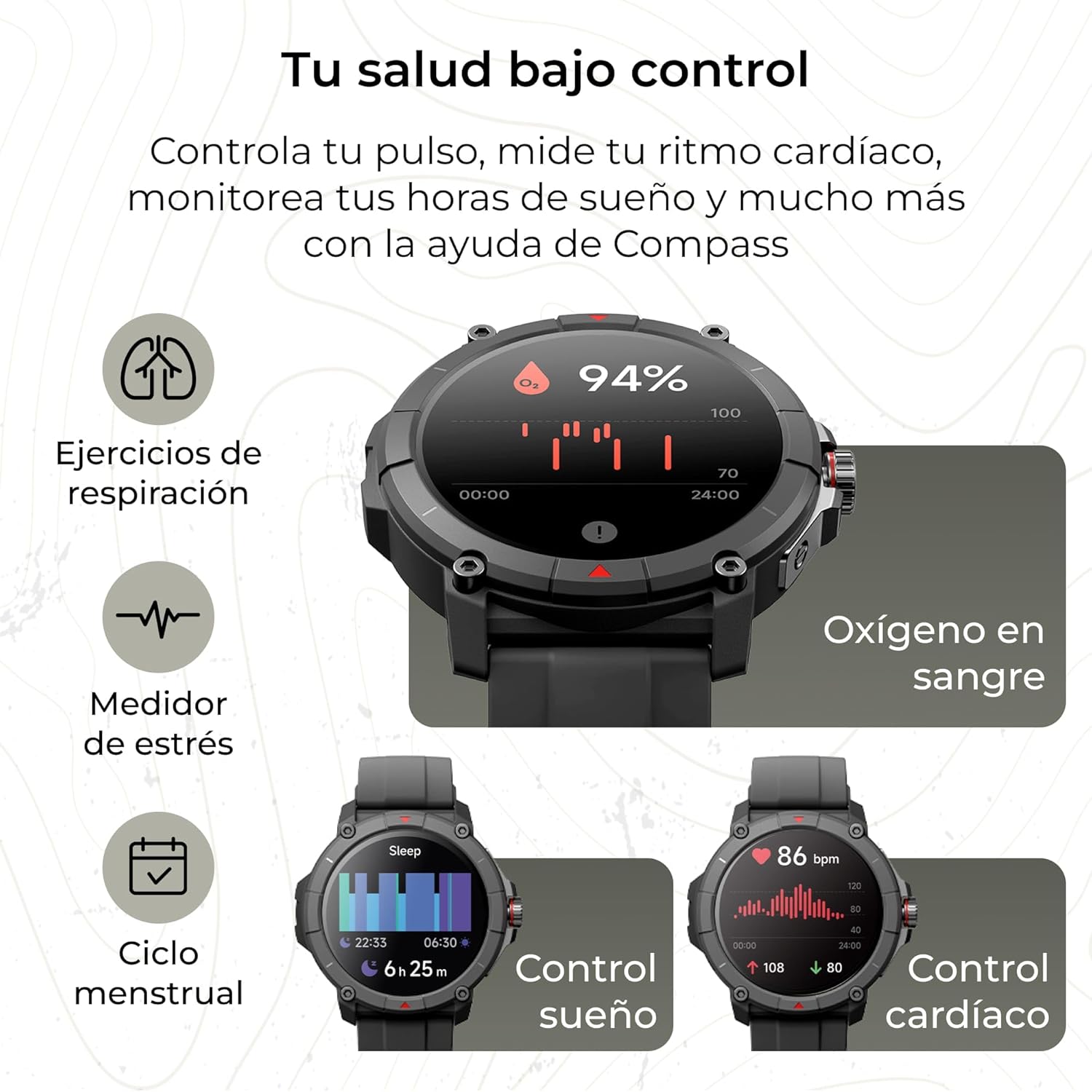
Image: The KSIX Compass Smartwatch displaying various health monitoring features. These include blood oxygen saturation (94%), heart rate control (86 bpm), sleep tracking (6h 25m), stress measurement, breathing exercises, and menstrual cycle tracking.
2.7 Yderligere funktioner
- Lommelygte: Access a quick flashlight function.
- Fjernbetjening til kameraet: Control your smartphone's camera remotely.
- Tilpassede urskiver: Choose from multiple watch faces to personalize your device.
3. Vedligeholdelse
3.1 Rengøring af dit smartwatch
Regularly clean your smartwatch to ensure optimal performance and hygiene.
- Tør skærmen og kabinettet af med en blød, fnugfri klud.
- Til genstridigt snavs, let dampen klud med vand.
- Undgå at bruge skrappe kemikalier eller slibende materialer.
- Sørg for, at opladningskontakterne er rene og tørre, før du oplader.
3.2 Vandtæthed
The KSIX Compass Smartwatch is water-resistant up to 2 meters for 30 minutes, with an IP68 and 2ATM protection rating.
- Den er velegnet til daglig brug, såsom håndvask, regn og lavvandet svømning.
- Avoid hot water, saunas, or high-pressure water jets.
- Do not press buttons or operate the touchscreen underwater.
- Tør uret grundigt efter udsættelse for vand.

Billede: Et sammensat billedeasing various features of the KSIX Compass Smartwatch. Key elements include "100+ Sport Modes", "Integrated GPS", "2ATM Submersible" (with an image of the watch partially submerged in water), "7 Days Battery Life", "Hands-free Calling", "Customizable Dials", "Voice Assistants", and "24h Health Monitoring".
4. Fejlfinding
4.1 Forbindelsesproblemer
- Uret afbrydes ofte:
- Sørg for, at smartwatchet er inden for din telefons Bluetooth-rækkevidde.
- Check if the VeryFit app is running in the background and has necessary permissions.
- Restart both your phone's Bluetooth and the smartwatch.
- If issues persist, try unpairing and re-pairing the device through the VeryFit app.
- Kan ikke parres:
- Make sure the smartwatch is charged.
- Bekræft, at Bluetooth er aktiveret på din telefon.
- Ensure no other devices are currently paired with the smartwatch.
- Restart your phone and the smartwatch, then try pairing again.
4.2 GPS-nøjagtighed
- Inaccurate GPS Readings:
- Sørg for at du befinder dig i et åbent udendørs område med klar view af himlen for optimal GPS-signalmodtagelse.
- Wait for the "GPS connection successful" message before starting your activity.
- Sync the watch with the VeryFit app regularly to update GPS assistance data.
4.3 Optimering af batterilevetid
- Reducer skærmens lysstyrke.
- Deaktiver kontinuerlig pulsmåling, hvis det ikke er nødvendigt.
- Begræns antallet af app-notifikationer.
- Turn off "Always-On Display" if available.
- Use power-saving modes if offered by the device.
5. Specifikationer
| Mærke | KSIX smart din teknologi |
| Modelnavn | Kompas |
| Modelnummer | BXSW18N |
| Farve | Sort |
| Operativsystem | Wear OS [UNCERTAIN] (Compatible with iOS 9.0+ and Android 6.0+) |
| Skærmstørrelse | 1.38 Inches (TFT-LCD Touchscreen) |
| Forbindelse | Wireless Bluetooth (BLE 5.3) |
| Særlige funktioner | Compass, GPS, Heart Rate Monitor, SpO2, Blood Pressure, Sleep Tracker, Pedometer, Voice Assistant, Call Functionality, Notifications, Flashlight, Camera Remote |
| Kompatible enheder | Smartphone, tablet |
| Batterisammensætning | Lithium-ion |
| Batterilevetid | Op til 7 dage (typisk brug) |
| Opladningstid | Ca. 2.5 timer |
| Vandmodstand | 2ATM, IP68 (up to 2 meters for 30 minutes) |
6. Sikkerhedsoplysninger
Overhold venligst følgende sikkerhedsretningslinjer:
- Forsøg ikke at adskille eller modificere enheden.
- Hold enheden væk fra ekstreme temperaturer og direkte sollys.
- Undgå at udsætte enheden for kraftige stød eller fald.
- Consult a medical professional before starting any new exercise regimen or if you have health concerns. The health monitoring features are for informational purposes and not for medical diagnosis.
- Bortskaf enheden og dens batteri på en ansvarlig måde i henhold til lokale regler.


