1. Introduktion
Thank you for choosing the SETTY Wireless Rechargeable Mouse. This manual provides essential information for setting up, operating, and maintaining your new mouse. Please read these instructions carefully before use to ensure optimal performance and longevity of your device.
2. Pakkens indhold
- 1 x SETTY Wireless Rechargeable Mouse
- 1 x 2.4 GHz USB Receiver
- 1 x USB Charging Cable (25 cm)

Image 1: SETTY Wireless Rechargeable Mouse and its retail packaging.
3. Produktet er slutview
The SETTY Wireless Rechargeable Mouse is designed for comfort and efficiency in both office and home environments. It features a slim, ergonomic design, adjustable DPI settings, RGB lighting, and dual-mode connectivity (2.4 GHz and Bluetooth).
Nøglefunktioner:
- Dobbelttilstandsforbindelse: Understøtter 2.4 GHz trådløs forbindelse via USB-modtager og Bluetooth 5.1.
- Justerbar DPI: Tre følsomhedsniveauer (800, 1200, 1600 DPI) for præcis kontrol.
- Ergonomisk design: Komfortabel til længerevarende brug.
- Genopladeligt batteri: Built-in 500 mAh lithium battery.
- RGB belysning: Dynamic LED lighting for enhanced aesthetics.
- 6 Knapper: Including left, right, scroll wheel, DPI switch, and two side buttons.
- One-Click Desktop Function: Quickly minimize all windows.
- Design med lydløst klik: Reducerer driftsstøj.

Image 2: The ergonomic shape of the mouse designed for comfortable hand placement.
4. Opsætning
4.1. Opladning af musen
Before first use, it is recommended to fully charge the mouse. Connect the provided USB charging cable to the charging port on the front of the mouse and the other end to a USB power source (e.g., computer USB port, USB wall adapter). The RGB lighting will indicate charging status and turn off when fully charged.
- Opladningstid: Cirka 2 timer.
- Arbejdstid: Op til 150 timer på fuld opladning.

Image 3: The mouse being charged via its USB cable.
4.2. Tilslutning af musen
The SETTY mouse offers two connection methods: 2.4 GHz wireless via USB receiver or Bluetooth 5.1.
4.2.1. 2.4 GHz trådløs forbindelse
- Find USB-modtageren, som normalt opbevares i et rum på undersiden af musen.
- Sæt USB-modtageren i en ledig USB-port på din computer.
- Tænd musen ved hjælp af tænd/sluk-knappen på undersiden.
- Musen burde automatisk oprette forbindelse til din computer.
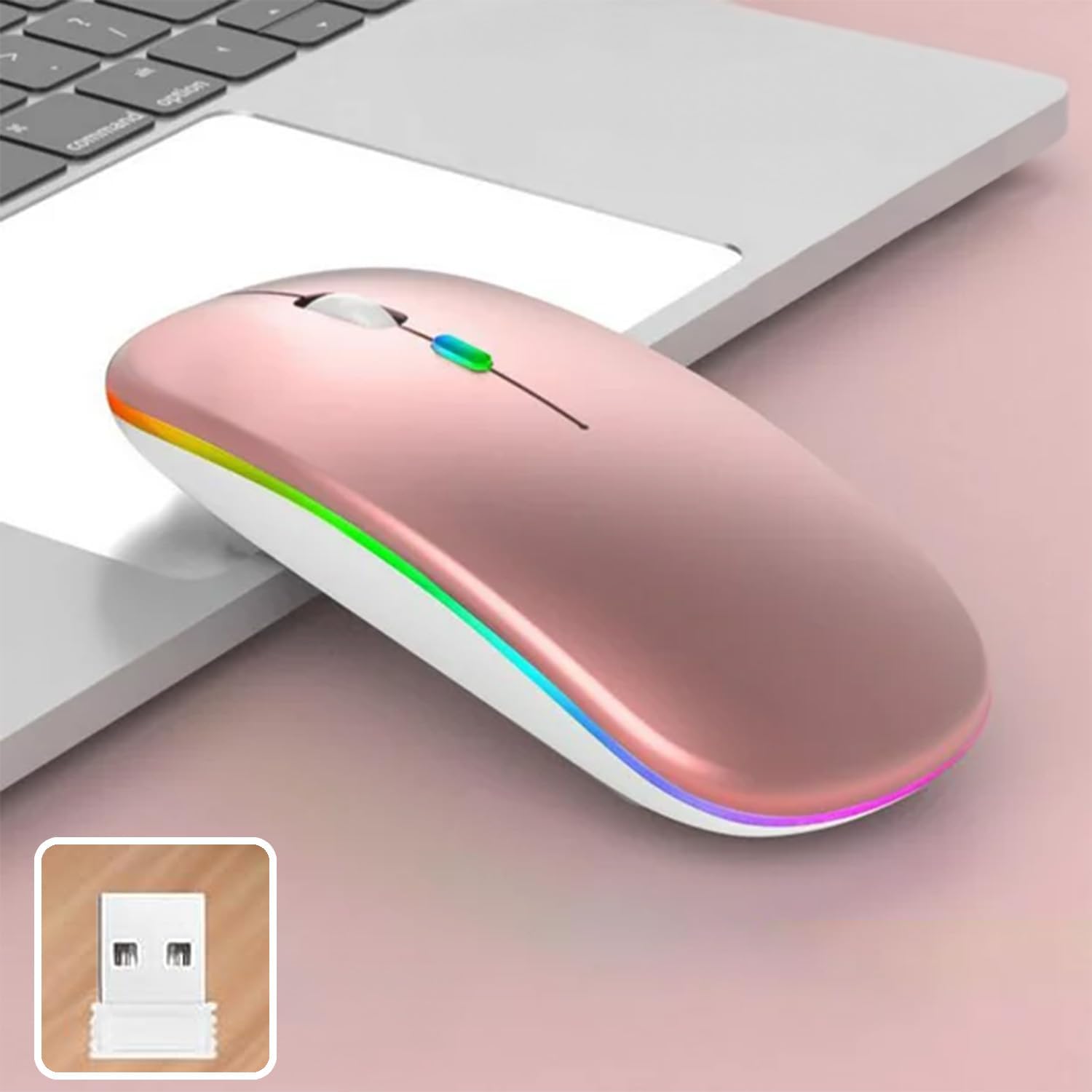
Image 4: The mouse and its 2.4 GHz USB receiver.
4.2.2. Bluetooth 5.1-forbindelse
- Tænd musen ved hjælp af tænd/sluk-knappen.
- Press and hold the Bluetooth pairing button (often located on the underside or a dedicated button) until the indicator light starts flashing, indicating pairing mode.
- On your device (Windows, Mac OS, Android), go to Bluetooth settings and search for new devices.
- Select "SETTY Mouse" or a similar name from the list of available devices to pair.
- Once paired, the indicator light on the mouse will stop flashing.
4.3. Kompatibilitet
The SETTY Wireless Rechargeable Mouse is compatible with a wide range of operating systems and devices:
- Windows-operativsystemer
- Mac OS
- Android-enheder
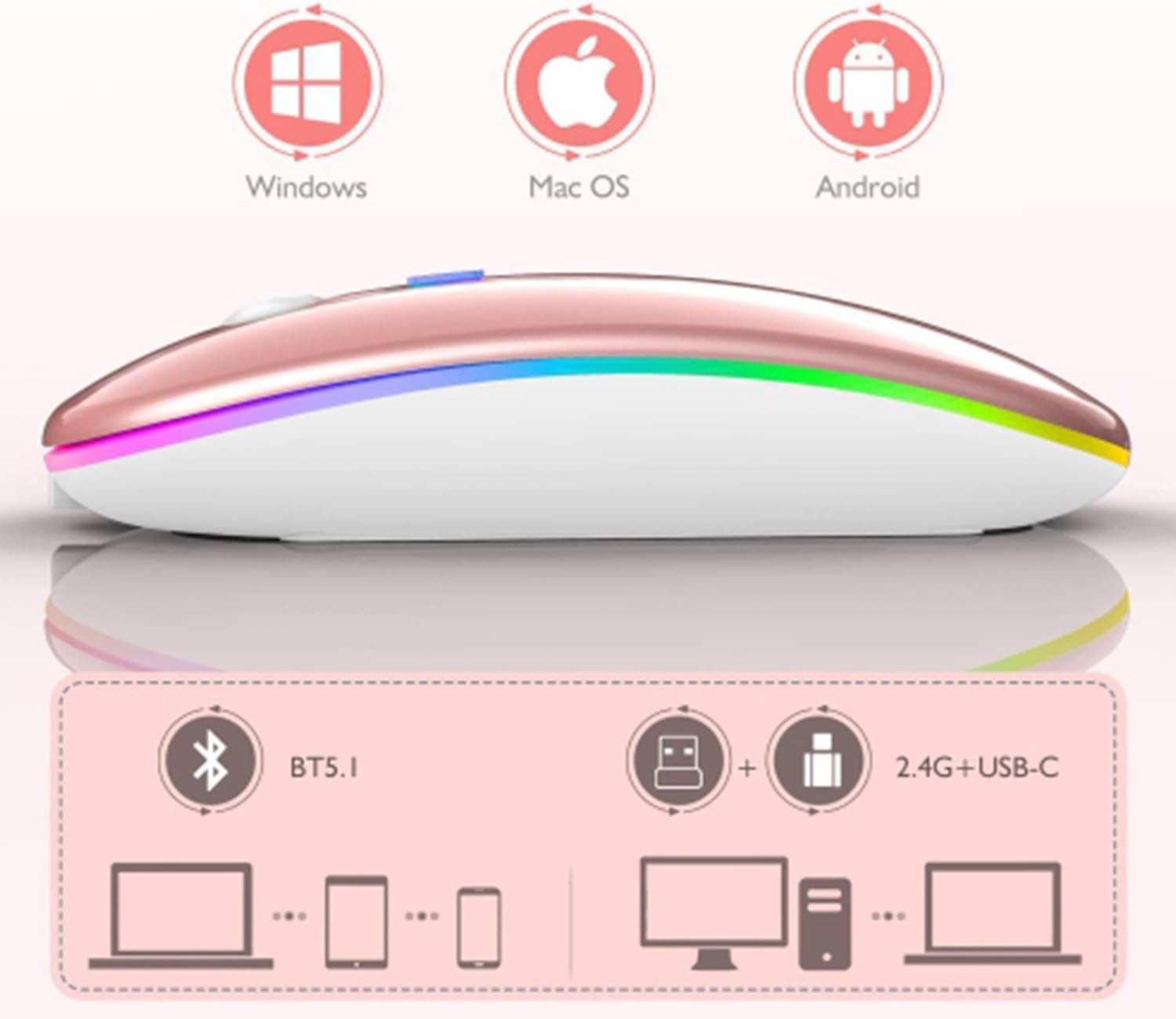
Image 5: Visual representation of the mouse's compatibility with various operating systems and connection types.
5. Betjeningsvejledning
5.1. DPI-justering
The mouse features three adjustable DPI (Dots Per Inch) settings to suit your preference for cursor speed and precision. Press the DPI button (usually located behind the scroll wheel) to cycle through the settings:
- 800 DPI: Lavere følsomhed til præcise opgaver.
- 1200 DPI: Standard sensitivity (default setting).
- 1600 DPI: Højere følsomhed for hurtigere markørbevægelse.
5.2. RGB-belysning
The mouse is equipped with dynamic RGB LED lighting. The lighting activates when the mouse is in use and enters power-saving modes when idle.
5.3. Strømbesparende tilstande
To conserve battery life, the mouse implements a three-level power-saving system:
- Niveau 1 søvn: After 3 seconds of inactivity, the mouse enters a light sleep mode, indicated by a continuously flashing light.
- Niveau 2 søvn: After approximately 1 minute of inactivity, the mouse enters a deeper sleep mode, indicated by intermittently flashing lights.
- Niveau 3 søvn: After 8 minutes of inactivity, the mouse enters its deepest sleep mode, and the lights turn off completely. To wake the mouse, simply move it or click any button.
5.4. One-Click Desktop Function
The mouse includes a dedicated button (often a side button) that, when pressed, instantly minimizes all open windows, allowing you to quickly access your desktop.
6. Vedligeholdelse
To ensure the longevity and optimal performance of your SETTY Wireless Rechargeable Mouse, follow these maintenance guidelines:
- Rensning: Brug en blød, tør klud til at tørre musens overflade af. Ved genstridigt snavs, tør let afampRengør kluden med vand eller en mild rengøringsopløsning. Undgå at bruge skrappe kemikalier eller slibende materialer.
- Opbevaring: Når musen ikke er i brug i længere perioder, skal den opbevares et køligt og tørt sted.
- Batteripleje: Undgå at aflade batteriet helt for ofte. Oplad musen, når indikatoren for lavt batteri vises.
- Undgå ekstreme forhold: Udsæt ikke musen for ekstreme temperaturer, direkte sollys eller overdreven fugtighed.
7. Fejlfinding
If you encounter issues with your SETTY Wireless Rechargeable Mouse, please refer to the following common solutions:
- Musen svarer ikke:
- Sørg for, at musen er tændt.
- Kontrollér batteriniveauet, og oplad musen om nødvendigt.
- For en 2.4 GHz-forbindelse skal du sørge for, at USB-modtageren er korrekt tilsluttet en fungerende USB-port. Prøv en anden USB-port.
- For at oprette forbindelse til Bluetooth skal du sørge for, at Bluetooth er aktiveret på din enhed, og at musen er korrekt parret. Prøv at parre musen igen.
- Move the mouse closer to the receiver/device to ensure it's within the 15m wireless range.
- Markørbevægelsen er uregelmæssig eller langsom:
- Rengør den optiske sensor på undersiden af musen.
- Sørg for at bruge musen på en passende overflade (ikke-reflekterende, uigennemsigtig).
- Adjust the DPI setting to a higher value if the cursor is too slow.
- RGB-belysning virker ikke:
- The lighting may be off due to power-saving mode. Move or click the mouse to wake it up.
- Ensure the mouse is sufficiently charged.
8. Specifikationer
| Feature | Specifikation |
|---|---|
| Model | GSM111404 |
| Forbindelsesteknologi | 2.4 GHz Wireless, Bluetooth 5.1 |
| Wireless Range | Op til 15 meter |
| DPI-indstillinger | 800 / 1200 / 1600 DPI (Default: 1200 DPI) |
| Antal knapper | 6 |
| Bevægelsesdetektionsteknologi | Optisk |
| Batteritype | Built-in 500 mAh Lithium-ion Rechargeable Battery |
| Opladningstid | Ca. 2 timer |
| Arbejdstid | Ca. 150 timer |
| Nominel voltage / Strøm | 3.7 V / 18 mA |
| Nøgleliv | 5 millioner klik |
| Materiale | ABS + Metal parts |
| Produktmål (L x B x H) | 11.3 x 5.7 x 2.5 cm |
| Længde på ladekabel | 25 cm |
| Kompatible operativsystemer | Windows, Mac OS, Android |
9. Garanti og support
For warranty information or technical support, please refer to the documentation provided at the point of purchase or contact SETTY customer service. Keep your proof of purchase for warranty claims.


