Indledning
Tak for købetasing the SANSUI 24 Inch Gaming Monitor, model ES-G24F4. This manual provides essential information for the proper setup, operation, and maintenance of your monitor. Please read this manual thoroughly before using the product and retain it for future reference.
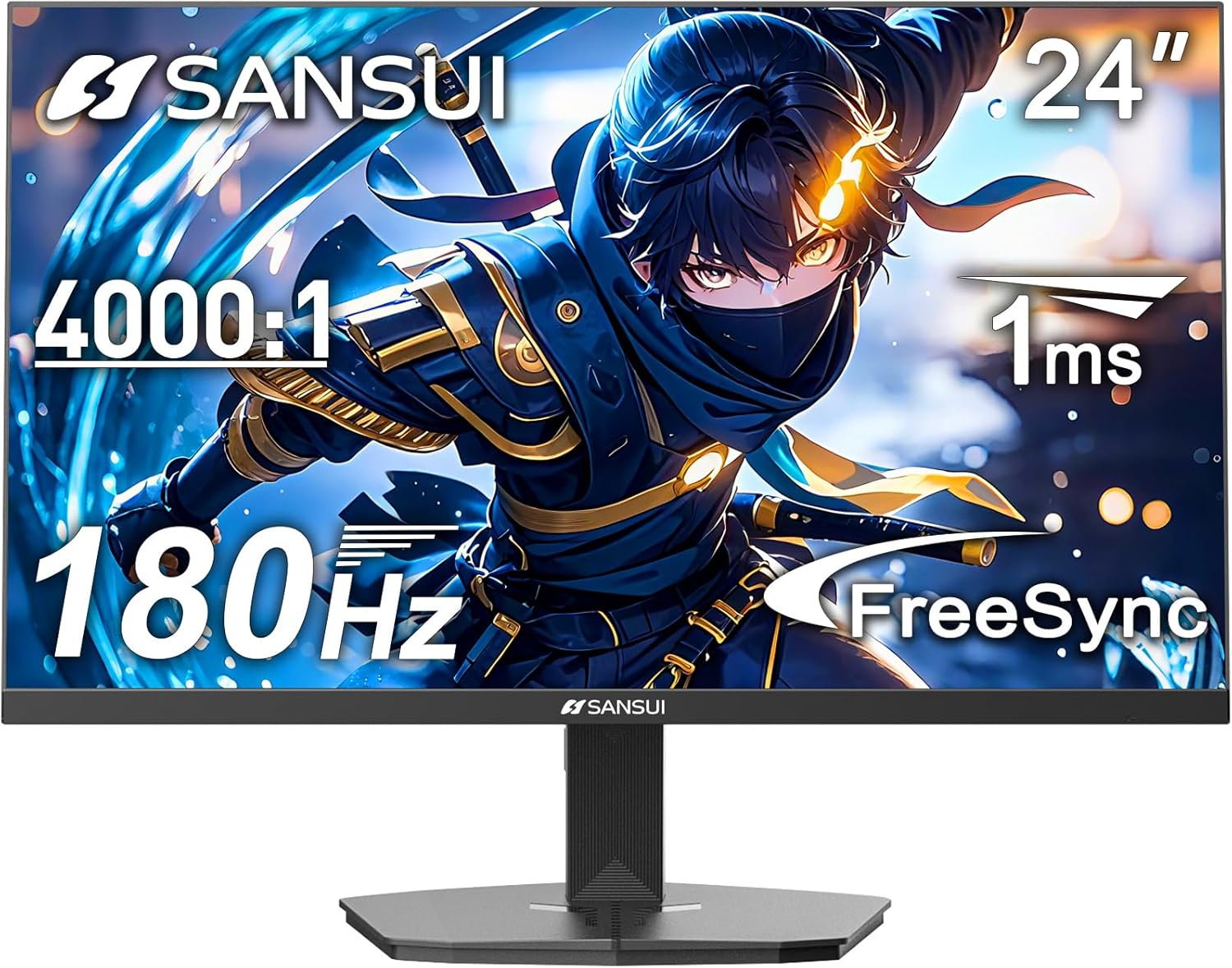
Billede: Forside view of the SANSUI 24 Inch Gaming Monitor (ES-G24F4).
Sikkerhedsoplysninger
- Sørg for, at skærmen er placeret på en stabil, flad overflade for at forhindre utilsigtede fald.
- Brug kun den strømadapter, der følger med skærmen.
- Udsæt ikke skærmen for regn eller fugt for at undgå elektrisk stød.
- Undgå at blokere ventilationsåbningerne for at forhindre overophedning.
- Forsøg ikke at reparere skærmen selv. Overlad al service til kvalificeret personale.
- Tag stikket til skærmen ud af stikkontakten under tordenvejr eller når den ikke bruges i længere perioder.
Pakkens indhold
Bekræft at alle varer er til stede i pakken:
- SANSUI 24 Inch Gaming Monitor (ES-G24F4)
- Monitorstativ (base og hals)
- Strømadapter
- HDMI-kabel (1.5m)
- Brugervejledning (dette dokument)
Overvågningsfunktioner
The SANSUI ES-G24F4 monitor is designed with features to enhance your viewspil- og spilleoplevelse:
- 24 Inch Full HD (1920x1080) Display: Giver klare og detaljerede billeder.
- 180 Hz opdateringshastighed: Delivers smooth motion for gaming and fast-paced content.
- 1 ms MPRT-svartid: Reduces motion blur and ghosting.
- Adaptiv synkroniseringsteknologi: Synchronizes the monitor's refresh rate with your graphics card to eliminate screen tearing.
- 110% sRGB-farveskala: Offers vibrant and accurate color reproduction.
- DP 1.4 and HDMI 2.0 Ports: Multiple connectivity options for various devices.
- 75x75mm VESA Mount Compatibility: Allows for alternative mounting solutions.
- Ergonomisk design: Features eye care technology and a tilt-adjustable stand (-5° to 15°).
- Exclusive Gaming Modes: Pre-set modes for Racing, FPS, and RTS games.

Billede: Overview of key features including HDMI+DP Ports, 180Hz Refresh Rate, 1ms Response Time, VESA 75*75mm, FreeSync, FHD 1920*1080, HDR10+, and Eye Care.
Opsætning
1. Samling af stativet
- Tag forsigtigt skærmens og stativets komponenter ud af emballagen.
- Fastgør stativets hals til skærmpanelet. Sørg for, at den klikker sikkert på plads, eller at den er fastgjort med skruer, hvis de medfølger.
- Connect the stand base to the stand neck, securing it with the thumb screw or screws from the bottom.
- Place the assembled monitor on a stable desk or surface.
2. Tilslutningskabler
Se billedet nedenfor for placering af porte:
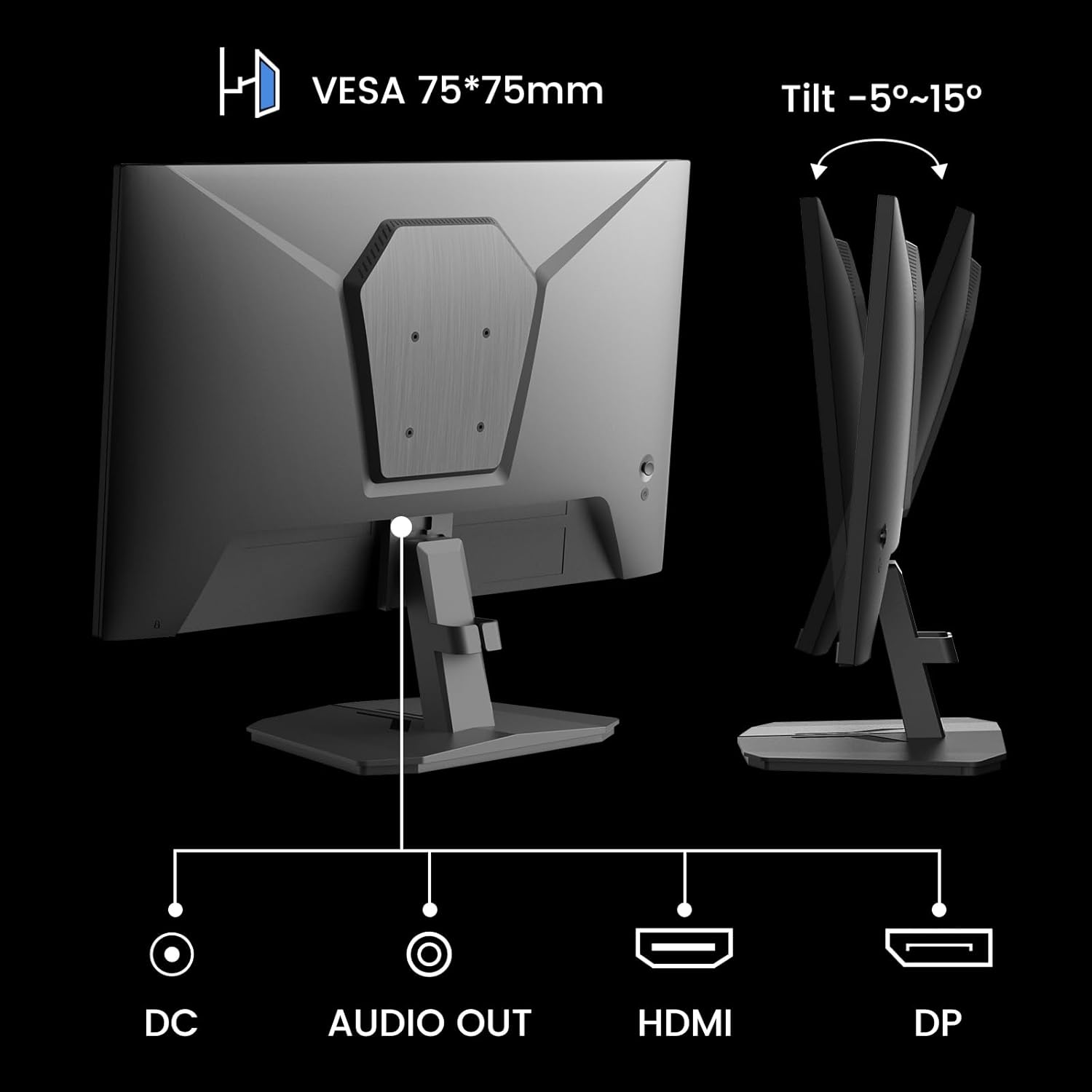
Billede: Bagside view of the monitor showing DC power input, Audio Out, HDMI, and DisplayPort (DP) connections.
- Strømtilslutning: Connect the power adapter to the DC input port on the monitor, then plug the adapter into a power outlet.
- Videoforbindelse:
- For optimal performance, use the included HDMI cable or a DisplayPort (DP) cable to connect your computer's graphics card to the corresponding port on the monitor.
- Sørg for, at kablet er tilsluttet sikkert i begge ender.
- Lydudgang: If desired, connect external speakers or headphones to the Audio Out port.
3. VESA-montering (valgfrit)
The monitor supports a 75x75mm VESA mount. If you wish to use a wall mount or an alternative monitor arm:
- Remove the stand from the monitor by pressing the release button or unscrewing the attachment points.
- Attach your VESA-compatible mount to the four screw holes on the back of the monitor using appropriate screws (typically M4 screws, not included with the monitor).
- Følg instruktionerne, der følger med din VESA-montering, for installation.
Betjening af monitoren
1. Tænd/sluk
Press the power button, usually located on the back or bottom right of the monitor, to turn it on or off. The power indicator light will illuminate when the monitor is on.
2. On-Screen Display (OSD) menu
The OSD menu allows you to adjust various monitor settings. Typically, buttons on the back or bottom of the monitor are used to navigate the OSD. Common controls include:
- Menu-knap: Åbner OSD-menuen.
- Navigationsknapper: Used to move up, down, left, or right within the menu.
- Enter/Vælg-knap: Bekræfter et valg.
- Afslut-knap: Lukker OSD-menuen.
3. Justering af indstillinger
De vigtigste indstillinger, du kan justere via OSD-menuen, inkluderer:
- Billedindstillinger: Brightness, Contrast, Sharpness, Gamma.
- Farveindstillinger: Color Temperature, Hue, Saturation.
- Inputkilde: Vælg manuelt mellem HDMI- og DisplayPort-indgange.
- Spiltilstande: Select pre-optimized modes for different game types.
- FreeSync/Adaptiv synkronisering: Enable or disable adaptive synchronization.
- HDR: Aktiver eller deaktiver HDR (High Dynamic Range).
- Responstid (MPRT): Adjust the monitor's response time setting. Note that higher settings might introduce artifacts as mentioned in customer reviews. It is recommended to use the default setting if artifacts appear.
- Øjenpleje: Activate features designed to reduce eye strain.

Billede: Eksamples of the monitor's various picture modes, including Game, Photo, Movie, and Standard.
4. Spilfunktioner
The ES-G24F4 monitor includes several features optimized for gaming:
- 180Hz opdateringshastighed og 1ms responstid: These specifications ensure fluid visuals and minimal input lag, crucial for competitive gaming.
- Adaptiv synkronisering: This technology synchronizes the monitor's refresh rate with your GPU's frame rate, eliminating screen tearing and stuttering for a smoother gaming experience.
- HDR10-understøttelse: Provides a wider range of colors and contrast for a more immersive visual experience in compatible content.
- Exclusive Gaming Modes: Access pre-calibrated display settings for specific game genres:
- Racing tilstand: Optimeret til racerspil.
- FPS-tilstand: Optimized for First-Person Shooter games.
- RTS Mode: Optimized for Real-Time Strategy games.

Image: Visual comparison demonstrating the effect of FreeSync (Adaptive Sync) being ON versus OFF, showing reduced screen tearing when active.

Image: Visual comparison of HDR (High Dynamic Range) being ON versus OFF, illustrating enhanced clarity and color depth when active.

Billede: Eksamples of the monitor's exclusive gaming modes: Racing, FPS (First-Person Shooter), and RTS (Real-Time Strategy).
Opretholdelse
- Rengøring af skærmen: Tør forsigtigt skærmen af med en blød, fnugfri klud. Fjern genstridige mærker ved atampen the cloth with a small amount of screen cleaner specifically designed for monitors. Do not spray cleaner directly onto the screen.
- Rengøring af Casing: Brug en blød, tør klud til at tørre skærmen afasing. Undgå slibende rengøringsmidler eller opløsningsmidler.
- Ventilation: Ensure the monitor's ventilation holes are clear of dust and obstructions to prevent overheating.
- Sluk: Sluk altid skærmen og tag stikket ud af stikkontakten før rengøring eller når den ikke er i brug i længere perioder.
Fejlfinding
Hvis du støder på problemer med din skærm, kan du se følgende almindelige problemer og løsninger:
| Problem | Mulig årsag | Løsning |
|---|---|---|
| Intet billede på skærmen | Skærmen er ikke tændt; Forkert inputkilde; Løst videokabel. | Ensure power cable is connected and monitor is on. Select correct input source (HDMI/DP). Check video cable connections. |
| Billedet er sløret eller forvrænget | Incorrect resolution; Graphics card driver issues; Faulty cable. | Indstil skærmopløsningen til 1920x1080. Opdater grafikdriverne. Prøv et andet videokabel. |
| Skærmrivning eller hakken | Adaptive Sync not enabled; Graphics card not compatible or drivers outdated. | Enable Adaptive Sync in the OSD menu and your graphics card control panel. Ensure graphics drivers are up to date. |
| No sound from Audio Out | External speakers/headphones not connected; Volume too low; Audio output not selected on PC. | Check connections. Adjust volume. Ensure monitor is selected as audio output device in PC settings. |
| Flimren på skærmen | Faulty cable; Graphics card issue; Monitor settings. | Try a different video cable. Update graphics drivers. Reset monitor settings to factory defaults. |
If the problem persists after trying these solutions, please contact SANSUI customer support.
Specifikationer
| Feature | Detalje |
|---|---|
| Model | ES-G24F4 |
| Skærmstørrelse | 24 tommer |
| Opløsning | 1920 x 1080 (Fuld HD) |
| Opdateringshastighed | 180 Hz |
| Svartid | 1ms MPRT |
| Lysstyrke | 300 nit |
| Farveskala | 110 % sRGB |
| Aspektforhold | 16:9 |
| Viewi vinkel | 178° (Horisontal/Lodret) |
| Forbindelse | 1x DisplayPort 1.4, 1x HDMI 2.0, 1x Audio Out, 1x DC Power Input |
| VESA-kompatibilitet | 75 x 75 mm |
| Tilt justering | -5° til 15° |
| Højttalere | Ingen |
| Varens vægt | 5.94 pund |

Image: Diagram illustrating the product dimensions of the SANSUI 24 Inch Gaming Monitor.

Image: Visual representation of the monitor's color depth and gamut, showing 72% NTSC, 8-bit color depth, and 16.7 million color support.
Garanti og support
SANSUI provides the following support for your monitor:
- Garanti: A 30-day money-back and free replacement warranty from the order date.
- Teknisk support: Livstids teknisk support er tilgængelig.
- Kontakte: For warranty claims or technical assistance, please refer to the contact information provided on the SANSUI official webwebstedet eller din købsdokumentation.

Image: Information regarding SANSUI's lifetime technical support, 12-month warranty, and free one-month back and replacement policy.


