1. Introduktion
This user manual provides essential information for the setup, operation, and maintenance of your HUNSN RJ44 Micro Firewall Appliance. The RJ44 is a barebone system designed for various network applications, including use as a firewall, mini PC, VPN server, or router. It requires the installation of system memory (RAM), a storage drive (SSD/HDD), and an operating system to function.
Key features include an Intel i3-N305 Processor, multiple 2.5GbE LAN ports, and comprehensive I/O interfaces, making it suitable for demanding network environments. Its fanless design ensures quiet operation.
2. Produktet er slutview
The HUNSN RJ44 is housed in a compact aluminum chassis, designed for efficient heat dissipation without the need for active cooling fans. Below are detailed views of the appliance's front and rear panels, highlighting its various ports and indicators.
2.1 Bagpanellayout
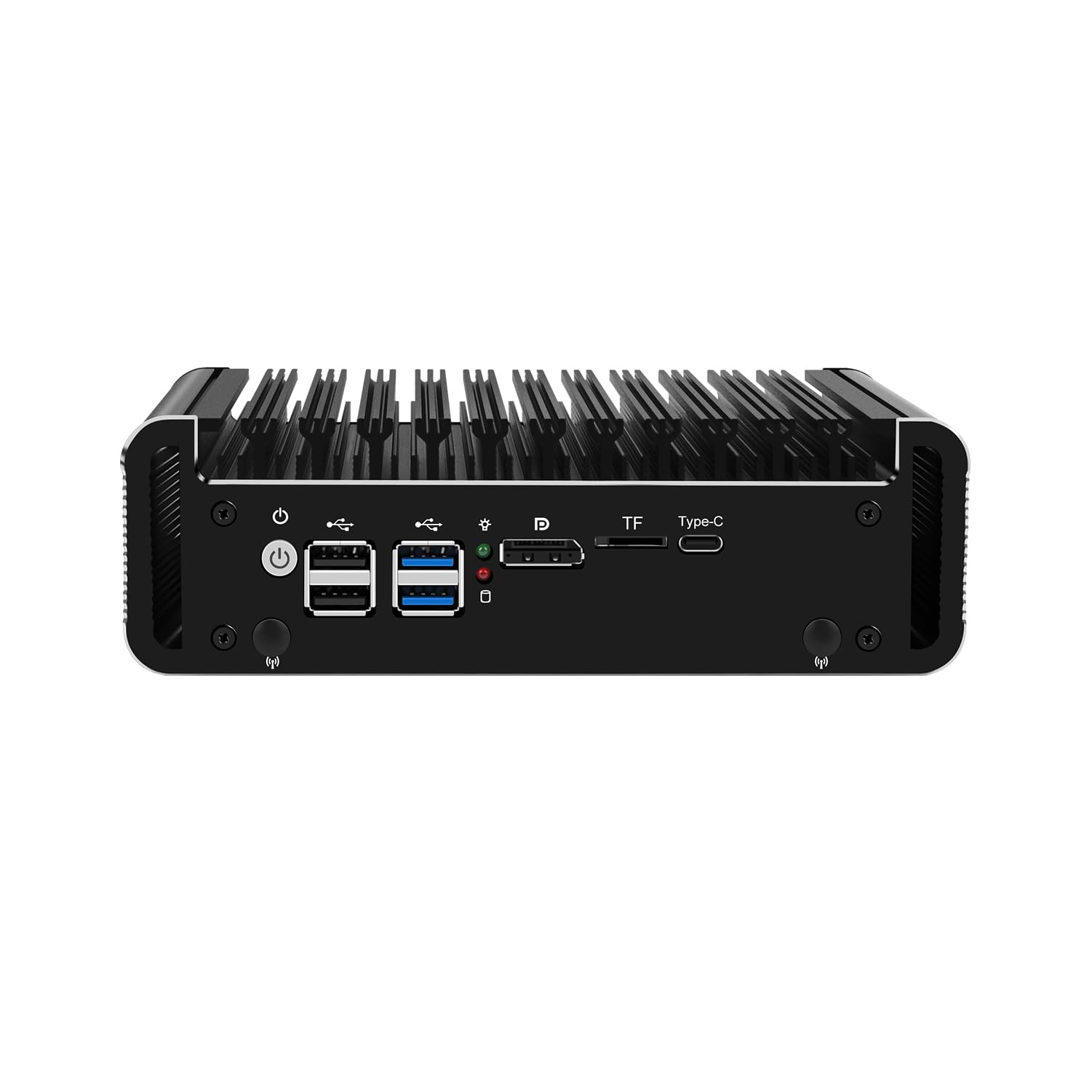
Figur 2.1: Rear panel of the HUNSN RJ44, featuring four 2.5GbE LAN ports (ETH0-ETH3), two USB 2.0 ports, two HDMI 2.1 ports, and the DC-12V power input. A grounding screw is also visible.
- ETH0-ETH3 (4 x 2.5GbE LAN): Intel I226-V Ethernet ports for high-speed network connectivity.
- USB-porte: Two USB 2.0 ports for connecting peripherals.
- HDMI-porte: Two HDMI 2.1 ports for display output.
- DC-12V: Strømindgangsstik.
- Jordingsskrue: For proper electrical grounding.
2.2 Frontpanelets layout
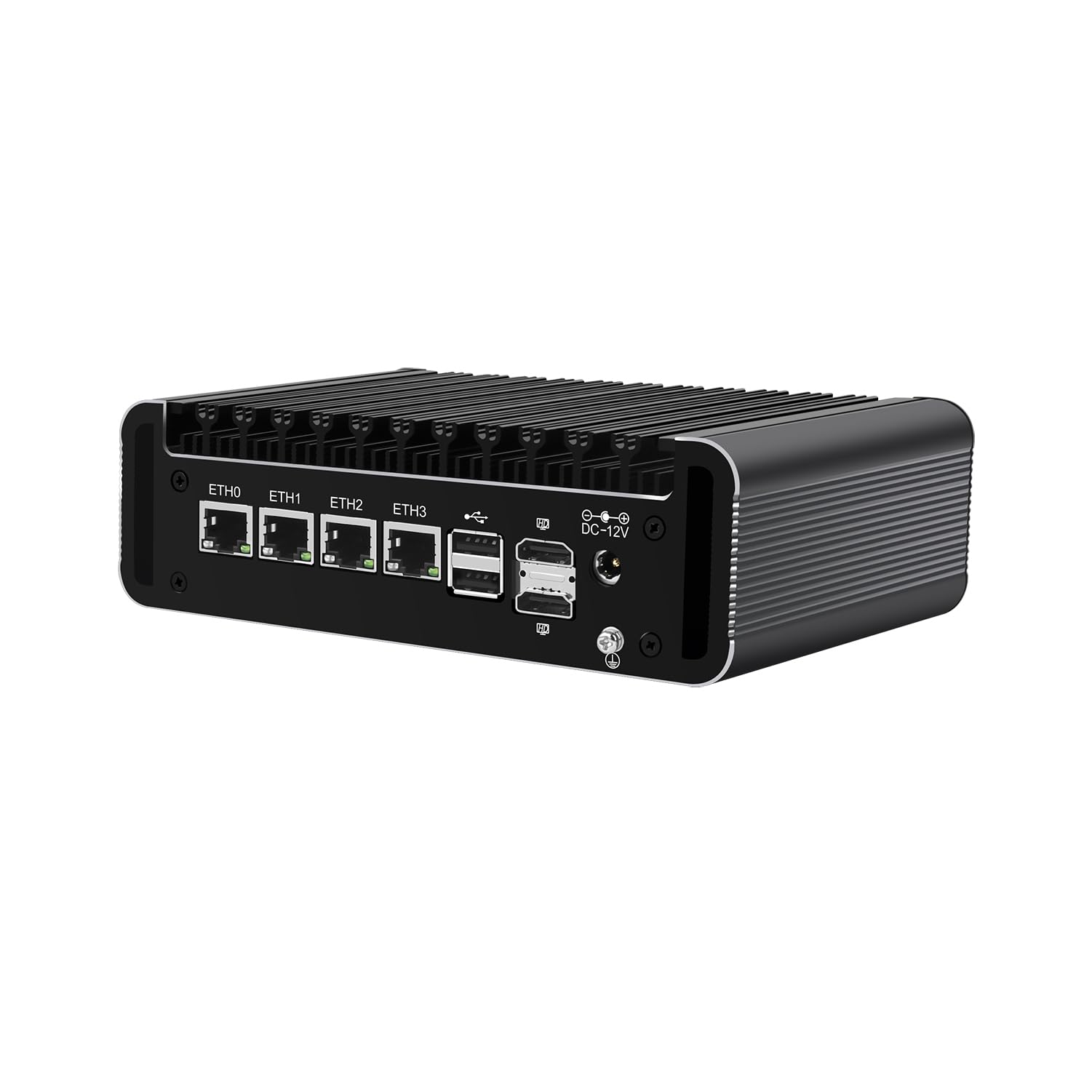
Figur 2.2: Front panel of the HUNSN RJ44, including the power button, two USB 3.0 ports, a DisplayPort (DP1.4), a TF card slot, and a Type-C port.
- Tænd/sluk -knap: Til at tænde eller slukke for enheden.
- USB-porte: Two USB 3.0 ports for high-speed data transfer.
- DP1.4: DisplayPort til videoudgang.
- TF Slot: For data storage or system boot from a TF card.
- Type-C port: Multi-functional port for display output or data transfer.
2.3 vinklet Views and Bottom Panel
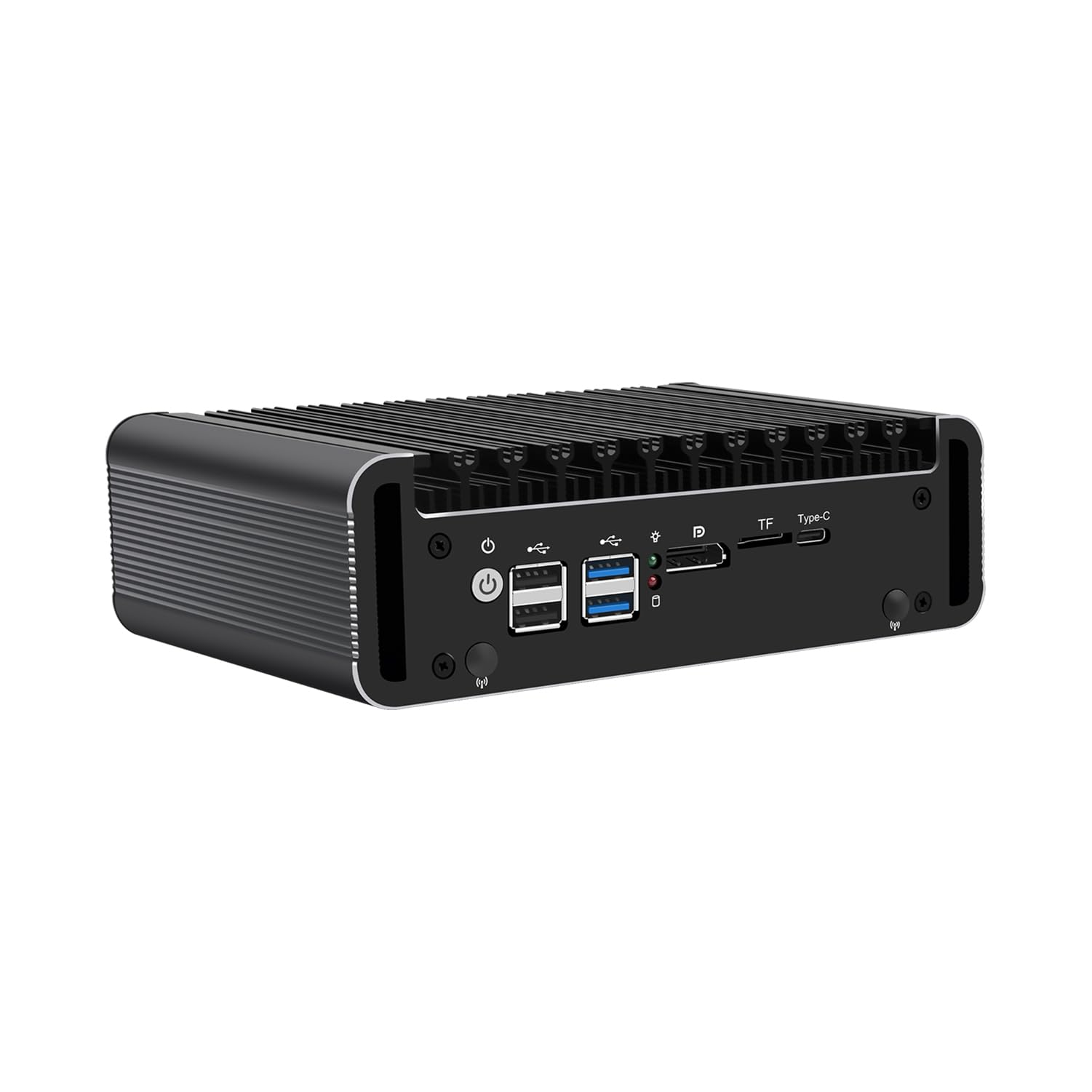
Figur 2.3: Vinklet bagside view, providing a clearer perspective of the rear panel ports and the fanless chassis design.
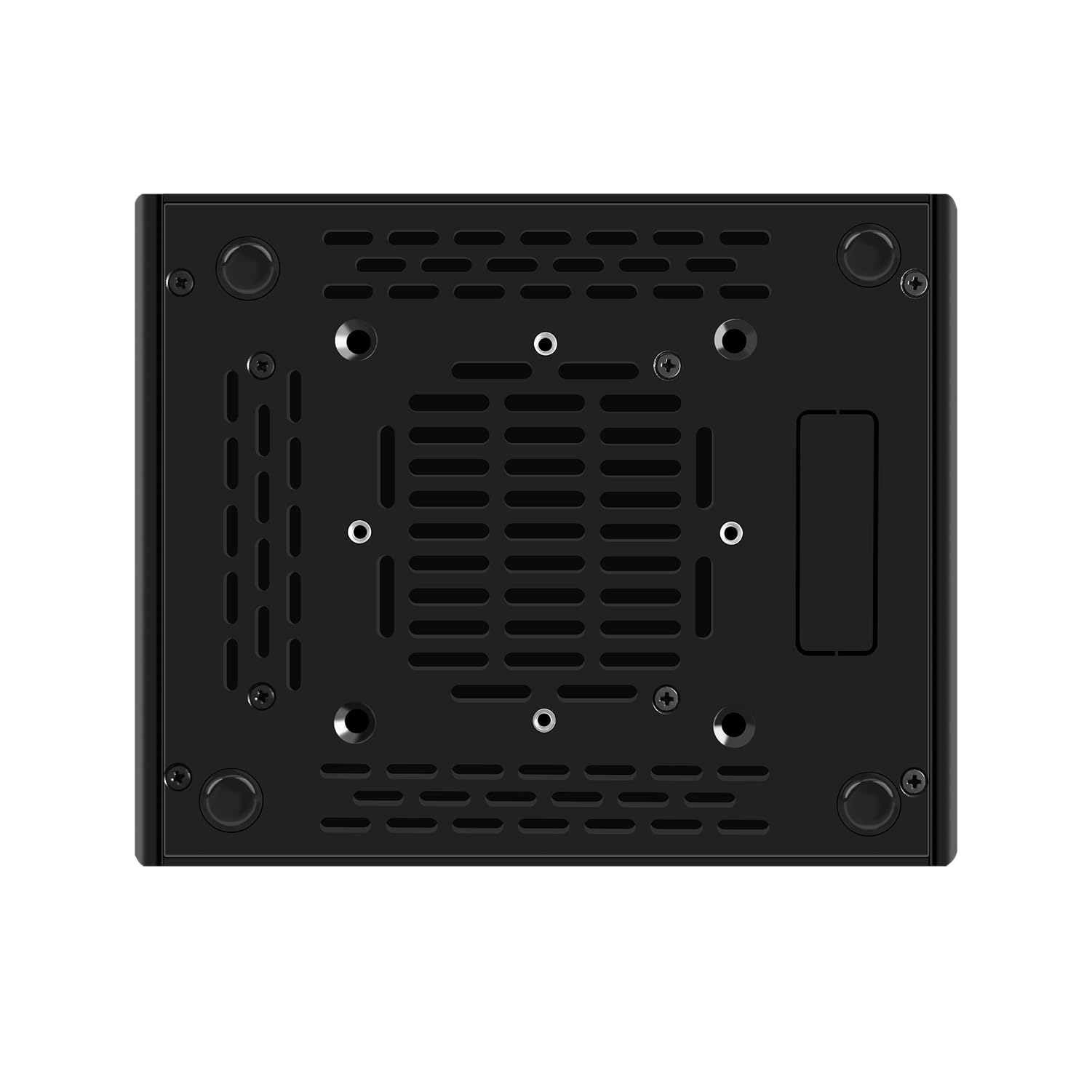
Figur 2.4: Vinklet front view, showing the front panel ports and the overall compact form factor.

Figur 2.5: Bund view of the HUNSN RJ44, illustrating the mounting holes for various installation options and ventilation slots.
3. Tekniske specifikationer
| Komponent | Specifikation |
|---|---|
| Modelnummer | HUNSN RJ44 |
| CPU | Intel i3-N305 Processor (6M Cache, 3.8 GHz) |
| AES-NI Supported | Ja |
| Hukommelse | 1 x SO DIMM DDR5 4800 MT/s, up to 32GB |
| Opbevaring | 2 x M.2 2280 NVME x1 SSD, 1 x 2.5 Inch SATA SSD/HDD, 1 x SATA SSD/HDD support knock-out holes DIY for external 2.5 Inch or above SATA SSD/HDD |
| Netværkskort | Intel 2.5GbE I226-V (4 ports) |
| I/O interface | Power ON/OFF, 5 x USB2.0, 1 x USB3.0, DP1.4, TF slot, Type-C, 4 x LAN, 2 x HDMI2.1, DC_IN |
| Udvidelse | Built-in reserved TPM header, compatible with ASUS TPM encryption module |
| Magt | DC100-240V AC/50-60hz, 12V5A |
| Driftstemperatur | -10°C ~ 70°C |
| Opbevaringstemperatur | 0°C ~ 70°C |
| Relativ luftfugtighed | 5 % ~ 85 % ikke-kondenserende |
| TDP | 15W |
| Kølesystem | Fanless, 80 x 80mm holes, support to add 8010 fan, 1 x small 4pin fan sockets support 5V PMW temperature-control |
| Størrelse | 178.3 x 126.5 x 55 mm |
| Vægt | 1.3 kg (2.87 lbs) |
| Pakkeliste | HUNSN RJ44 firewall appliance, power supply, power cord, warranty card |
| Funktioner | Supports hardware auto power on (enabled default), network wake-up, system power management, temperature management |
| Systemkompatibilitet | 5.10.x and above core-based FreeBSD router systems, Linux distributions, or Windows OS supported. UEFI support only. Compatible with firewalls like pfSense Plus, OPNsense, and other popular open-source software solutions. |
4. Indledende opsætning
The HUNSN RJ44 is a barebone system, meaning it requires additional components to be installed before it can be used. Follow these steps for initial setup:
- Installer hukommelse (RAM):
Locate the SO DIMM DDR5 slot inside the chassis. Carefully insert the RAM module into the slot, ensuring it is properly seated and the clips lock into place. The system supports up to 32GB DDR5 4800 MT/s.
- Install Storage Drive:
The RJ44 supports two M.2 2280 NVME x1 SSDs and one 2.5 Inch SATA SSD/HDD. Install your chosen storage device(s) into the appropriate slots. Ensure secure connections for both data and power (for SATA drives).
- Tilslut ydre enheder:
Connect a monitor to one of the HDMI or DP ports. Connect a keyboard and mouse to the available USB ports. If installing an operating system via USB, ensure your bootable USB drive is ready.
- Tilslut netværkskabler:
Connect your network cables to the 2.5GbE LAN ports (ETH0-ETH3) as required by your network configuration.
- Tilslut strøm:
Connect the provided power supply to the DC-12V input on the rear panel, then plug the power cord into an electrical outlet.
- Installer operativsystem:
Power on the device. Access the BIOS/UEFI settings (usually by pressing DEL or F2 during boot) to configure boot order. Install your preferred operating system (e.g., FreeBSD, Linux distribution, Windows) from your bootable media. Note that only UEFI boot is supported.
5. Betjeningsvejledning
Once the system is set up and an operating system is installed, you can begin using your HUNSN RJ44 appliance.
5.1 Tænd/sluk
- Tænd: Tryk på tænd/sluk-knappen på frontpanelet.
- Sluk: Perform a graceful shutdown through your operating system. Alternatively, press and hold the power button for a few seconds for a forced shutdown (not recommended for regular use).
5.2 Netværkskonfiguration
Configure your network interfaces within your chosen operating system. The Intel I226-V 2.5GbE network cards are widely supported by most modern operating systems and firewall distributions like pfSense Plus and OPNsense.
5.3 avancerede funktioner
- Hardware Auto Power On: This feature is enabled by default, allowing the appliance to automatically power on when power is restored after an outage.
- Network Wake-up: The device supports Wake-on-LAN (WoL), allowing it to be powered on remotely via a network signal. Ensure this feature is enabled in your operating system and BIOS/UEFI settings if desired.
- System Power Management: Utilize your operating system's power management features to optimize energy consumption.
- Temperaturstyring: The fanless design relies on the aluminum chassis for heat dissipation. Monitor system temperatures through your OS to ensure optimal performance, especially in demanding environments.
6. Vedligeholdelse
The HUNSN RJ44 is designed for low maintenance due to its fanless operation. However, regular checks can help ensure its longevity and stable performance.
- Hold ventilationsåbningerne frie: Ensure that the ribbed aluminum chassis, which acts as a heatsink, is not obstructed. Adequate airflow around the device is crucial for passive cooling.
- Fjernelse af støv: Periodically clean the exterior of the appliance with a soft, dry cloth. While fanless, dust can still accumulate on the chassis, potentially affecting heat dissipation.
- Temperaturovervågning: In environments with high ambient temperatures or under heavy load, monitor the internal temperature of the appliance through your operating system's tools. The operating temperature range is -10°C to 70°C.
- Optional Fan Installation: If operating in consistently high-temperature environments or under extreme loads, an optional 8010 fan can be installed using the provided 80x80mm holes and the 5V PMW temperature-control fan socket. Refer to the internal layout for fan header location.
- Firmware- og softwareopdateringer: Regularly update your operating system, drivers, and any installed firewall software to ensure security, stability, and optimal performance.
7. Fejlfinding
This section addresses common issues you might encounter with your HUNSN RJ44 appliance.
| Problem | Mulig årsag | Løsning |
|---|---|---|
| No power/System does not turn on. | Power supply not connected, faulty power adapter, power outlet issue. | Ensure power supply is securely connected to the appliance and a working electrical outlet. Test with another outlet if possible. Verify the power adapter is functioning correctly. |
| Ingen skærmudgang. | Monitor not connected, incorrect input selected on monitor, faulty cable, RAM not installed or improperly seated. | Check HDMI/DP cable connections to both the appliance and monitor. Ensure the correct input source is selected on your monitor. Verify that the RAM module is correctly installed and seated firmly in its slot. |
| Operating System not booting. | No OS installed, incorrect boot order, faulty storage drive, OS not compatible with UEFI. | Ensure an operating system is properly installed on the storage drive. Check BIOS/UEFI settings for correct boot order. Verify the storage drive is detected. Confirm your OS supports UEFI boot. |
| Problemer med netværksforbindelse. | Loose network cable, incorrect network configuration, missing network drivers. | Check all Ethernet cable connections. Verify network settings within your operating system. Ensure Intel I226-V drivers are installed and up-to-date. |
| System overophedning. | Obstructed ventilation, high ambient temperature, heavy workload. | Ensure the appliance is placed in a well-ventilated area and that the chassis fins are not blocked. Reduce system load if possible. Consider installing an optional 8010 fan if temperatures remain high. |
8. Garanti og support
Your HUNSN RJ44 Micro Firewall Appliance comes with a warranty card included in the packing list. Please refer to the terms and conditions outlined on the warranty card for details regarding coverage and duration.
For technical support, customization needs, or any other inquiries, please contact HUNSN directly. You can visit the official HUNSN store for more information and contact options:
The manufacturer, Shenzhen Shi Han Song Ke Ji You Xian Gong Si, is committed to providing timely assistance.

