Indledning
This manual provides detailed instructions for the safe and effective use of the KAIWEETS KM201 Smart Digital Multimeter. The KM201 is a compact, auto-ranging multimeter designed for measuring voltage, resistance, and continuity, featuring True RMS for accurate readings and Non-Contact Voltage (NCV) detection for enhanced safety. Please read this manual thoroughly before operation and retain it for future reference.
Sikkerhedsoplysninger
Always adhere to local and national safety codes. Use appropriate personal protective equipment (PPE) when working with electrical circuits. Do not use the device if it appears damaged or if the test leads are compromised. Ensure the battery compartment is securely closed before operation.
Pakkens indhold
Bekræft at alle varer er til stede i pakken:
- 1 x KAIWEETS KM201 Smart Digital Multimeter
- 2 x AAA batterier
- 1 x Brugermanual (dette dokument)
Produkt overview
The KAIWEETS KM201 is designed for ease of use and portability. Below is an illustration of the device and its main components.

Figur 1: Forside og bagside view of the KAIWEETS KM201 Multimeter, showing the display, function buttons, and integrated test leads with storage clips.
Nøglefunktioner:
- Smart Automatic Mode: Automatically identifies measurement type (voltage, modstand, kontinuitet).
- Ægte RMS: Giver nøjagtige aflæsninger for ikke-sinusformede bølgeformer.
- Non-Contact Voltage (NCV) Detektion: Registrerer AC voltage uden fysisk kontakt.
- Fasesekvenstest: Identifies live and phase wires.
- Baggrundslys og lommelygte: Forbedrer synlighed i svagt lys.
- Data Hold: Fryser den aktuelle aflæsning på displayet.
- Automatisk sluk: Sparer batterilevetid.
- Indikator for lavt batteri: Giver besked når batteriudskiftning er nødvendig.
Opsætning
Installation af batteri
- Find batteridækslet på bagsiden af multimeteret.
- Brug en skruetrækker til at åbne batterirummet.
- Isæt to AAA-batterier, og sørg for at polariteten (+/-) vender korrekt.
- Sæt batterirummets dæksel på igen og fastgør det med skruen.
Note: The device will display a low battery indicator when batteries need replacement.
Betjeningsvejledning
Tænd/sluk
Tryk på Power-knap ( ) to turn the multimeter on or off. The device will automatically power off after a period of inactivity to conserve battery.
Smart Automatic Mode
The KM201 features a smart automatic mode that simplifies measurements. When powered on, the multimeter defaults to this mode, indicated by "Auto" on the display. In this mode, the device automatically detects and measures AC/DC voltage, modstand og kontinuitet.
Figur 2: The multimeter display indicating "Auto" mode, ready for automatic measurement.
Voltage Test (AC/DC)
In Smart Automatic Mode, connect the test leads to the circuit or component you wish to measure. The multimeter will automatically detect and display the AC or DC voltage.
- Ensure the test leads are securely plugged into the COM and INPUT jacks.
- Touch the red probe to the positive terminal or live wire and the black probe to the negative terminal or neutral/ground wire.
- Læs bindtage -værdi på displayet.

Figur 3: Måling af DC voltage on a car battery using the KM201 multimeter.
Modstands- og kontinuitetstest
In Smart Automatic Mode, the multimeter will automatically switch to resistance or continuity measurement when connected to a non-powered circuit.
- Ensure the circuit is de-energized before connecting the test leads.
- Tilslut testledningerne på tværs af komponent- eller kredsløbsstien.
- For continuity, if the resistance is less than approximately 50 ohms, the screen will turn green and a beeping sound will indicate continuity.
- For resistance, the display will show the resistance value in ohms (Ω), kilohms (kΩ), or megohms (MΩ).
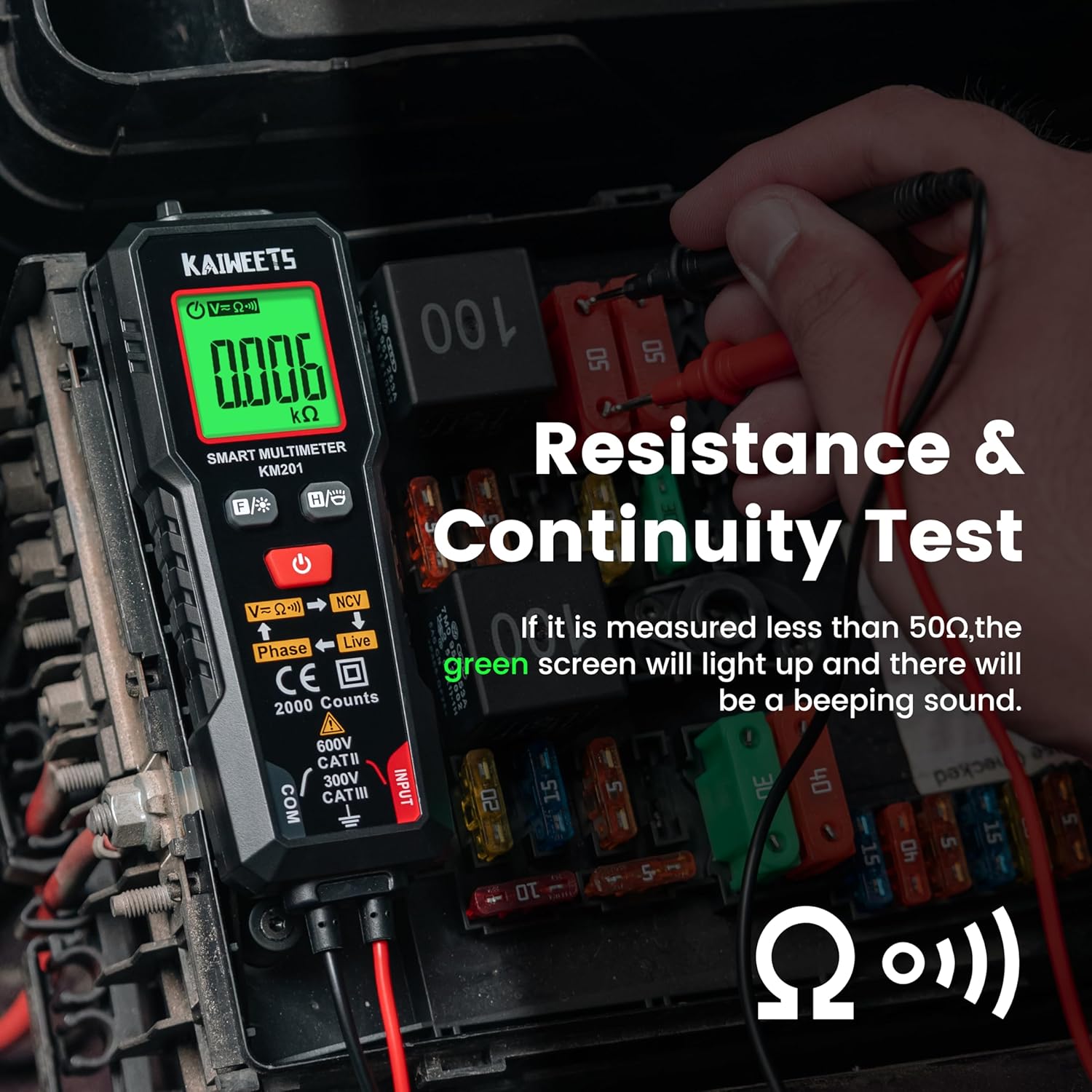
Figur 4: Performing a resistance and continuity test on electrical components within a fuse box.
Non-Contact Voltage (NCV) Detektion
NCV-funktionen muliggør sikker detektion af AC-volumentage uden direkte kontakt med ledere.
- Tryk på NCV knap (labeled V=K))) NCV) to activate NCV mode.
- Move the top tip of the multimeter close to the wire or outlet.
- Hvis AC voltage is detected, the screen will display red, show "-H", and emit a rapid beeping sound, indicating the presence of live voltage.
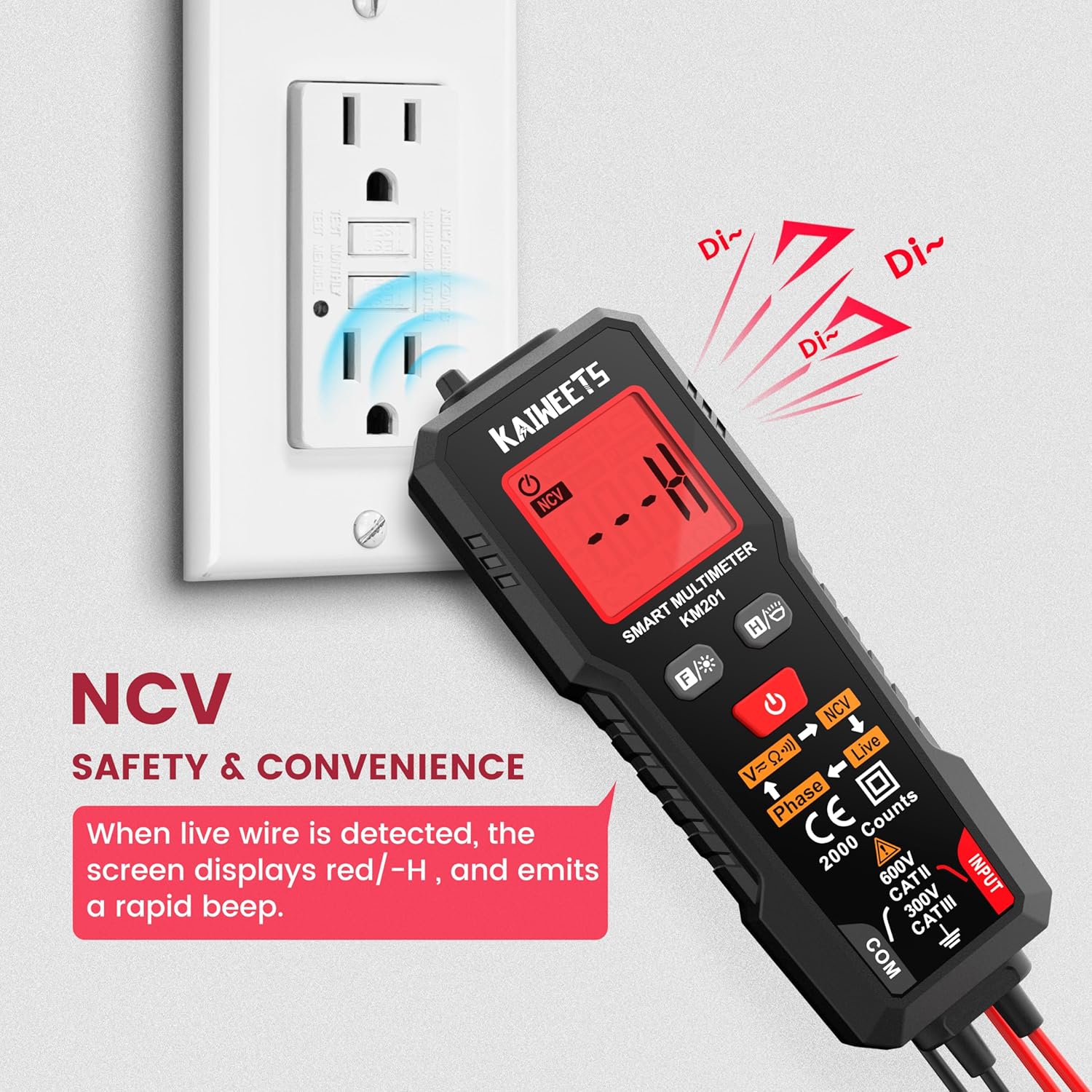
Figur 5: Using the NCV function to detect live voltage in an electrical outlet, indicated by a red screen and audible alarm.
Fasetest
The phase test helps identify live and phase wires.
- Tryk på Fase knap (labeled Phase ← Live) to activate the phase test mode.
- Touch the red probe to the wire you want to test.
- The display will indicate "Phase" or "Live" to identify the wire type.
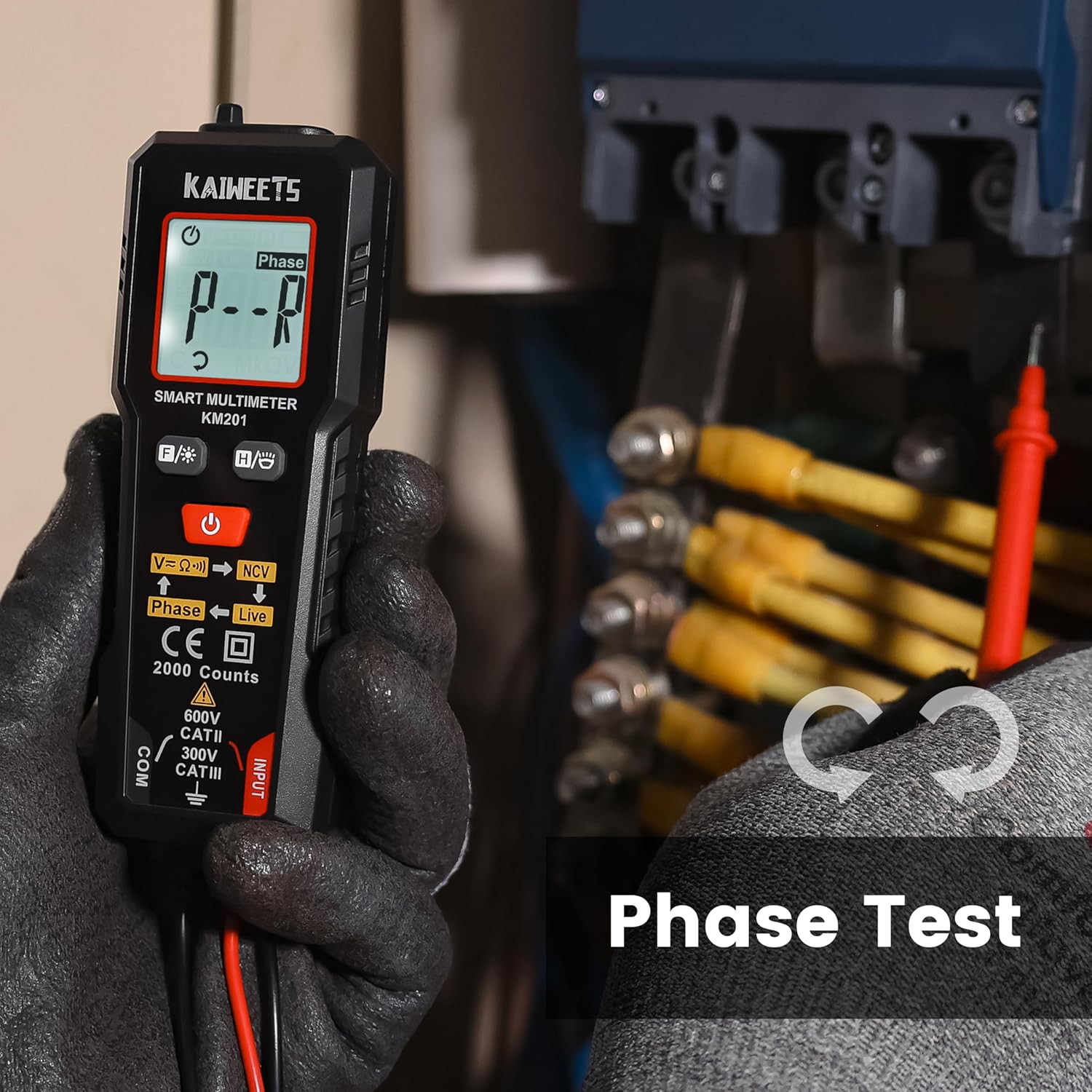
Figur 6: Performing a phase test on electrical wiring to identify live conductors.
Baggrundsbelysning og lommelygte
The KM201 includes a backlight for the display and a built-in flashlight for improved visibility in dark environments.
- Tryk på Baggrundslys/lommelygteknap (
 ) for at slå displayets baggrundsbelysning til/fra.
 - Tryk og hold på Baggrundslys/lommelygteknap for at tænde eller slukke lommelygten.
Figur 7: The KM201 multimeter with its display backlight and integrated flashlight active, illuminating wires in a dark space.
Opretholdelse
Rensning
Tør multimeteret c afasing med annonceamp cloth and mild detergent. Do not use abrasive cleaners or solvents. Ensure the device is dry before storage or use.
Udskiftning af batteri
When the low battery indicator appears on the display, replace the batteries as described in the "Battery Installation" section. Always use two new AAA batteries of the same type.
Opbevaring
Hvis multimeteret ikke skal bruges i længere tid, skal batterierne fjernes for at forhindre lækage. Opbevar enheden et køligt og tørt sted, væk fra direkte sollys og ekstreme temperaturer.
Fejlfinding
| Problem | Mulig årsag | Løsning |
|---|---|---|
| Multimeteret tænder ikke. | Døde eller forkert installerede batterier. | Kontroller batteripolariteten, eller udskift batterierne. |
| Upræcise aflæsninger. | Damaged test leads; incorrect measurement technique; external interference. | Inspect test leads for damage; ensure proper connection; move away from strong electromagnetic fields. |
| "Auto" mode not selecting desired measurement (e.g., continuity instead of voltagog). | The smart auto mode prioritizes voltage detection. If a small voltage is present, it may default to voltage måling. | Ensure the circuit is completely de-energized for resistance/continuity tests. The KM201 is primarily designed for automatic detection, which may not suit all specific manual mode requirements. |
| Skærmen er svag eller flimrer. | Lavt batteri. | Udskift batterierne. |
Specifikationer
| Feature | Detalje |
|---|---|
| Modelnummer | KM201 |
| Mærke | KAIWEETS |
| Vis tæller | 2000 tæller |
| Måletype | Smart Digital Multimeter (True RMS) |
| Strømkilde | 2 x AAA batterier (medfølger) |
| Dimensioner (L x B x H) | 13.97 x 4.57 x 3.56 cm (5.5 x 1.8 x 1.4 tommer) |
| Vægt | 200 gram (ca. 7.05 oz) |
| Sikkerhedsvurdering | 600V CAT II, 300V CAT III, CE compliant |
| Funktioner | Smart Auto Mode, NCV, Phase Test, Backlight, Flashlight, Data Hold, Auto Power Off, Low Battery Indicator |
Garanti og support
KAIWEETS tilbyder en 36-måneders servicegaranti og livslang teknisk support for the KM201 Smart Digital Multimeter. For any inquiries, technical assistance, or warranty claims, please contact KAIWEETS customer service through their official channels.


