SHARKPOP 1080P Light Bulb Security Camera User Manual
Model: HT60-White | Brand: SHARKPOP
1. Introduktion
This manual provides detailed instructions for the installation, operation, and maintenance of your SHARKPOP 1080P Light Bulb Security Camera. Please read this manual thoroughly before using the product to ensure correct usage and optimal performance. Keep this manual for future reference.
2. Sikkerhedsoplysninger
- Sørg for, at strømforsyningen er afbrudt før installation eller vedligeholdelse.
- This device is designed for use with standard E27 bulb sockets. Do not attempt to install it in incompatible sockets.
- Avoid exposing the camera to extreme temperatures, direct water immersion, or harsh chemicals. While rated for indoor/outdoor use, ensure proper protection from severe weather conditions.
- Forsøg ikke at skille kameraet ad eller ændre det. Dette vil ugyldiggøre garantien.
- Hold kameraet utilgængeligt for børn og kæledyr.
3. Pakkens indhold
- SHARKPOP 1080P Light Bulb Security Camera (Model HT60-White)
- E27 Bulb Socket (for convenience)
- Brugermanual
4. Nøglefunktioner
- 1080P Full HD-video: Optager klare og detaljerede billedertage.
- Wireless Wi-Fi Connectivity: Supports 2.4GHz Wi-Fi for easy connection.
- Indendørs/udendørs brug: Versatile for various surveillance needs.
- Human Detection & Tracking: Advanced AI identifies and follows human movement, reducing false alerts.
- Levende View: Monitor your premises in real-time from your smartphone.
- Farve Night Vision: Provides bright, colorful images even in low-light conditions.
- 355° panorering og 95° hældning: Offers expansive panoramic coverage for wide-area monitoring.
- Tovejs lyd: Kommuniker med besøgende eller afskræk ubudne gæster ved hjælp af den indbyggede mikrofon og højttaler.
- Cloud Storage Options: Securely store and access recorded videos (subscription may be required).
- Nem installation: Screws directly into a standard E27 light bulb socket.
5. Opsætningsvejledning
5.1. App download
Download Aiwit App to your smartphone. You can find it on the App Store (iOS) or Google Play Store (Android), or by scanning the QR code on the product packaging. Alternatively, visit www.aiwit.cc/download.

Image: SHARKPOP camera and packaging, highlighting the Aiwit App download information.
5.2. Fysisk installation
- Sørg for, at strømmen til lysarmaturet er slukket ved afbryderen.
- Carefully screw the SHARKPOP camera into a standard E27 light bulb socket. Ensure it is securely tightened.
- Restore power to the light fixture. The camera will power on and initiate its startup sequence.

Image: Visual guide demonstrating the simple screw-in installation of the camera into a light socket.
5.3. Enhedsparring
- Open the Aiwit App on your smartphone.
- Follow the on-screen instructions to add a new device. This typically involves selecting your camera model and connecting it to your 2.4GHz Wi-Fi network.
- The app will guide you through scanning a QR code displayed on your phone with the camera lens to establish the connection.
- Once successfully paired, you can name your camera and begin monitoring.
6. Betjeningsvejledning
6.1. Lev View
Open the Aiwit App and select your camera from the device list to access the live video feed. You can view your premises in real-time.

Image: The SHARKPOP camera alongside a smartphone showing its live video feed.
6.2. Panorerings- og vippekontrol
Inden for live- view interface of the Aiwit App, use the directional controls to remotely pan (rotate horizontally up to 355°) and tilt (move vertically up to 95°) the camera lens to adjust your viewvinkel.

Image: Diagram illustrating the 355-degree panoramic and 95-degree tilt rotation of the camera.
6.3. Tovejslyd
Tryk på mikrofonikonet i appens live view to speak through the camera's speaker. Tap the speaker icon to listen to audio from the camera's surroundings. This feature allows for real-time communication.

Image: A person interacting with a delivery driver via the camera's two-way audio feature.
6.4. Motion and Human Detection
Enable motion detection and human detection in the app's settings to receive instant alerts on your smartphone when movement is detected. Human detection filters out non-human movements, providing more relevant notifications.
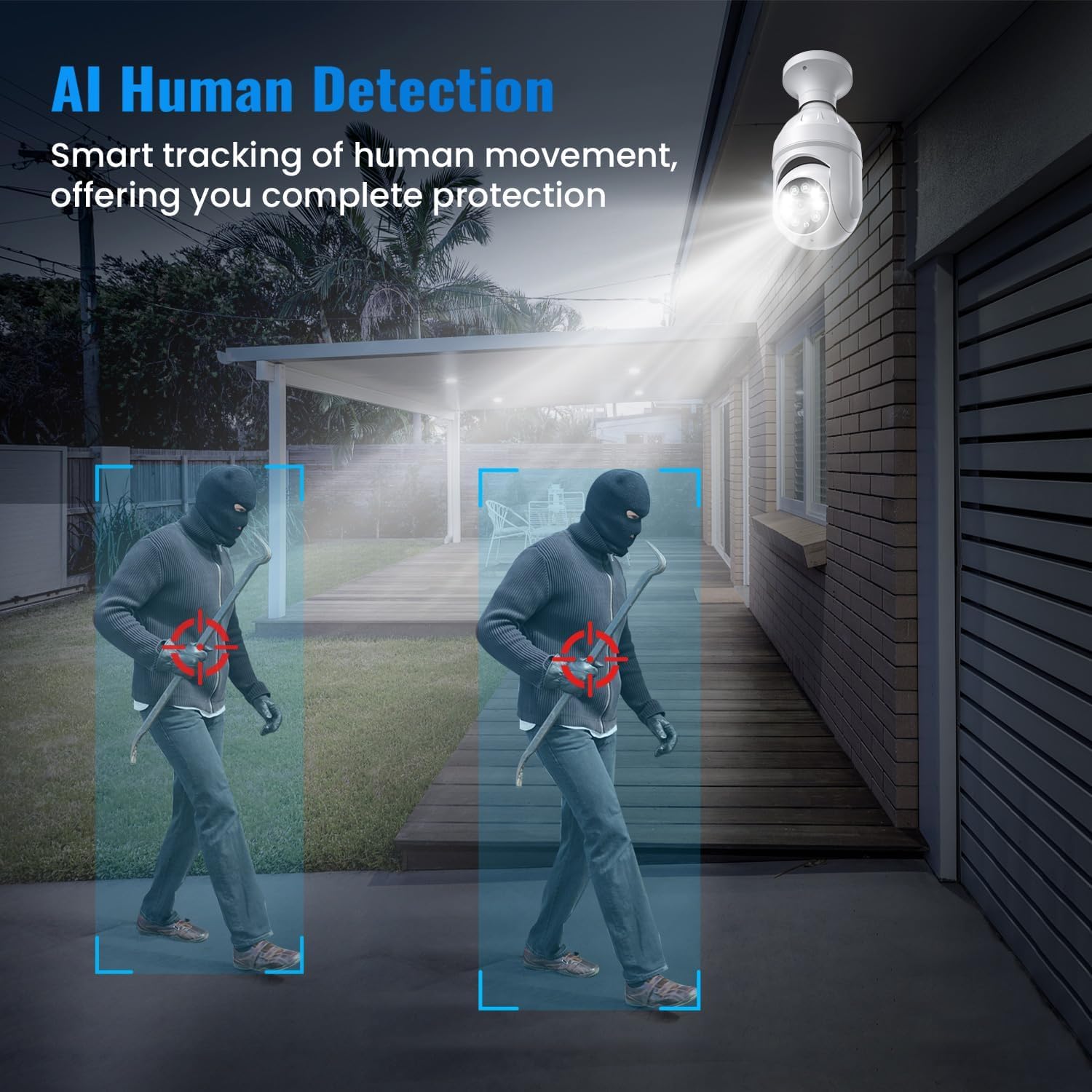
Image: The camera's AI Human Detection feature highlighting a person in the surveillance area.
6.5. Nattesynstilstande
The camera automatically switches between Color Night Vision and Infrared Mode based on ambient light conditions. Color Night Vision provides full-color images in low light, while Infrared Mode offers clear black-and-white footage i fuldstændig mørke.
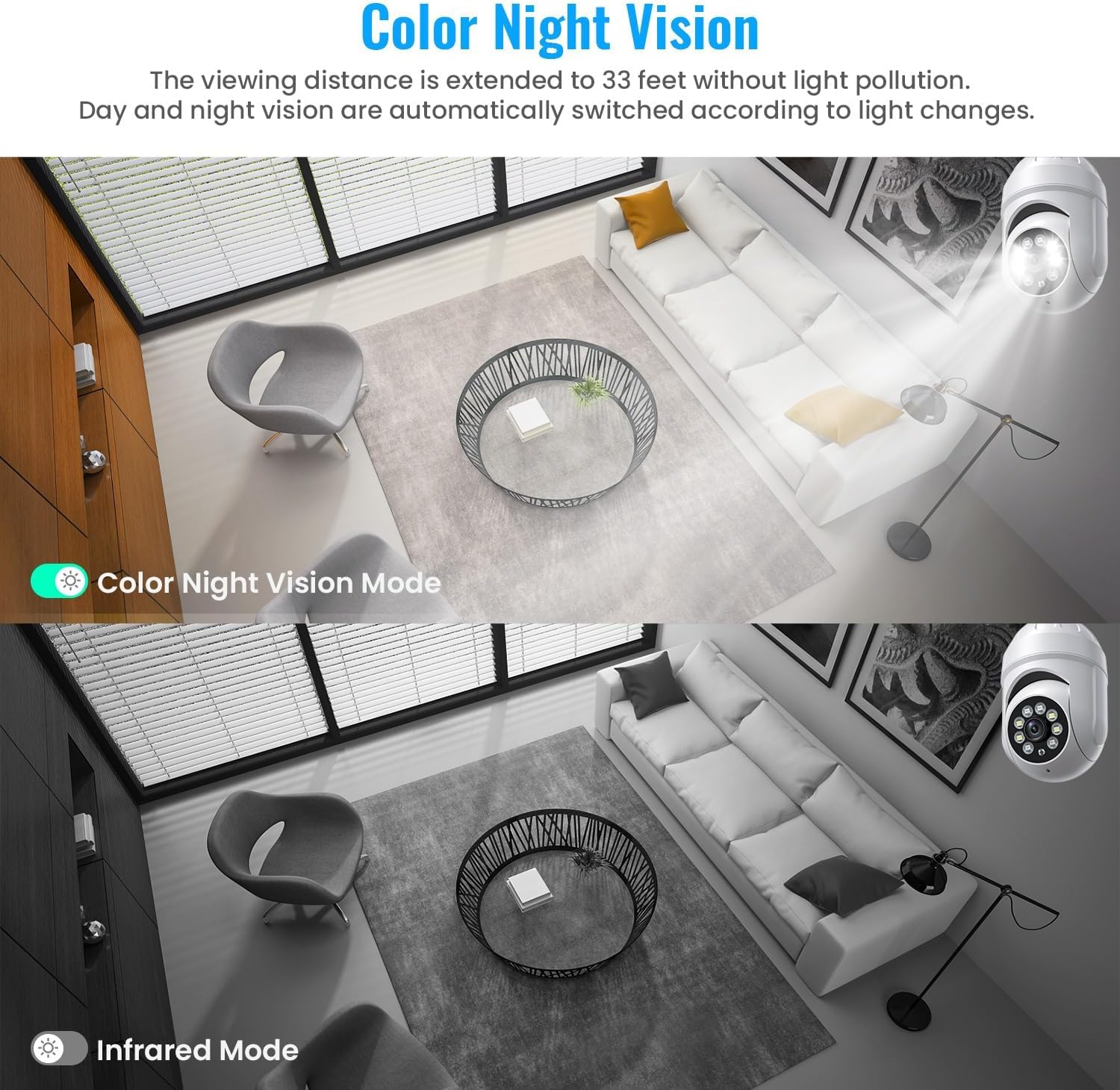
Image: A side-by-side comparison showing the difference between Color Night Vision and standard Infrared Night Vision.
6.6. Cloud Storage
Access recorded videos and event history through the Aiwit App. Cloud storage offers secure backup and allows you to review footage from anywhere. A 30-day free trial may be available, with subscription plans for continued service.
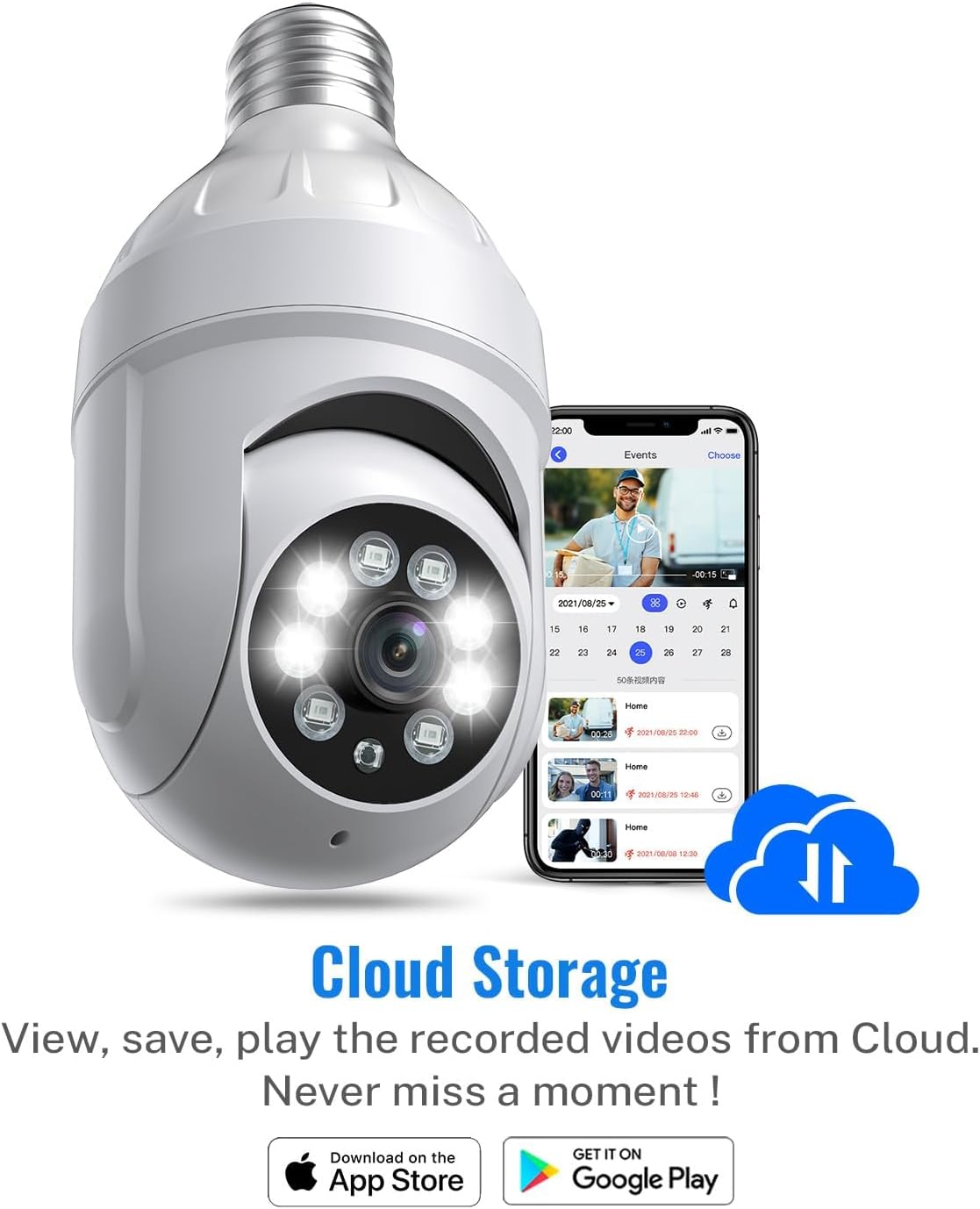
Image: Illustration of cloud storage functionality, showing recorded events accessible via the app.
6.7. Produktvideo overview
Video: En officiel overview of the SHARKPOP 1080P Light Bulb Security Camera, demonstrating its key features and functionalities. Closed captions are available for this video.
7. Vedligeholdelse
- Rensning: Gently wipe the camera lens and body with a soft, dry cloth. Do not use abrasive cleaners or solvents.
- Firmwareopdateringer: Periodically check the Aiwit App for available firmware updates. Keeping your camera's firmware up-to-date ensures optimal performance and security.
- Power Cycle: If the camera experiences issues, try turning off the power at the circuit breaker for 10 seconds, then restoring it.
8. Fejlfinding
- Kamera offline: Ensure your Wi-Fi network is stable and the camera is within range. Check if the camera's power supply is secure. Restart your router and the camera.
- Dårlig billedkvalitet: Ensure the lens is clean and free from obstructions. Check your Wi-Fi signal strength; a weak signal can affect video streaming quality.
- Ingen bevægelsesadvarsler: Verify that motion detection and human detection are enabled in the app settings. Adjust sensitivity levels if necessary.
- Camera Not Working in Cold Weather: Some users have reported issues with the camera going offline in very cold temperatures. If this occurs, consider relocating the camera to a more sheltered area or ensuring it is not exposed to extreme cold.
- To-vejs lydproblemer: Check your phone's volume settings and ensure the app has microphone permissions. Ensure there are no obstructions blocking the camera's microphone or speaker.
9. Specifikationer
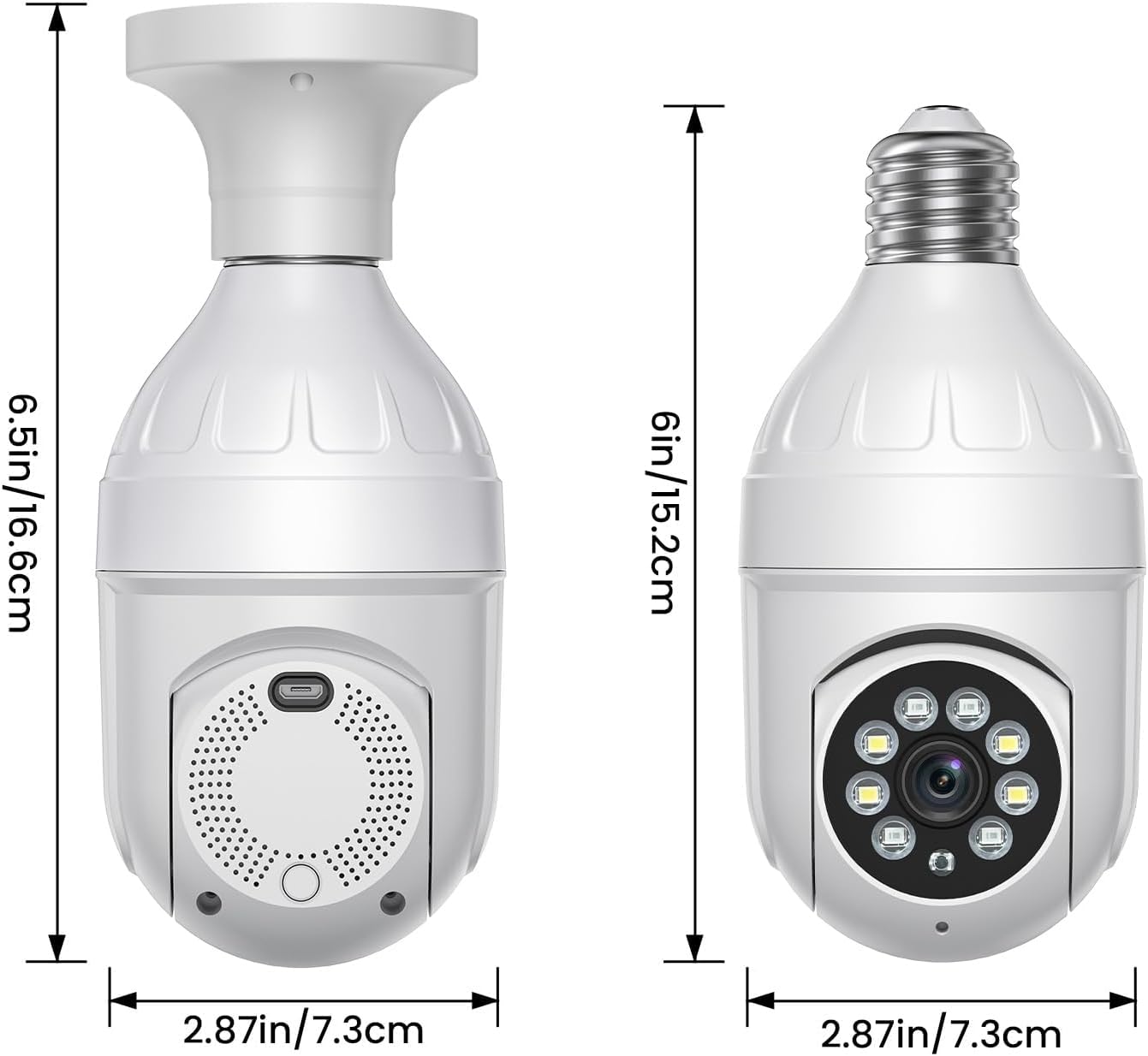
Image: Detailed dimensions of the SHARKPOP Light Bulb Security Camera.
| Feature | Detalje |
|---|---|
| Modelnavn | HT60-White |
| Videooptagelsesopløsning | 1080p |
| Forbindelsesprotokol | Wi-Fi (2.4 GHz) |
| Strømkilde | Elektrisk med ledning |
| Monteringstype | Ceiling Mount (E27 Screw-in) |
| Pan/tilt rækkevidde | 355° Pan, 95° Tilt |
| Nattesyn | Color Night Vision, Infrared Mode |
| Alert Type | Kun bevægelse (med menneskelig detektion) |
| To-vejs lyd | Ja |
| Kontrolmetode | App (Aiwit) |
| Produktdimensioner | 2.87 x 2.87 x 6 tommer (7.3 x 7.3 x 15.2 cm) |
| Varens vægt | 9.1 ounce |
| Materiale | Acrylonitril Butadien Styren (ABS) |
| Indendørs/Udendørs brug | Indendørs, Udendørs |
10. Garanti og support
SHARKPOP products are designed for reliability and performance. For specific warranty details, please refer to the product packaging or contact SHARKPOP customer support. If you encounter any issues or have questions not covered in this manual, please reach out to our support team for assistance.


