1. Produktet er slutview
The TCNEWCL 8K 60Hz HDMI KVM Switch allows you to control two computers using a single set of peripherals (keyboard, mouse, etc.) and one high-definition display. This device is designed for efficiency, enabling seamless switching between systems without the need to constantly re-plug cables. It supports high-resolution video and high-speed data transfer, making it suitable for various computing environments.
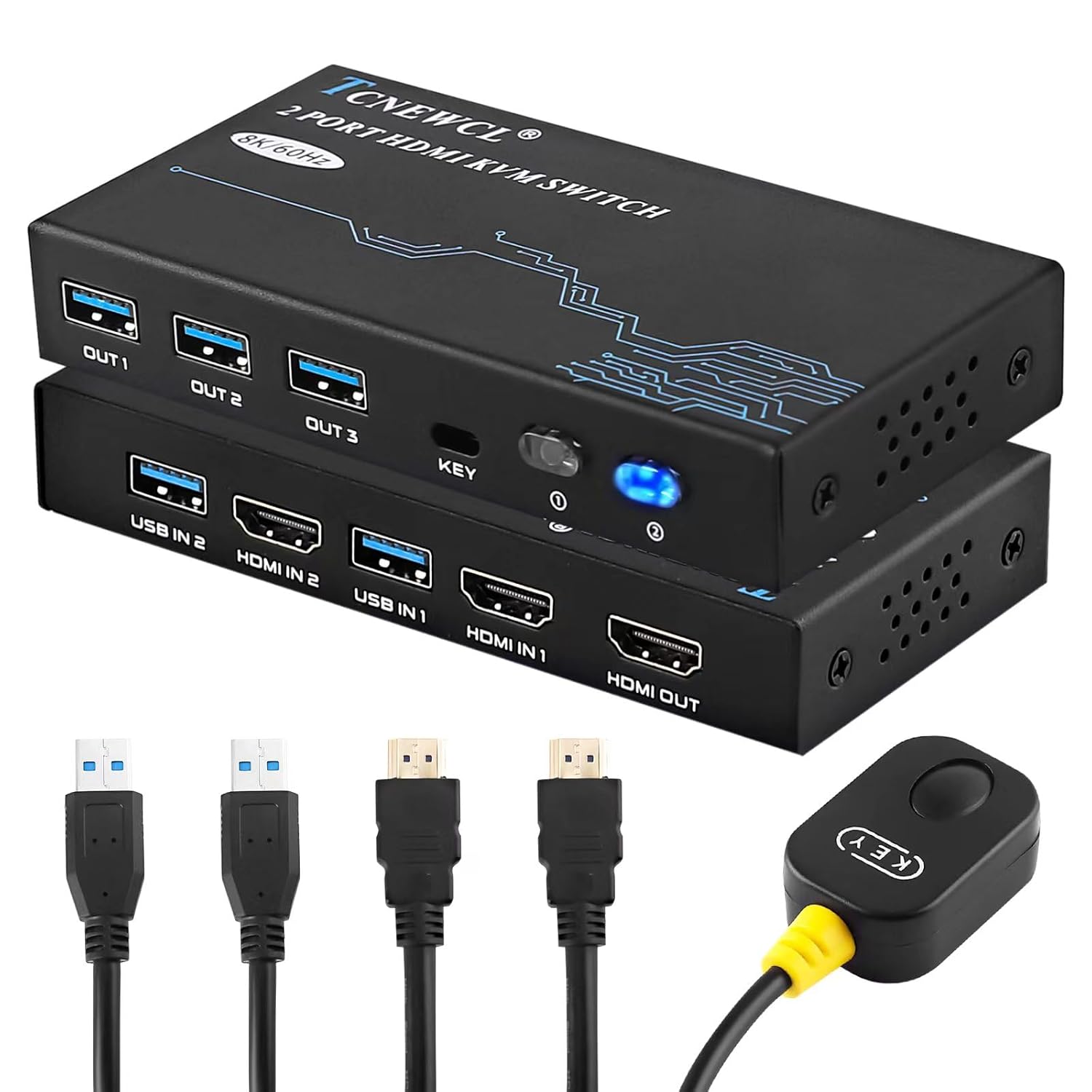
Billede 1.1: The TCNEWCL 8K 60Hz HDMI KVM Switch, showcasing the main unit, included HDMI 2.1 and USB 3.0 cables, and the wired desktop controller.
2. Pakkens indhold
Kontroller venligst, at alle varer er til stede i din pakke:
- 1x TCNEWCL 8K 60Hz HDMI KVM Switch (Model KS608T)
- 2x HDMI 2.1 Cables
- 2x USB 3.0 Cables
- 1x Wired Desktop Controller
- 1x Brugermanual (dette dokument)
3. Funktioner og specifikationer
3.1 Nøglefunktioner
- 2-Port KVM Functionality: Styr to computere med én skærm, tastatur og mus.
- HDMI 2.1-understøttelse: Delivers ultra-high-definition video.
- Høj opløsning: Supports up to 8K (7680x4320) at 60Hz and 4K (3840x2160) at 120Hz.
- Advanced Video Features: Compatible with HDR, 3D effects, and HDCP2.2.
- Superior Audio Support: Includes Dolby Atmos, DTS X, Dolby TrueHD, DTS-HD Master Audio.
- USB 3.0-tilslutning: Provides high-speed data transfer up to 5Gbps for peripherals, backward compatible with USB 2.0/1.1/1.0.
- Nem skift: Switch between connected PCs using the front panel button or the included wired desktop controller.
- Bred kompatibilitet: Works with Windows, Linux, Mac OS, Chrome OS, and gaming consoles like Xbox One X, PS4, and Blu-ray players.
- Plug & Play: No drivers or external power supply required for basic operation.
3.2 Tekniske specifikationer
| Modelnummer | KS608T |
| HDMI version | HDMI 2.1 |
| Max opløsning | 8K@60Hz, 4K@120Hz |
| USB-version | USB 3.0 |
| USB-overførselshastighed | 5 Gbps |
| Operation Voltage | 5 volt |
| Driftsstrøm | 1 A |
| Materiale | Metal |
| Dimensioner (L x B x H) | 13 x 6.5 x 2 cm |
| Vægt | 690 gram |

Billede 3.1: Visual representation of supported resolutions (8K, 4K, 1080P) and HDMI 2.1 bandwidth capabilities.
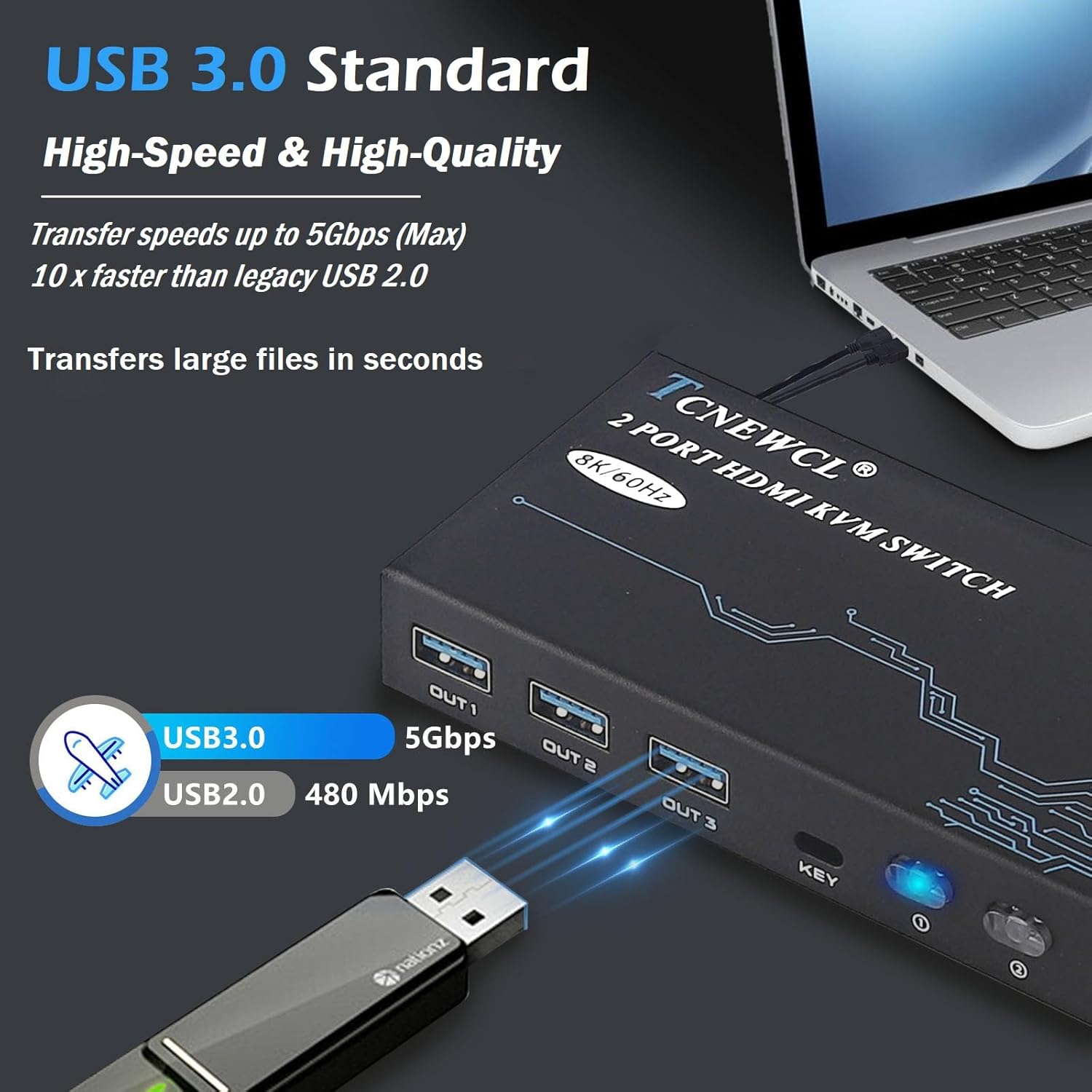
Billede 3.2: Illustration of USB 3.0 high-speed data transfer at 5Gbps, significantly faster than USB 2.0.
4. Opsætningsvejledning
Følg disse trin for at tilslutte din KVM-switch:
- Tilslut skærm: Connect your monitor to the 'HDMI OUT' port on the KVM switch using an HDMI 2.1 cable.
- Tilslut computere:
- For PC 1: Connect its HDMI output to 'HDMI IN 1' on the KVM switch and its USB output to 'USB IN 1'.
- For PC 2: Connect its HDMI output to 'HDMI IN 2' on the KVM switch and its USB output to 'USB IN 2'.
Note: For optimal performance, ensure HDMI 2.1 cables used for input are less than 3 meters in length.
- Tilslut ydre enheder: Connect your keyboard, mouse, and other USB 3.0 peripherals (e.g., USB drive, printer) to the 'OUT 1', 'OUT 2', 'OUT 3' USB ports on the KVM switch.
- Tilslut kablet fjernbetjening (valgfrit): Plug the wired desktop controller into the 'KEY' port on the KVM switch.
- Tænd: Ensure all connected devices (computers, monitor) are powered on. The KVM switch is Plug & Play and typically does not require an external power adapter.
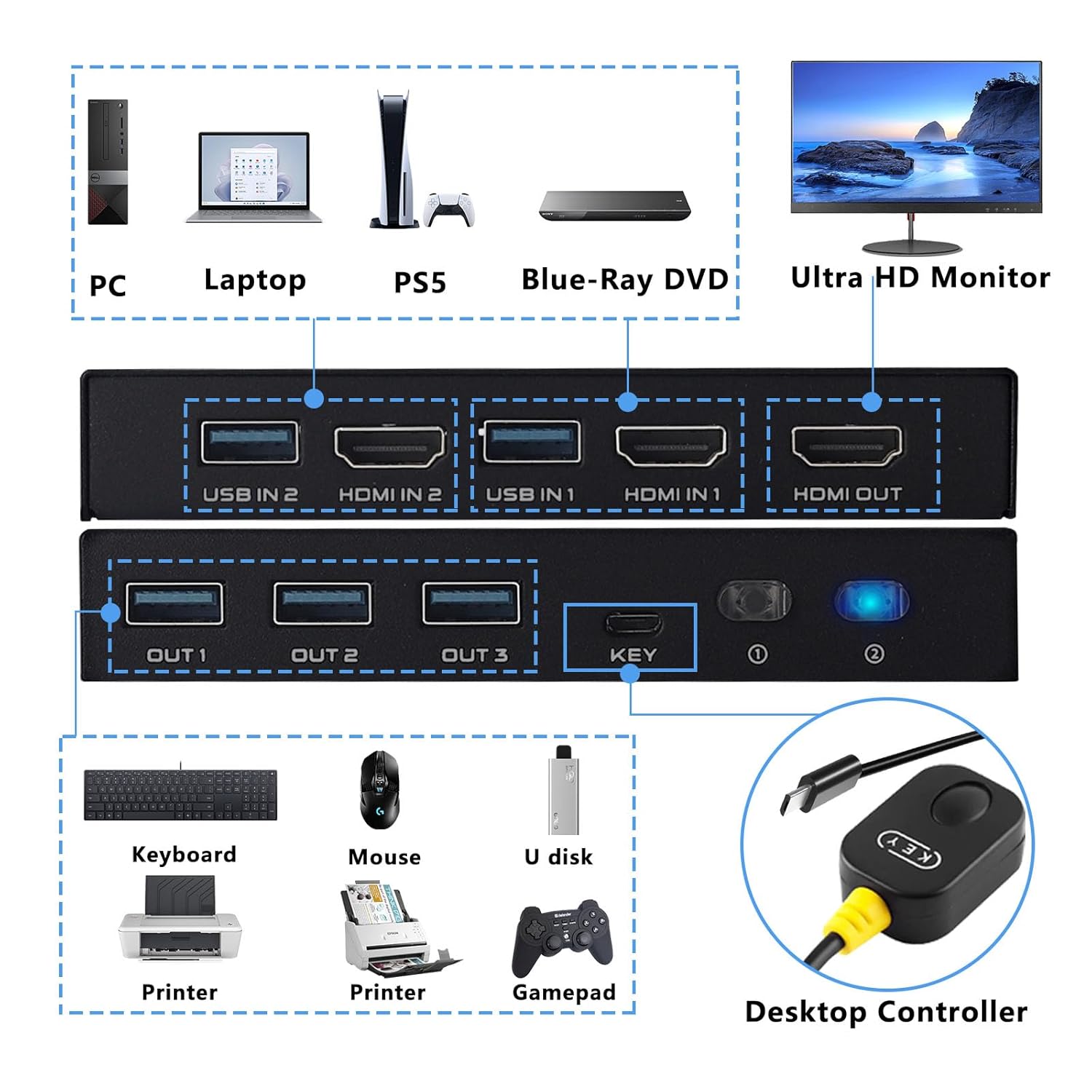
Billede 4.1: Detailed connection diagram illustrating how to connect PCs, monitor, and various USB peripherals to the KVM switch.
5. Betjeningsvejledning
Once connected, operating the KVM switch is straightforward:
- Skift mellem pc'er: You have two methods to switch between the connected computers:
- Frontpanelknap: Press the 'KEY' button on the front panel of the KVM switch to cycle between PC 1 and PC 2.
- Kablet desktop-controller: Press the button on the wired remote control to switch between PC 1 and PC 2.
- LED-indikator: The LED indicator on the KVM switch will illuminate to show which PC is currently selected and active.

Billede 5.1: Illustration of the two available switching methods: the physical button on the KVM unit and the external wired controller.
6. Fejlfinding
Hvis du støder på problemer, bedes du følge følgende almindelige fejlfindingstrin:
- Ingen visning på skærmen:
- Ensure all HDMI cables are securely connected to both the KVM switch and your devices.
- Verify that the monitor is powered on and set to the correct HDMI input.
- Try using different HDMI cables, especially if experiencing issues with 8K or 4K@120Hz resolutions. Ensure HDMI 2.1 cables are used and are within the recommended length (less than 3 meters).
- Restart the connected computers and the KVM switch.
- Tastatur/mus reagerer ikke:
- Check that the USB 3.0 cables from your computers are securely connected to the 'USB IN' ports on the KVM switch.
- Ensure your keyboard and mouse are connected to the 'OUT' USB ports on the KVM switch.
- Prøv at tilslutte tastaturet/musen direkte til computeren for at bekræfte, at de fungerer.
- Some specialized gaming keyboards/mice with high power requirements or custom drivers may not function optimally through a KVM. Try a standard keyboard/mouse to isolate the issue.
- Intermittent Connection/Flickering Screen:
- This can often be caused by poor quality or excessively long HDMI cables. Replace with certified HDMI 2.1 cables of appropriate length.
- Sørg for, at der ikke er stærke elektromagnetiske interferenskilder i nærheden.
- Skiftet virker ikke:
- Verify the wired desktop controller is properly plugged into the 'KEY' port.
- Ensure the KVM switch has power (indicated by the LED).
7. Sikkerhedsoplysninger
Læs og følg disse sikkerhedsretningslinjer for at sikre sikker betjening og forlænge din enheds levetid:
- Udsæt ikke enheden for vand, fugt eller ekstreme temperaturer.
- Undgå at placere enheden i nærheden af varmekilder eller i direkte sollys.
- Forsøg ikke at åbne eller ændre enheden. Dette kan ugyldiggøre garantien og udgøre en sikkerhedsrisiko.
- Use only the provided or recommended cables.
- Hold enheden væk fra børn.
- Sørg for korrekt ventilation omkring enheden for at forhindre overophedning.
8. Garanti og support
TCNEWCL products are designed for reliability and performance. For specific warranty details, please refer to the warranty card included with your purchase or contact TCNEWCL customer support.
For technical assistance or support, please visit the official TCNEWCL website or contact their customer service department. Please have your model number (KS608T) and purchase information ready when seeking support.