1. Introduktion
This manual provides detailed instructions for the installation, operation, and maintenance of your Srihome SH045 Full HD PTZ WiFi IP Camera. This camera is designed for home security and surveillance, offering 1080P resolution, pan and tilt functionality, two-way audio, and advanced motion detection features.

Image 1: Srihome SH045 Full HD PTZ WiFi IP Camera. This image displays the camera unit alongside a smartphone screen showing the live feed and control interface.
2. Pakkens indhold
Bekræft, at alle nedenstående varer er inkluderet i din pakke:
- Srihome SH045 IP Camera
- Strømadapter
- Monteringsskruer
- Nulstil nål
- Hurtig brugermanual

Image 2: Packing List. This image illustrates the camera and all included accessories: the camera unit, power adapter, mounting screws, reset needle, and the user manual.
3. Produktet er slutview
The Srihome SH045 camera features a robust design suitable for both indoor and outdoor use. Key functionalities include:
- Full HD 1080P opløsning: Captures clear video at 1920x1080 pixels.
- Pan & Vip-funktionalitet: Offers a 355° horizontal rotation and 70° vertical tilt for comprehensive coverage.
- Tovejs lyd: Indbygget mikrofon og højttaler muliggør kommunikation i realtid.
- Farve Night Vision: Utilizes a starlight lens, infrared, and warm light for enhanced visibility in low-light conditions.
- AI Motion Detection & Tracking: Automatically detects and tracks human movement, sending real-time alerts.
- IP66 vandtæt: Designed to withstand various weather conditions for outdoor installation.
- MicroSD-kort support: Supports up to 128GB for local video storage.

Image 3: Key Features of Srihome SH045. This graphic highlights the camera's main features including 1080P HD, PTZ, Humanoid Tracking, Night Color, IP66 Waterproof rating, Two-Way Audio, Motion Detection, and SD Card support.
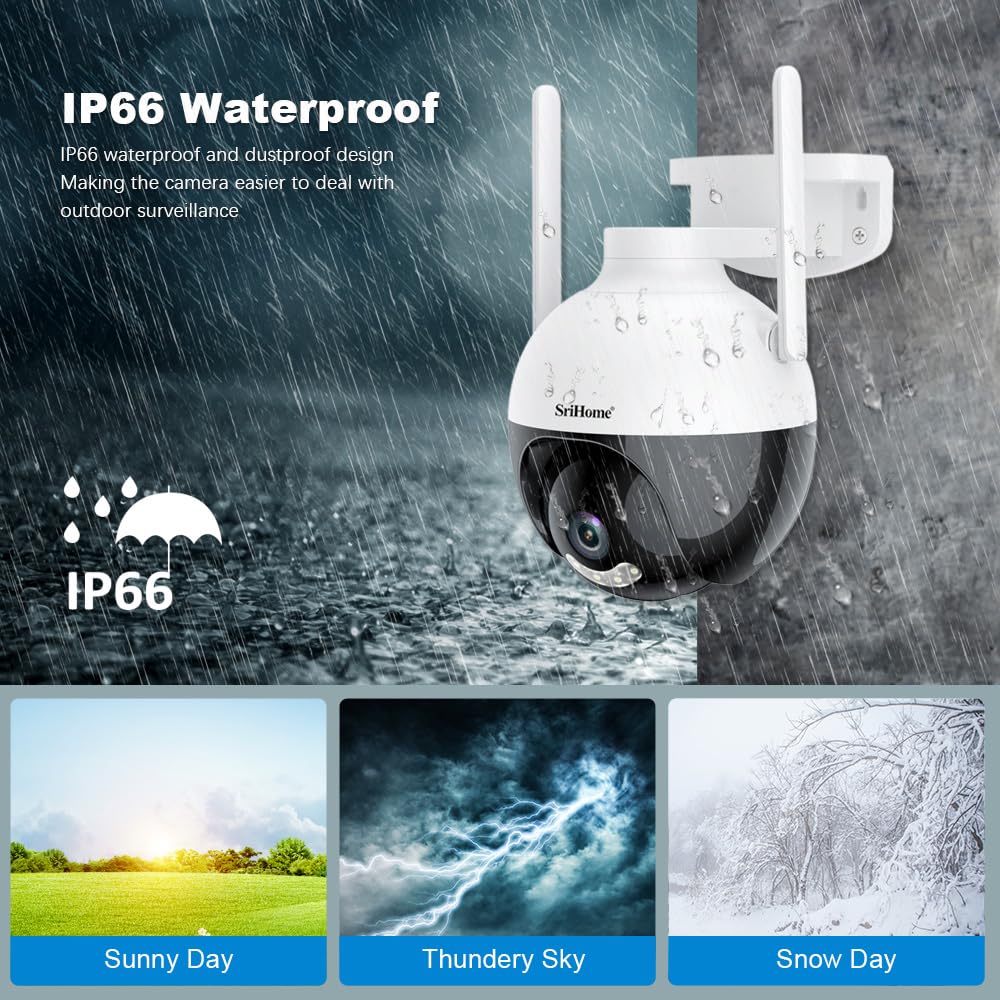
Image 4: IP66 Waterproof Design. This image demonstrates the camera's IP66 waterproof and dustproof capabilities, showing it functioning in various weather conditions like sunny, thundery, and snowy days.
4. Opsætning
4.1 App download
At styre og view your camera, download the SriHome app on your mobile device:
- For Android devices: Download from Google Play Butik
- For iOS devices: Download from Apple App Store
4.2 Første tilslutning
- Connect the camera to power using the provided adapter.
- Wait for the camera to initialize (indicated by a status light or audible prompt).
- Open the SriHome app and follow the on-screen instructions to add your camera. This typically involves scanning a QR code on the camera or connecting via AP hotspot.
- Ensure your mobile device is connected to a 2.4GHz Wi-Fi network during the setup process.
4.3 Installation
The camera can be mounted on a wall or ceiling. Use the included screws and follow these general steps:
- Vælg en passende placering, der giver det ønskede viewing angle and has access to a power outlet.
- Marker borepunkterne ved hjælp af kameraets base som skabelon.
- Bor huller og isæt vægdyvler om nødvendigt.
- Secure the camera base to the mounting surface with the screws.
- Adjust the camera angle as needed after power is connected and setup is complete.

Image 5: App Download, Multi-user Viewing, and Storage Methods. This image shows QR codes for downloading the SriHome app on Android and iOS, illustrates multi-user access, and depicts various storage options including MicroSD card and cloud storage.
5. Betjeningsvejledning
5.1 Panorerings- og vippekontrol
From the SriHome app, you can remotely control the camera's pan (horizontal) and tilt (vertical) movements to adjust the viewing angle. Use the directional controls within the app's live view interface.

Image 6: AI Technology with Motion Tracking and Pan/Tilt. This image demonstrates the camera's 355° pan and 90° tilt capabilities, along with its AI-powered motion tracking feature, showing a child being followed by the camera's view.
5.2 Tovejslyd
The camera features a built-in microphone and speaker, enabling two-way communication. Tap the microphone icon in the app to speak, and listen through the app to hear audio from the camera's location.
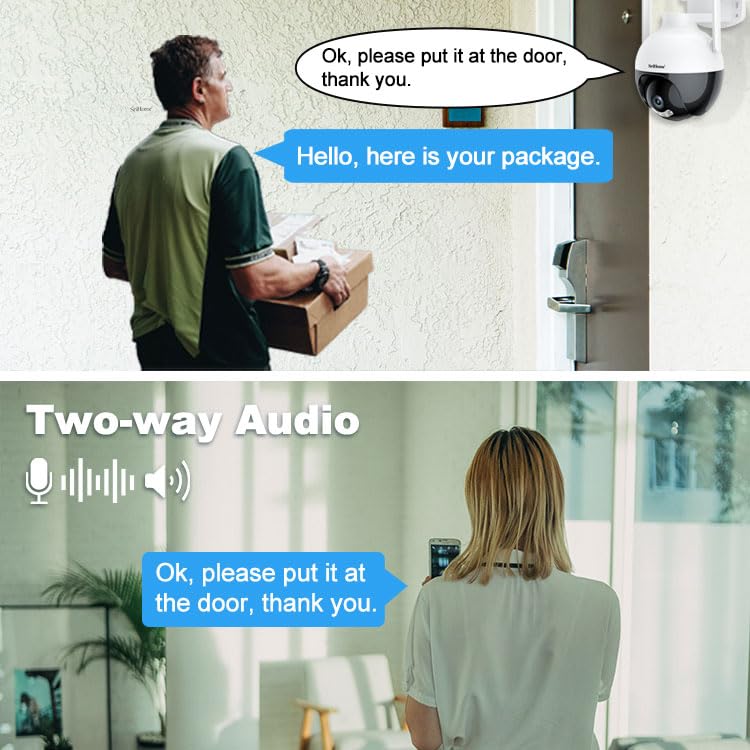
Image 7: Two-Way Audio. This image illustrates the two-way audio feature, showing a person at the door speaking to someone viewing through the camera on a smartphone.
5.3 Bevægelsesdetektion og -sporing
The camera can detect movement and send alerts to your phone. Enable motion detection in the app settings. The AI Humanoid Detection feature helps distinguish human shapes from other moving objects, reducing false alarms. Motion tracking allows the camera to follow detected subjects within its field of view.
5.4 Nattesynstilstande
The SH045 offers multiple night vision modes:
- Dagssyn: Standard farvevideo i dagslys.
- Infrarødt nattesyn: Black and white video in complete darkness using infrared LEDs.
- Farve Night Vision: Provides full-color video in low-light conditions using a starlight lens and warm light illumination.

Image 8: Day, Infrared Night, and Color Night Vision. This image displays a comparison of the camera's visual output in different lighting conditions: clear color during the day, black and white with infrared at night, and full-color night vision.
5.5 Lagringsmuligheder
Optagelser kan gemmes på to måder:
- MicroSD-kort: Indsæt et MicroSD-kort (op til 128 GB, medfølger ikke) i kameraets slot til lokal lagring.
- Cloud Storage: The SriHome app may offer cloud storage options (subscription may be required).
6. Vedligeholdelse
- Rensning: Tør forsigtigt kameralinsen og huset af med en blød, tør klud. Undgå slibende rengøringsmidler eller opløsningsmidler.
- Firmwareopdateringer: Regularly check the SriHome app for available firmware updates to ensure optimal performance and security.
- Strømforsyning: Ensure the camera is connected to a stable power source.
7. Fejlfinding
- Kamera offline: Kontroller Wi-Fi-forbindelsen og strømforsyningen, og sørg for, at kameraet er inden for din routers rækkevidde. Genstart kameraet og routeren, hvis det er nødvendigt.
- Kan ikke oprette forbindelse til appen: Ensure you are using the correct 2.4GHz Wi-Fi network during setup. Reset the camera using the reset needle and try again.
- Dårlig videokvalitet: Check your internet speed. Ensure the lens is clean and free from obstructions. Adjust video quality settings in the app if your network bandwidth is limited.
- Bevægelsesdetektion virker ikke: Verify motion detection is enabled in the app settings. Adjust sensitivity levels if needed.
- MicroSD-kort optager ikke: Ensure the card is inserted correctly and formatted within the app. Check if the card is full or corrupted.
8. Specifikationer
| Modelnavn | SriHome SH045 2MP PTZ Camera |
| Opløsning | 1080P (1920*1080) |
| Pan/tilt rækkevidde | Panorer 355°, vip 70° |
| Forbindelse | 2.4GHz Wi-Fi (Wireless) |
| Opbevaring | MicroSD-kort (op til 128 GB) |
| Nattesyn | Infrared, Color Night Vision (Starlight lens, warm light) |
| Lyd | Tovejslyd (indbygget mikrofon og højttaler) |
| Vejrbestandighed | IP66 vandtæt |
| Strømkilde | Elektrisk med ledning |
| Dimensioner | 20 x 10 x 6 cm |
| Vægt | 500 g |
9. Garanti og support
9.1 Garantioplysninger
Dette produkt leveres med en 1 års garanti fra købsdatoen. Gem venligst din købsbevis i tilfælde af garantikrav.
9.2 Kundesupport
For technical assistance or warranty inquiries, please contact Megaa Electronics, the manufacturer and importer, via:
- E-mail: support@megaaelectronics.com or megaaelectronics@gmail.com
- WhatsApp: 8328671337


