Indledning
This manual provides detailed instructions for the setup, operation, maintenance, and troubleshooting of your INLAND KB83 MK Pro Gaming Keyboard. Designed for both Mac and Windows users, this 75% layout mechanical keyboard features a full aluminum chassis, gasket mount, hot-swappable switches, PBT keycaps, and QMK/VIA support for extensive customization. Please read this manual thoroughly to ensure proper use and longevity of your device.

Image: The INLAND KB83 MK Pro Gaming Keyboard, showcasing its 75% layout with black and cream PBT keycaps and a rotary knob.
Opsætning
Follow these steps to set up your INLAND KB83 MK Pro Gaming Keyboard:
- Udpakning: Carefully remove the keyboard and all included accessories from the packaging. Verify that all components listed in the 'Included Components' section of the product specifications are present.
- Forbindelse: Connect the provided USB-C cable to the USB-C port on the keyboard and the other end to an available USB port on your computer (Laptop, PC, or Gaming Console). The keyboard is designed for wired connectivity.
- Førstegangsanerkendelse: Your operating system (Windows or Mac) should automatically detect and install the necessary drivers. This process may take a few moments.
- QMK/VIA Software: For advanced customization of key assignments, macros, and RGB lighting effects, download and install the QMK/VIA software. This open-source firmware allows for extensive personalization. Refer to the official QMK/VIA documentation for detailed instructions on software usage.

Image: A four-panel image showing the USB-C port for connection, the rotary knob for volume control, and the RGB side lighting of the keyboard.
Operation
Grundlæggende nøglefunktioner
The KB83 MK Pro features a 75% layout with 83 keys, including physical F-keys and arrow keys. All standard alphanumeric and modifier keys function as expected. Refer to the keycap legends for specific functions.
RGB lysstyring
The keyboard features south-facing RGB backlighting and side lighting. You can adjust the RGB hue, saturation, brightness, and effects using the QMK/VIA software. This allows for a wide range of lighting customization to match your preference.
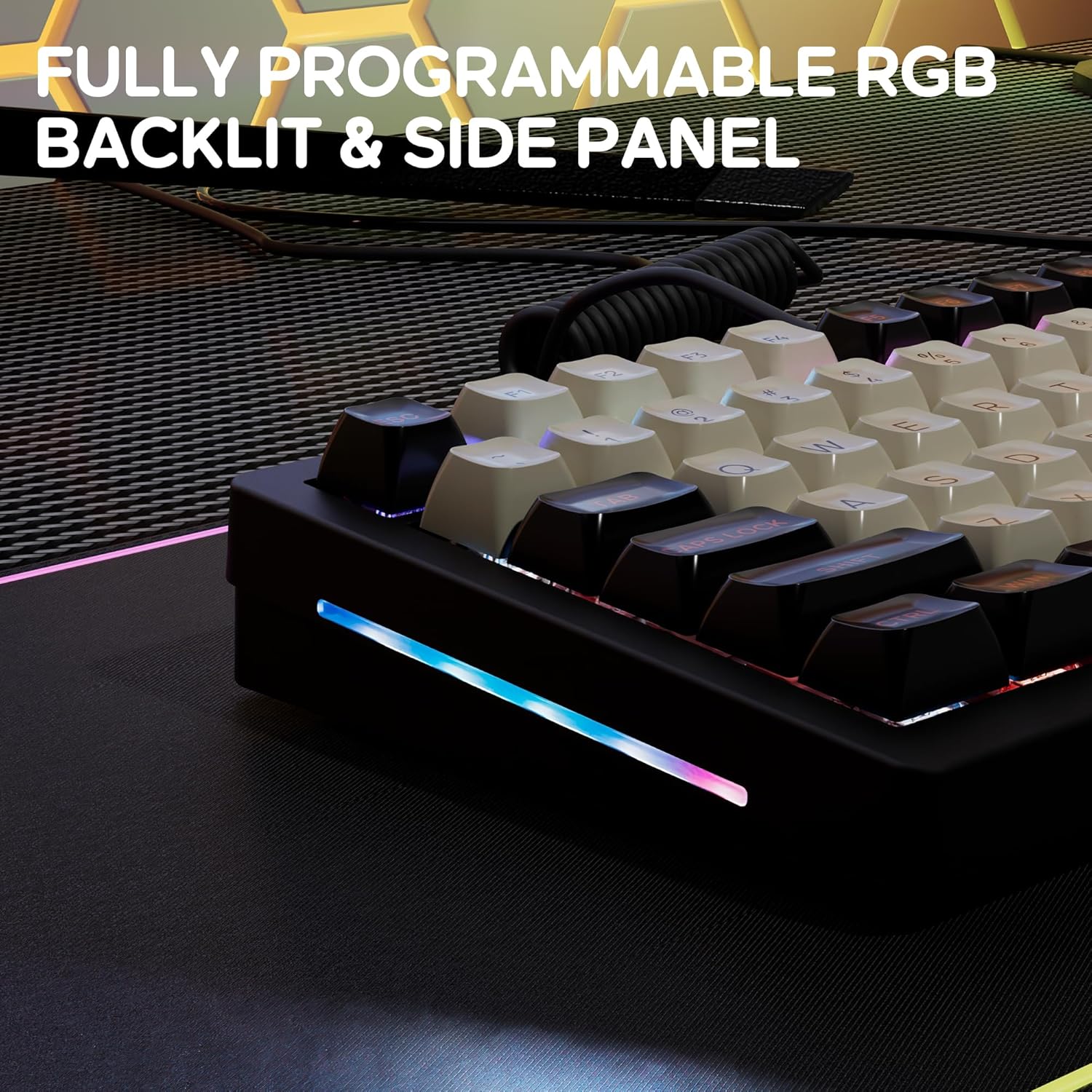
Image: The INLAND KB83 MK Pro keyboard illuminated by its fully programmable RGB backlighting and side panel lighting.
Hot-swap-switche
The hot-swappable sockets allow you to easily change mechanical switches without soldering. This feature enables customization of typing feel and sound. Use the included switch puller to carefully remove switches. Align new switches with the pins and gently press them into place until they click.

Billede: Et nærbillede view of the keyboard's hot-swappable switches, highlighting the south-facing RGB illumination beneath the keycaps.
Drejeknapfunktionalitet
The rotary knob located on the top right of the keyboard typically controls multimedia functions. By default, it is often used for volume control (rotate to adjust volume, press to mute/unmute). Its function can be remapped via the QMK/VIA software.
PBT-taster
The keyboard comes with double-shot PBT keycaps in an ASA profile, providing durability and a comfortable typing experience. PBT material is resistant to shine and wear over time.

Image: Various PBT keycaps in ASA profile, some removed from the keyboard, demonstrating their thick construction and the hot-swappable switch sockets.
Opretholdelse
Regular maintenance helps preserve the performance and appearance of your keyboard.
- Rensning:
- Brug en dåse med trykluft til at fjerne støv og snavs mellem tasterne.
- Wipe the keycaps and chassis with a soft, lint-free cloth slightly damprengøres med vand eller en mild, ikke-slibende rengøringsopløsning. Undgå for meget fugt.
- Keycap Removal and Reinstallation:
- Use the included keycap puller to gently remove keycaps. Pull straight up to avoid damaging the switch stem.
- To reinstall, align the keycap with the switch stem and press down firmly until it seats properly.
- Udskiftning af kontakt:
- Power off or disconnect the keyboard before replacing switches.
- Use the included switch puller to grip the top and bottom clips of the switch and pull straight up.
- When inserting a new switch, ensure the pins are straight and align with the holes on the PCB. Gently push down until the switch clicks into place. Do not force it, as bent pins can damage the socket.
Fejlfinding
Hvis du støder på problemer med dit tastatur, kan du bruge følgende almindelige løsninger:
- Tastaturet reagerer ikke:
- Sørg for, at USB-C-kablet er korrekt tilsluttet til både tastaturet og computeren.
- Prøv at tilslutte tastaturet til en anden USB-port på din computer.
- Test tastaturet på en anden computer for at udelukke systemspecifikke problemer.
- Genstart din computer.
- RGB-belysning fungerer ikke eller er forkert:
- Verify that the QMK/VIA software is correctly installed and configured.
- Check lighting settings within the QMK/VIA software.
- Sørg for, at der ikke kører modstridende software, som kan forstyrre RGB-kontrollen.
- Specifikke taster virker ikke:
- Carefully remove the keycap and switch from the affected key.
- Undersøg kontaktstifterne for bøjninger eller skader. Ret de bøjede stifter forsigtigt ud med en pincet, hvis det er muligt, eller udskift kontakten.
- Sørg for, at kontakten sidder helt i hot-swap-sokkelen.
- QMK/VIA Connectivity Issues:
- Ensure your browser is up to date if using the web-baseret VIA-konfigurator.
- Confirm that the keyboard firmware is compatible with the VIA version you are using.
- Prøv et andet USB-kabel eller -port.
- Gendan fabriksindstillinger: If issues persist, a factory reset may resolve them. Consult the QMK/VIA documentation for your specific keyboard model on how to perform a factory reset, as this typically involves a key combination during power-up.
Specifikationer
| Feature | Detalje |
|---|---|
| Model | KB83 MK Pro |
| Layout | 75% (83 taster) |
| Forbindelse | Kablet (USB-C) |
| Chassis materiale | Full Aluminum |
| Monteringsstil | Pakningsmontering |
| Afbrydere | Hot-Swappable (Brown Switch included) |
| tasterne | Double Shot PBT (ASA Profile) |
| Baggrundsbelysning | South-facing RGB (Backlit & Sidelit) |
| Software support | QMK/VIA |
| Kompatibel OS | Mac & Windows |
| Varens vægt | 5.26 pund |
| Pakkedimensioner | 14.25 x 7.87 x 3.11 tommer |

Image: An exploded diagram illustrating the internal gasket structure of the keyboard, showing layers like the aluminum knob, PBT keycaps, Gateron G Pro switches, aluminum top case, side RGB panels, steel plate, gaskets, EVA dampening foam, screw-in PCB stabilizers, PCBA, hot-swap sockets, sound dampener foam, aluminum bottom case, and anti-slip silicone feet.
Garanti
INLAND products are manufactured to high-quality standards. For information regarding the warranty period and terms for your KB83 MK Pro Gaming Keyboard, please refer to the warranty card included with your product or visit the official INLAND webwebsted. Gem din købsbevis til garantikrav.
Støtte
For further assistance, technical support, or inquiries about your INLAND KB83 MK Pro Gaming Keyboard, please contact INLAND customer service through their official website or the contact information provided in your product packaging. Online resources, including FAQs and driver downloads, may also be available on the INLAND support page.


