1. Introduktion
This manual provides detailed instructions for the installation, operation, and maintenance of your Ctronics CTIPC-790C-EU 5MP PTZ Wi-Fi Security Camera. Please read this manual thoroughly before using the product to ensure proper function and safety. This camera is designed for both indoor and outdoor surveillance, offering high-resolution video, advanced detection features, and flexible connectivity.

Figur 1: Forside view of the Ctronics 5MP PTZ Wi-Fi Security Camera. This image displays the camera's dome shape, lens, and LED illuminators.
2. Pakkens indhold
Bekræft, at alle nedenstående varer er inkluderet i din pakke. Hvis der mangler eller er beskadigede varer, bedes du kontakte kundesupport.
- Ctronics CTIPC-790C-EU 5MP PTZ Wi-Fi Security Camera
- Strømadapter
- Ladekabel
- Instruktionsmanual
- Monteringsbeslag
- Monteringsskruer
3. Produktet er slutview
The Ctronics CTIPC-790C-EU camera offers advanced surveillance capabilities:
- 5MP Ultra HD-opløsning: Provides clear 2560x1920 pixel video and images, offering more detail than 1080P or 4MP cameras.
- Dual-Band Wi-Fi (2.4/5 GHz): Supports both 2.4GHz for extended range and better penetration, and 5GHz for faster transmission and reduced interference.
- PTZ-funktionalitet: Pan 355° and Tilt 90° for comprehensive area coverage.
- AI Menneskedetektion og automatisk sporing: Intelligent technology reduces false alarms by up to 95% and automatically tracks detected human movement.
- Farve Night Vision: Achieves full-color night vision up to 25 meters or infrared night vision up to 30 meters for clear visibility in low-light conditions.
- Tovejs lyd: Indbygget mikrofon og højttaler til fjernkommunikation.
- IP66 Vejrbestandig: Holdbar konstruktion egnet til udendørs brug under forskellige vejrforhold.
- Fleksible opbevaringsmuligheder: Supports continuous 24/7 recording to a microSD card (up to 128GB), cloud storage, or FTP.

Figure 2: This image illustrates the superior clarity of 5MP resolution compared to 2MP, highlighting finer details in a vehicle.
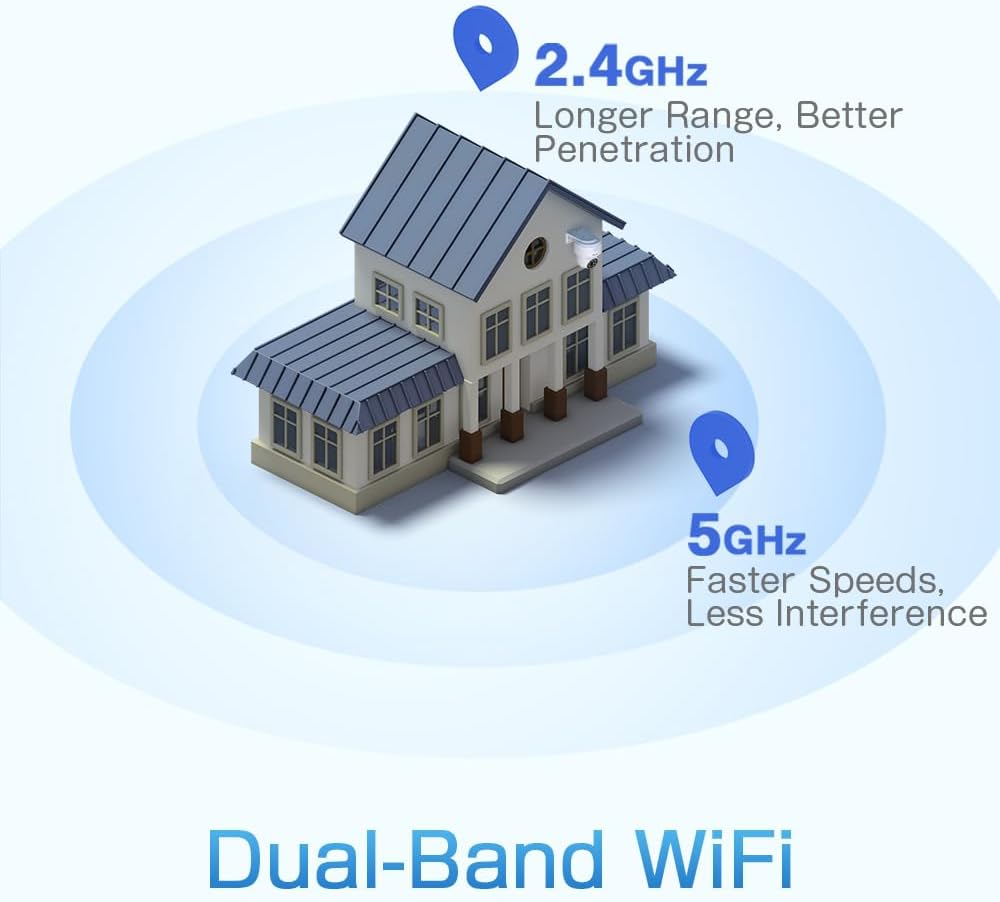
Figure 3: A diagram depicting a house with Wi-Fi signals. The 2.4GHz signal offers longer range and better penetration, while the 5GHz signal provides faster speeds and less interference.
4. Opsætning
4.1 Fysisk installation
The camera can be mounted on a wall or ceiling. Ensure the mounting location provides a clear field of view og er inden for Wi-Fi-rækkevidde.
- Vælg en placering: Select a suitable indoor or outdoor location. The camera is IP66 waterproof, making it resistant to dust and water jets.
- Montering:
- Vægbeslag: Brug det medfølgende monteringsbeslag og skruer til at fastgøre kameraet til væggen.
- Loftmontering: The camera can also be mounted directly to a ceiling.
- Juster vinkel: After mounting, adjust the camera's orientation as needed.

Figure 4: This image displays two installation methods: wall mounting using a bracket and ceiling mounting.

Figure 5: This image illustrates both ceiling and wall installation options, emphasizing the camera's IP66 waterproof rating by showing it under simulated rain.
4.2 Strømtilslutning
Connect the provided power adapter to the camera's power input and then plug it into a standard electrical outlet. Ensure the connection is secure.
4.3 Netværksforbindelse
The camera supports both 2.4GHz and 5GHz Wi-Fi networks. For initial setup, it is recommended to place the camera near your Wi-Fi router.
- Download app: Download the Ctronics Pro or CamHi Pro app from your smartphone's app store (available for iOS and Android). For PC, use HiP2P Client software.
- Registrer konto: Åbn appen, og opret en ny konto, eller log ind, hvis du allerede har en.
- Tilføj kamera: Følg instruktionerne i appen for at tilføje dit kamera. Dette involverer typisk at scanne en QR-kode på kameraet eller manuelt indtaste dets ID.
- Opret forbindelse til Wi-Fi: Select your desired 2.4GHz or 5GHz Wi-Fi network and enter the password. The camera will connect to the network.
5. Betjeningsvejledning
5.1 Live View og PTZ-styring
Once connected, you can access the live video feed through the Ctronics app or PC software.
- Live feed: Tryk på kameraet i appen for at view videostreamen i realtid.
- Panorering/vip: Use the directional controls within the app to rotate the camera horizontally (pan 355°) and vertically (tilt 90°).
- Zoom: Digital zoom is available through the app.
- Forudindstillede positioner: Set up to 8 preset positions for quick navigation to specific areas.
5.2 AI-menneskedetektion og automatisk sporing
The camera's intelligent detection system can identify human shapes and track their movement.
- Aktivér detektion: In the app settings, enable AI Human Detection.
- Adjust Sensitivity & Area: Customize the detection sensitivity and define specific detection zones to minimize false alarms.
- Automatisk sporing: When enabled, the camera will automatically follow detected human movement within its field of view.
- Advarsler: Receive instant notifications via the app or email when motion is detected. The camera can also trigger customizable sound and light alarms.

Figure 6: This image shows the camera detecting a person at night, with an alarm notification displayed on a smartphone, illustrating the human detection and auto-tracking features.
5.3 Nattesyn
The camera offers enhanced night vision capabilities:
- Nattesyn i fuld farve: When spotlights are activated, the camera can provide full-color video in low-light conditions up to 25 meters.
- Infrarødt nattesyn: In complete darkness, the camera automatically switches to infrared mode, providing clear black and white video up to 30 meters.

Figure 7: An image showing the camera mounted outdoors at night, with its spotlights illuminated to provide full-color night vision. A smartphone displays the live feed.
5.4 Tovejslyd
Use the two-way audio feature to communicate with individuals near the camera.
- Tale: Press and hold the microphone icon in the app to speak through the camera's speaker.
- Lytte: Enable the speaker icon to listen to audio from the camera's microphone.
5.5 Optagelse og opbevaring
The camera supports various recording and storage methods:
- MicroSD-kort: Insert a microSD card (up to 128GB, not included) into the designated slot for local 24/7 continuous recording.
- Cloud Storage: Subscribe to a cloud storage service (if available) for off-site video backup.
- FTP: Configure FTP settings in the app to upload recordings to an FTP server.

Figure 8: This image illustrates the camera's 24/7 recording capability and various recording modes, including a timeline view on a smartphone and a filmstrip showing recorded events.
6. Vedligeholdelse
6.1 Rengøring
Regularly clean the camera lens and housing to ensure optimal image quality and performance.
- Brug en blød, damp cloth to wipe the camera's exterior.
- Brug en specialklud og -opløsning til linsen for at undgå ridser.
- Brug ikke hårde kemikalier eller slibende rengøringsmidler.
6.2 firmwareopdateringer
Periodically check for firmware updates through the Ctronics app. Keeping your camera's firmware updated ensures access to the latest features and security enhancements.
7. Fejlfinding
Hvis du støder på problemer med dit kamera, kan du bruge følgende almindelige løsninger:
| Problem | Mulig løsning |
|---|---|
| Kameraet opretter ikke forbindelse til Wi-Fi |
|
| Dårlig billedkvalitet |
|
| Ingen advarsler om bevægelsesdetektering |
|
| MicroSD-kort optager ikke |
|
For further assistance, please contact Ctronics customer support.
8. Specifikationer
Key technical specifications for the Ctronics CTIPC-790C-EU camera:
| Feature | Specifikation |
|---|---|
| Modelnavn | CTIPC-790C-EU |
| Opløsning | 5MP (2560x1920) |
| Trådløs teknologi | Wi-Fi (2.4 GHz/5 GHz) |
| Pan vinkel | 355 grader |
| Tilt vinkel | 90 grader |
| Night Vision Range | 25 Meters (Color), 30 Meters (IR) |
| Vandmodstandsniveau | IP66 (Vandtæt) |
| Opbevaringsmuligheder | MicroSD (up to 128GB), Cloud, FTP |
| Strømkilde | Electric Cable (12 Volts, 12 Watts) |
| Monteringstype | Wall Mount, Screw-in |
| Materiale | Acrylonitril Butadien Styren (ABS) |
| Kompatible enheder | Computer, smartphone, tablet |
| Operativsystemsupport | Android, iOS, Windows, Mac OS |
9. Garanti og support
Ctronics products are designed for reliability and performance. For warranty information and technical support, please refer to the official Ctronics webwebstedet eller kontakt deres kundeservice direkte. Gem din købskvittering som købsbevis i tilfælde af garantikrav.
- Online support: Besøg Ctronics' officielle webwebsted med ofte stillede spørgsmål, fejlfindingsvejledninger og softwaredownloads.
- E-mail support: Contact Ctronics customer service via email for technical assistance.


