Indledning
Tak for købetasing the eKids iH-B52 Bluetooth Headphones. These headphones are designed for children, offering both wireless Bluetooth connectivity and a wired option for versatile listening. They feature a built-in microphone for communication and a comfortable, adjustable design. This manual provides essential information for safe and effective use, setup, operation, and maintenance of your headphones.

Billede: Forside view of the eKids iH-B52 Bluetooth Headphones in white, showcasing deres elegante design.
Sikkerhedsoplysninger
Læs og forstå alle sikkerhedsinstruktioner, før du bruger dette produkt. Manglende overholdelse af disse instruktioner kan medføre personskade eller beskadigelse.
- Lydstyrkekontrol: To prevent hearing damage, do not listen at high volume levels for extended periods. The headphones are designed with reduced volume levels for safe listening.
- Kvælningsfare: Dette produkt indeholder små dele og er ikke egnet til børn under 3 år.
- Vandeksponering: These headphones are not water-resistant. Avoid exposure to water or moisture.
- Rensning: Clean the headphones only with a dry, soft cloth. Do not use liquid cleaners.
- Batterisikkerhed: Do not attempt to replace the internal battery. Do not expose the battery to excessive heat or fire.
- Bortskaffelse: Bortskaf produktet og batteriet på en ansvarlig måde i henhold til lokale regler.
Pakkens indhold
Sørg for at alle varer er til stede i pakken:
- eKids iH-B52 Bluetooth Headphones
- USB opladningskabel
- 3.5mm Audio Cable (Aux Cord)
Produkt overview
Familiarize yourself with the headphone's controls and ports:
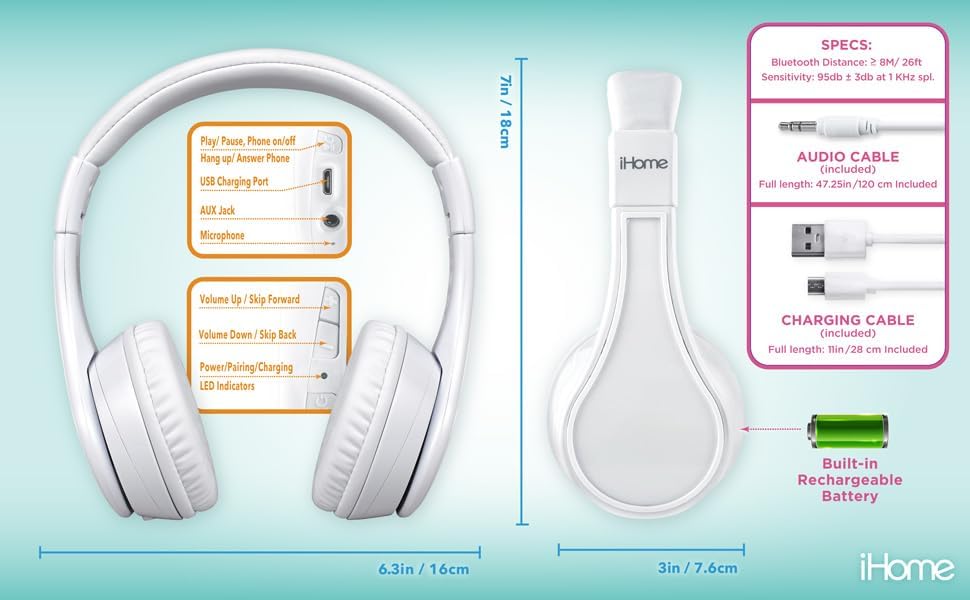
Image: Detailed diagram showing the location of controls, ports (USB charging, AUX jack), microphone, LED indicators, and dimensions of the eKids iH-B52 headphones.
- Tænd/afspil/pause-knap: Used to power the headphones on/off, play/pause audio, and answer/end phone calls.
- Volume Up / Skip Forward Button: Øger lydstyrken med et kort tryk, springer til næste nummer med et langt tryk.
- Volume Down / Skip Back Button: Decreases volume with a short press, skips to the previous track with a long press.
- USB opladningsport: Til tilslutning af USB-opladerkablet.
- AUX stik: For connecting the 3.5mm audio cable for wired listening.
- Mikrofon: Til håndfri opkald og stemmekommandoer.
- LED-indikatorer: Display power, pairing, and charging status.
Opsætning
1. Opladning af hovedtelefonerne
Oplad hovedtelefonerne helt før første brug.
- Connect the small end of the USB charging cable to the USB Charging Port on the headphones.
- Connect the large end of the USB charging cable to a powered USB port (e.g., computer, USB wall adapter).
- LED-indikatoren lyser under opladning og slukker eller skifter farve, når den er fuldt opladet.
- A full charge provides up to 37 hours of continuous Bluetooth playtime.
2. Tænd/sluk
- For at tænde: Press and hold the Power/Play/Pause button until the LED indicator lights up.
- For at slukke: Press and hold the Power/Play/Pause button until the LED indicator turns off.
3. Bluetooth-parring (trådløs tilstand)
Pair your headphones with a Bluetooth-enabled device.
- Sørg for, at hovedtelefonerne er slukket.
- Press and hold the Power/Play/Pause button for approximately 5-7 seconds until the LED indicator flashes rapidly (usually blue and red), indicating pairing mode.
- Aktiver Bluetooth på din enhed (smartphone, tablet, computer) og søg efter tilgængelige enheder.
- Select "eKids iH-B52" from the list of found devices.
- Once paired, the LED indicator will flash slowly or turn solid blue.
- Hovedtelefonerne vil automatisk forsøge at genoprette forbindelsen til den sidst parrede enhed, når de tændes.

Image: A child wearing the eKids headphones while looking at a smartphone, illustrating the wireless Bluetooth functionality and key features.
4. Wired Connection (Aux Mode)
Brug det medfølgende 3.5 mm lydkabel til en kablet forbindelse, som ikke kræver batteristrøm.
- Connect one end of the 3.5mm audio cable to the AUX Jack on the headphones.
- Connect the other end of the 3.5mm audio cable to the headphone jack of your audio device.
- Hovedtelefonerne skifter automatisk til kablet tilstand.
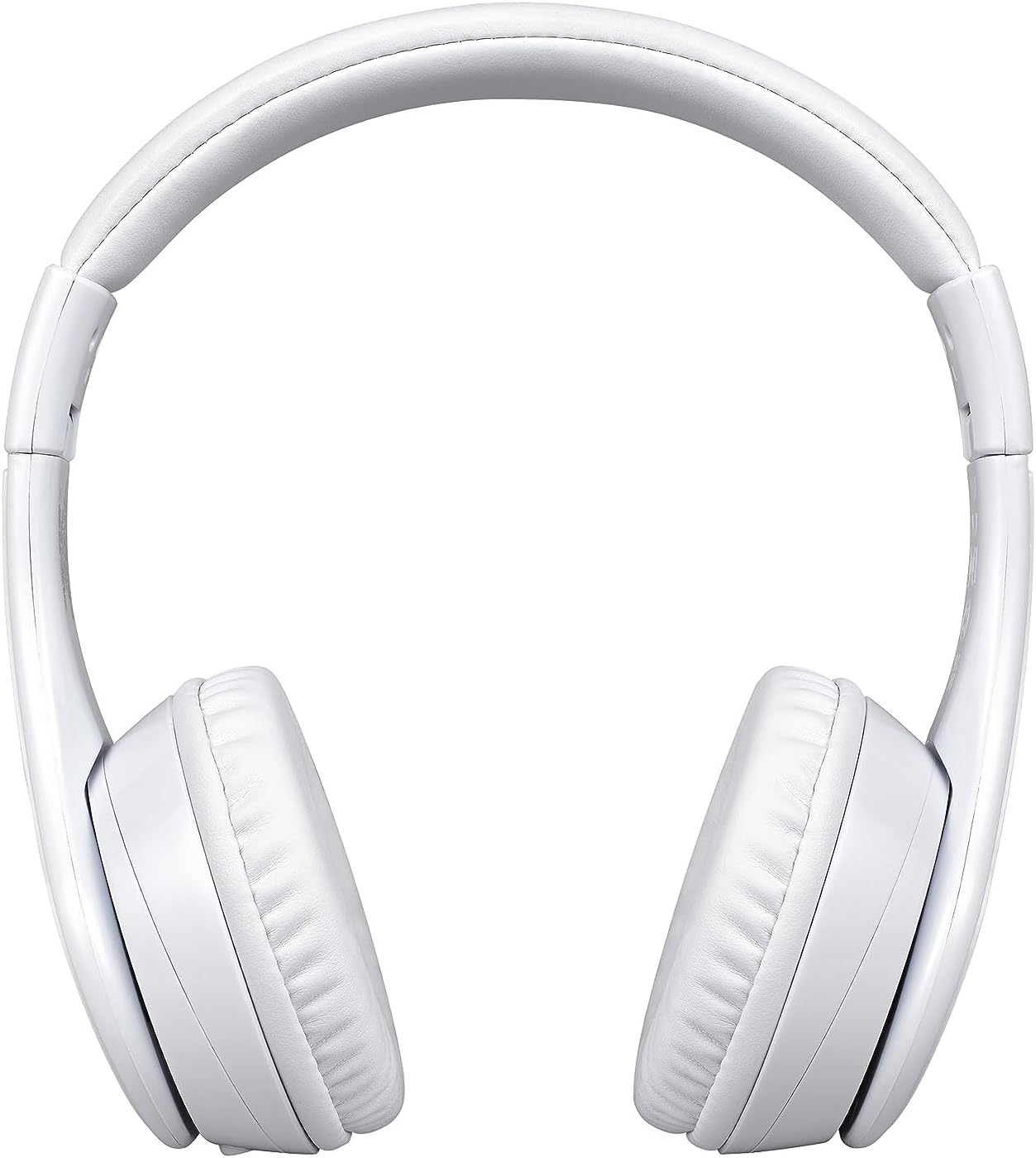
Image: A visual comparison of the wired mode (using a 3.5mm audio cable) and wireless Bluetooth mode, showing how to switch between them.
Drift
Music Playback (Bluetooth Mode)
- Afspil/pause: Tryk én gang på tænd/sluk/afspil/pause-knappen.
- Lydstyrke op: Tryk kort på lydstyrke op-knappen.
- Skrue ned for lyden: Tryk kort på lydstyrke ned-knappen.
- Næste nummer: Tryk længe på lydstyrke op-knappen.
- Forrige nummer: Tryk længe på lydstyrke ned-knappen.
Phone Calls (Bluetooth Mode)
- Besvar opkald: Tryk én gang på tænd/sluk/afspil/pause-knappen, når du modtager et opkald.
- Afslut opkald: Tryk på tænd/sluk/afspil/pause-knappen én gang under et opkald.
- Afvis opkald: Press and hold the Power/Play/Pause button for 2 seconds when a call comes in.

Image: An illustration of the eKids headphones alongside various compatible devices, including PCs, smartwatches, gaming devices, mobile phones, tablets, and notebooks.
Opretholdelse
Rensning
- Tør hovedtelefonerne af med en blød, tør og fnugfri klud.
- Brug ikke slibende rengøringsmidler, alkohol eller kemiske opløsningsmidler.
- Undgå at fugt kommer ind i åbninger.
Opbevaring
- Opbevar hovedtelefonerne et køligt og tørt sted væk fra ekstreme temperaturer.
- Når hovedtelefonerne ikke er i brug i længere perioder, skal de oplades med jævne mellemrum for at opretholde batteriets tilstand.
- The headphones feature a foldable design for compact storage and travel.
Fejlfinding
Hvis du støder på problemer, kan du se følgende tabel for almindelige problemer og løsninger:
| Problem | Løsning |
|---|---|
| Hovedtelefonerne tændes ikke. | Ensure the headphones are charged. Connect to a power source using the USB cable. |
| Kan ikke parres via Bluetooth. | Ensure headphones are in pairing mode (LED flashing rapidly). Turn off and on Bluetooth on your device. Move closer to the device. |
| Ingen lyd i Bluetooth-tilstand. | Kontrollér lydstyrken på både hovedtelefoner og den tilsluttede enhed. Sørg for, at hovedtelefonerne er korrekt parret. |
| Ingen lyd i kablet tilstand. | Ensure the 3.5mm audio cable is fully inserted into both the headphones and the audio device. Check the audio source device's volume. |
| Mikrofon virker ikke. | Sørg for, at hovedtelefonerne er tilsluttet via Bluetooth. Kontroller mikrofonindstillingerne på din tilsluttede enhed. |
Specifikationer
| Feature | Detalje |
|---|---|
| Modelnavn | iH-B52W |
| Forbindelsesteknologi | Trådløs (Bluetooth) |
| Trådløs kommunikationsteknologi | Bluetooth |
| Hovedtelefonstik | 3.5 mm Jack |
| Batteri | 1 lithium-ion batteri (medfølger) |
| Playtime (Bluetooth) | Op til 37 timer |
| Varens vægt | 8.8 ounces (0.55 pund) |
| Materiale | Plast |
| Farve | Hvid |
| Særlige funktioner | Detachable Cable, Foldable, Rechargeable Battery |
| Aldersinterval (beskrivelse) | knægt |
| Kontroltype | Mediekontrol |
| Kontrolmetode | Røre |
| Impedans | 32 Ohm |
| Vandmodstandsniveau | Ikke vandafvisende |
Garanti og support
For warranty information or technical support, please refer to the documentation included with your purchase or visit the official eKids webwebsted. Gem din købsbevis til garantikrav.


