1. Introduktion
This manual provides detailed instructions for the setup, operation, maintenance, and troubleshooting of your Machenike K500-B94 Mechanical Keyboard. Please read this manual thoroughly before using the product to ensure proper functionality and longevity.
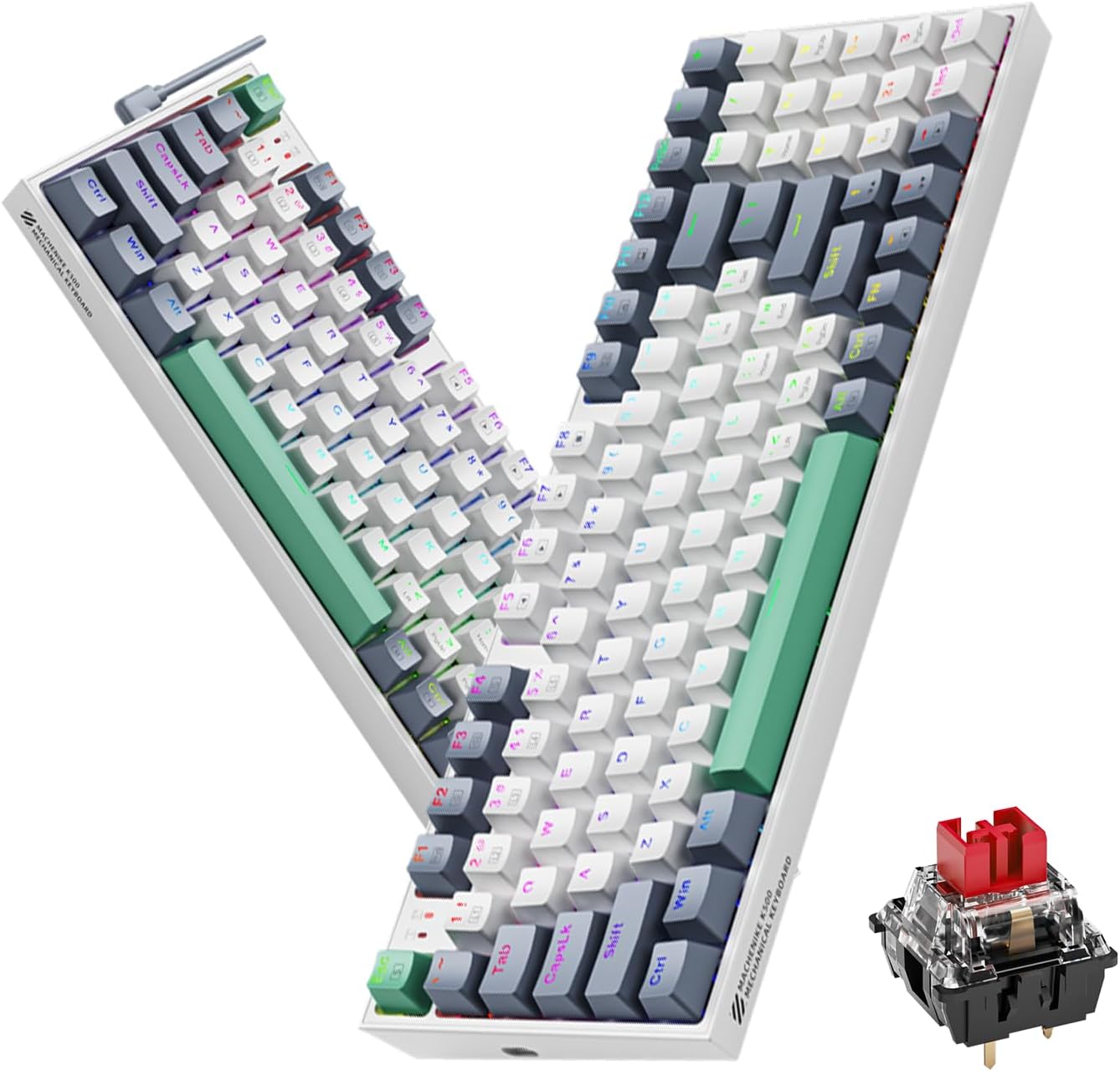
Image 1.1: The Machenike K500-B94 Mechanical Keyboard, showcasing its compact layout and a detailed view of a hot-swappable mechanical switch.
2. Pakkens indhold
Bekræft at alle varer er til stede i pakken:
- Machenike K500-B94 Mechanical Keyboard
- Aftageligt Type-C USB-kabel
- Keycap Puller (for hot-swappable switches)
- Afbryderudtrækker (til hot-swap-afbrydere)
- Brugervejledning (dette dokument)
3. Opsætningsvejledning
- Pak tastaturet ud: Tag forsigtigt tastaturet og alt tilbehør ud af emballagen.
- Tilslut USB-kablet: Insert the Type-C end of the provided USB cable into the port on the keyboard. Connect the standard USB-A end to an available USB port on your computer (PC, Desktop, All-in-one, or Notebook).
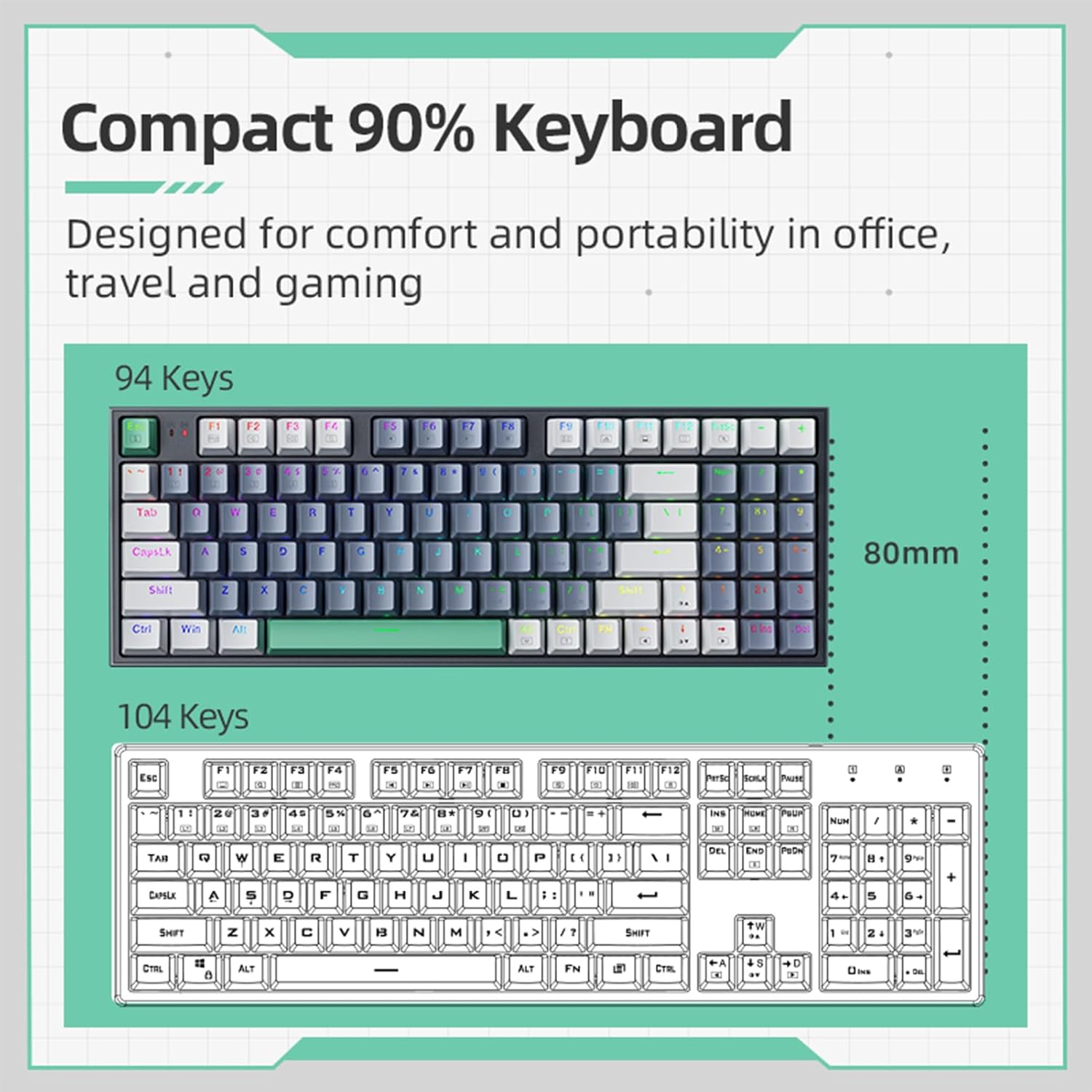
Image 3.1: Illustration of the detachable Type-C USB cable connection to the keyboard, highlighting its compatibility with various devices.
- Driver installation: The keyboard is plug-and-play. Your operating system will automatically detect and install the necessary drivers. No additional software installation is required for basic functionality.
- Optional Software Installation: For advanced customization of RGB lighting and macros, download the official Machenike K500-B94 software from the official Machenike webwebsted.
4. Betjeningsvejledning
4.1. Grundlæggende tastaturfunktioner
The Machenike K500-B94 features a 94-key layout, providing a compact yet functional experience. All standard keyboard functions operate as expected.

Image 4.1: A visual representation of the Machenike K500-B94's 94-key compact layout, designed for comfort and portability.
4.2. RGB-lysstyring
The keyboard features customizable RGB backlighting. Use the dedicated function keys or the optional software to adjust lighting effects, brightness, and color.
- Justering af lysstyrke: Typically, use Fn + Pil op/ned nøgler.
- Effect Cycling: Bruge Fn + Right/Left Arrow keys to cycle through various lighting modes.
- Farvevalg: Some modes allow color changes via Fn + specifikke taster or through the software.

Image 4.2: Screenshot of the customizable software interface, demonstrating options for RGB lighting effects, brightness, speed, and color selection.
4.3. Hot-swap-kontakter
The Machenike K500-B94 features hot-swappable switches, allowing users to change mechanical switches without soldering. This enables customization of typing feel and sound.

Billede 4.3: En detaljeret view of the keyboard with several keycaps and switches removed, illustrating the hot-swappable switch sockets for easy replacement.
Sådan udskifter du en kontakt:
- Brug den medfølgende tastaftrækker til forsigtigt at fjerne den ønskede tast.
- Brug den medfølgende afbryder til forsigtigt at gribe fat i afbryderen og trække den lige op.
- Juster stifterne på den nye kontakt med hullerne på printkortet, og tryk den godt på plads, indtil den klikker.
- Sæt tastaturdækslet på igen.
5. Vedligeholdelse
5.1. Rengøring af tastaturet
- Frakobl tastaturet fra computeren, før du rengør det.
- Brug en tastehætteaftrækker til at fjerne tastehætterne for grundig rengøring.
- Brug trykluft til at fjerne støv og snavs mellem tasterne.
- Wipe keycaps and the keyboard surface with a soft, damp klæde. Undgå skrappe kemikalier.
- Sørg for, at alle dele er helt tørre, før du sætter tastaturet på igen og tilslutter det.
5.2. Kabelforvaltning
The detachable Type-C cable allows for easy replacement and storage. Ensure the cable is not kinked or excessively bent to prevent damage.
6. Fejlfinding
- Tastaturet reagerer ikke:
- Sørg for, at USB-kablet er korrekt tilsluttet til både tastaturet og computeren.
- Prøv at tilslutte tastaturet til en anden USB-port på din computer.
- Test tastaturet på en anden computer for at udelukke et computerspecifikt problem.
- Genstart din computer.
- RGB-belysning fungerer ikke eller er forkert:
- Check if the lighting is turned off via keyboard shortcuts (e.g., Fn + specific key).
- If using the software, ensure it is running and configured correctly.
- Reinstall the optional software if issues persist.
- Specifikke taster virker ikke:
- Due to the hot-swappable design, a switch might be improperly seated. Gently remove the keycap and switch, then reinsert the switch firmly.
- If a switch is faulty, replace it with a new one using the provided tools.
7. Specifikationer
| Feature | Detalje |
|---|---|
| Mærke | Machenike |
| Modelnummer | K500-B94 |
| Farve | Hvid |
| Forbindelsesteknologi | USB (Detachable Type-C) |
| Antal nøgler | 94 |
| Tastaturbeskrivelse | Mechanical, Hot-Swappable |
| Produktets vægt | 830 g |
| Kompatible enheder | PC |
8. Garanti og support
Machenike products are designed for reliability and performance. For warranty information and technical support, please refer to the official Machenike webhjemmeside eller kontakt deres kundeservice direkte.
Gem din købskvittering som købsbevis i tilfælde af garantikrav.
For yderligere support, besøg: www.machenike.com


