Indledning
The Xiaomi Outdoor Camera AW200 is a versatile and robust security camera designed for both indoor and outdoor surveillance. Featuring 1080p full HD resolution, color night vision, two-way voice calls, and advanced motion detection, it provides comprehensive monitoring for your property. Its IP65 rating ensures durability against dust and water, making it suitable for various environments. This manual provides detailed instructions for setting up, operating, and maintaining your camera.
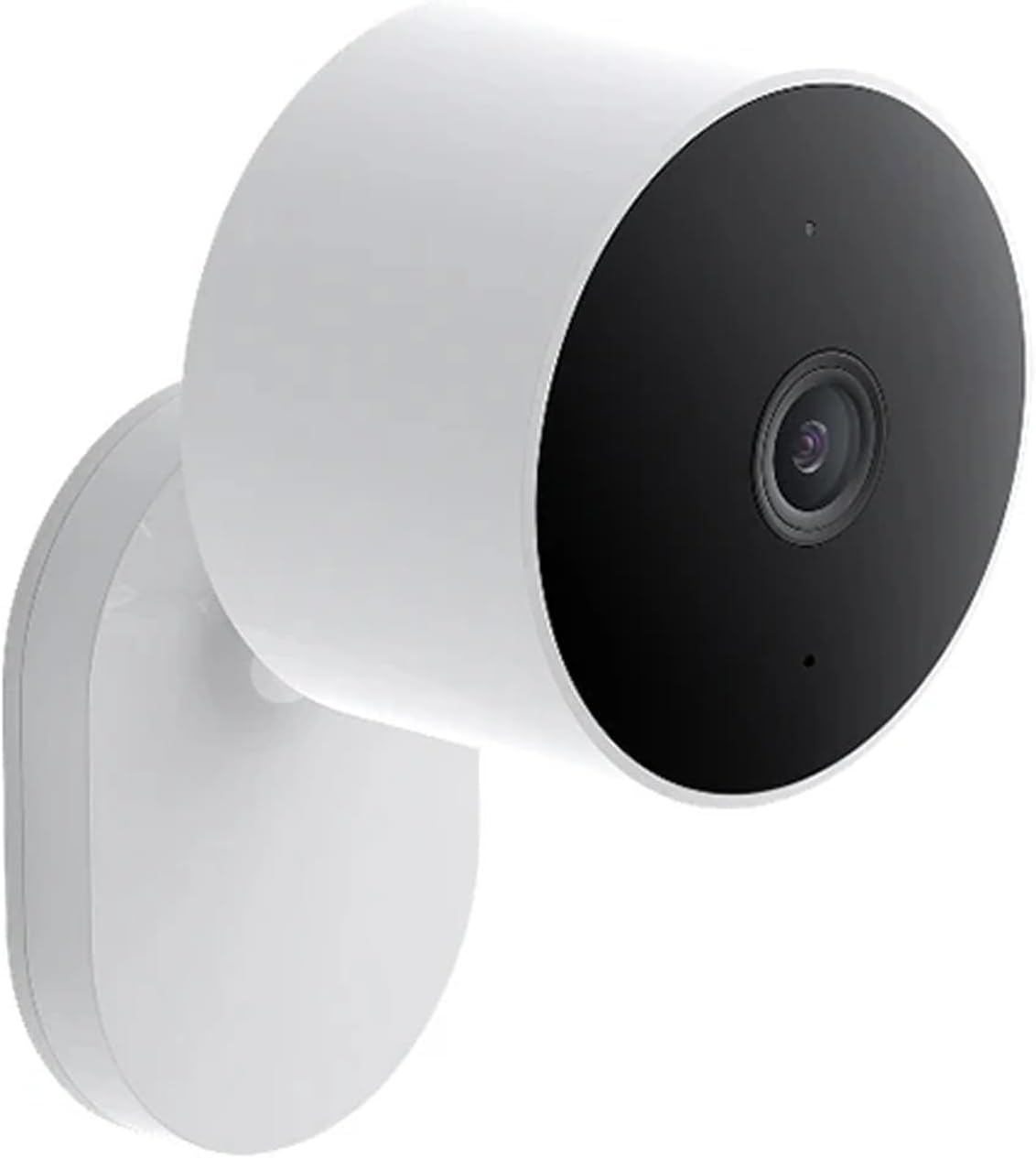
Image: The Xiaomi Outdoor Camera AW200, a compact white cylindrical camera with a black front lens, mounted on a wall bracket.
Opsætning
Pakkens indhold
- Xiaomi udendørs kamera AW200
- Strømadapter
- Monteringssæt (skruer, vægdyvler)
- Brugermanual
Installationstrin
- Vælg en placering: Select a suitable location for your camera, considering Wi-Fi signal strength and power outlet accessibility. The camera can be wall-mounted, ceiling-mounted, or freestanding.
- Mount the Camera (if applicable): Use the provided mounting kit to securely attach the camera to a wall or ceiling. Ensure the mounting surface is stable.
- Tænd: Connect the power adapter to the camera and plug it into a power outlet. The camera's indicator light will turn on.
- Download appen: Download the Mi Home/Xiaomi Home app from your smartphone's app store (available for iOS and Android).
- Tilføj enhed: Open the Mi Home/Xiaomi Home app, sign in or create an account. Tap the '+' icon to add a new device. The app will guide you through the process of connecting the camera to your Wi-Fi network.
- Komplet opsætning: Follow the on-screen instructions in the app to complete the pairing process. This typically involves scanning a QR code displayed on your phone with the camera.

Image: A visual representation of three setup steps: 1. Download the Mi Home/Xiaomi Home app, 2. Turn on the camera, 3. Open the app and search for devices to connect.
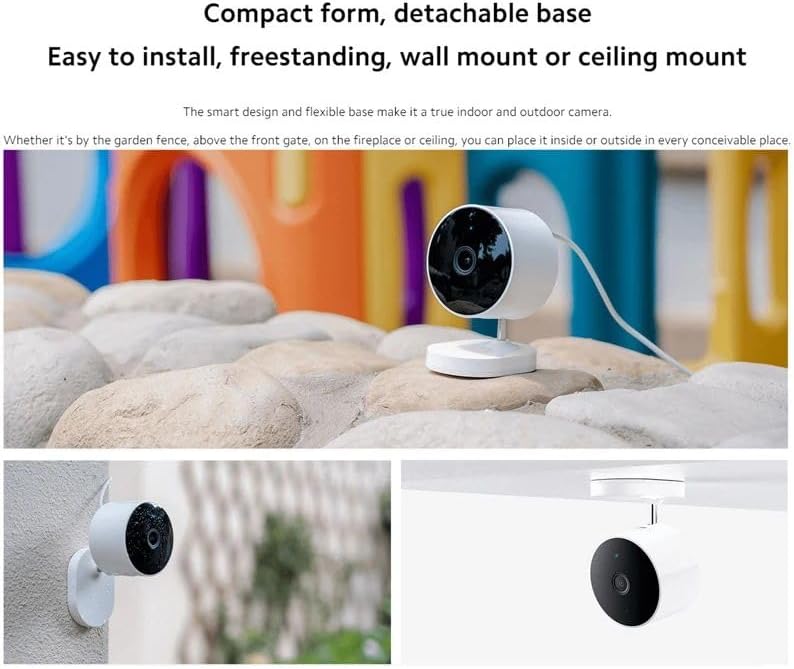
Image: The Xiaomi Outdoor Camera AW200 demonstrating its compact form and detachable base, showing it can be freestanding, wall-mounted, or ceiling-mounted.
Betjening af kameraet
Levende View og optagelse
Once connected, you can access the live video feed through the Mi Home/Xiaomi Home app. You can manually record video, take screenshots, and view optaget footage.
Bevægelsesdetektering og advarsler
The camera features advanced human recognition technology. When abnormal behavior or human movement is detected, the camera will send notifications to your smartphone. You can customize alert settings within the app.
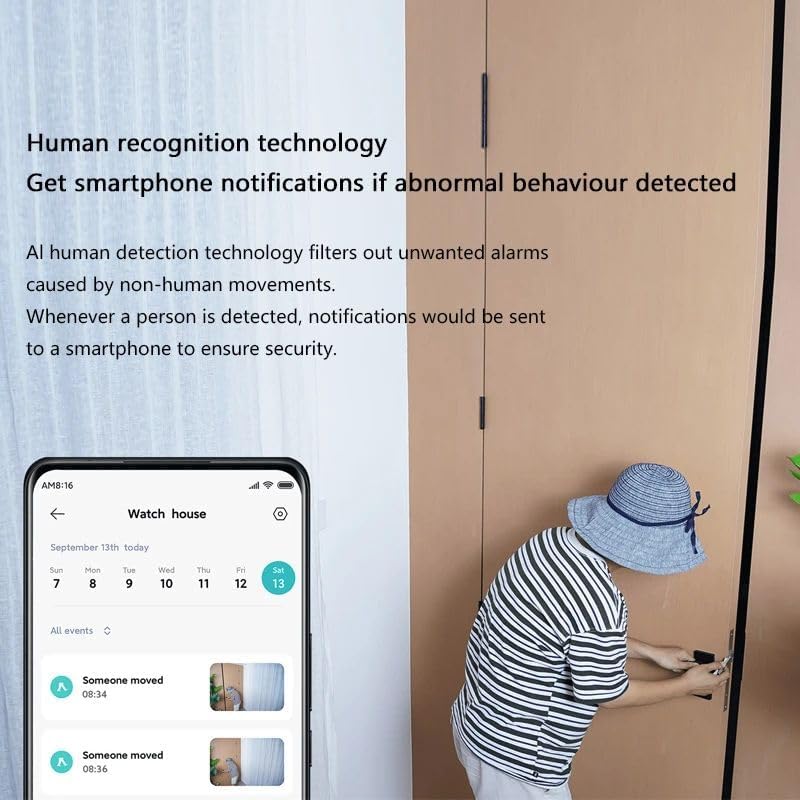
Image: The camera's human recognition technology in action, showing a smartphone screen with notifications for detected movement.
Two-Way Voice Calls
Utilize the two-way audio communication feature to talk and interact with visitors or deter intruders from up to 5 meters away directly through the app.
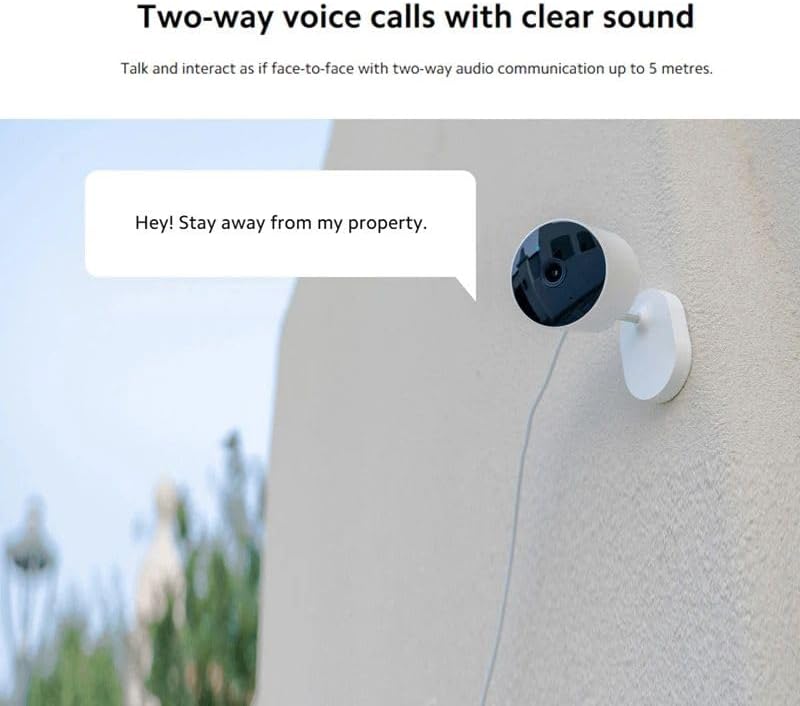
Image: The Xiaomi Outdoor Camera AW200 mounted on a wall, with a speech bubble indicating two-way voice communication: "Hey! Stay away from my property."
Nattesyn
The AW200 offers 1080p color night vision with an F1.6 large aperture for increased light intake. It also features 940nm infra-red night vision, allowing clear visibility in pitch-black conditions without visible red dot disturbance.

Image: A side-by-side comparison showing the superior 1080p image quality of the Xiaomi Outdoor Camera AW200 compared to another 1080p camera, particularly in terms of color and detail retention.

Image: A close-up of the camera lens illustrating the 940nm infra-red night vision, which provides clear vision without a visible red dot, contrasted with an 850nm camera that shows a visible red light.
Opbevaringsmuligheder
The camera supports local microSD card storage (up to 256GB) for automatic loop recording. Cloud storage is also available; after activation, event push videos will be automatically uploaded. A free 3-month rolling cloud storage for 9-second alarm videos is provided upon device activation.

Image: Icons illustrating the camera's secure storage features: Micro SD card support, Cloud storage, Fully encrypted data transmission, AES-128 encryption via the cloud, and Customised sleep times.
Smart Home Integration
The Xiaomi Outdoor Camera AW200 works with Alexa and Google Home. You can link the camera to your Alexa or Google smart display to view overvågning footage and control it via voice commands.
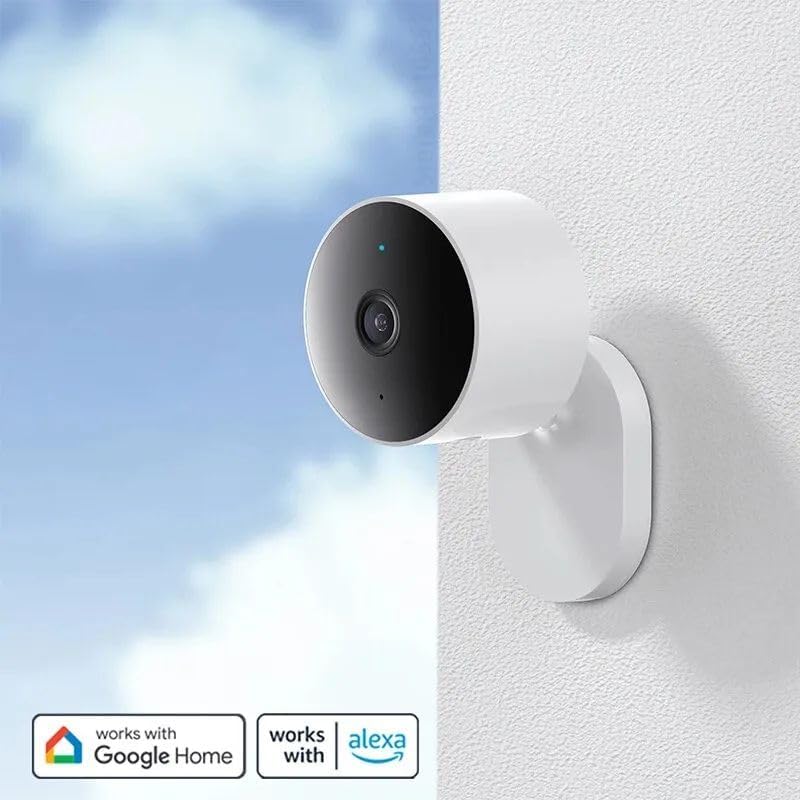
Image: The Xiaomi Outdoor Camera AW200 mounted on a wall, with 'Works with Google Home' and 'Works with Alexa' logos, indicating smart home compatibility.

Image: The Xiaomi Outdoor Camera AW200 positioned next to a smart display showing its live video feed, highlighting its integration with Alexa and Google Home.
Time-lapse fotografering
Use the camera to capture time-lapse recordings of events like flowers blooming or sunrises/sunsets. The personalized sounds function allows the camera to play recorded voice messages when motion is detected.

Image: A series of images depicting a time-lapse sequence of a sunset over a beach, with the Xiaomi Outdoor Camera AW200 visible in the foreground, demonstrating its time-lapse photography capability.
Opretholdelse
Rengøring af kameraet
- Gently wipe the camera lens with a soft, clean cloth to remove dust or smudges.
- For the camera body, use a slightly damp klæde. Undgå at bruge skrappe kemikalier eller slibende rengøringsmidler.
- Sørg for, at kameraet er slukket, inden rengøring.
Firmware opdateringer
Regularly check for firmware updates through the Mi Home/Xiaomi Home app. Updates can improve performance, add new features, and enhance security. Follow the app's instructions for updating the firmware.
Miljøhensyn
While the camera is IP65 rated for dust and water resistance, avoid submerging it in water or exposing it to extreme temperatures outside its operating range.
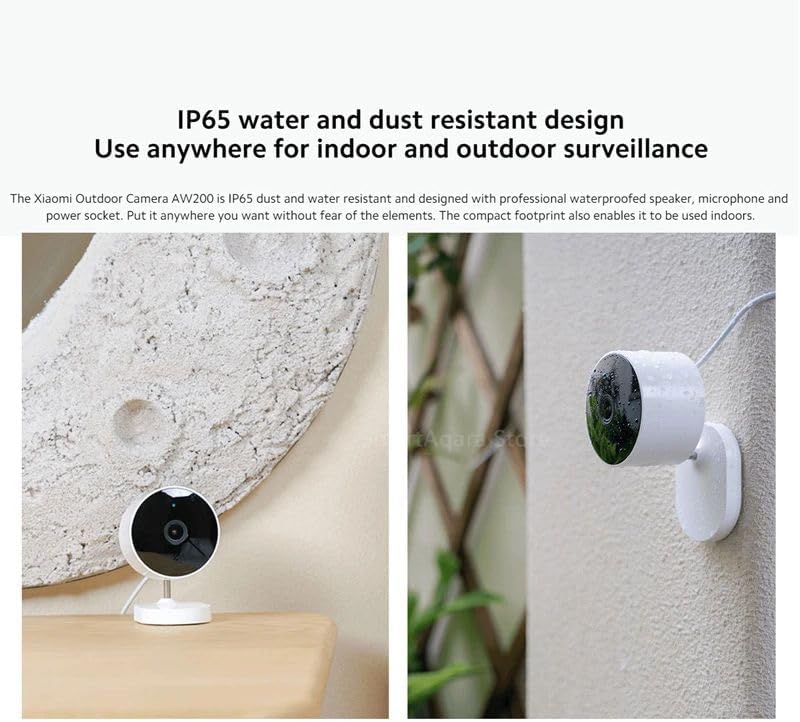
Image: The Xiaomi Outdoor Camera AW200 shown in both an indoor setting on a table and an outdoor setting on a wall, demonstrating its IP65 water and dust resistant design suitable for various surveillance locations.
Fejlfinding
| Problem | Mulig årsag | Løsning |
|---|---|---|
| Kamera offline/Kan ikke oprette forbindelse til Wi-Fi | Weak Wi-Fi signal, incorrect Wi-Fi password, router issues, camera too far from router. | Ensure strong Wi-Fi signal. Re-enter Wi-Fi password. Restart router. Move camera closer to router. Reset camera and re-pair. |
| Ingen advarsler om bevægelsesdetektering | Bevægelsesdetektering deaktiveret, følsomhed for lav, app-notifikationer blokeret. | Enable motion detection in app settings. Adjust sensitivity. Check phone notification settings for the Mi Home/Xiaomi Home app. |
| Dårlig billedkvalitet | Beskidt objektiv, dårlige lysforhold, problemer med netværksbåndbredde. | Clean the camera lens. Ensure adequate lighting. Check network speed. |
| To-vejs lyd virker ikke | Microphone/speaker blocked, app permissions, network delay. | Ensure nothing is obstructing the microphone or speaker. Check app permissions for microphone access. Verify stable network connection. |
Specifikationer
| Feature | Detalje |
|---|---|
| Model | AW200 |
| Videooptagelsesopløsning | 1080p fuld HD |
| International Protection Rating | IP65 (støv- og vandafvisende) |
| Trådløs kommunikationsteknologi | Wi-Fi |
| Alert Type | Motion Only (Human Recognition) |
| Videooptagelsesformat | MPEG-4 |
| Nattesyn | Colour Night Vision, 940nm Infra-red Night Vision |
| To-vejs lyd | Yes (up to 5 meters) |
| Opbevaring | MicroSD card (up to 256GB), Cloud Storage |
| Kompatible enheder | Smartphone (via Mi Home/Xiaomi Home app), Alexa, Google Home |
| Monteringstype | Wall Mount, Freestanding, Ceiling Mount |
| Varens vægt | 8.1 ounce |
| Pakkedimensioner | 5.28 x 2.99 x 2.72 tommer |
| Fabrikant | Xiaomi |
| Dato først tilgængelig | 26. juli 2023 |
Garanti og support
Garantioplysninger
Please refer to the warranty card included with your product for specific warranty terms and conditions. Typically, Xiaomi products come with a limited warranty covering manufacturing defects for a specified period from the date of purchase.
Kundesupport
For teknisk support, hjælp til fejlfinding eller garantikrav, bedes du kontakte Xiaomis kundeservice via deres officielle website or the Mi Home/Xiaomi Home app. You may need to provide your product's model number (AW200) and proof of purchase.
Online ressourcer: Besøg den officielle Xiaomi website for FAQs, updated manuals, and community forums.


