1. Introduktion
This manual provides detailed instructions for the setup, operation, and maintenance of your Luqeeg 1080P HD Video Camera, Model Luqeeg5t32wd7gak. Please read this manual thoroughly before using the device to ensure proper functionality and safety.
The Luqeeg 1080P HD Video Camera is designed for versatile surveillance applications, offering high-definition video capture, motion detection, and remote monitoring capabilities.
2. Produktet er slutview
2.1 Nøglefunktioner
- 1080P HD Video Capture: Optager klare og detaljerede videooptagelsertage.
- Wi-Fi-forbindelse: Enables real-time monitoring and video playback via a mobile device.
- Indbygget hotspot: Allows direct connection for live streaming without a memory card.
- Kompakt og bærbart design: Velegnet til forskellige indendørs og udendørs anvendelser.
- Smart Motion Detection: Automatically detects activity and sends alerts.
- Intelligent Overwrite Function: Manages storage by replacing older recordings with new ones.
- Hide Mode: Allows control of monitoring light for discreet operation with a 140-degree field of view.
- Nattesyn: Provides clear recording in low-light conditions up to 6 meters.
2.2 Pakkens indhold
Tjek venligst pakken for følgende varer:
- Luqeeg 1080P HD Video Camera (Model: Luqeeg5t32wd7gak)
- USB strømkabel
- Brugervejledning (dette dokument)
- Mounting Accessories (if applicable, not explicitly listed but implied by "Wall Mount")

Figure 1: Luqeeg 1080P HD Video Camera and included USB power cable.
3. Sikkerhedsoplysninger
- Ensure the camera is powered by a 5V power source.
- Undgå at udsætte kameraet for ekstreme temperaturer eller direkte sollys i længere perioder.
- Do not immerse the camera in water. The IP65 rating indicates protection against dust and low-pressure water jets, but not submersion.
- Hold enheden væk fra stærke magnetiske felter.
- Forsøg ikke selv at skille kameraet ad eller reparere det. Kontakt kundesupport for at få hjælp.
- Ensure proper ventilation around the camera during operation.
4. Opsætning
4.1 Fysisk installation
- Vælg en placering: Select a suitable location for the camera, considering its 140-degree field of view and power source accessibility. The camera is suitable for both indoor and outdoor use (IP65 rated).
- Montering: Use the provided mounting accessories to secure the camera to a wall or other stable surface. Ensure the camera is positioned to capture the desired area.
- Strømtilslutning: Connect the USB power cable to the camera's power input and then to a 5V power adapter (not included) or a USB port.

Figur 2: Forside view of the Luqeeg 1080P HD Video Camera, showing the lens.

Figur 3: Bagside view of the camera, illustrating the mounting bracket.
4.2 Appinstallation og -forbindelse
- Download appen: Søg efter the designated control app (compatible with Android smartphones) on your device's app store and install it.
- Kontoregistrering: Åbn appen, og følg instruktionerne på skærmen for at registrere en ny konto eller logge ind, hvis du allerede har en.
- Tilføj enhed: In the app, select the option to "Add Device" or "Scan Device."
- Opret forbindelse til Wi-Fi:
- Via Home Wi-Fi: Follow the app's instructions to connect the camera to your home Wi-Fi network. Ensure your Wi-Fi network is 2.4GHz, as 5GHz networks may not be supported.
- Via Built-in Hotspot: If you do not have a memory card installed or prefer direct connection, enable the camera's built-in hotspot. Connect your mobile device to this hotspot via your phone's Wi-Fi settings. This allows for instant live streaming.
- Konfiguration: Once connected, you can configure camera settings such as video quality, motion detection sensitivity, and recording preferences within the app.

Figure 4: Illustrates the camera's Wi-Fi connectivity and remote viewpå en smartphone.

Figur 5: Detaljeret views of the camera's components, including the lens and USB port for power/data.
5. Betjening
5.1 Live View og optagelse
Once the camera is connected to the app, you can access the live video feed. From the live view interface, you can initiate manual recordings, take snapshots, and adjust various settings.
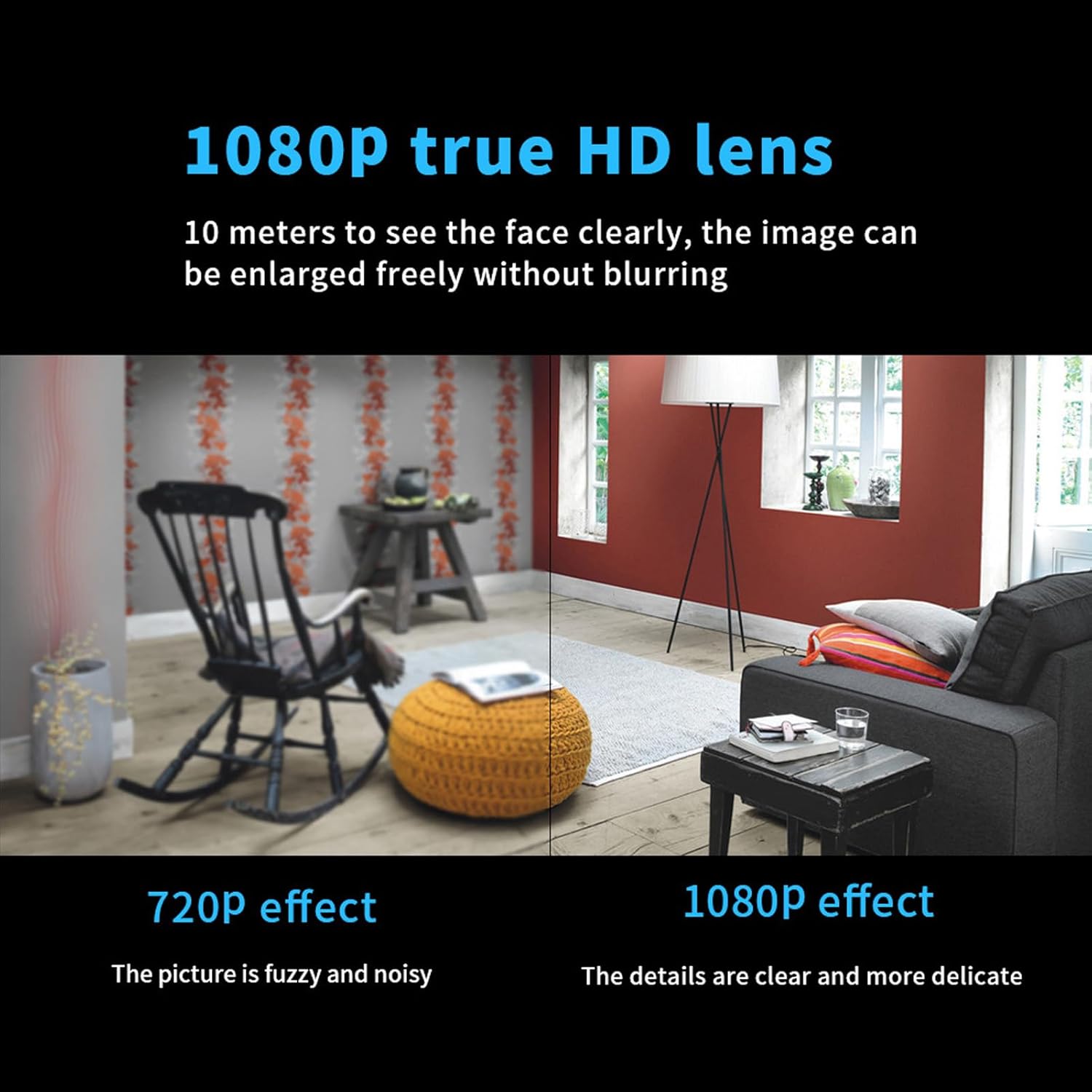
Figure 6: Visual comparison demonstrating the clarity of 1080P HD video capture versus 720P.
5.2 Bevægelsesdetektion
The camera features a smart motion detection system. When motion is detected, the camera can automatically start recording and send alerts to your mobile device. You can customize the sensitivity of motion detection and alert preferences within the app.
- Aktiver/deaktiver: Slå bevægelsesdetektion til eller fra i appens indstillinger.
- Følsomhed: Juster detektionsfølsomheden for at minimere falske alarmer.
- Advarsler: Configure push notifications to receive instant alerts on your smartphone.
5.3 Nattesyn
The camera is equipped with infrared night vision technology, allowing it to capture clear video footage in low-light or complete darkness up to 6 meters. This feature activates automatically when ambient light levels are low.

Figure 7: Illustrates the camera's ability to record clearly in both daylight and dark environments using night vision.
5.4 Hide Mode
For discreet surveillance, the camera offers a "Hide Mode" feature. This mode allows you to control the monitoring light, making the camera less noticeable while maintaining its full 140-degree field of view. Refer to the app settings to activate and configure Hide Mode.
5.5 Lydoptagelse
The camera is capable of recording audio, providing clear sound evidence alongside video footage. This feature enhances the overall surveillance capability.

Figure 8: Representation of the camera's clear audio recording function.
5.6 Lagerstyring
The camera supports local storage via a memory card (not included). The intelligent overwrite function ensures that your storage is always managed efficiently by replacing the oldest recordings with new ones when the card is full. This eliminates the need for manual deletion.
Du kan også vedrview optaget footagdirekte via mobilapplikationen.
5.7 Brugerdeling
The camera supports multi-user real-time sharing. The main account holder can add multiple sub-accounts, allowing family members or authorized individuals to view videos simultaneously. This feature can be configured within the app.

Figure 9: Depicts the user sharing functionality, allowing multiple users to access the camera feed.
6. Vedligeholdelse
- Rensning: Brug en blød, tør klud til at rengøre kameralinsen og huset. Undgå at bruge skrappe kemikalier eller slibende materialer.
- Firmwareopdateringer: Periodically check the mobile app for available firmware updates to ensure optimal performance and access to new features.
- Lagerstyring: While the intelligent overwrite function manages storage, it is recommended to periodically back up important recordings to another device.
- Power Cycle: If the camera experiences issues, try disconnecting and reconnecting the power source to perform a soft reset.
7. Fejlfinding
| Problem | Mulig årsag | Løsning |
|---|---|---|
| Kameraet tænder ikke | No power supply; faulty cable/adapter | Check power connection; try a different USB cable or power adapter. |
| Kan ikke oprette forbindelse til Wi-Fi | Incorrect Wi-Fi password; camera too far from router; 5GHz network | Verify Wi-Fi password; move camera closer to router; ensure router is broadcasting 2.4GHz Wi-Fi. |
| App cannot find camera | Camera not in pairing mode; network issue | Ensure camera is powered on and indicator light is blinking (if applicable); restart camera and app; check network connection. |
| Dårlig videokvalitet | Dirty lens; low bandwidth; low light conditions | Clean the camera lens; ensure stable Wi-Fi connection; verify night vision is active in low light. |
| Bevægelsesdetektion virker ikke | Feature disabled; sensitivity too low; incorrect detection zone | Enable motion detection in app; increase sensitivity; adjust detection zone. |
| Optagelser gemmes ikke | No memory card; faulty memory card; storage full | Insert a compatible memory card; format memory card in app; check if intelligent overwrite is enabled. |
8. Specifikationer
| Feature | Detalje |
|---|---|
| Mærke | Luqeeg |
| Modelnavn | Luqeeg5t32wd7gak |
| Videooptagelsesopløsning | 1080p |
| Felt Af View | 140 grader |
| Forbindelsesteknologi | Kablet, trådløs (Wi-Fi) |
| Forbindelsesprotokol | Wi-Fi |
| Strømkilde | Elektrisk ledning (5 volt) |
| Kompatible enheder | Smartphone (Android) |
| Indendørs/Udendørs brug | Indendørs, Udendørs |
| Monteringstype | Vægmontering |
| Night Vision Range | 6 meter |
| Lav lys teknologi | Natfarve (infrarød) |
| Alert Type | Kun bevægelse |
| International Protection Rating | IP65 |
| Kontrolmetode | App |
| Varens vægt | 1.06 ounce |
| Materiale | Metal Plast |
| Batterier påkrævet? | Ingen |

Figur 10: Overview of key features including HD 1080p, 140-degree wide angle, night vision, motion detection, and remote viewing.
9. Garanti og support
For warranty information and technical support, please refer to the contact details provided with your purchase or visit the official Luqeeg webwebsted. Behold din købskvittering som købsbevis i tilfælde af garantikrav.
For yderligere assistance kan du også kontakte sælgeren direkte via den platform, hvor produktet blev købt.