1. Introduktion
The BrosTrend AX3000 WiFi 6 Range Extender is designed to expand your existing wireless network coverage, eliminate Wi-Fi dead zones, and provide high-speed internet access throughout your home or office. This dual-band extender supports the latest Wi-Fi 6 (802.11ax) standard, offering speeds up to 3000Mbps (2402Mbps on 5GHz and 574Mbps on 2.4GHz). It also features a Gigabit Ethernet port, allowing you to connect wired devices or convert a wired connection into a Wi-Fi 6 access point.

Billede: Forside view of the BrosTrend AX3000 WiFi 6 Range Extender.
2. Hvad er der i æsken
Bekræft at alle varer er til stede i din pakke:
- 1 x BrosTrend 3000Mbps WiFi 6 Extender
- 1 x Hurtig installationsvejledning
- 1 x Ethernet Cable (5 Feet)
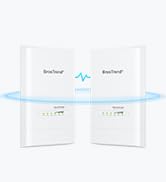
Image: The BrosTrend AX3000 WiFi 6 Extender and its included accessories.
3. Opsætningsvejledning
The BrosTrend AX3000 WiFi 6 Extender offers two primary setup methods: Web UI and WPS. Choose the method that best suits your needs.
3.1. Web UI metode
This method involves connecting to the extender's Wi-Fi network and configuring it through a web browser.
- Tænd: Plug the WiFi extender into a power outlet in the same room as your existing WiFi router. Wait until the LED indicator blinks red slowly.
- Opret forbindelse til extenderens Wi-Fi: On your wireless device (phone, tablet, or computer), connect to the Wi-Fi network named "BrosTrend_EXT".
- Adgangsopsætningsside: Once connected, your device should automatically direct you to the quick setup page. If not, open a web browser og indtast http://brostrendwifi.com i adresselinjen.
- Create Login Password: Create a login password for future access to the extender's settings.
- Vælg arbejdstilstand: Select "Extender Mode / WiFi to Ethernet Adapter Mode".
- Select Networks: Select your existing 2.4GHz and 5GHz networks that you want to extend and enter their correct passwords.
- Customize Extended Network: Customize the extended Wi-Fi network name and password. Click "Extend".
- Relocate and Verify: Once the extension is complete, relocate the extender to a suitable location within the WiFi range of your router. Wait until the LED indicator turns solid blue or yellow, which indicates a successful connection.
Video: Step-by-step guide on setting up the BrosTrend AX3000 WiFi 6 Extender using the Web UI-metode.
3.2. WPS Method
This method is a quick and easy way to connect your extender if your router supports WPS (Wi-Fi Protected Setup).
- Tænd: Plug the WiFi extender into a power outlet in the same room as your existing WiFi router. Wait until the LED indicator blinks red slowly.
- Aktivér WPS på routeren: Press the WPS button on your WiFi router. The WPS LED status on your router should change.
- Aktivér WPS på extender: Within 2 minutes, press the WPS button on the BrosTrend extender (located on the side, near the Ethernet port).
- Bekræft forbindelsen: Wait until the LED indicator on the extender turns solid blue or yellow, which indicates a successful connection with your existing WiFi router.
- Relocate and Connect Devices: Once connected, relocate the extender to a suitable location. You can now connect your WiFi devices to the extended networks.
Video: Step-by-step guide on setting up the BrosTrend AX3000 WiFi 6 Extender using the WPS method.
4. Betjeningsvejledning
The BrosTrend AX3000 WiFi 6 Extender enhances your network with advanced features:
- Højhastighedsforbindelse: Experience blazing-fast speeds of 2402Mbps on the 5GHz band and 574Mbps on the 2.4GHz band, ideal for responsive gaming, 4K/8K streaming, and seamless video conferencing.
- Extensive WiFi Range: Expands wireless coverage up to 2,200 sq. ft., eliminating dead zones.
- Exceptional WiFi Signals: Utilizes Beamforming technology, 2 high-power Front-End Modules (FEM), and 2 high-gain antennas to concentrate signal strength towards your devices.
- Cutting-Edge Processing: Powered by Broadcom’s powerful chip and 1.7 GHz Quad-Core CPU for enhanced performance and lower latency.
- Høj kapacitet: Supports up to 45 devices simultaneously, making it suitable for multi-device households.
- WPA3-kryptering: Provides stronger protection for your privacy and data transmitted over Wi-Fi.
- Målopvågningstid (TWT): Integrates TWT technology to optimize power consumption and improve battery life for connected devices.
Video: Learn more about the features and benefits of the BrosTrend AX3000 WiFi Extender.

Image: Illustrates the blazing-fast 3000Mbps WiFi 6 speeds of the extender.

Image: Diagram showing how the extender expands WiFi coverage up to 2,200 sq. ft.

Image: Visual representation of 3 levels of signal boosting technologies: 5dBi High-Gain Antennas, High-Power Front-End Modules (FEM), and Beamforming.

Image: Close-up of the Broadcom chip and 1.7 GHz Quad-Core CPU, highlighting cutting-edge processing.

Image: Shows compatibility with up to 45 devices including smartphones, TVs, computers, game consoles, tablets, cameras, speakers, smart bulbs, and video doorbells.
5. Vedligeholdelse
- Optimal placering: For best performance, ensure the extender is placed within the optimal range of your main router. The LED indicator (blue or yellow) helps determine the best location. Avoid placing it near large metal objects, concrete walls, or other electronic devices that may cause interference.
- Firmwareopdateringer: Regularly check the BrosTrend webwebsted (www.brostrend.com) for firmware updates. Keeping your device's firmware up-to-date ensures optimal performance, security, and compatibility.
- Rensning: Keep the extender clean and free from dust. Use a soft, dry cloth to wipe the device. Do not use liquid cleaners or aerosols.
- Ventilation: Ensure the extender's ventilation slots are not blocked to prevent overheating.

Image: Explains the LED indicator colors for optimal placement: Solid Blue (Best Location), Solid Yellow (Fair Location), Solid Red (Too Far From Router).
6. Fejlfinding
| Problem | Possible Cause / LED Indicator | Løsning |
|---|---|---|
| No Internet connection after setup. | LED indicator is solid red or blinking red slowly. | Relocate the extender closer to your router. Ensure the extender is within the WiFi range of your router. If the LED indicator still does not turn solid on, reset it to default factory settings and set it up again. |
| Slow speeds on extended network. | LED indicator is solid yellow (fair signal). | Move the extender closer to your router to achieve a solid blue LED indicator (strong signal). Ensure there are no major obstructions between the router and extender. |
| Kan ikke få adgang til web ledelsesside. | Device not connected to extender's network or incorrect URL. | Ensure your device is connected to the extender's Wi-Fi network (e.g., "BrosTrend_EXT"). Verify you are entering http://brostrendwifi.com correctly in the browser's address bar. Try a different browser. |
| WPS setup failed. | WPS timeout or incompatibility. | Ensure you press the WPS button on both the router and extender within 2 minutes. If it continues to fail, try the Web UI setup method. |
7. Specifikationer
| Feature | Detalje |
|---|---|
| Modelnummer | BrosTrend 3000Mbps WiFi 6 Extender (E3/AX3) |
| Standard for trådløs kommunikation | 802.11a/b/g/n/ac, 802.11ax |
| Dataoverførselshastighed | 3000 Megabits Per Second (2402Mbps on 5GHz, 574Mbps on 2.4GHz) |
| Frekvensbåndsklasse | Dual-Band |
| Antenner | 2 x 5dBi high-gain antennas |
| Ethernet-port | 1 x Gigabit Ethernet-port |
| Processor | Broadcom's powerful chip and 1.7 GHz Quad-Core CPU |
| Sikkerhed | WPA3/WPA2/WPA Wi-Fi encryption |
| Dimensioner | 2.6 x 3.5 x 8.4 tommer |
| Varens vægt | 8.8 ounce |
| Oprindelsesland | Kina |
8. Garanti og support
BrosTrend Technology LLC provides a 2-year warranty for this product. For technical support or any inquiries, please contact BrosTrend directly:
- Teknisk support e-mail: support@brostrend.com
- Webwebsted: www.brostrend.com
- Telefon: +86-17796126768
- Authorized U.K. Representative: APEX CE SPECIALISTER LIMITED
- U.K. Address: 89 Princess Street, Manchester, M1 4HT, Storbritannien
- U.K. Phone: 00441616371080
- U.K. Email: info@apex-ce.com
BrosTrend aims to reply to support inquiries within 24 hours.

Image: BrosTrend 2-Year Warranty information.
9. Vigtige sikkerhedsoplysninger
- Udsæt ikke enheden for vand eller fugt.
- Forsøg ikke selv at adskille eller reparere enheden.
- Brug kun den medfølgende eller anbefalede strømadapter fra producenten.
- Hold enheden væk fra varmekilder og direkte sollys.
- Sørg for korrekt ventilation for at forhindre overophedning.
- Denne enhed er kun til indendørs brug.


