1. Introduktion
This manual provides essential information for the proper installation, operation, and maintenance of your LC-Power FHD 32 inch 165Hz Curved Gaming Monitor (Model: LC-M32-FHD-165-C-A). Please read this manual thoroughly before using the product to ensure optimal performance and safety.

Figur 1.1: Forside view of the LC-Power 32-inch curved gaming monitor.
2. Sikkerhedsoplysninger
Overhold følgende sikkerhedsforanstaltninger for at forhindre beskadigelse af skærmen og sikre brugerens sikkerhed:
- Udsæt ikke skærmen for regn, fugt eller ekstreme temperaturer.
- Sørg for tilstrækkelig ventilation omkring skærmen. Bloker ikke ventilationsåbningerne.
- Brug kun den strømadapter, der følger med skærmen.
- Undgå at placere tunge genstande på netledningen.
- Tag strømkablet ud af stikkontakten under tordenvejr eller når apparatet ikke bruges i længere perioder.
- Forsøg ikke at reparere skærmen selv. Overlad al service til kvalificeret personale.
3. Pakkens indhold
Bekræft at alle varer er til stede i pakken:
- LC-Power 32 inch Curved Gaming Monitor
- Monitorstativ (base og hals)
- Strømadapter og strømkabel
- HDMI kabel
- Brugermanual
- Skruer til stativmontering
4. Opsætning
4.1 Samling af stativet
- Tag forsigtigt skærmen ud af emballagen, og opbevar den beskyttet på en blød overflade.
- Fastgør stativets hals til skærmpanelet med de medfølgende skruer.
- Connect the stand base to the stand neck and secure it with the remaining screws.
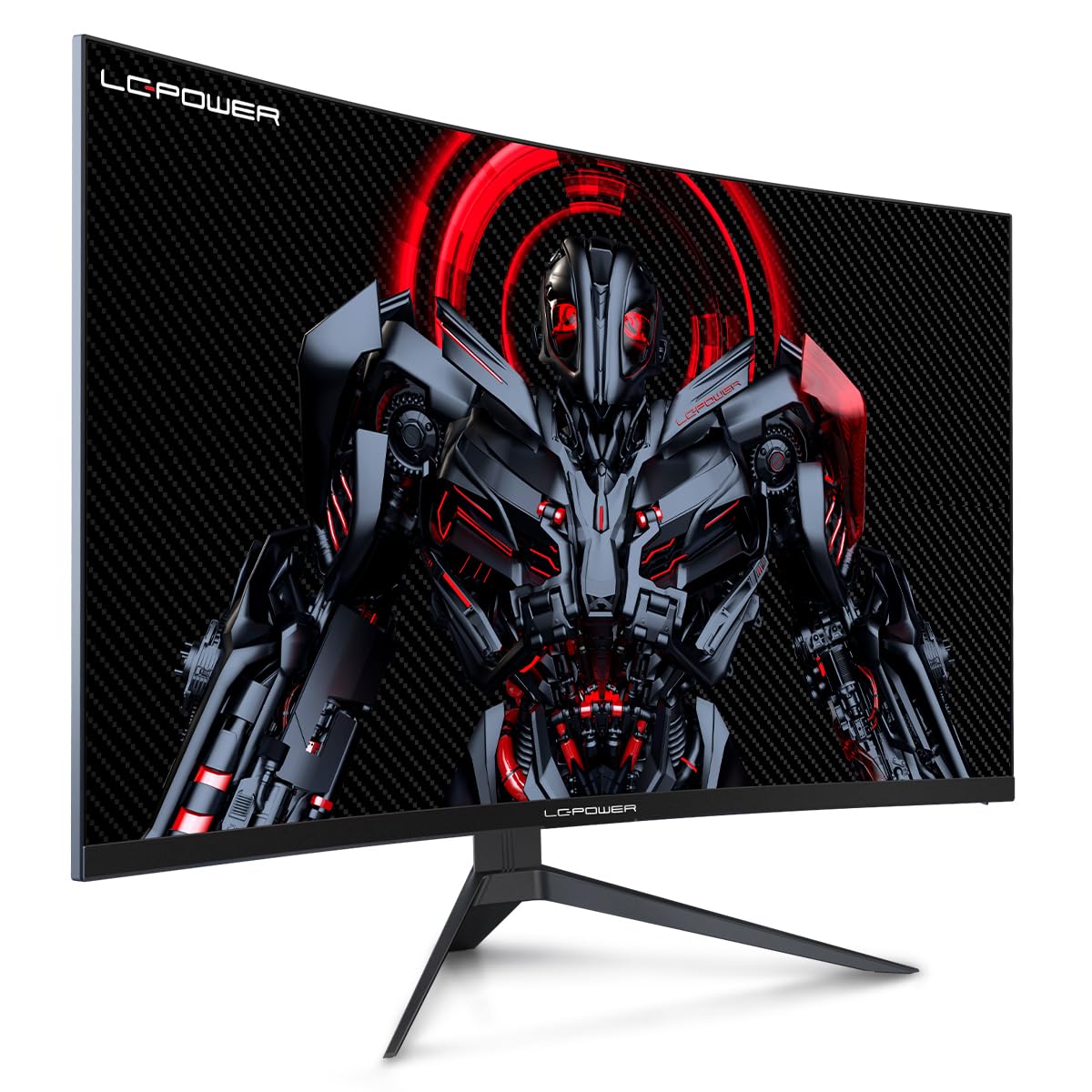
Figure 4.1: LC-Power monitor with stand assembled.
4.2 Tilslutningskabler
Tilslut de nødvendige kabler til skærmens bagporte:
- Magt: Tilslut strømadapteren til skærmens DC-indgang og derefter til en stikkontakt.
- Videoindgang: Connect an HDMI or DisplayPort cable from your computer's graphics card to the corresponding port on the monitor.

Figur 4.2: Bagside view af skærmen med indgangsporte.
4.3 VESA-montering (valgfrit)
The monitor supports VESA 100x100mm mounting. To use a VESA mount, remove the stand and attach the monitor to a compatible VESA bracket using appropriate screws (not included).
5. Betjeningsvejledning
5.1 Tænd/sluk
Press the power button, typically located on the back or bottom of the monitor, to turn the monitor on or off. The power indicator light will illuminate when the monitor is on.
5.2 On-Screen Display (OSD) menu
The OSD menu allows you to adjust various monitor settings. Use the control buttons (joystick or individual buttons) on the monitor to navigate the menu.
Common OSD Settings:
- Billedindstillinger: Juster lysstyrke, kontrast, skarphed og farvetemperatur.
- Indgangsvalg: Skift manuelt mellem HDMI- og DisplayPort-indgange.
- Lyd: Adjust volume if external speakers are connected via the monitor's audio output.
- Spilindstillinger: Access features like Overdrive, GamePlus (crosshair overlays), FPS/RTS modes, and Adaptive Sync.
- Skærmindstillinger: Adjust aspect ratio, resolution, and refresh rate. Ensure your graphics card is configured to output 1920x1080 resolution at 165Hz for optimal performance.
- Low Blue Light & Flicker-Free: These features are designed to reduce eye strain during prolonged use. They can be enabled or disabled in the OSD menu.
6. Vedligeholdelse
6.1 Rengøring af monitoren
- Tag altid stikket ud af skærmen før rengøring.
- Brug en blød, fnugfri klud lidt damprengøres med vand eller et mildt, ikke-slibende skærmrensemiddel.
- Sprøjt ikke rengøringsmiddel direkte på skærmen.
- Avoid using benzene, thinner, or ammonia-based cleaners.
6.2 Opbevaring
If storing the monitor for an extended period, disconnect all cables, pack it in its original packaging, and store it in a cool, dry place away from direct sunlight.
7. Fejlfinding
Se følgende tabel for almindelige problemer og løsninger på disse:
| Problem | Mulig årsag | Løsning |
|---|---|---|
| Intet billede på skærmen | Power cable disconnected; Video cable disconnected; Incorrect input selected | Check power and video cable connections; Select correct input via OSD menu |
| Billedflimmer | Faulty video cable; Graphics card driver issue; Refresh rate mismatch | Replace video cable; Update graphics drivers; Set refresh rate to 165Hz in OS display settings |
| Farverne ser forkerte ud | Color settings in OSD; Graphics card settings | Adjust color settings in OSD; Calibrate colors via graphics card control panel |
| Skærmen tænder ikke | Power cable not connected; Power adapter faulty | Ensure power cable is securely connected; Test power outlet; Contact support if adapter is suspected faulty |
8. Specifikationer
Detailed technical specifications for the LC-Power LC-M32-FHD-165-C-A monitor:
| Feature | Specifikation |
|---|---|
| Mærke | LC-Power |
| Model | LC-M32-FHD-165-CA |
| Skærmstørrelse | 32 tommer |
| Skærmopløsning | 1920 x 1080 (FHD 1080p) |
| Opdateringshastighed | 165 Hz |
| Svartid | 1 millisekund |
| Krumning | 1500R |
| Aspektforhold | 16:9 |
| Displayteknologi | LCD |
| Viewi vinkel | 178 grader |
| Hardware-interface | HDMI, DisplayPort |
| Særlige funktioner | Curved, Flicker-Free, Low Blue Light, GamePlus, Overdrive, FPS/RTS |
| VESA-kompatibilitet | 100x100 mm |
| Produktdimensioner | 14.3 x 53.8 x 40.6 cm (L x B x H) |
| Varens vægt | 8.24 kg |
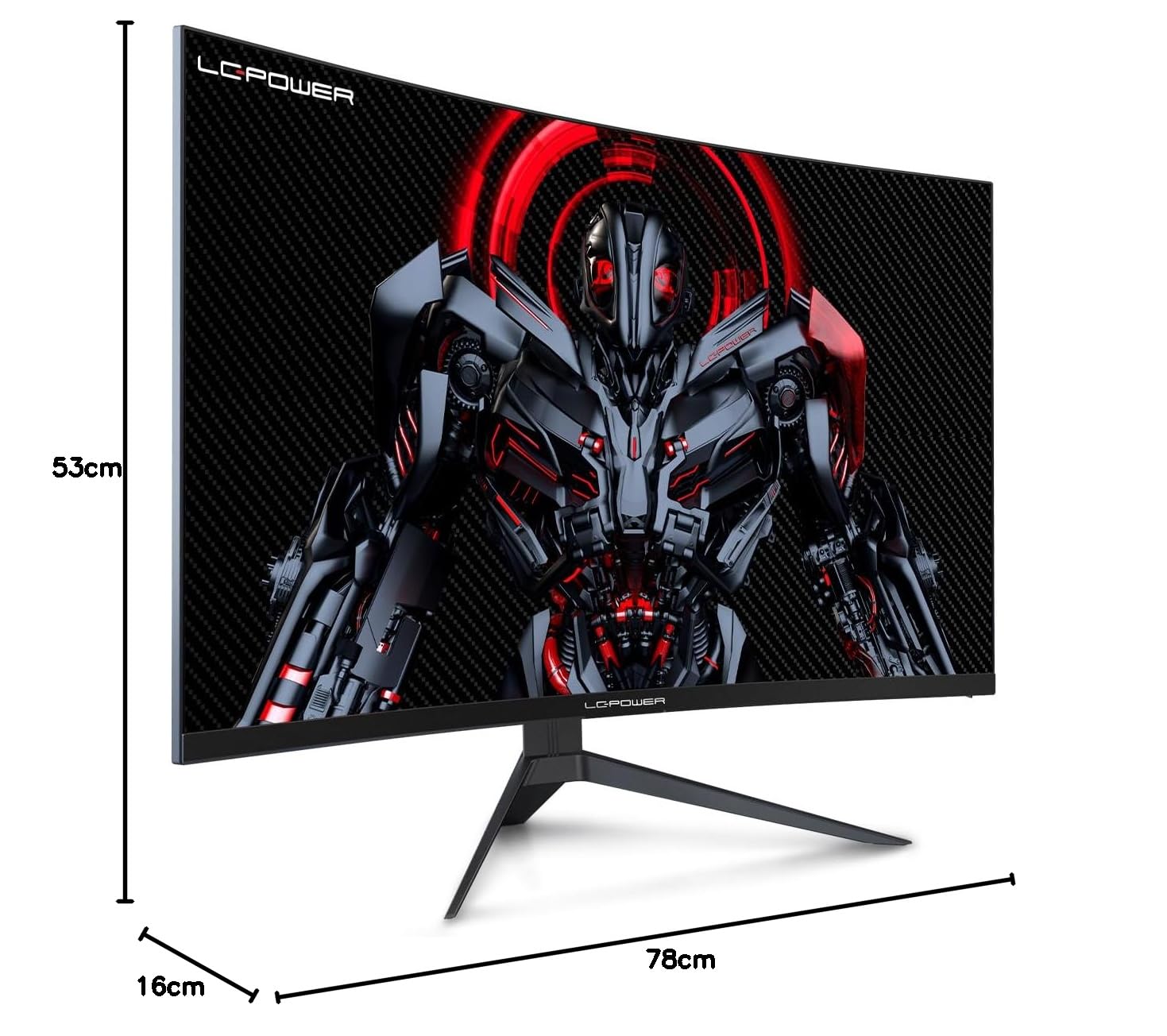
Figure 8.1: Monitor dimensions for planning installation space.
9. Garanti og support
LC-Power provides a three-year warranty for this product. Additionally, a twelve-month replacement service is available. For technical assistance or inquiries regarding damage, defects, or missing parts, please contact LC-Power customer support. Telephone technical support is also available.


