Indledning
This manual provides detailed instructions for the setup, operation, and maintenance of your Keychron M3 Mini 4K Wireless Optical Mouse. Designed for precision and performance, the M3 Mini features a lightweight magnesium alloy body, a high-performance PixArt 3395 sensor, and versatile connectivity options.
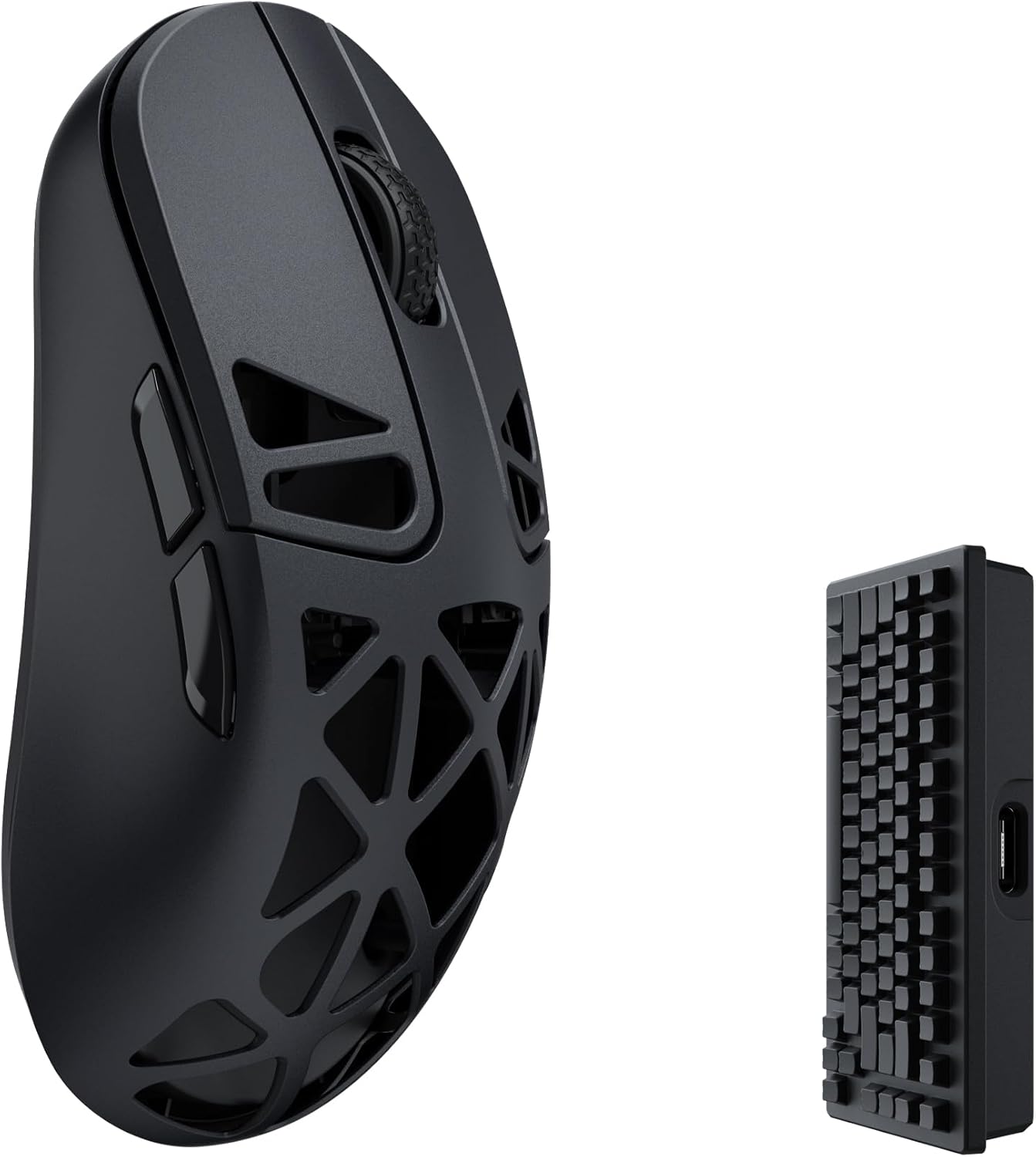
Image: The Keychron M3 Mini 4K Wireless Optical Mouse, showcasing its ergonomic design and perforated magnesium alloy shell, alongside its compact 4K wireless receiver.
Opsætning
Pakkens indhold
Bekræft at alle varer er til stede i pakken:
- 1x Keychron M3 Mini Mouse
- 1x Type-C til Type-C kabel
- 1x Type-A til Type-C adapter
- 1x 4K Wireless Receiver

Image: Diagram illustrating the contents of the Keychron M3 Mini package, including the mouse, cables, adapter, and 4K wireless receiver.
Indledende opladning
Before first use, connect the mouse to a USB power source using the provided Type-C cable. The mouse features a 600 mAh battery. A full charge ensures optimal performance and battery life.
Tilslutning af musen
The Keychron M3 Mini supports three connection modes: 2.4 GHz wireless, Bluetooth 5.1, and USB wired.
- 2.4 GHz Wireless Mode:
- Insert the 4K wireless receiver into an available USB port on your computer.
- Switch the mode selector on the bottom of the mouse to the 2.4 GHz position.
- Musen burde oprette forbindelse automatisk.

Image: The Keychron M3 Mini mouse positioned next to its 4K wireless receiver, illustrating the 2.4 GHz wireless connection method.
- Bluetooth 5.1-tilstand:
- Switch the mode selector on the bottom of the mouse to the Bluetooth position.
- Gå til Bluetooth-indstillinger på din computer, og søg efter nye enheder.
- Select "Keychron M3 Mini" from the list to pair.
- USB-kablet tilstand:
- Connect the mouse directly to your computer using the provided Type-C to Type-C cable or the Type-C to Type-A adapter.
- Musen fungerer som en kablet enhed og oplades samtidigt.
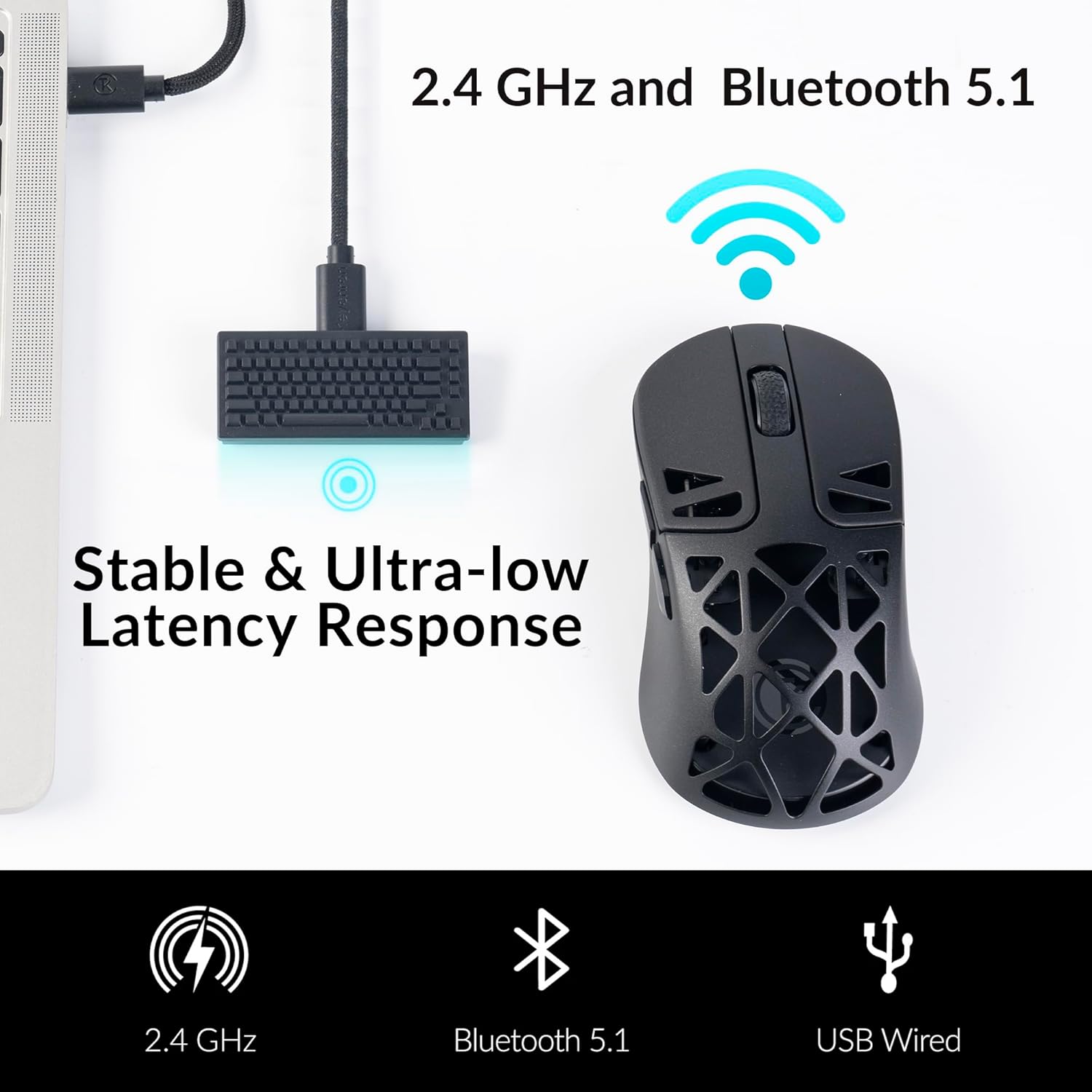
Image: An illustration showing the Keychron M3 Mini mouse connected via USB cable and wirelessly via 2.4 GHz and Bluetooth 5.1, highlighting its stable and ultra-low latency response.
Software Installation (Keychron Engine)
For advanced customization, including button remapping, macro creation, and precise DPI/LOD adjustments, download and install the Keychron Engine software from the official Keychron website. This software is compatible with Windows, Mac, and Linux operating systems.

Image: Screenshot of the Keychron Engine software interface, displaying customization options for the M3 Mini mouse.
Drift
DPI justering
The M3 Mini features a PixArt 3395 sensor, offering up to 26,000 DPI. You can adjust the DPI settings directly on the mouse using the dedicated DPI button on the underside, or through the Keychron Engine software for finer control.

Image: The Keychron M3 Mini mouse highlighting its PixArt 3395 sensor, capable of up to 26,000 DPI and 650 IPS for precise tracking.
Afstemningshastighedsjustering
The mouse supports polling rates up to 4000 Hz, providing highly responsive cursor movements. Adjust the polling rate using the dedicated button on the underside of the mouse or via the Keychron Engine software. The LED indicator on the mouse will change color to reflect the current polling rate setting.

Image: The Keychron M3 Mini mouse with text indicating its 4000 Hz Polling Rate capability.
| Report Rate Light Indicator | Polling Rate / Hz | Tilgængelige tilstande |
|---|---|---|
| Hvid | 125 | 2.4G / BT / Wired |
| Blå | 500 | 2.4G / Wired |
| Rød | 1000 | 2.4G / Wired |
| Blå + Rød | 2000 | 2.4G |
| Hvid + Rød | 4000 | 2.4G |
Table: Polling rate light indicator guide for the Keychron M3 Mini mouse.
Programmerbare knapper
Utilize the Keychron Engine software to customize the mouse buttons, assign macros, and create shortcuts for enhanced productivity and gaming.
Opretholdelse
Rensning
To clean the mouse, use a soft, dry, lint-free cloth. For stubborn dirt, a slightly damp cloth with mild soap can be used, ensuring no moisture enters the internal components. Avoid harsh chemicals or abrasive materials.
Batterioplysninger
The M3 Mini is equipped with a 600 mAh rechargeable battery. Expected battery life is up to 135 hours in 1K Polling Rate mode and approximately 40 hours in 4K Polling Rate mode. To preserve battery health, avoid extreme temperatures and prolonged periods of full discharge or charge.

Image: An illustration detailing the Keychron M3 Mini's internal components, including the 600 mAh battery, Huano 80M micro switches, and external DPI/polling rate adjustment buttons.
Opbevaring
When not in use for extended periods, store the mouse in a cool, dry place. It is recommended to charge the battery to about 50% before long-term storage.
Fejlfinding
- Musen svarer ikke: Ensure the mouse is charged and the correct connection mode (2.4 GHz, Bluetooth, or Wired) is selected. For wireless modes, verify the receiver is properly connected or Bluetooth is paired.
- Lag eller hakken: Check for interference in 2.4 GHz mode. Ensure the receiver is close to the mouse. For Bluetooth, ensure no other devices are causing interference. Lowering the polling rate might also help in some scenarios.
- Softwareproblemer: If experiencing problems with the Keychron Engine software, ensure you have the latest version installed from the official Keychron website. Try reinstalling the software if issues persist.
- DPI/Polling rate not changing: Confirm you are pressing the correct buttons on the underside of the mouse. If using software, ensure settings are applied and saved.
Specifikationer
| Feature | Detalje |
|---|---|
| Model | M3Mini |
| Kropsmateriale | Magnesium legering |
| Vægt | 64 g (ultralet) |
| Sensor | PixArt 3395 optisk sensor |
| DPI | Op til 26,000 DPI |
| IPS | Op til 650 IPS |
| Afstemningsfrekvens | Op til 4000 Hz |
| Forbindelse | 2.4 GHz Wireless, Bluetooth 5.1, USB Wired (Type-C) |
| Afbrydere | Huano 80M Micro Switches (80 million clicks lifespan) |
| Batteri | 600 mAh genopladelig |
| Batterilevetid (ca.) | 135 hours (1K Polling Rate), 40 hours (4K Polling Rate) |
| Dimensioner | 121.50 mm (Length) x 66.70 mm (Width) x 40-60 mm (Height) |
| Operativsystemer | Windows, Mac, Linux |
Table: Detailed technical specifications for the Keychron M3 Mini 4K Wireless Optical Mouse.

Image: The Keychron M3 Mini mouse from a top-down perspective, emphasizing its super lightweight design at only 64g.
Billede: Et nærbillede view of the Keychron M3 Mini mouse, highlighting its magnesium alloy body construction.
Garanti og support
Keychron products are covered by a limited warranty. For specific warranty terms, technical support, or service inquiries, please visit the official Keychron webwebstedet eller kontakt deres kundesupport direkte. Gem din købsbevis til garantikrav.
Officiel nøglering Webwebsted: www.keychron.com


