1. Introduktion
This manual provides essential information for the safe and efficient use of your Blackview Active 8 Pro Rugged Tablet. Please read this manual thoroughly before using the device to ensure optimal performance and longevity.
Den sorteview Active 8 Pro is designed for durability and performance, featuring a ruggedized construction, a large-capacity battery, and advanced processing capabilities to support various demanding environments and tasks.

Figur 1: Sortview Active 8 Pro Rugged Tablet (Orange variant shown)
2. Hvad er der i æsken
Bekræft, at alle varer er til stede i din produktpakke:
- 1x Sortview Active 8 Pro Rugged Tablet
- 1x Stylus Pen
- 1x Tempered Glass Screen Film
- 1x 33W Charger Cable
- 1x Date Cable (Type C)
- 1x OTG USB Cable
- 1x SIM/TF Card Pin
- 1x TÜV Instruction
- 1 x skruetrækker

Figur 2: Pakkens indhold af den sorteview Active 8 Pro.
3. Opsætning
3.1. Installation af SIM-/TF-kort
The tablet supports dual Nano SIM cards or one Nano SIM card and one TF (MicroSD) card for expanded storage up to 1TB.
- Find SIM-/TF-kortstikket på siden af tabletten.
- Use the provided SIM/TF Card Pin to gently eject the tray.
- Place your Nano SIM card(s) and/or TF card into the designated slots on the tray. Ensure correct orientation.
- Sæt forsigtigt bakken tilbage i tabletten, indtil den klikker på plads.
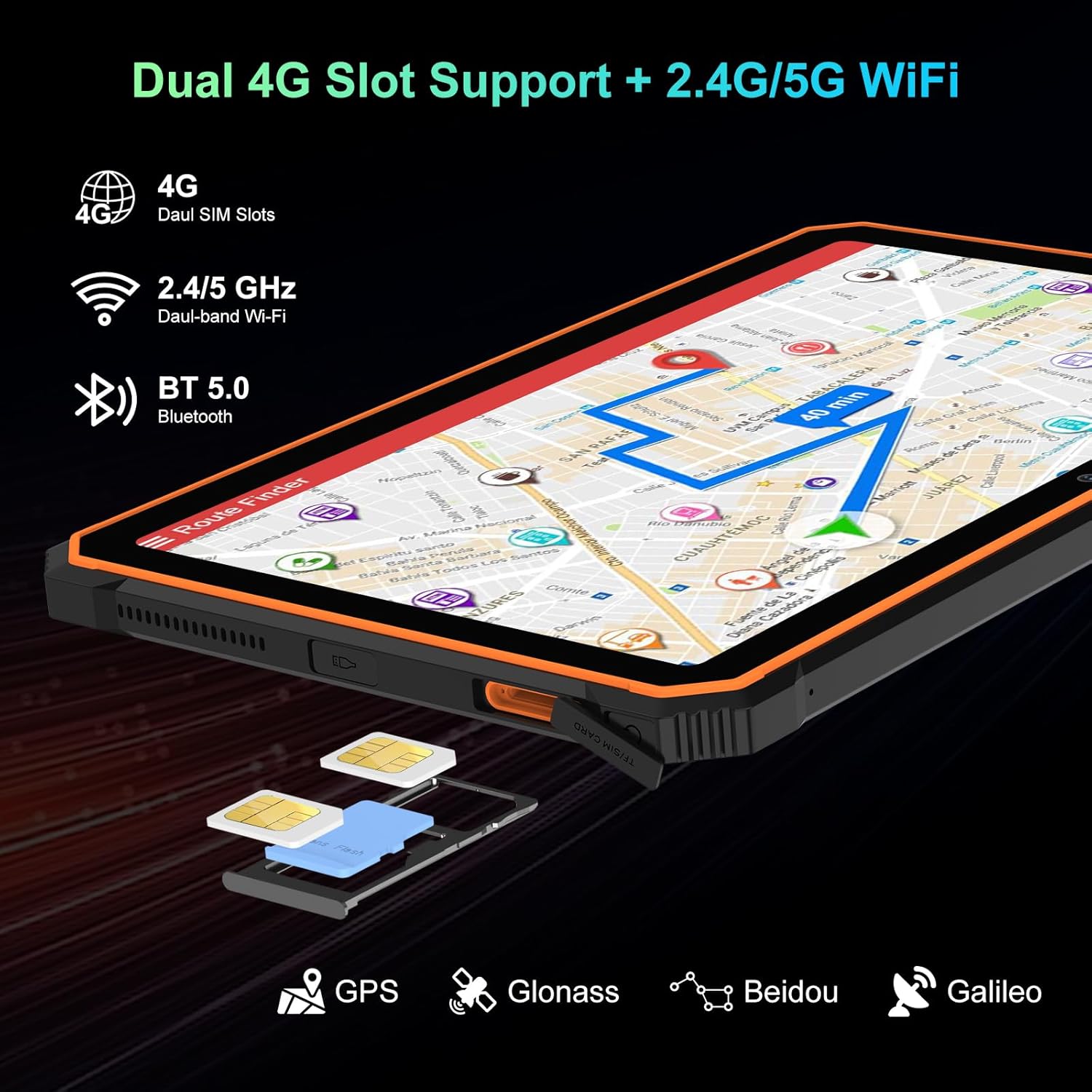
Figure 3: SIM/TF card slot location.
3.2. Første opstart og opladning
- Press and hold the Power Button (located on the side) until the Blackview logoet vises.
- For first-time use, or if the battery is low, connect the tablet to the 33W Charger Cable and power adapter.
- Allow the tablet to charge fully before extensive use. The 22000mAh battery provides extended usage times.

Figure 4: Battery and charging overview.
Video 1: Unboxing the Blackview Active8Pro Rugged Tablet. This video demonstrates the unboxing process and initial handling of the tablet.
4. Betjeningsvejledning
4.1. Grundlæggende navigation
- Power knap: Tryk og hold nede for at tænde/slukke eller genstarte. Tryk kort for at låse/låse skærmen op.
- Lydstyrkeknapper: Juster medielydstyrke, ringetonelydstyrke og notifikationslydstyrke.
- Touchskærm: Navigate the Android 14 interface using taps, swipes, and pinch-to-zoom gestures.
4.2. Skærmfunktioner
The 10.36-inch 2.4K FHD+ IPS display offers vibrant visuals. It includes three eye-care modes and TÜV Rheinland Low Blue Light certification for comfortable viewing.
- Access display settings to adjust brightness, activate eye-care modes (Reading Mode, Night Light, Dark Mode), and customize color temperature.
- The display is protected by Tough Corning Gorilla Glass 5.

Figure 5: Display and audio features.
4.3. Kamerabrug
The tablet is equipped with a 48MP Samsung rear camera and a 16MP Hynix front camera. It supports Google Lens and Arcsoft technology for enhanced imaging.
- Åbn Kamera-appen fra startskærmen eller appskuffen.
- Switch between front and rear cameras, select photo or video mode, and explore features like Beauty Mode, Improved HDR, and Portrait Mode.
- The tablet also features an Underwater Camera mode for capturing photos and videos while submerged.
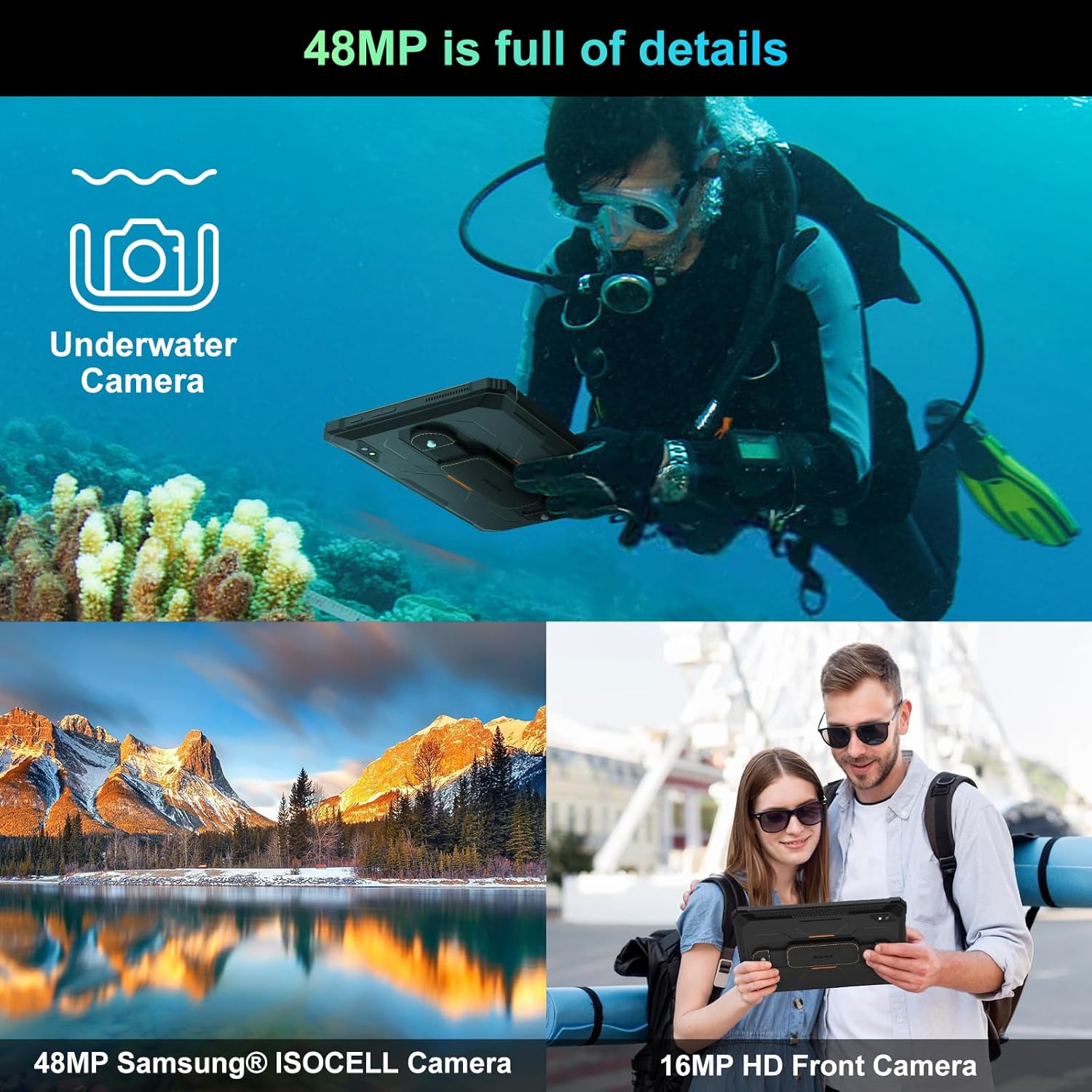
Figure 6: Camera capabilities.
4.4. Forbindelse
The tablet supports 4G LTE, 5G WiFi, Bluetooth 5.0, and multiple navigation systems (GPS, Glonass, Beidou, Galileo).
- Adgang Indstillinger> Netværk og internet to manage Wi-Fi, mobile data, and hotspot settings.
- Adgang Settings > Connected Devices til at administrere Bluetooth-forbindelser.
4.5. OTG omvendt opladning
The tablet's OTG (On-The-Go) function allows it to act as a power bank to charge other compatible devices using the provided OTG USB Cable.
- Connect the OTG USB Cable to the tablet's Type C port.
- Connect your external device (e.g., smartphone, smartwatch) to the other end of the OTG USB Cable.
- The tablet will begin charging the connected device.

Figure 7: OTG Reverse Charging capability.
Video 2: Sortview Rugged Tablet Active 8Pro 22000mAh Android Tablet. This video highlights the tablet's features, including its large battery and OTG function.
5. Vedligeholdelse
5.1. Robuste funktioner
Den sorteview Active 8 Pro is built to withstand harsh conditions, certified with IP68 (waterproof), IP69K (dustproof), and MIL-STD-810H (dropproof).
- Vandtæt: Kan nedsænkes i op til 1.5 meters vanddybde i 30 minutter. Sørg for, at alle portdæksler er forsvarligt lukket, før den udsættes for vand.
- Støvtæt: Fuldstændig beskyttet mod indtrængning af støv.
- Dropproof: Designet til at modstå fald fra op til 1.5 meter.

Figure 8: Ruggedness certifications.
Video 3: Active8Pro Waterproof and Drop-resistant Tablet. This video showcases the tablet's durability against water and drops.
5.2. Rengøring og pleje
- Clean the screen with a soft, lint-free cloth. For stubborn smudges, use a screen cleaner designed for electronics.
- Undgå at bruge skrappe kemikalier eller slibende materialer.
- Ensure all ports are dry before charging or connecting accessories after water exposure.
6. Fejlfinding
Hvis du støder på problemer med din Blackview Active 8 Pro, try the following basic troubleshooting steps:
- Enheden reagerer ikke: Press and hold the Power Button for 10-15 seconds to force a restart.
- Opladningsproblemer: Ensure the charger cable and adapter are securely connected and undamaged. Try a different outlet.
- Forbindelsesproblemer: Toggle Wi-Fi or Bluetooth off and on. Restart the tablet.
- App-nedbrud: Luk den problematiske app, og genåbn den. Hvis problemet fortsætter, skal du rydde appens cache eller geninstallere den.
- Langsom ydeevne: Luk ubrugte apps, ryd cachen eller genstart tabletten. Overvej at frigøre lagerplads.
7. Specifikationer
| Feature | Detalje |
|---|---|
| Model | Aktiv 8 Pro |
| Operativsystem | Android 14 |
| Processor | MediaTek Helio G99 (Octa-core, 3 GHz) |
| VÆDDER | 24 GB (8 GB fysisk + 16 GB udvidet) |
| Intern opbevaring | 256 GB |
| Udvidelig opbevaring | Op til 1 TB via TF-kort |
| Skærmstørrelse | 10.36 tommer |
| Skærmopløsning | 2.4K FHD+ IPS (1200*2000 Pixels) |
| Batterikapacitet | 22000mAh |
| Opladning | 33W hurtigopladning, OTG omvendt opladning |
| Bagkamera | 48MP (Samsung) |
| Forreste kamera | 16MP (Hynix) |
| Forbindelse | 4G LTE, 5G WiFi (802.11ac), Bluetooth 5.0 |
| Navigation | GPS, Glonass, Beidou, Galileo |
| Robusthed | IP68, IP69K, MIL-STD-810H |
| Dimensioner | 10.09 x 6.53 x 0.66 tommer |
| Vægt | 2.15 pund |
Video 4: Benchmark Score of Active8Pro Android 14 Rugged Tablet. This video demonstrates the tablet's performance capabilities.
Video 5: Battery Life of Active8Pro (22000mAh). This video illustrates the extended battery life of the tablet.
8. Garanti og support
Sortview tilbyder en 2 års garanti for this tablet. This includes free repair warranty and lifetime technician support.
Ved spørgsmål eller assistance, kontakt venligst Blackview customer service. They are committed to providing satisfactory solutions and ensuring a great user experience.

Figur 9: Sortview To års garantisupport.


