Indledning
This manual provides instructions for the proper use and maintenance of your Casio DS-2B-GD-W-DP 12-Digit Practical Calculator. Please read this manual thoroughly before using the calculator to ensure optimal performance and longevity.

Figur 1: Forside view of the Casio DS-2B-GD-W-DP calculator, showing the display and key layout.
Opsætning
Strømkilde
The Casio DS-2B-GD-W-DP calculator operates using a dual power system: solar power and battery power. It automatically switches between these sources based on ambient light conditions.
- Solenergi: The calculator is powered by solar cells when sufficient light is available. Ensure the solar panel, located above the display, is exposed to light for operation.
- Batteristrøm: When light is insufficient, the calculator automatically switches to battery power. No user intervention is required for this transition.
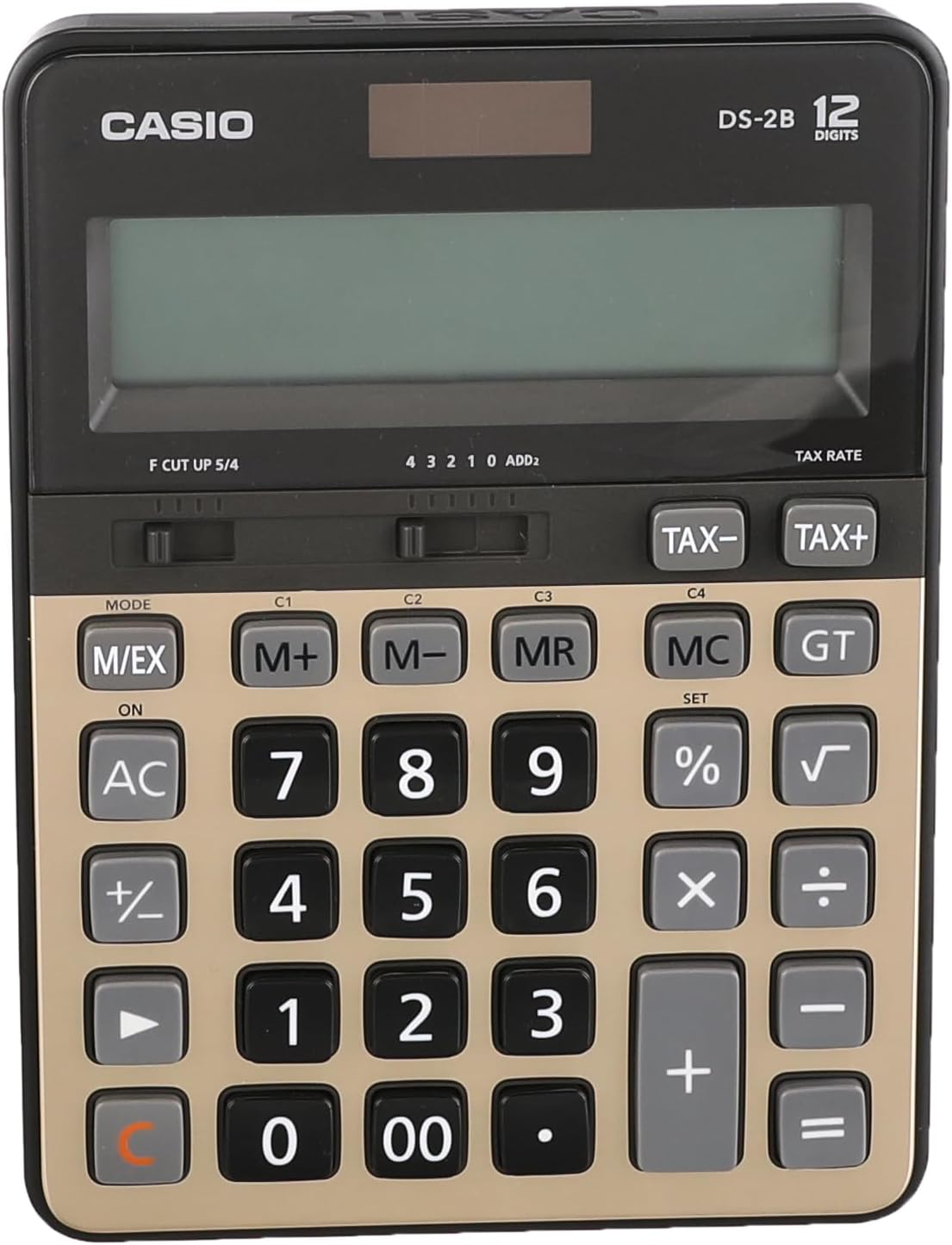
Figur 2: Øverst view of the calculator, highlighting the solar panel and large display area.
Indledende brug
- Placer lommeregneren et godt oplyst område.
- Tryk på ON/AC button to turn on the calculator and clear any previous calculations.
- The display should show "0". If the display is blank, ensure adequate light is available or that the battery is functional.
Betjeningsvejledning
Grundlæggende beregninger
- Tilføjelse: Indtast det første tal, tryk på +, enter the second number, press =.
- Subtraktion: Indtast det første tal, tryk på -, enter the second number, press =.
- Multiplikation: Indtast det første tal, tryk på ×, enter the second number, press =.
- Afdeling: Indtast det første tal, tryk på ÷, enter the second number, press =.
- Ryd indtastning: Trykke CE (often combined with AC) to clear the last entered number.
- Alt klart: Trykke AC to clear all calculations and reset the display to zero.
Hukommelsesfunktioner
The calculator includes independent memory functions for storing and recalling values.
- M+: Tilføjer den viste værdi til hukommelsen.
- M-: Trækker den viste værdi fra hukommelsen.
- MR: Recalls the value stored in memory to the display.
- MC: Rydder hukommelsen.
Skatteberegning
The calculator features dedicated keys for tax calculations.
- TAX+: Adds tax to the displayed value.
- TAX-: Subtracts tax from the displayed value.
Note: The tax rate must be set prior to using these functions. Refer to the full Casio manual for detailed instructions on setting the tax rate.

Figure 3: Close-up of the calculator's key layout, showing function keys like M+, M-, MR, MC, TAX+, and TAX-.
Opretholdelse
Rensning
- Tør lommeregneren af med en blød, tør klud.
- For genstridigt snavs, let dampRengør kluden med vand og et mildt rengøringsmiddel, og tør derefter straks efter.
- Do not use strong solvents, abrasive cleaners, or spray cleaners directly onto the calculator.
Opbevaring
- Opbevar lommeregneren et køligt, tørt sted væk fra direkte sollys og ekstreme temperaturer.
- Avoid exposing the calculator to excessive moisture or dust.
Udskiftning af batteri
The calculator uses a button-cell battery as a backup power source. If the display becomes dim or unresponsive in sufficient light, the battery may need replacement. Battery replacement should ideally be performed by a qualified technician or according to the detailed instructions in the comprehensive Casio manual to avoid damaging the device.
Fejlfinding
| Problem | Mulig årsag | Løsning |
|---|---|---|
| Skærmen er tom eller svag. | Insufficient light for solar power. / Battery is low or depleted. | Move the calculator to a brighter area. / Replace the battery (refer to Maintenance section). |
| Lommeregneren reagerer ikke på tastetryk. | Calculator is off. / Temporary malfunction. | Trykke ON/AC. / Remove the calculator from light for a few minutes, then re-expose to light and press ON/AC. |
| Forkerte beregningsresultater. | Incorrect input. / Incorrect mode setting. | Verify input numbers and operations. / Press AC to clear and restart. Check mode settings if applicable (e.g., decimal point selector). |
Specifikationer
- Model: Casio DS-2B-GD-W-DP
- Cifre: 12
- Strømkilde: Solar & Battery (Dual Power)
- Skærmtype: Extra Large LCD
- Nøgletype: Durable anti-fade plastic keys
- Dimensioner (L x B x H): Cirka 18.95 x 14 x 0.25 cm
- Vægt: Cirka 305 g
- Materiale: Plast
- Funktioner: Basic arithmetic, Memory (M+, M-, MR, MC), Tax calculation (TAX+, TAX-), Percentage (%), Square Root (√), Grand Total (GT), Mark-up (MU), Decimal Selector (F, CUT, UP, 5/4), Rounding Selector (4, 3, 2, 1, 0, ADD2).
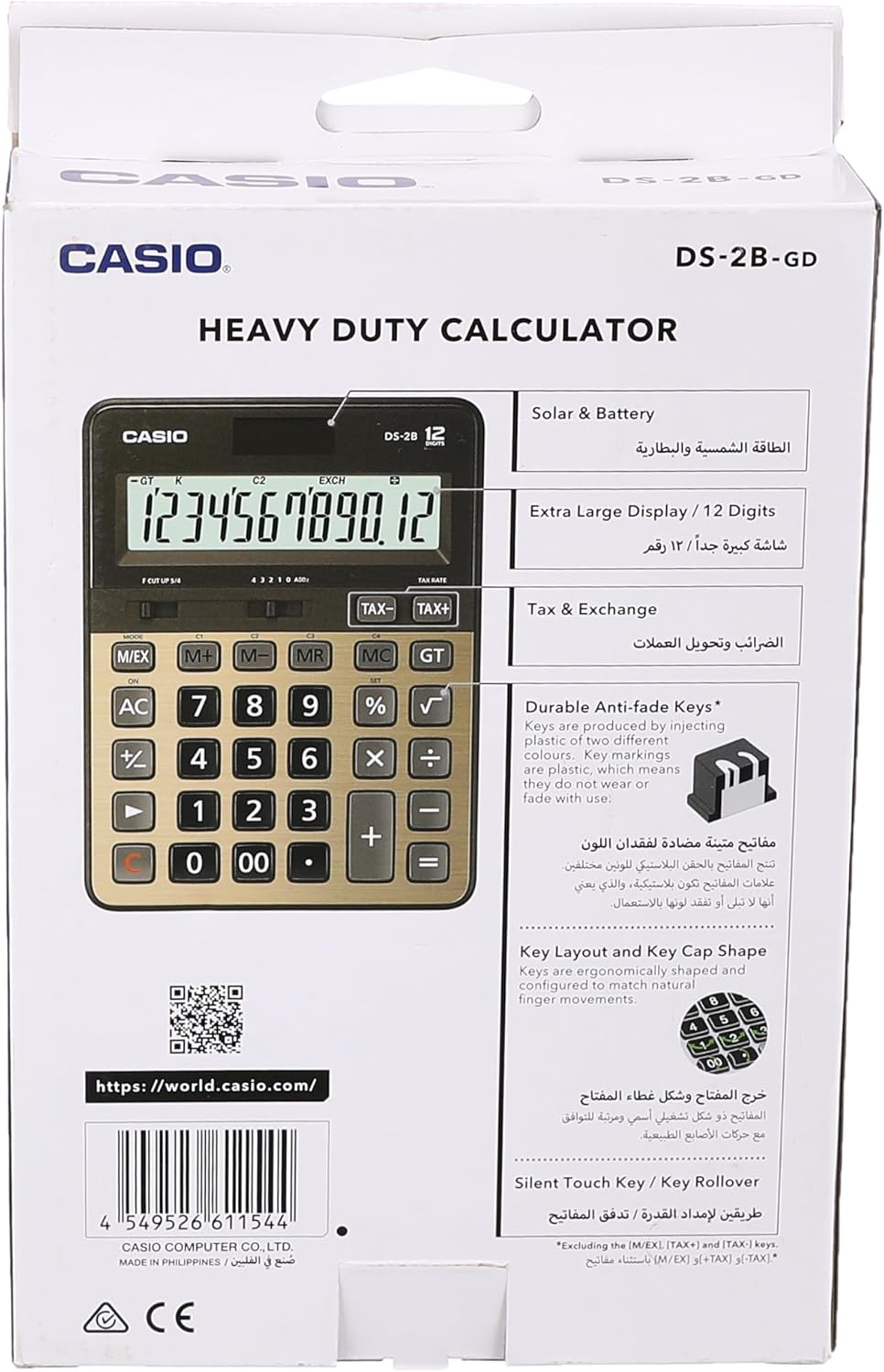
Figure 4: Product packaging highlighting key features such as solar & battery power, extra large display, and durable keys.
Garanti og support
For detailed warranty information and customer support, please refer to the documentation included with your purchase or visit the official Casio webwebsted.
- Officiel Casio Webwebsted: https://world.casio.com
- Fabrikant: Casio Computer Co., Ltd.
- Modelnummer: DS-2B-GD-W-DP
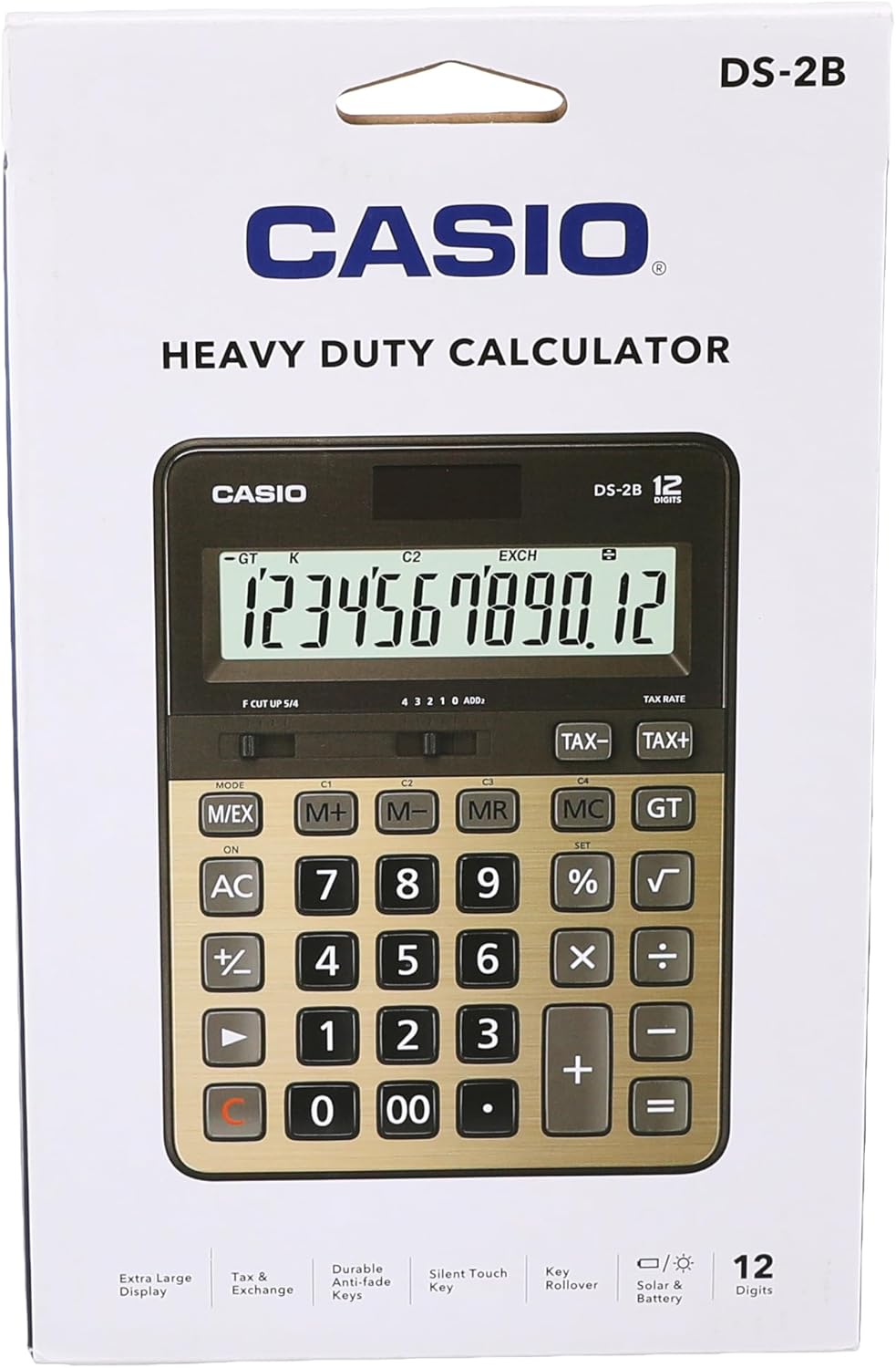
Figur 5: Bagside view of the product packaging, displaying the barcode and official webside for yderligere information.


