Indledning
The Altec Lansing Kid Safe 2-in-1 Wireless Bluetooth Headphones (Model MZX4410) are designed to provide a safe and enjoyable audio experience for children. These headphones feature volume-limiting technology to protect delicate hearing, comfortable ear cushions, and versatile connectivity options. This manual provides instructions for setup, operation, and maintenance to ensure optimal performance and longevity of your headphones.
Hvad er der i æsken
- Altec Lansing Kid Safe 2-in-1 Wireless Bluetooth Headphones
- USB-C ladekabel
- 3.5 mm lydkabel
- Beskyttende etui
- Brugervejledning (dette dokument)
Produktegenskaber
- Krystalklar lyd: High-quality audio with enhanced bass for an immersive listening experience.
- Safe Volume Limiting: Integrated technology limits maximum volume to 85dB to protect children's hearing.
- 2-i-1-tilslutning: Understøtter både trådløs Bluetooth og kablede 3.5 mm lydforbindelser.
- Trådløs rækkevidde: Up to 30 feet of Bluetooth wireless range for unrestricted movement.
- Komfortabelt design: Soft ear cushions and an adjustable, cushioned headband ensure a comfortable fit for extended wear.
- Sammenfoldelig og bærbar: Convenient foldable design for easy storage and transport.
- Holdbar konstruktion: Built to withstand active use.
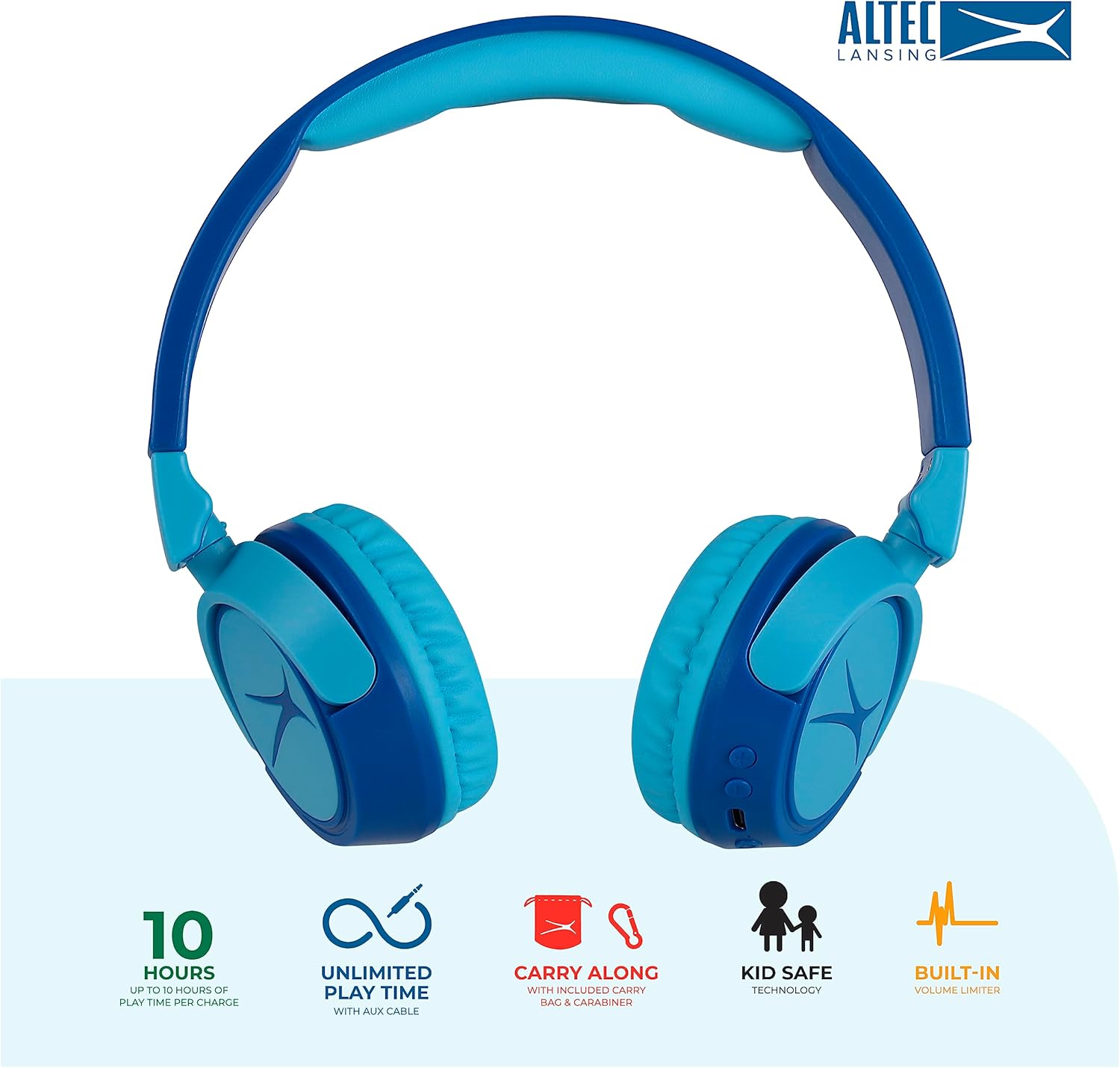
Image: Key features of the Altec Lansing Kid Safe Headphones, including battery life, wired option, portability, and safety features.

Image: Visual representation of the 85dB volume limiting technology for safe listening.
Opsætningsinstruktioner
1. Opladning af hovedtelefonerne
- Locate the USB-C charging port on the headphone earcup.
- Connect the provided USB-C charging cable to the port on the headphones.
- Plug the other end of the USB-C cable into a compatible USB power source (e.g., computer, wall adapter).
- LED-indikatoren lyser under opladning og skifter farve eller slukker, når den er fuldt opladet.
- En fuld opladning giver cirka 10 timers spilletid.
2. Bluetooth-parring
- Sørg for, at hovedtelefonerne er opladet.
- Press and hold the Power button on the headphone earcup until the LED indicator flashes blue and red, indicating pairing mode.
- Gå til Bluetooth-indstillinger på din enhed (smartphone, tablet, computer), og aktiver Bluetooth.
- Select "Altec Lansing MZX4410" from the list of available devices.
- Once connected, the LED indicator will show a solid blue light.
- Hovedtelefonerne genopretter automatisk forbindelsen til den sidst parrede enhed, når de tændes, hvis de er inden for rækkevidde.
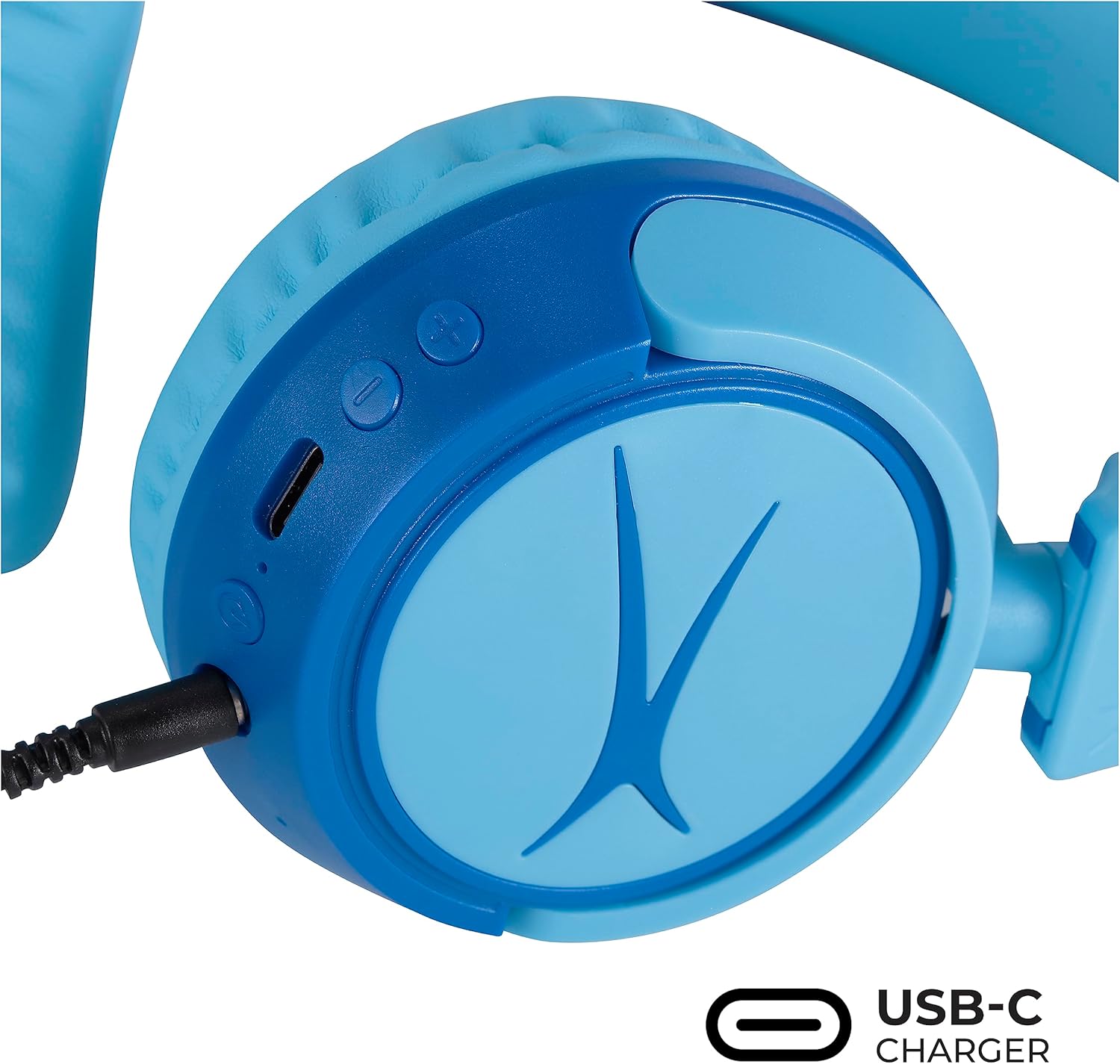
Image: Detail of the headphone controls and ports for charging and wired connection.
Betjeningsvejledning
Tænd/sluk
- For at tænde skal du trykke på tænd/sluk-knappen og holde den nede, indtil LED-indikatoren lyser.
- For at slukke skal du trykke på tænd/sluk-knappen og holde den nede, indtil LED-indikatoren slukker.
Lydstyrkekontrol
- Use the '+' button to increase volume.
- Use the '-' button to decrease volume.
- The volume is limited to 85dB for hearing protection.
Mediekontrol
- Tryk én gang på Afspil/Pause-knappen for at afspille eller sætte lyd på pause.
- Tryk og hold '+'-knappen nede for at springe til næste nummer.
- Tryk og hold '-'-knappen nede for at gå til det forrige nummer.
Kablet forbindelse (valgfrit)
For unlimited playtime or when Bluetooth is not available, use the provided 3.5mm audio cable:
- Plug one end of the 3.5mm audio cable into the audio jack on the headphone earcup.
- Sæt den anden ende i 3.5 mm lydudgangen på din enhed.
- Hovedtelefonerne skifter automatisk til kablet tilstand.

Image: The headphones are compatible with multiple devices via Bluetooth or wired connection.
Video: An official product video demonstrating the Altec Lansing Kid Safe Bluetooth Headphones.
Opretholdelse
Rensning
- Tør hovedtelefonerne af med en blød, tør klud.
- Brug ikke skrappe kemikalier eller slibende materialer.
- Ensure no moisture enters the ports.
Opbevaring
- Fold the headphones for compact storage.
- Store them in the provided protective case when not in use to prevent damage.
- Opbevares på et køligt, tørt sted væk fra ekstreme temperaturer.

Image: Features highlighting the adjustable and cushioned design for comfort.
Fejlfinding
- Ingen strøm: Sørg for, at hovedtelefonerne er fuldt opladet. Tilslut til en strømkilde med USB-C-kablet.
- Kan ikke parres via Bluetooth: Make sure the headphones are in pairing mode (flashing blue/red LED). Check that Bluetooth is enabled on your device and that the headphones are within the 30-foot range. Try restarting both the headphones and your device.
- No Sound in Wireless Mode: Bekræft, at hovedtelefonerne er parret og tilsluttet din enhed. Kontroller lydstyrken på både hovedtelefonerne og din enhed.
- No Sound in Wired Mode: Ensure the 3.5mm audio cable is securely plugged into both the headphones and your device. Check the volume levels on your device.
- Sound is Too Low: The headphones feature a built-in volume limiter at 85dB for safety. This is a design feature and not a malfunction.
Specifikationer
| Feature | Detalje |
|---|---|
| Modelnavn | MZX4410 |
| Forbindelsesteknologi | Trådløs (Bluetooth), Kablet (3.5 mm jack) |
| Trådløs kommunikationsteknologi | Bluetooth |
| Bluetooth rækkevidde | 30 fod |
| Batterilevetid | 10 timer |
| Volumengrænse | 85dB (Kid Safe) |
| Kontroltype | Mediekontrol, berøring |
| Særlige funktioner | Adjustable Headband, Detachable Cable, Foldable, Lightweight, Wireless |
| Materiale | Plast |
| Varens vægt | 8.8 ounce (0.25 kilo) |
| Fabrikant | Altec Lansing Technologies |
| UPC | 021331082107 |
Garanti og support
For warranty information and customer support, please refer to the official Altec Lansing website or contact their customer service directly. Details can typically be found on the product packaging or the Altec Lansing support portal.


